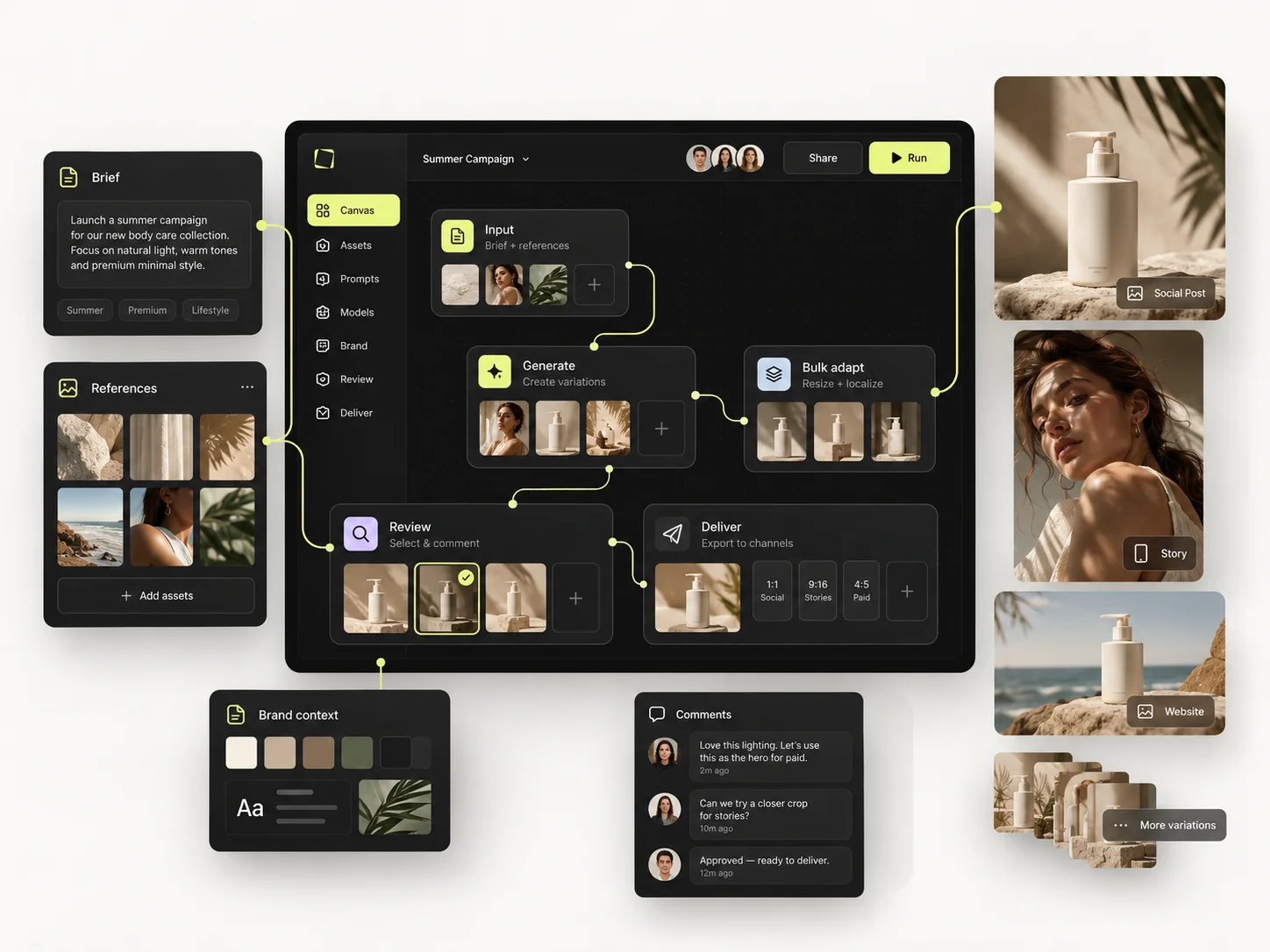
Managing AI across a creative team means deciding three things centrally: which models people can use, who is allowed to do what, and where the credits are going. Without those three, a team does not have an AI workflow — it has several people with separate subscriptions producing work that does not match.
This is the stage most creative teams are at right now. The tools work. The first results were good enough to keep going. And then five people ended up with five accounts, five billing lines, five interpretations of the brand, and no way to tell what any of it cost.
This guide covers how to move AI production into one shared environment using the Mujo Team Workspace: model access, roles, shared assets, review, and how to see usage before the invoice tells you.
The short version
- One workspace beats five personal accounts, for reasons that are mostly not about price.
- Decide model access centrally — per job, not per person's preference.
- Shared assets and saved setups are what make output consistent between people.
- Roles exist so juniors can produce without being able to change the brand setup.
- Watch usage weekly, not monthly. Credits disappear in batches, not in drips.
What changes when AI production moves to a team
A single person using an AI tool has one problem: getting a good result. A team has four more, and none of them are solved by a better model.
- Consistency — two designers, same brief, two different brands.
- Access — who can change the approved setup, and who only uses it.
- Visibility — what was generated, by whom, for which project.
- Cost — where the credits went, before the month ends.
Those four are workspace problems, not generation problems. They are the reason teams consolidate, and the reason consolidation usually pays for itself before the price difference does.
Step 1: Decide model access as a team decision
Left to individuals, model choice becomes a matter of habit — whichever one someone learned first. That is fine for exploration and expensive at production scale, because different models are good at different things and cost differently.
Make it a shared decision instead. A workable starting policy:
Mujo gives access to multiple image and video models in one place, which makes this a policy question rather than a procurement one — nobody has to buy a second subscription to try a second model.
Step 2: Put the brand setup in shared assets, not in people's heads
The single biggest source of inconsistency in a creative team using AI is that the approved look lives in one person's recent history. When they are on holiday, the work drifts.
Move it into shared, reusable objects:
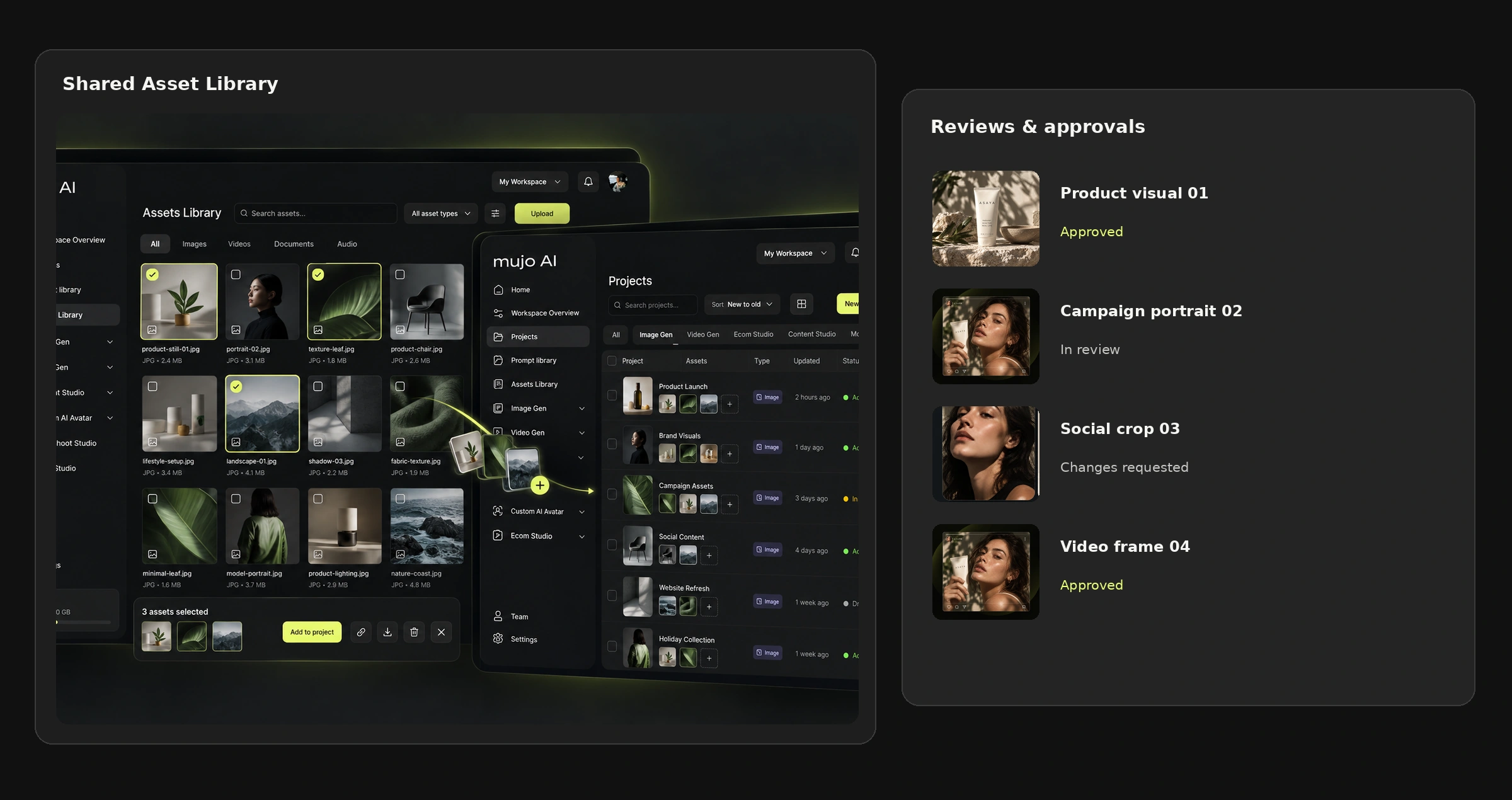
- Product and brand references — the real source material, in one library.
- Saved creative controls — camera, lighting, composition and style as settings.
- Saved characters — the cast, reusable across projects.
- Reusable workflows — the process, built once in the Node Editor.
Consistency stops being a matter of discipline and becomes a matter of what is loaded by default. That is a much more reliable mechanism than a style guide nobody opens.
Step 3: Set roles so production does not require the senior person
The bottleneck in most creative teams is not generation capacity. It is that only one or two people are trusted to produce anything that goes out.
Roles solve this by separating two rights that usually get bundled: the right to produce using an approved setup, and the right to change it. Give the first widely and the second narrowly, and a junior can fill a content calendar without anyone worrying about what they might alter.
Confirm which roles, permissions and review steps are available on your current plan and release before designing a process around them.
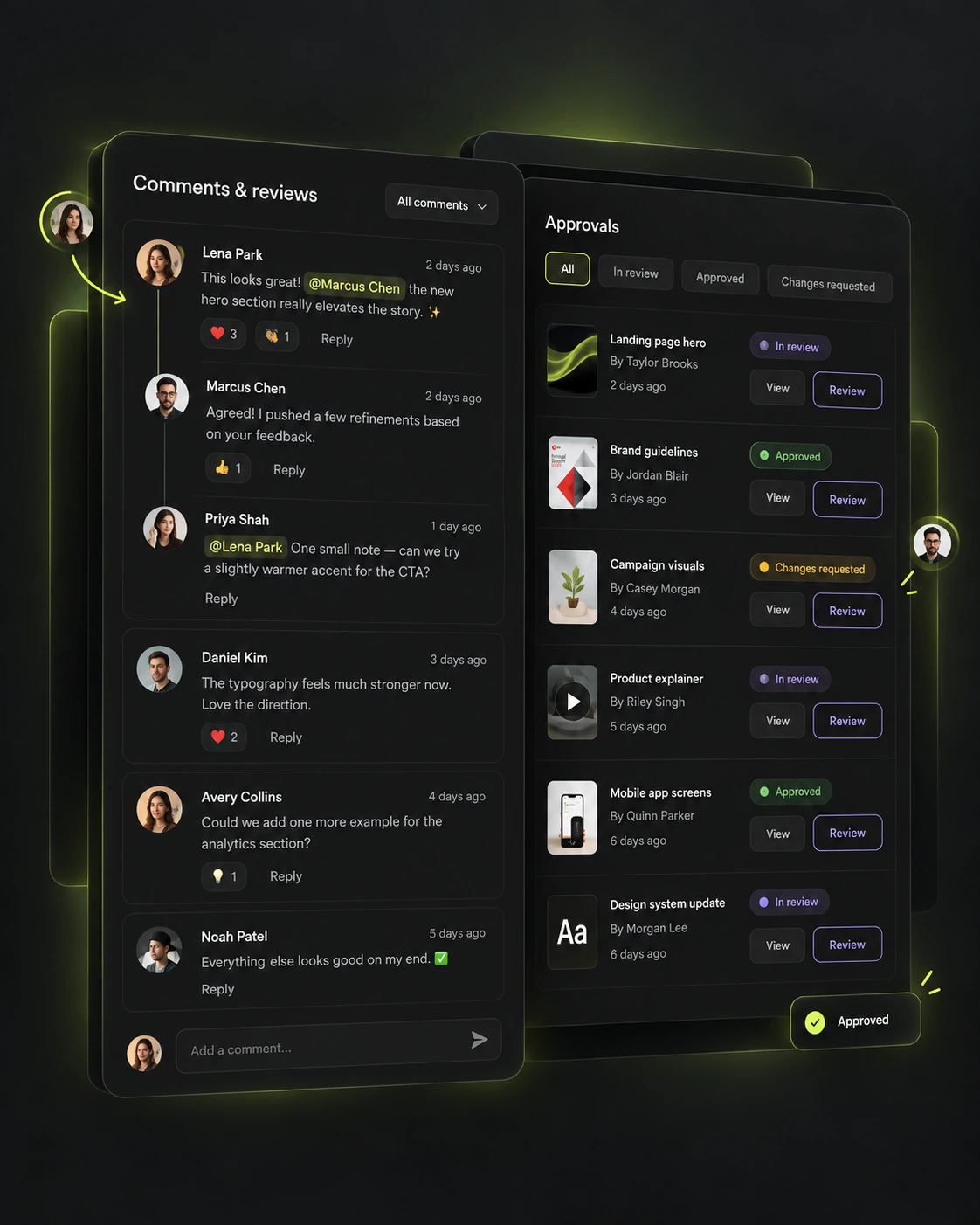
Step 4: Make review a step, not a thread
Feedback that lives in chat is feedback that gets lost. Three days later nobody can tell which version "the brighter one" referred to.
Keeping comments and approval states attached to the asset does two things: it survives the fourth round of changes, and it leaves a record of what was approved — which is what you need six weeks later when someone asks for the same thing in another market.
Step 5: Watch usage weekly
Credit consumption in a creative team is not a steady drip. It is flat for ten days and then one bulk run consumes a third of the month. A monthly check tells you what happened; a weekly one lets you do something about it.
Three things worth knowing before the month closes:
- Which projects consume most — usually one, and usually not the one you would guess.
- The ratio of exploration to production — high exploration early in a campaign is healthy; high exploration in week four is a brief that never got settled.
- Rejection rate — how much output never ships. This is the number that improves fastest when setups are shared.
Mujo uses a credit-based system across supported models and tools; see pricing for plans and allowances.
What usually goes wrong
Five personal accounts
Everyone starts on their own login, and the assets end up in five places. Consolidating later means re-uploading references and rebuilding setups. Fix: consolidate before the asset library matters, not after.
Everyone is an admin
If anybody can edit the approved setup, it gets edited — usually with good intentions, at 6pm, to fix one asset. Fix: narrow edit rights, wide production rights.
Model roulette
Each person picks a different model for the same kind of job, and the output no longer matches across a campaign. Fix: make model choice part of the saved setup rather than a per-person decision.
Cost discovered at invoice time
A large run gets launched on a Friday and nobody looks again until billing. Fix: a weekly glance, and a rule that batch runs over a certain size get a test batch first.
Who this matters most for
In-house marketing teams
Several people producing for one brand, where consistency is the whole job. See Mujo for marketing teams.
Creative agencies
Multiple client accounts, each needing its own setup kept separate and reproducible. See Mujo for agencies.
Ecommerce teams at catalogue scale
Where one bulk run can consume a meaningful share of the month, and visibility is not optional. See product catalog production.
Frequently asked questions
Why use a shared workspace instead of individual accounts?
Because assets, approved setups and review history need to be in one place. The cost difference is usually the smaller reason; the larger one is that work stops being trapped in individual accounts.
Can I control which AI models my team uses?
Model choice can be fixed inside a saved setup or workflow so that production runs use the intended model rather than a per-person preference. Available models and supported controls vary by workflow and plan.
Can I see how many credits each project used?
Usage visibility is part of the workspace. Confirm the exact reporting available on your current plan and release before building a process around it.
Can juniors produce without being able to change the brand setup?
That is what roles are for: production rights and edit rights are separate, so an approved setup can be used widely and changed narrowly.
How do we keep output consistent between people?
Shared references, saved creative controls, saved characters and reusable workflows. Consistency comes from everyone starting from the same objects, not from everyone remembering the same instructions.
Can external partners or clients be given access?
Workspace access and permissions are configurable. Check which external-access and review features are available on your plan before promising a client portal.
What happens to work already created in personal accounts?
It stays where it was made. This is the practical argument for consolidating early — the longer you wait, the more references and setups have to be moved by hand.
One workspace, one version of the brand
A creative team does not scale AI by buying more seats. It scales by making the approved setup the default, narrowing who can change it, and knowing what production costs while there is still time to act on it.
Everything else — the models, the controls, the prompts — is downstream of those three decisions.
One workspace. One version of the brand.
Shared assets, roles, review and usage visibility for creative teams producing with AI.