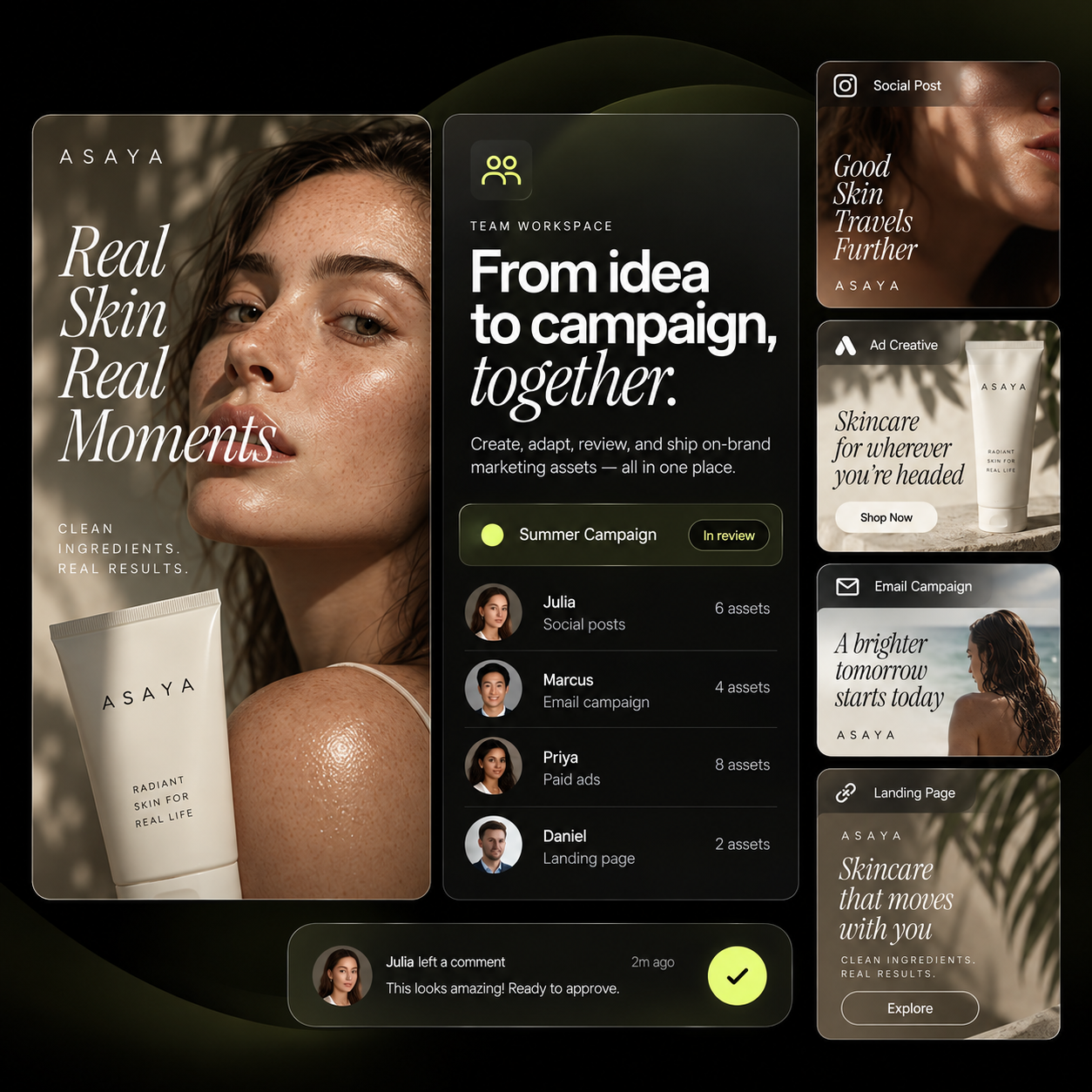
Shared projects
Campaigns and productions organised where the whole team can open them, not in one person's folder.
Mujo Team Workspace is one shared space for projects, assets, AI models, workflows, usage, reviews and approvals — so a team can produce with AI without every person running their own account, their own tools and their own invoice.
Most teams arrive here the same way: a designer bought one tool, a producer bought another, social has a third, and a freelancer is generating on a personal login. Nobody can see the spend, nothing carries between people, and every new hire starts from an empty account.
When someone joins the team, they don't start from an empty AI account. They inherit the workflows, assets and creative context your team already uses.
Assets move into the workspace by dragging them there, and stay attached to the project and the settings that produced them.
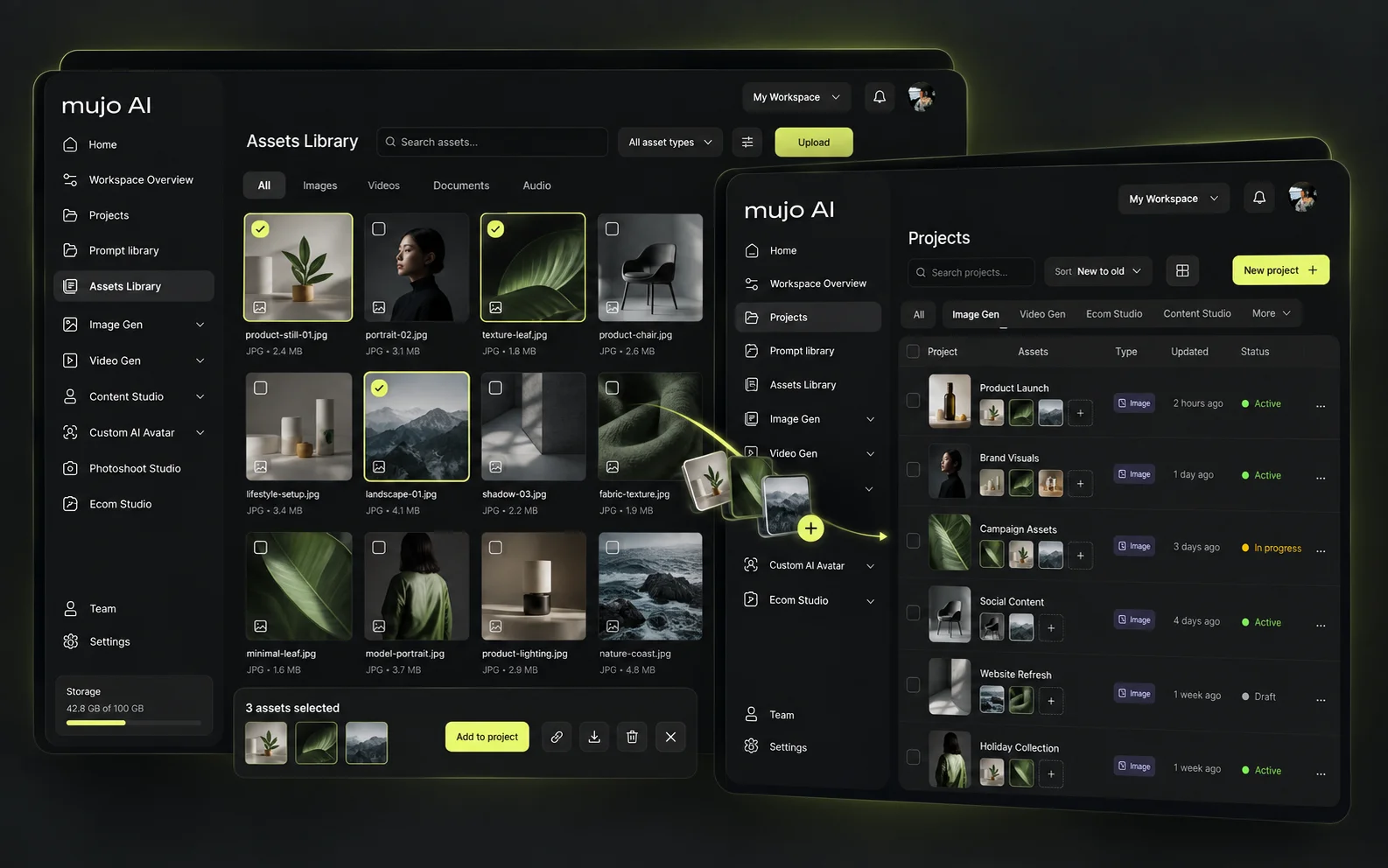
Campaigns and productions organised where the whole team can open them, not in one person's folder.
Generations, references, product shots and brand material in one place, searchable by what they are.
1500+ prompt presets plus the ones your team writes, pinned and reusable across projects.
Node Editor workflows saved as templates, so a process built once is a process the team can run.
Saved products and AI characters that stay consistent across everyone's work.
Every run kept with the settings behind it, so a result from last quarter can be reproduced rather than guessed at.
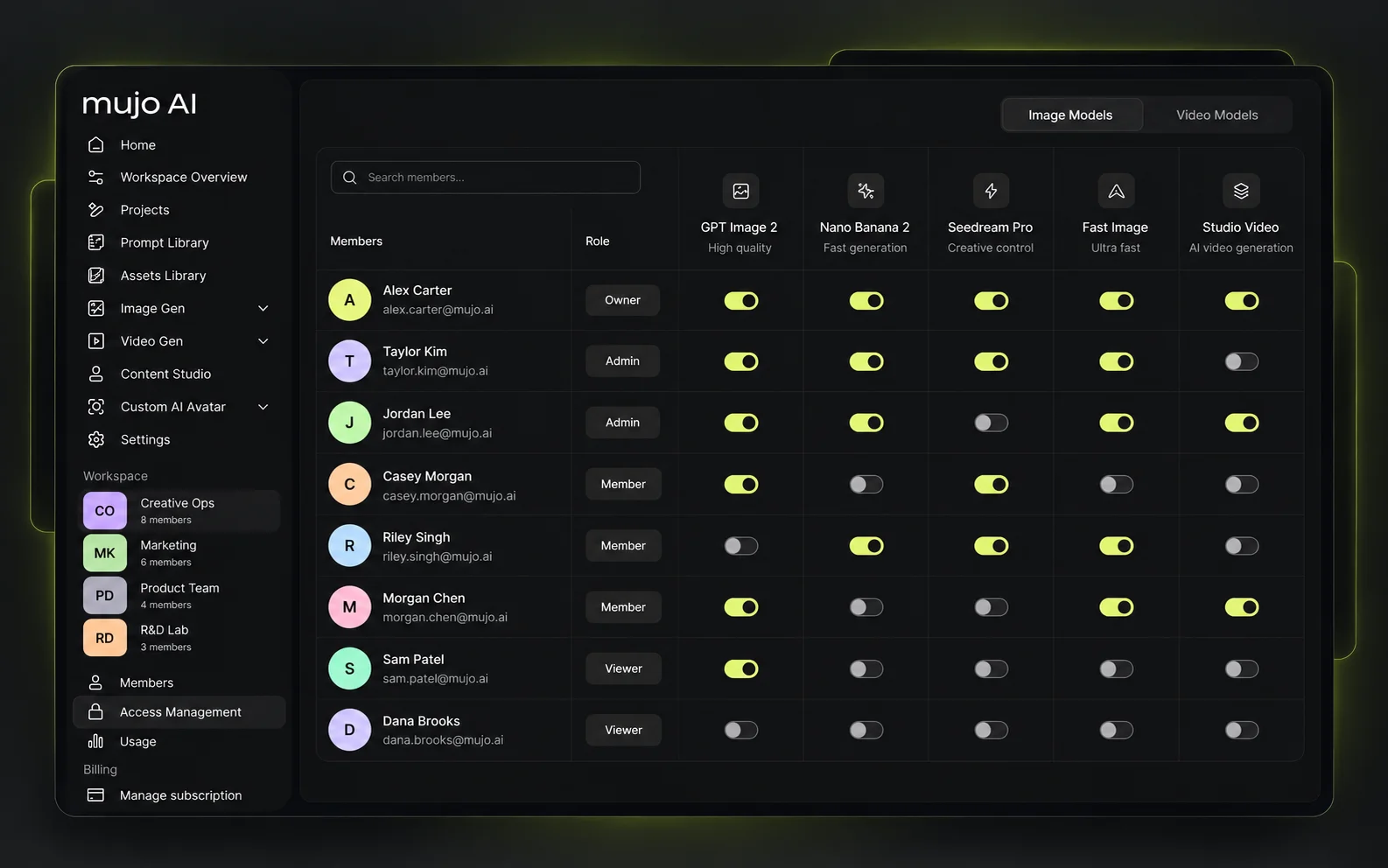
Control which AI models and production tools individual members can use. Not a blanket seat — a role that decides what opens when they log in.
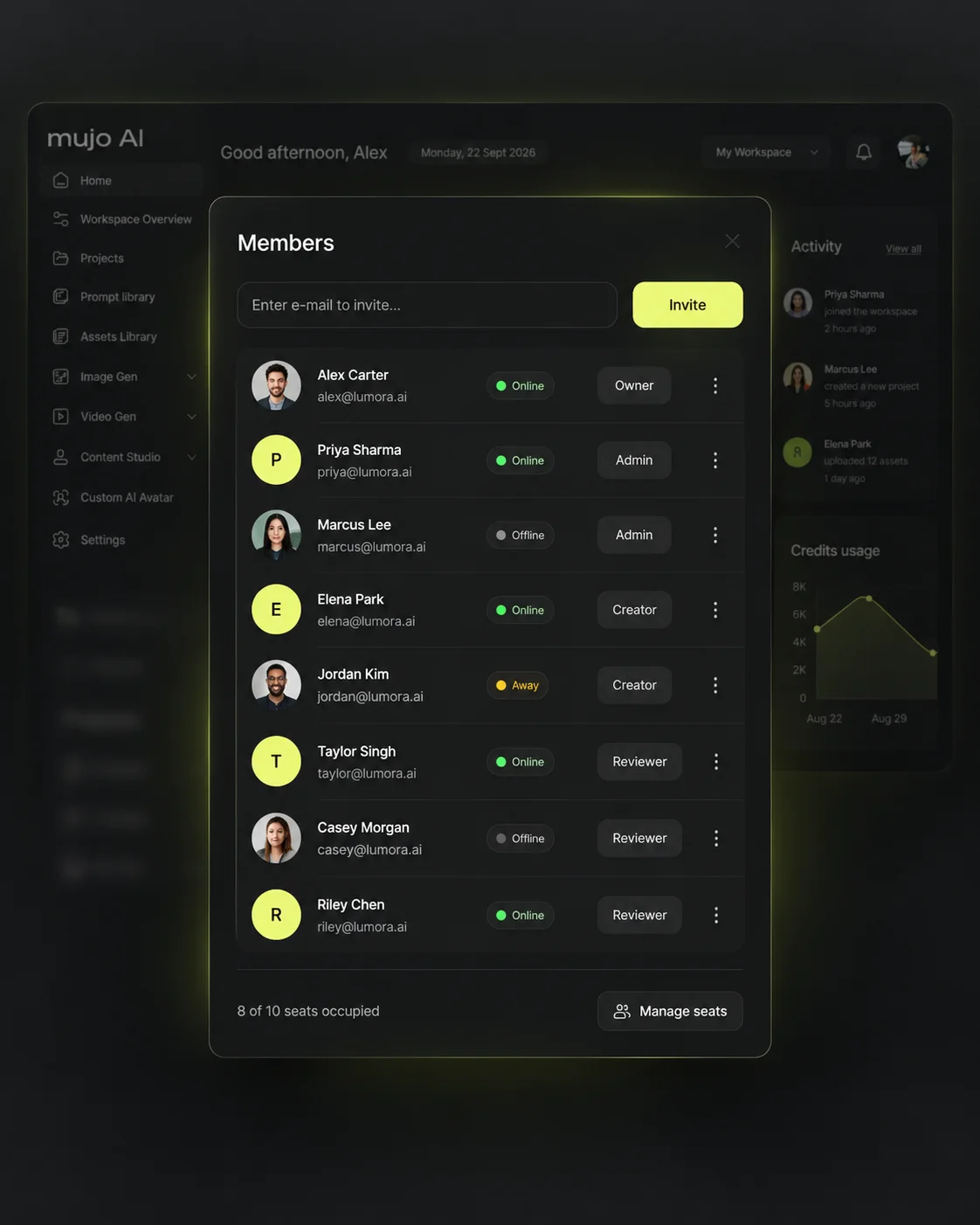
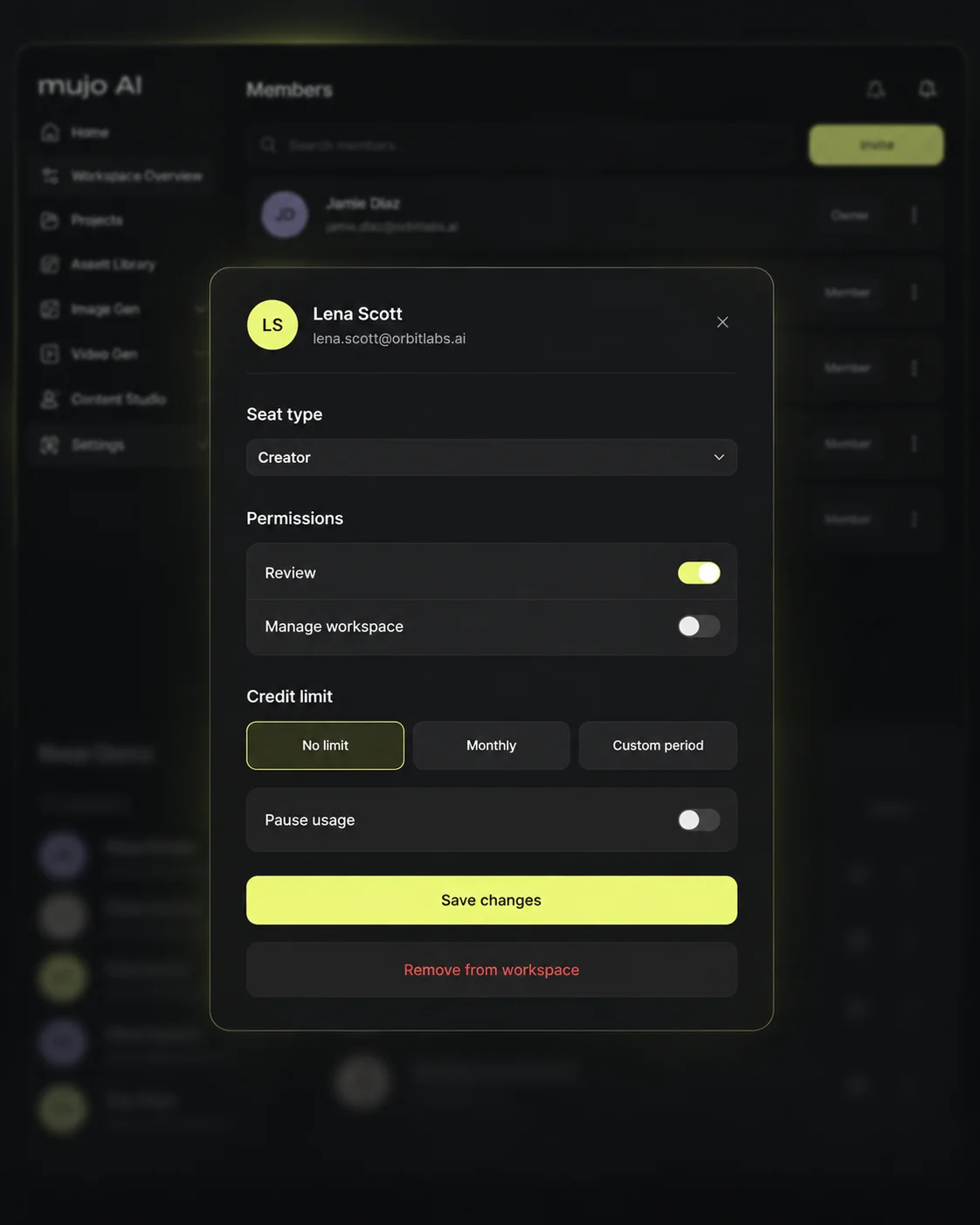
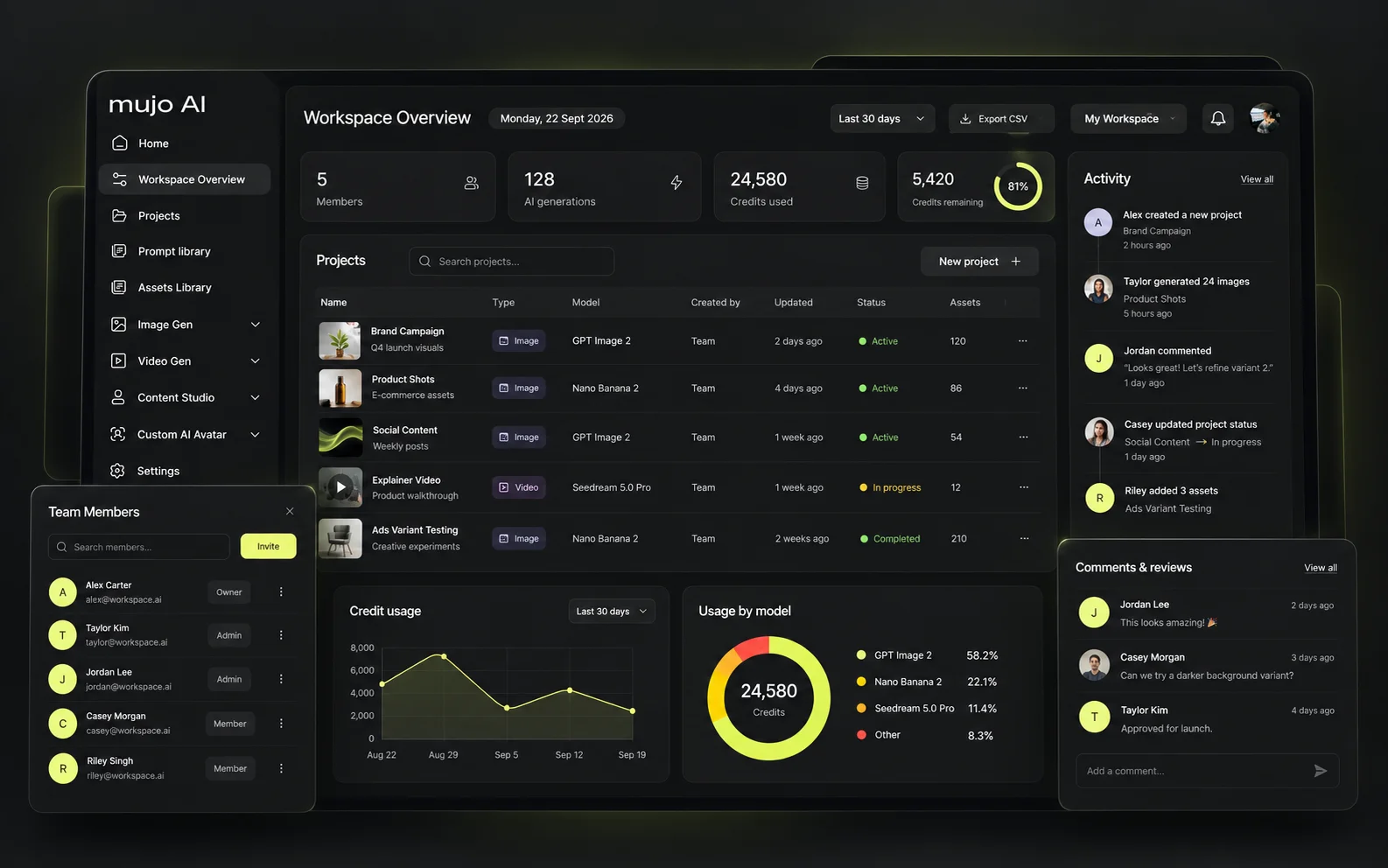
See where AI spend goes before it turns into another stack of unmanaged subscriptions. Consolidate several AI subscriptions into one managed production environment.
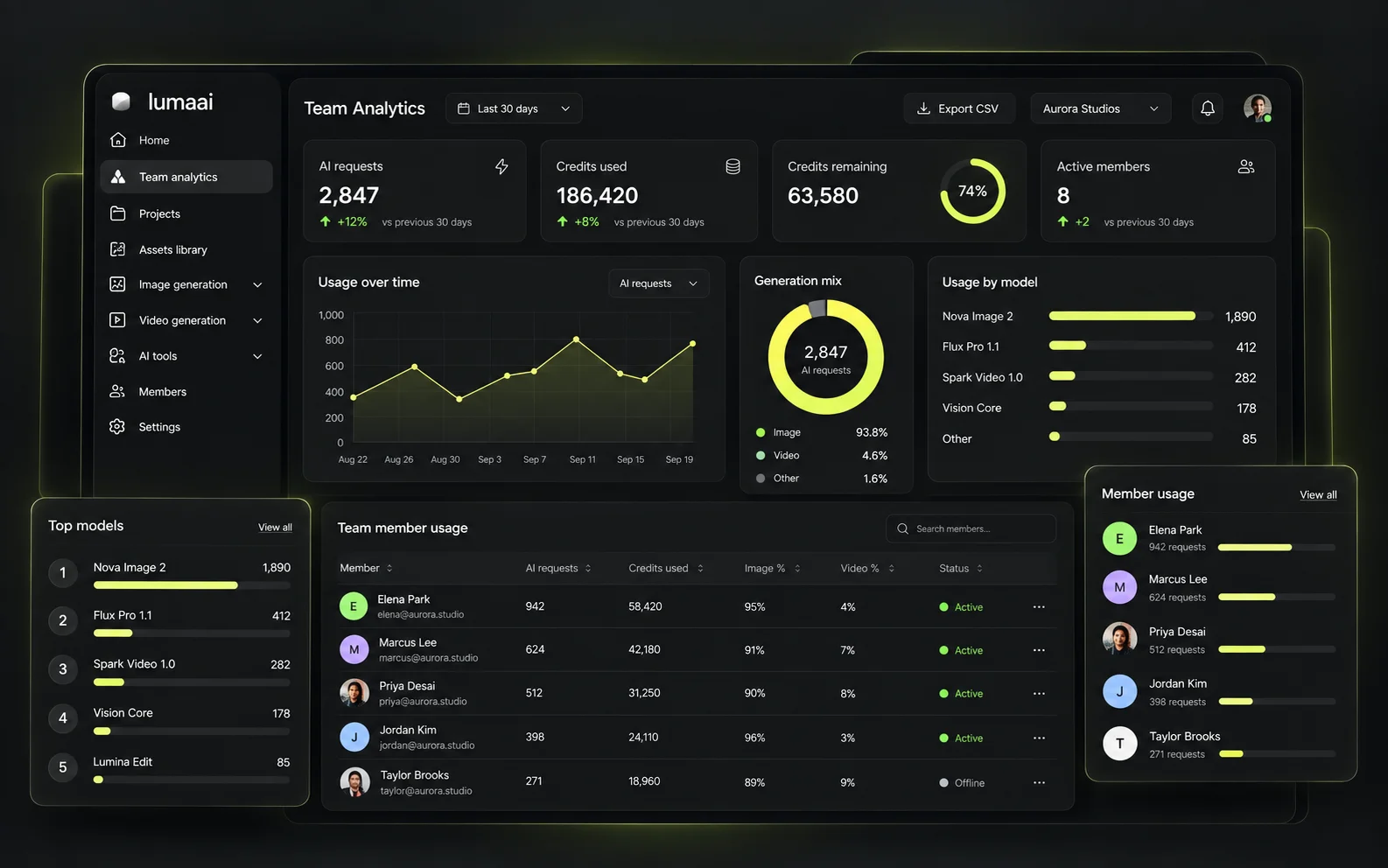
Members, projects, credits and activity in one overview, so the person paying for it can see what they are paying for.
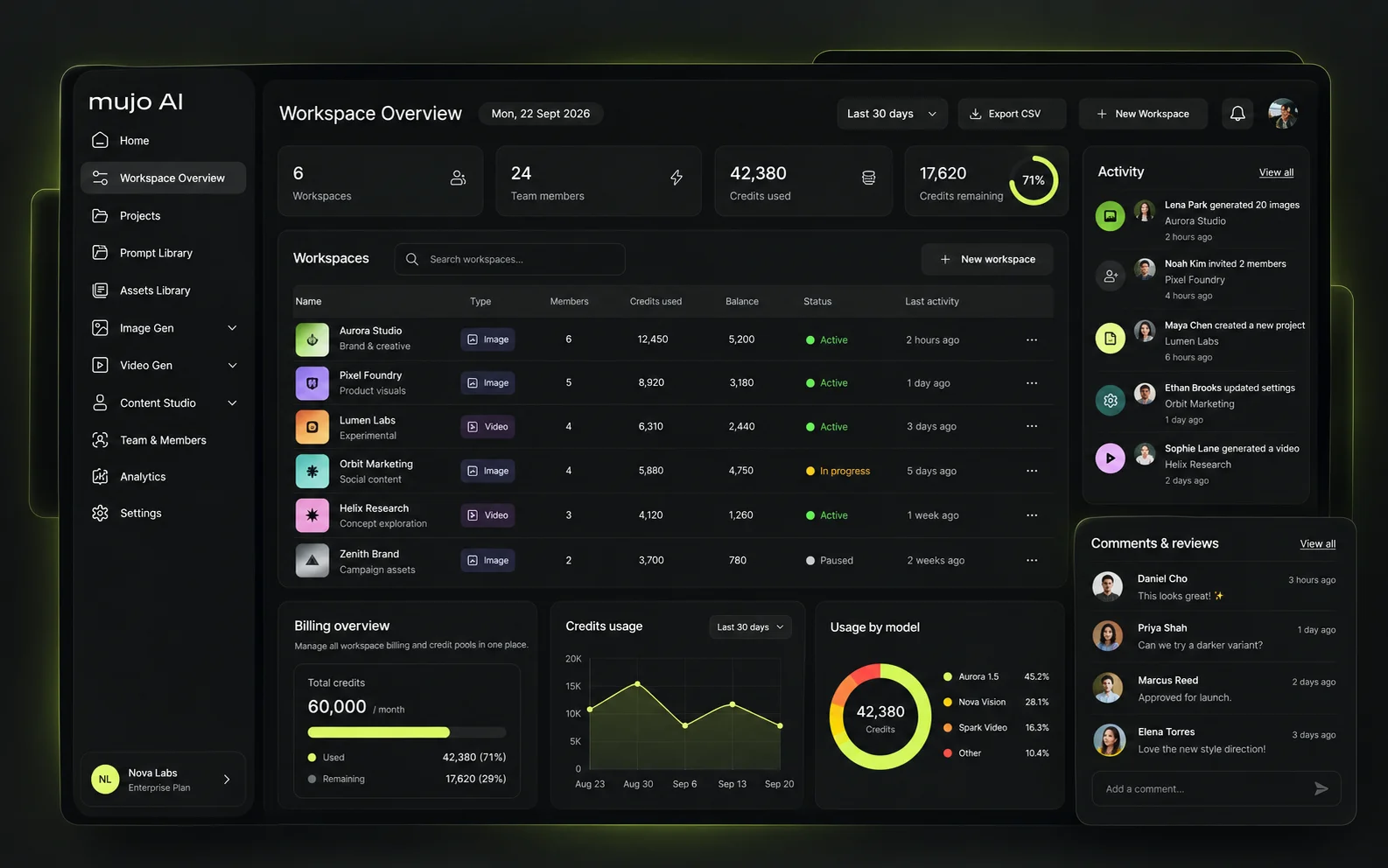
Teams should not have to generate in one tool, review in another and track decisions in Slack. Comments sit on the asset, and the decision stays attached to it.
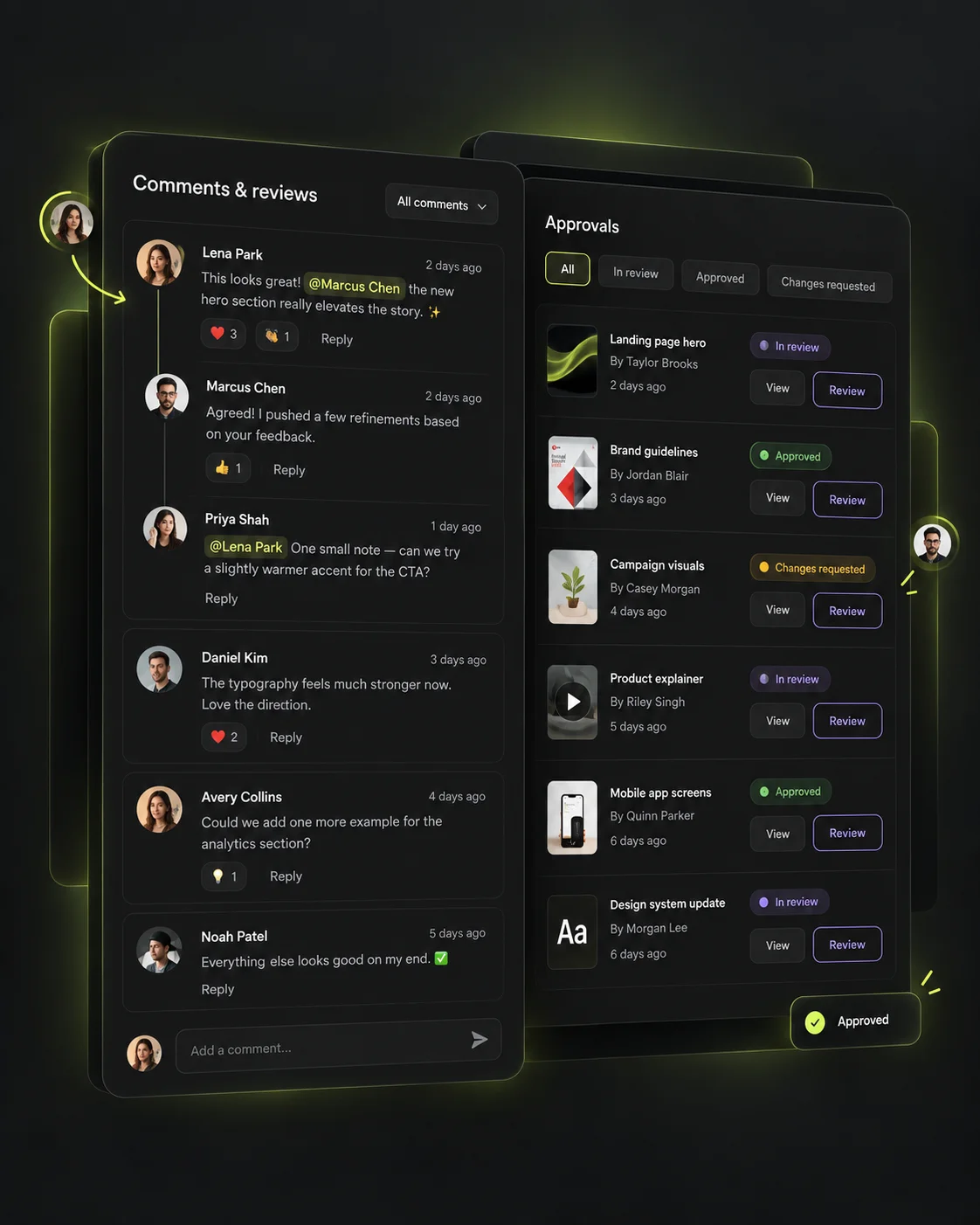
This is the part most shared drives and generic AI workspaces miss. Save the workflows, controls and production setup behind successful work, so the next person can reproduce it without rebuilding the process from scratch.
Products, references and approved frames the team already owns.
Camera, lighting, pose and style saved as a setup anyone can load.
The steps wired together once and kept as a template.
The whole thing pointed at a table of inputs when the job is a list.
Results that land back in the library, attached to the setup that made them.
Projects, assets, prompts and workflows can move from individual production into a shared workspace without rebuilding the process on another platform.
Everything starts as personal work: saved setups, a library, a way of doing things that already produces results.
The first two or three people join and inherit those setups rather than inventing their own.
Roles, limits and approvals start to matter because more than one person is spending and shipping.
Separate spaces per brand, client or market, with nothing bleeding between them.
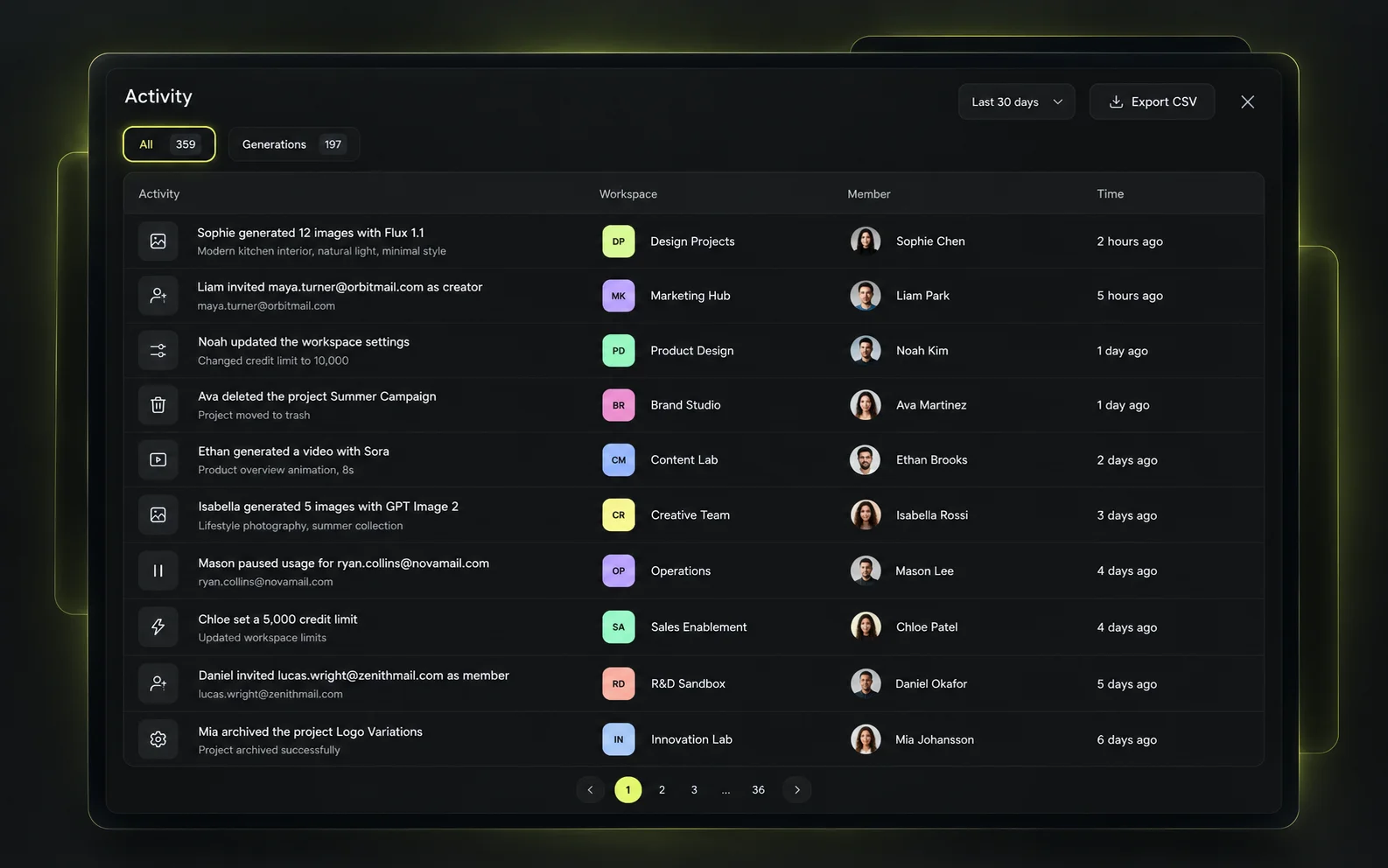
The question a buyer actually asks is narrower than “analytics”: who is using what, how much, and for which production. The activity feed answers that one.
The short version. The full security picture lives on the Enterprise page.
What your team generates and uploads is not used to train models.
Models, tools and projects reachable only by the roles you allow.
A workspace is closed by default; nothing is shared outside it unless you share it.
An auditable record of who did what, rather than a folder nobody owns.
Not industries — the people who actually sign off on this.
Concepts, key visuals and finished assets produced in one place instead of across four tools.
Campaign assets created, reviewed and shipped on the same calendar the campaign runs on.
A separate workspace per client, with setups and assets that never cross between accounts.
Catalogue and listing production at a volume no shoot schedule covers.
Short-form and video output at the pace channels consume it.
The person responsible for why production costs what it costs, and how to make it repeatable.
Yes. Model access is set per role, so you decide which image and video models a designer, a producer or a freelancer can run.
Yes. Credits are allocated to the workspace and capped per member, set before a large run rather than discovered on the invoice.
Yes. Saved control setups and Node Editor workflows can be published to the workspace so the next person starts from them. Shared controls are available from the first paid plan.
Yes. A generation can be submitted for review, commented on in context, marked as changes requested or approved, and the decision stays attached to the asset.
Yes. Projects, generations, references and brand material belong to the workspace, so they stay available when people change roles or leave.
No. What your team uploads and generates is not used to train models.
Yes. Projects, assets, prompts and workflows move from individual production into a shared workspace without rebuilding the process elsewhere.
A free account covers image generation with 20 credits. Video generation and shared team setups start at the first paid plan; larger workspaces are quoted.
Give your team the models and creative tools they need — while keeping workflows, assets, access and usage under control.