An everything suite
Mujo covers less. What it covers, it covers for work that repeats.
ImagineArt is a wide, affordable suite: many models, many tools, low barrier to entry. Mujo is narrower and aimed at one job — commercial production that repeats. On a feature list the two look close. In daily use they diverge on whether the platform remembers what you did last month.

Three things this platform does not do, stated before the arguments in its favour. If one of them is what you came for, ImagineArt is the better answer and this page will not change that.
Mujo covers less. What it covers, it covers for work that repeats.
The pitch is saved time on recurring production, not the lowest price.
Casual editing, audio and novelty tools are not part of the product.
Where a broad AI suite and a focused production system actually differ.
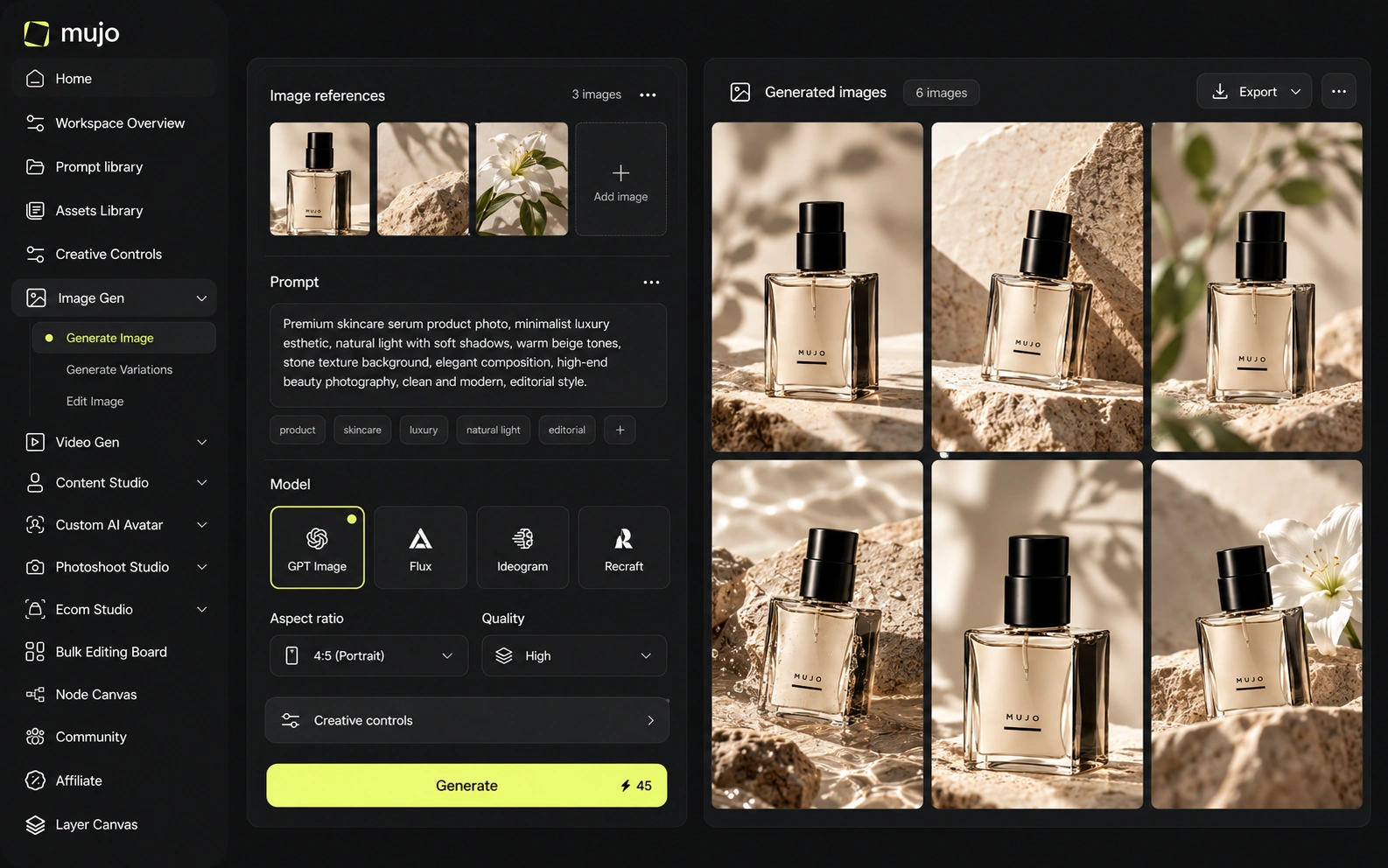
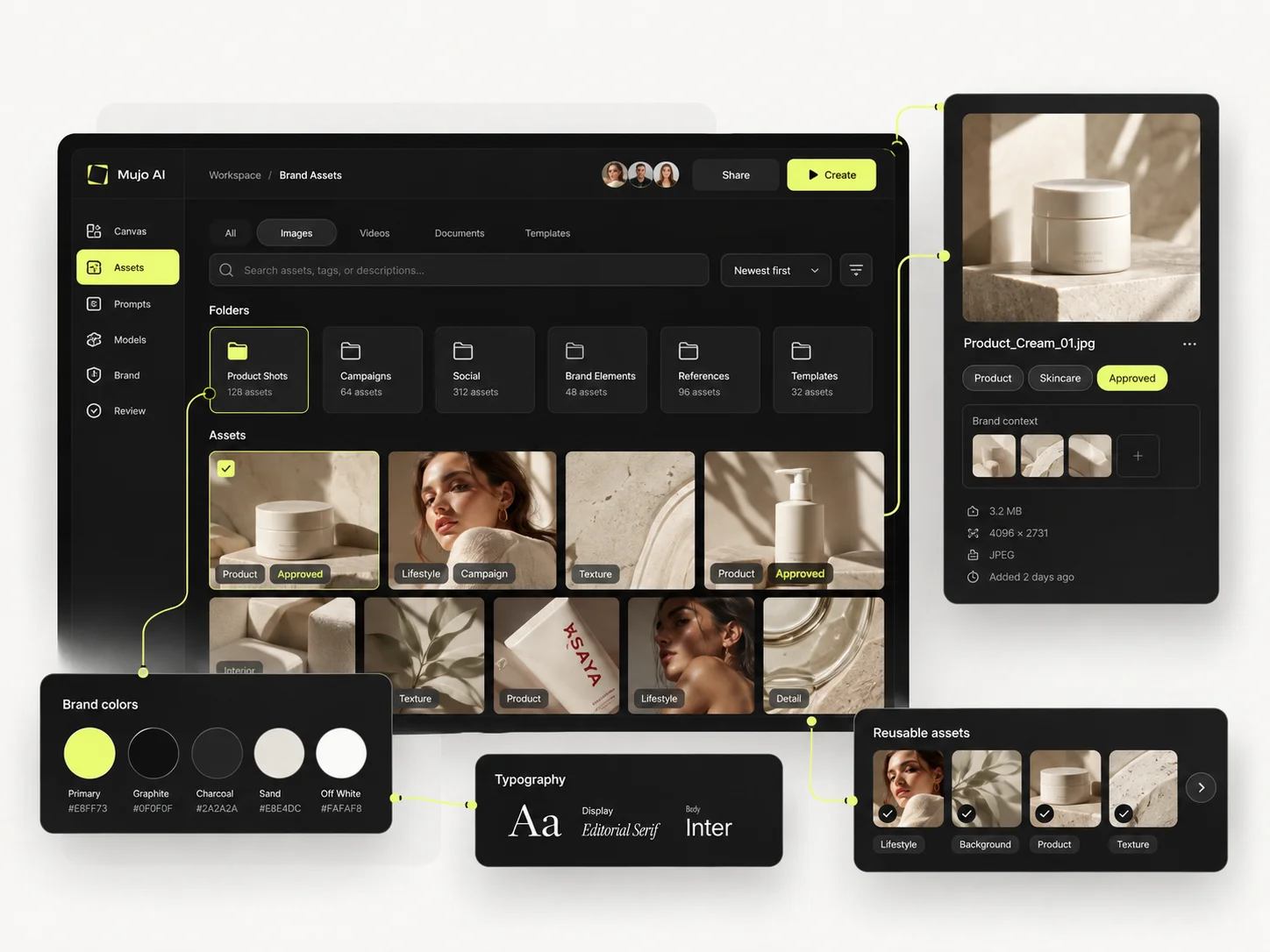
ImagineArt has grown from a consumer image generator into a multi-model creative-production platform. Its 2026 product includes reusable Workflows, Ad Studio, Film Studio, MCP connectivity, Premiere integration/export and a catalog of more than 50 image, video and audio models. Mujo is similarly multi-model but more opinionated around e-commerce, social, creator and repeatable content systems.
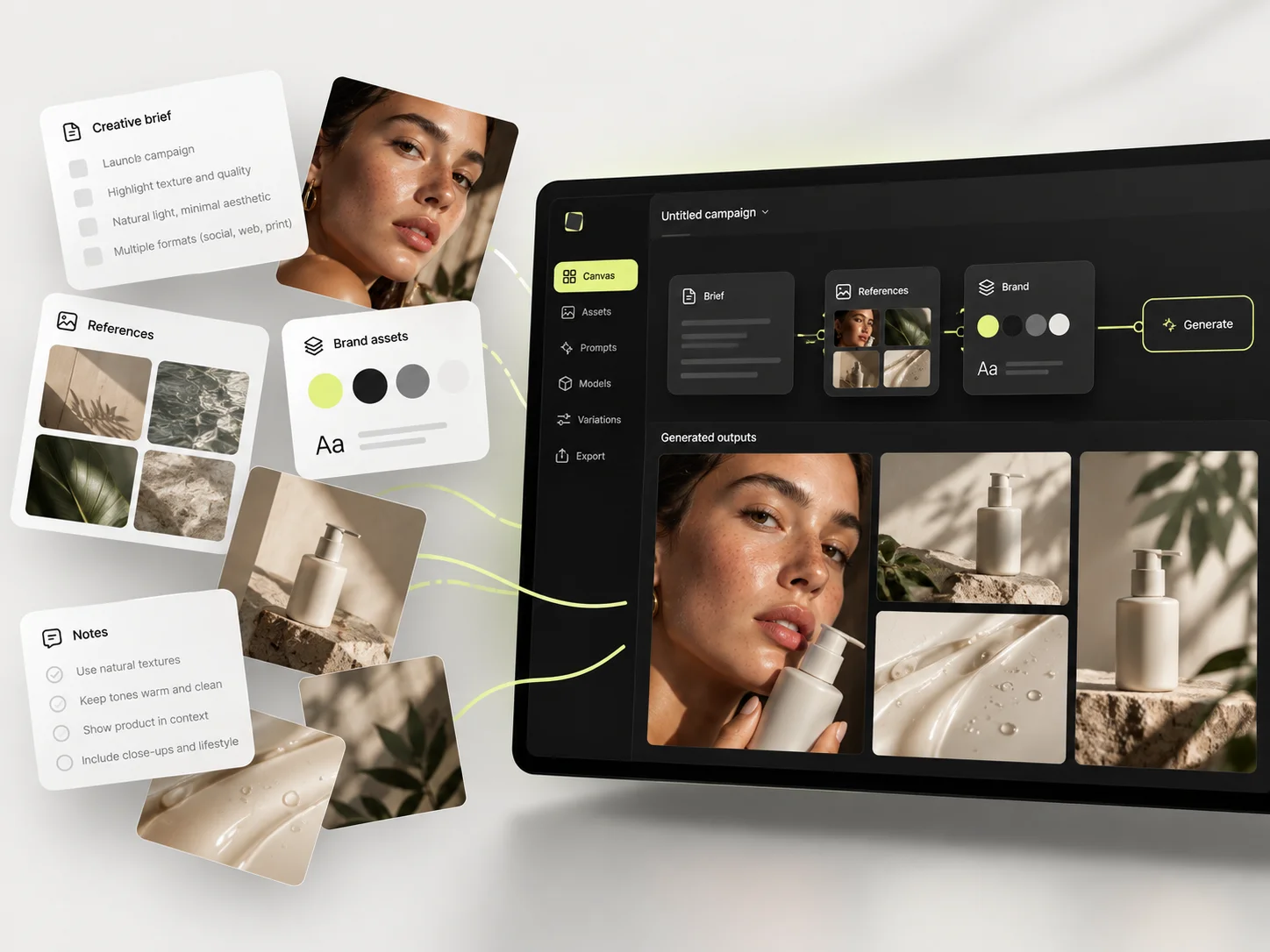
Mujo is a workflow layer over external engines: Nano Banana Lite, Nano Banana 2 and Nano Banana Pro, GPT Image 2, Midjourney, Seedream 5.0 Lite and Seedream 5.0 Pro, Grok Imagine and Kling 3.0 Image for stills, Veo 3.0 and Veo Fast, Kling 3.0, Seedance 2.5 and Seedance 2.0 for motion. Around them sit Creative Controls, a shared Prompt Library, references, an Asset Library and a Node Editor. ImagineArt also aggregates models, so the honest difference is not access but structure. Breadth of tools and depth of process are different bets. A suite gives you more places to start. A production system gives you fewer places to start over.
ImagineArt supports a broad rotating catalog that includes current image and video leaders and audio generation. Higher plans unlock more models and longer/higher-quality video options. Mujo's public workspaces are more selective. ImagineArt is stronger for breadth and experimentation; Mujo reduces model choice to keep recurring workflows easier to standardize.
Both platforms carry several engines, which makes model count a poor tiebreaker. What Mujo adds is that the prompt, references and control set are shared objects — the engine can change without the direction being retyped. Two questions, asked apart: which engines are available now, and what survives a switch. Suites usually answer the first generously and the second not at all.
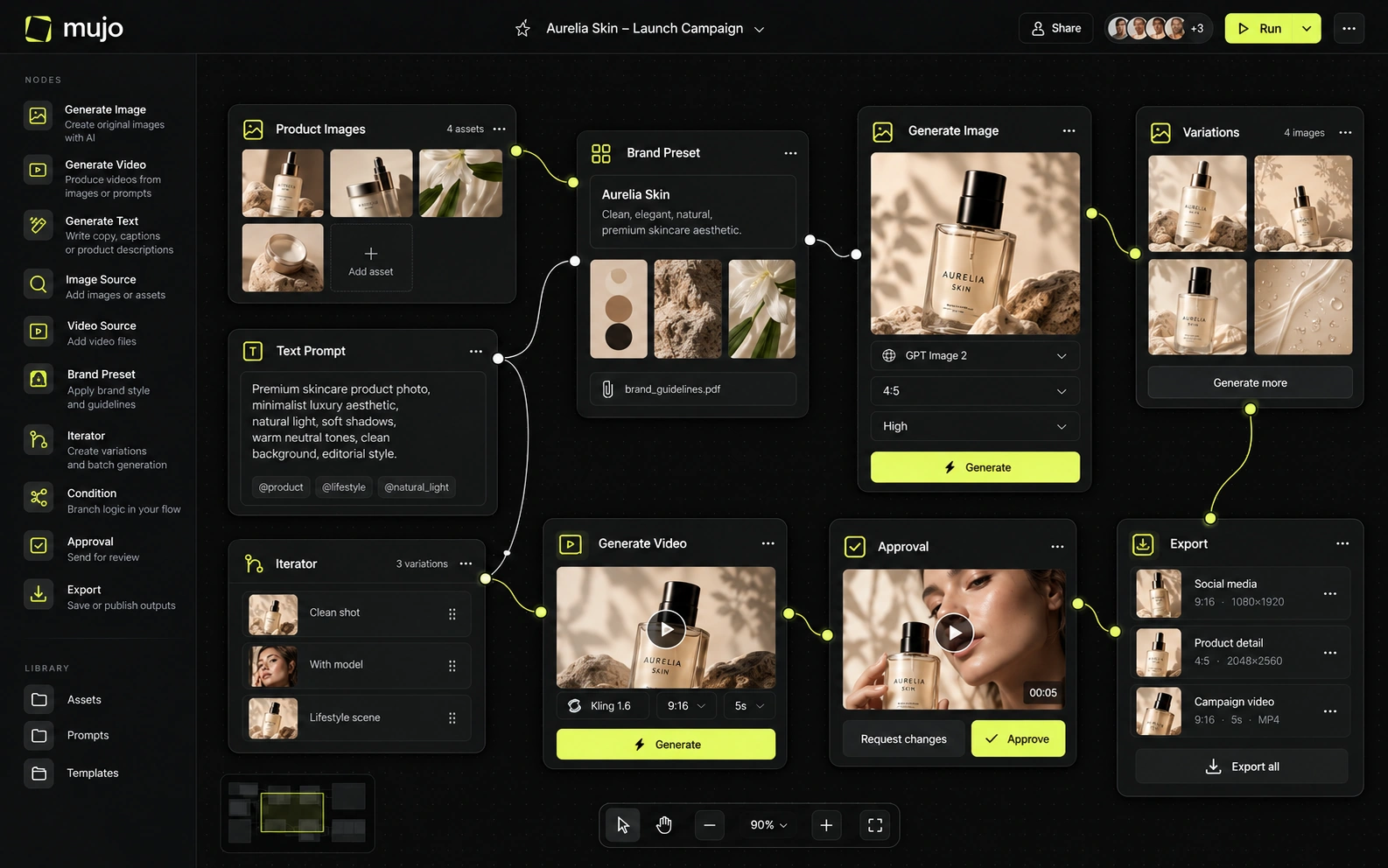
ImagineArt's Workflows are node-based and can chain generation steps, references, transformations and outputs. Film Studio adds storyboard/camera concepts, while Ad Studio packages marketing production. Mujo's Creative Controls is less programmable but easier to teach: common creative variables are exposed as reusable parameters and can be combined with Prompt Library and saved prompts. This is a direct tradeoff between workflow programmability and workflow accessibility.
ImagineArt's controls are per-tool: each generator or editor has its own settings, and you learn them one at a time. Mujo's Creative Controls are one vocabulary across the workspace — lighting, pose, expression, camera angle, location, style — set as named parameters and saved once. A shared vocabulary is what lets a second person rerun a direction. Per-tool settings are fine while one person is doing the work and get expensive the moment two are.
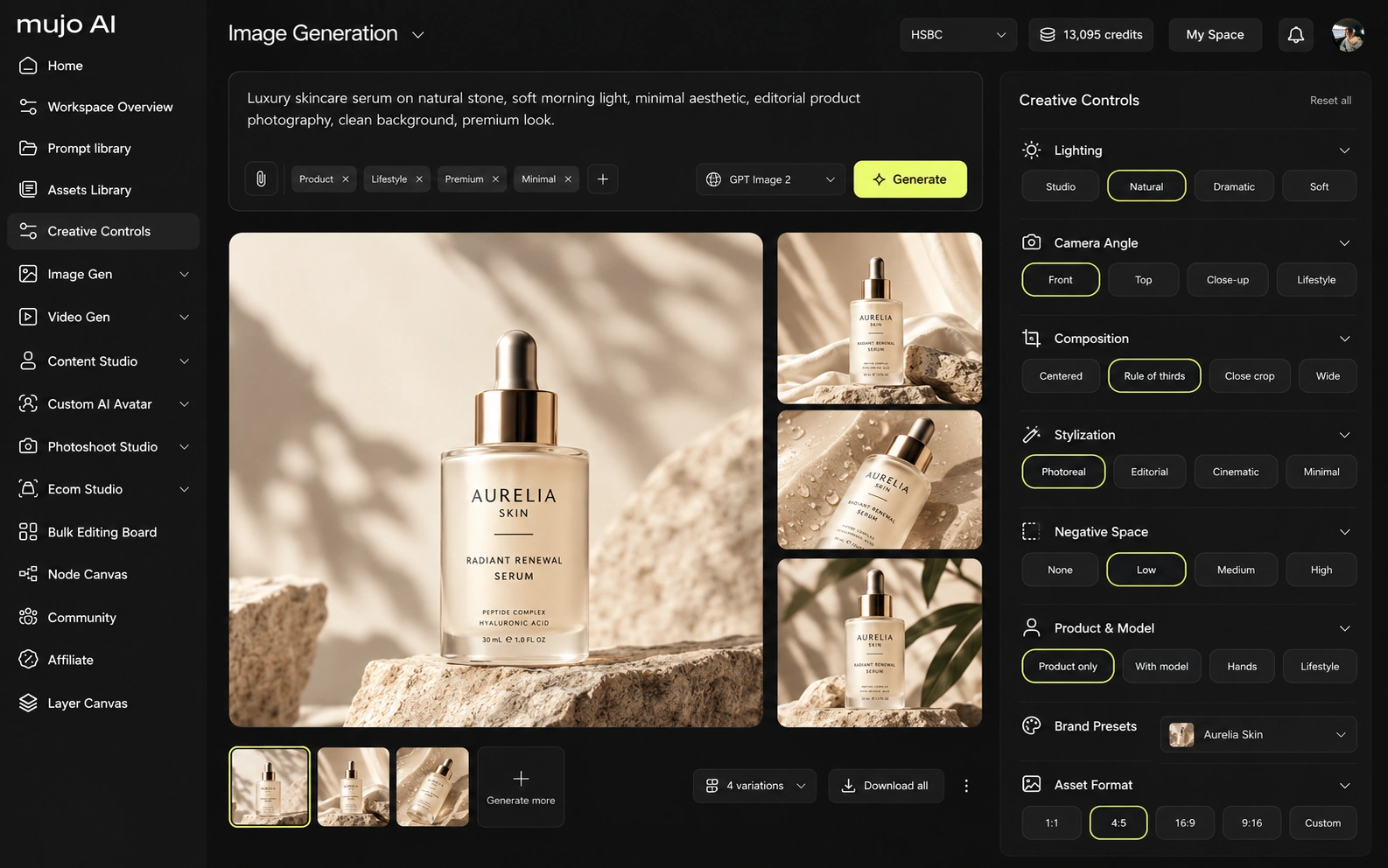
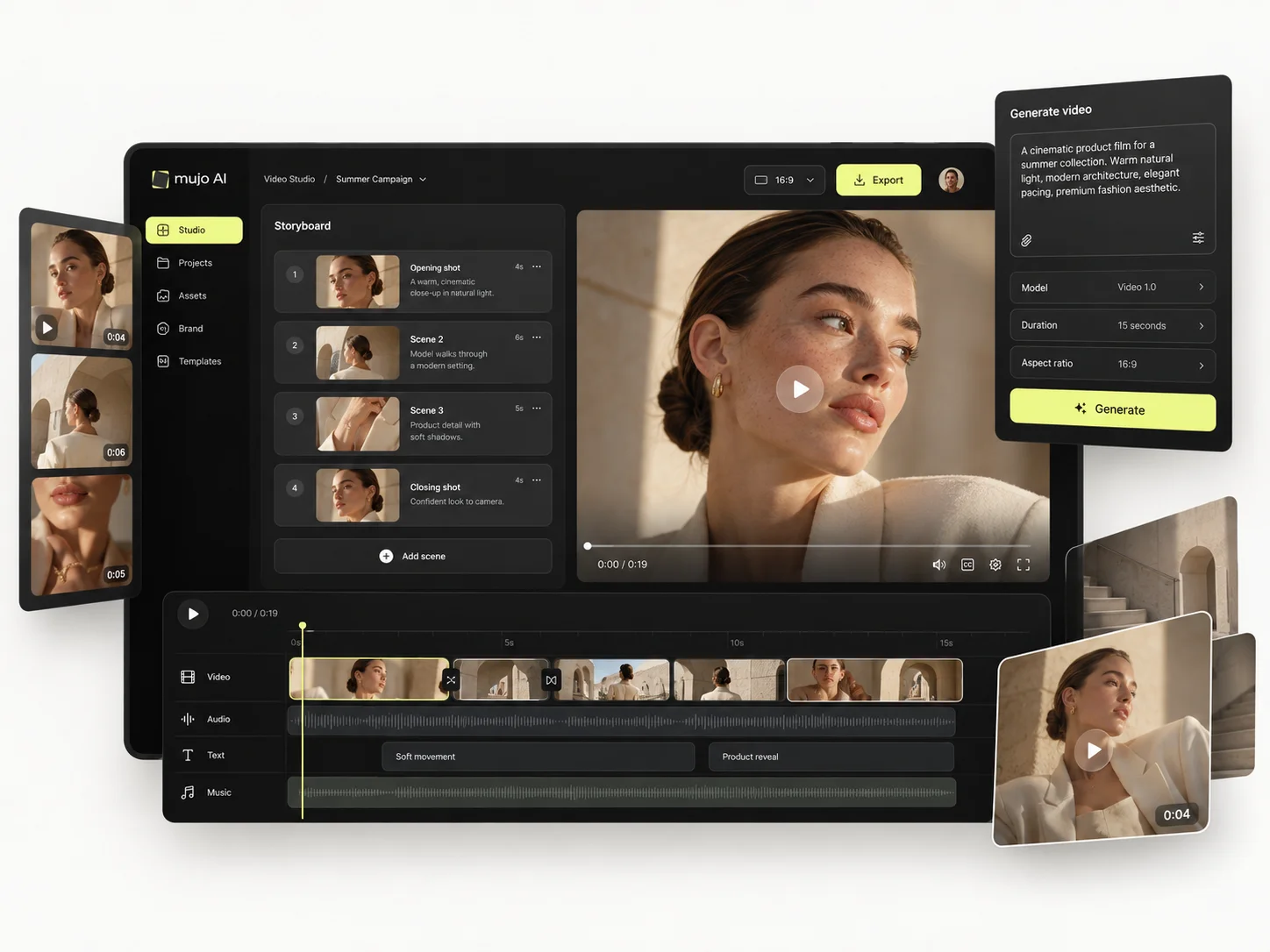
ImagineArt and Mujo both participate in the fast-moving multi-model video market, but they use video differently. ImagineArt's differentiation includes Film Studio, Ad Studio, reusable node Workflows, MCP, and integration/export into Premiere. Mujo differentiates with its e-commerce use cases — product photos, listing images, catalogue production — plus Creative Controls, a shared Prompt Library, background removal and published portfolio examples. Both are moving beyond raw generation; they simply choose different product metaphors.
Mujo's video runs on several engines in the same workspace as its images, so an approved still becomes a vertical cut without switching tools. ImagineArt's video sits alongside a broader consumer toolset, which suits a wider range of one-off tasks.
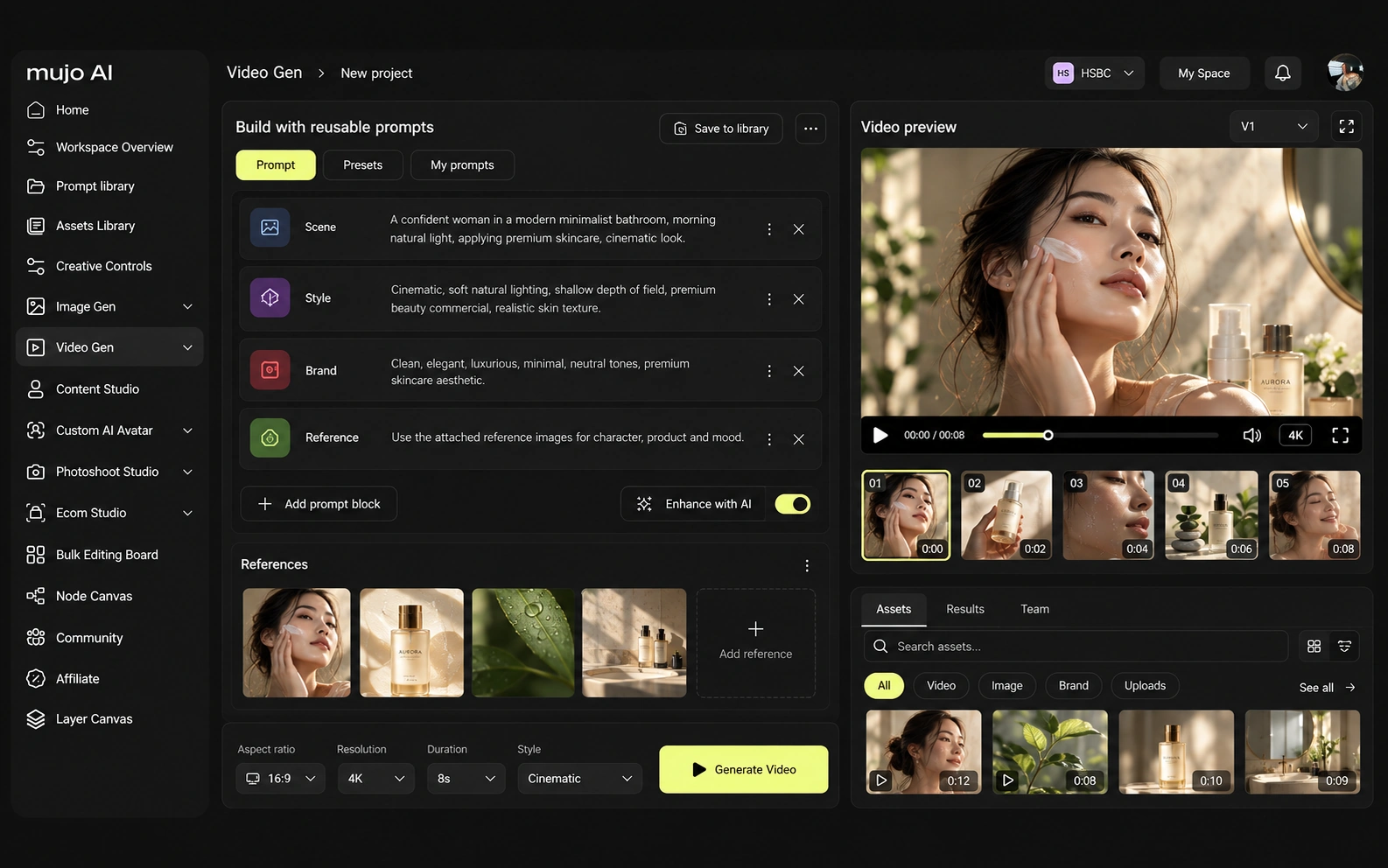
Consistency means four separate things: the same person, product, look or process. Most suites cover the first three across various tools. The fourth needs somewhere for the process to live.
Mujo's saved object is the route: references, Creative Controls parameters, saved prompts, model choice, workspace history, reusable flows. That is what the next person opens. For ImagineArt, the consistency model is different. ImagineArt's Workflows are node-based and can chain generation steps, references, transformations and outputs. Film Studio adds storyboard/camera concepts, while Ad Studio packages marketing production. Mujo's Creative Controls is less programmable but easier to teach: common creative variables are exposed as reusable parameters and can be combined with Prompt Library and saved prompts. This is a direct tradeoff between workflow programmability and workflow accessibility. If your work is varied one-off tasks, a broad suite covers more of them. If it is the same commercial job every month, the narrower system pays back faster.
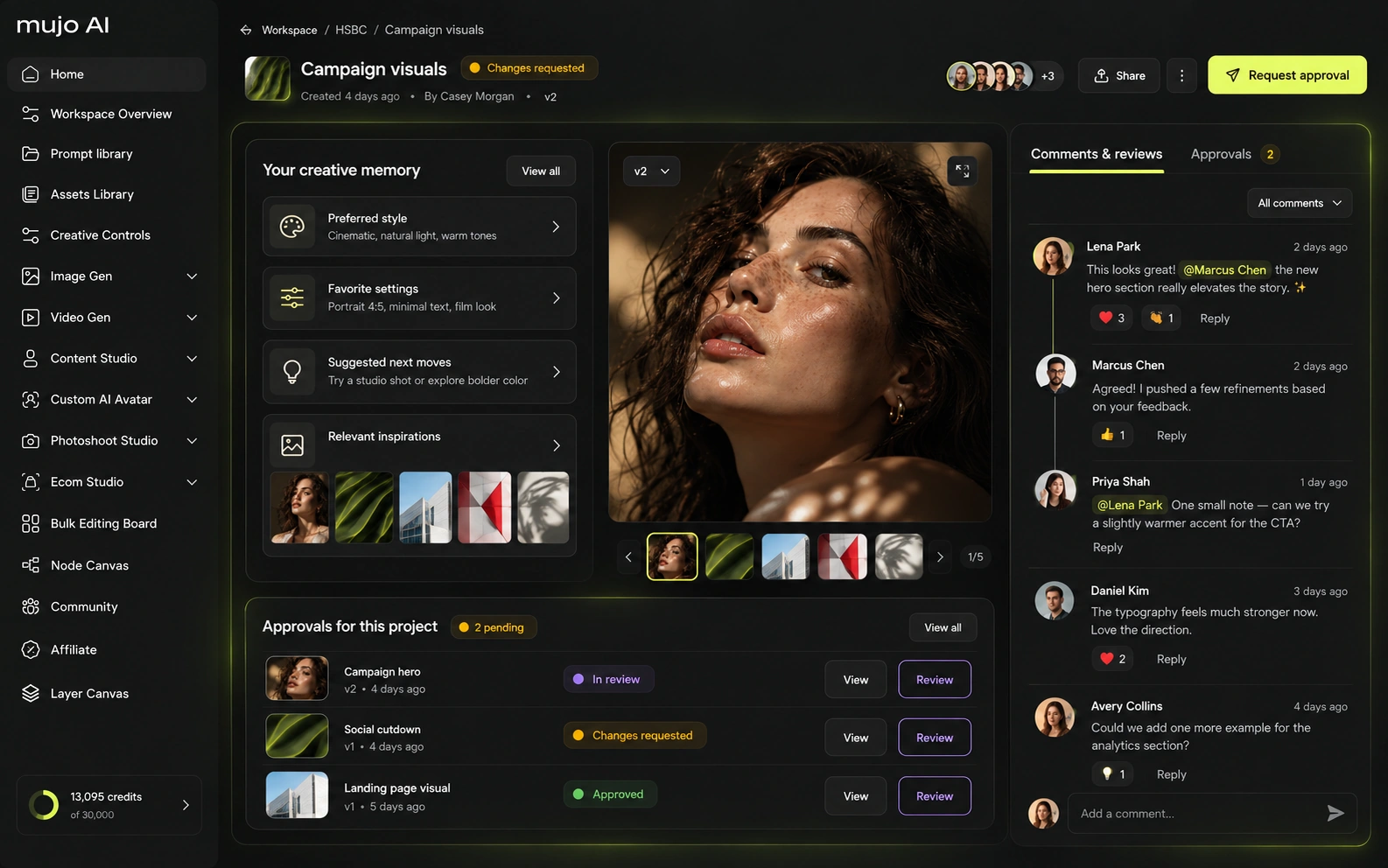
How each platform fits commercial work that comes back monthly
ImagineArt's Ad Studio can turn product inputs into advertising concepts and motion outputs, making it a real competitor for performance creative. Mujo has a stronger listing/catalog orientation and a clearer path for storing the creative recipe behind the output. For a paid-social team that wants automated ads, ImagineArt is compelling. For a commerce team managing many SKUs and listing assets, Mujo's structure is more directly aligned.
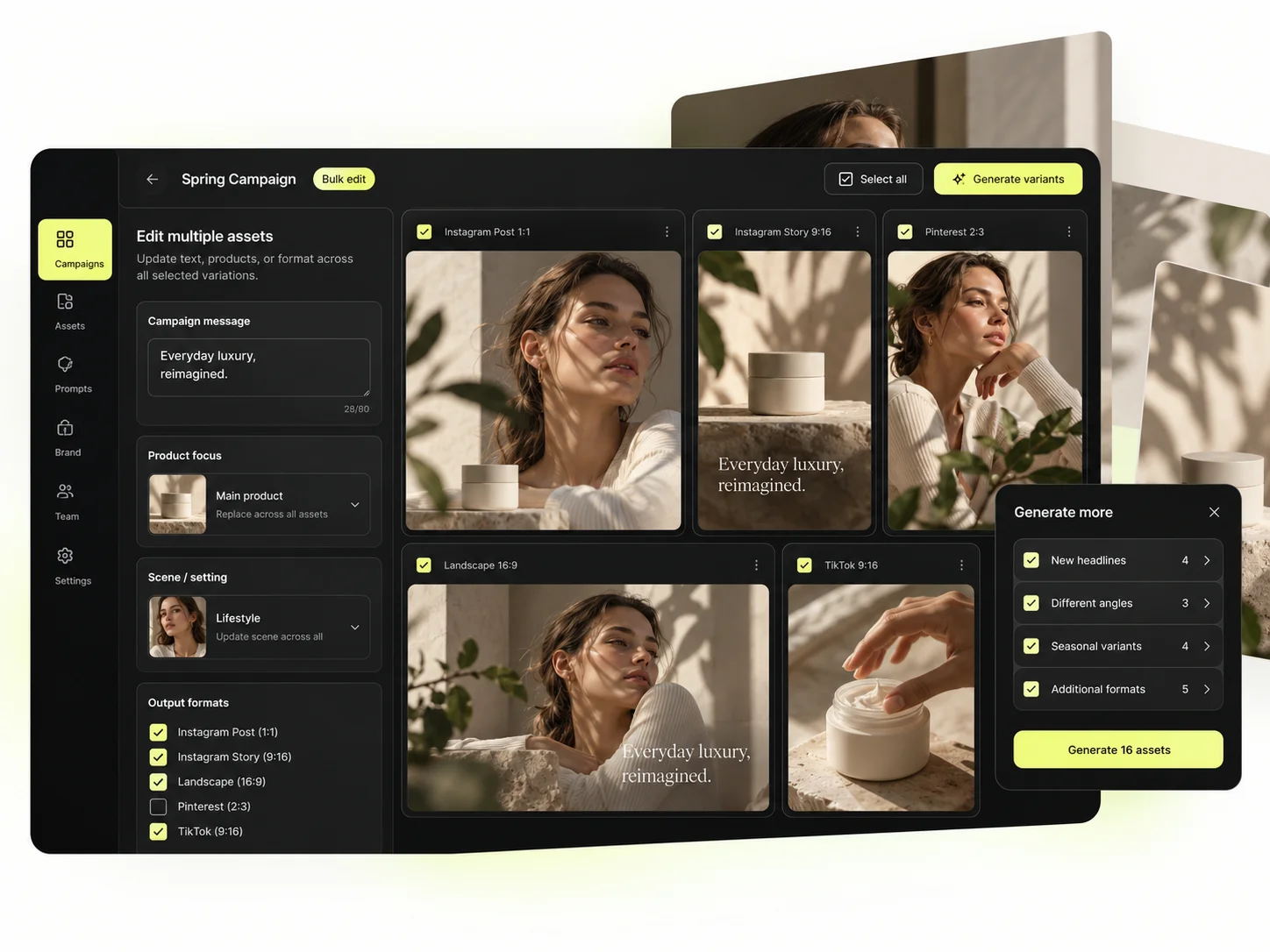
Mujo's commercial surface is built as use cases rather than tools: Product Photos, Listing Images, Product Catalog Production, AI Photoshoots, Campaign Creatives, Creative Variations, Social Media Content and Social Video Ads, with the Bulk production table for SKU-scale runs.
Product inputs, listing crops, ad variants and social cuts share one setup. A toolbox gives you the pieces; this gives you the path.
The product shot, its listing crops, its ad variants and its social cuts come out of the same approved direction. Volume is what makes commercial work expensive, not generation speed — and it is the part a ImagineArt comparison usually leaves out.
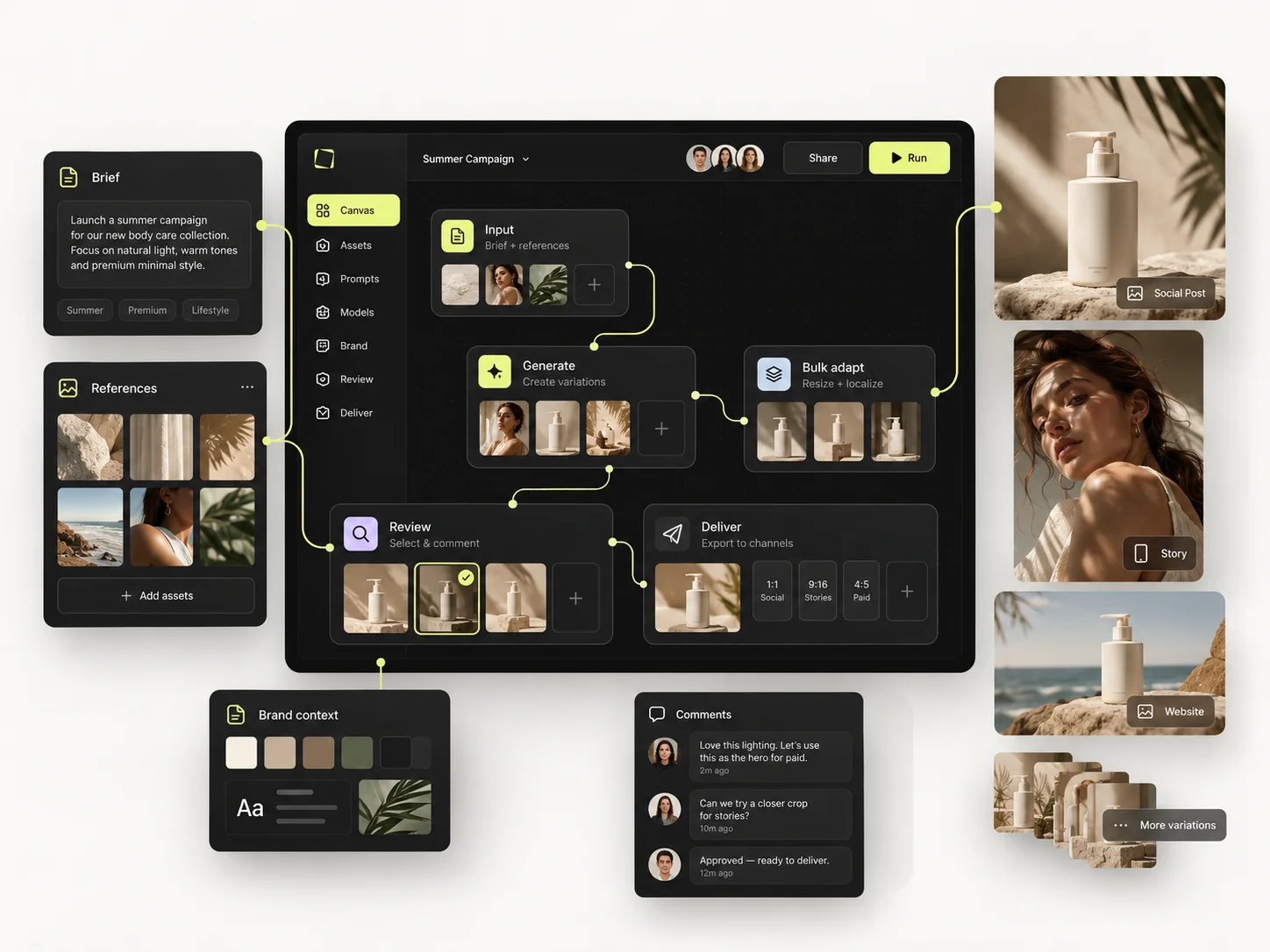
Prompts behave as production assets here: refined with structured controls, compared across models, saved to the Prompt Library. Selected workflows can be published — see Creative Portfolio Examples — instead of vanishing into a feed. ImagineArt takes a different route. ImagineArt can build the entire one-SKU campaign as a reusable graph and can push harder into automated video and downstream editing. Mujo keeps the same process understandable to a marketer who does not think in nodes: references, prompt, Creative Controls, selected model, saved Pack, output set. When a team has a workflow engineer or power user, ImagineArt's graph is a strength. When many non-technical users must repeat the process, Mujo's preset-like structure can be easier to govern.
Saved setups live in the Prompt Library where the next person can find them, instead of in the generation history of whoever happened to get it right. Whatever you keep from a ImagineArt session, it is usually the output rather than the reasoning behind it.

The Bulk production table is the one tool a broad suite rarely includes. Rows are assets, columns are the variables, and one approved direction runs down a product list, which is a production feature rather than a creative one.
Per-asset work scales linearly: forty products means forty sessions. A saved direction run in bulk does not. That is the line where a ImagineArt workflow and a Mujo workflow stop costing the same.
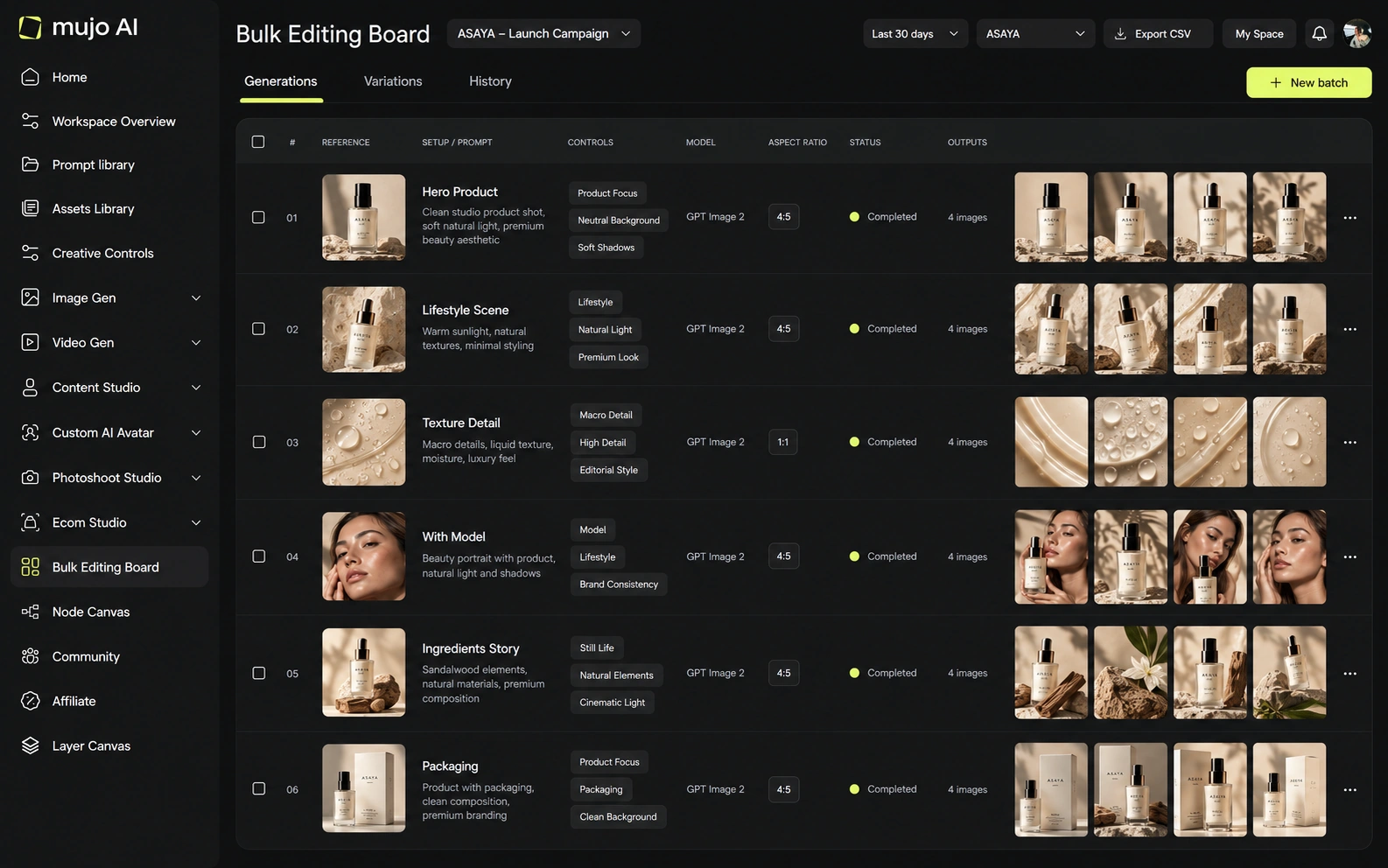
Run the same brief in both: one product image in, a hero visual, three square social variants and one vertical motion ad out, then the same direction on a second SKU a week later. Breadth wins round one. Structure wins round two.
Start from one source product image and one launch brief.
Assemble the hero visual, three square cuts and one vertical motion ad.
Save the direction in one place: prompts, references, controls and the model used.
Rerun it on a second SKU without reassembling the tools.
ImagineArt clears the first round comfortably, as does almost anything else worth evaluating. The second round is where the difference appears, and it is the round nobody gets to during a two-week trial.

ImagineArt's MCP surface and workflow system make it suitable for connected creative automation, while its Premiere integration helps video teams. Mujo Enterprise offers a Node Editor too, but its public positioning emphasizes reusable team flows, brand context, review logic and asset traceability. Both should be tested with the team's actual approval and permission requirements before rollout.
Mujo Enterprise covers Node Editor flows, brand context, shared prompt and asset libraries, approval traceability, onboarding, admin and security review. Broad consumer suites tend to invest elsewhere, which is a reasonable choice for their audience. If an API matters, check models, concurrency and pricing on both sides. If the work is in the interface, compare what a saved setup actually contains.

ImagineArt subscription credits refresh monthly and do not roll over. Higher plans add private generation, longer video windows, 4K export and selected unlimited modes. Current public documentation shows model- and plan-specific limits, so the effective cost of a video depends heavily on which model and quality mode is chosen. Compare identical routes rather than credits.
100 credits refreshed daily
3,000 credits on the current public offer
8,000 credits
16,000 credits
100,000 credits
Plans Start $9, Basic $19, Pro $34, Creator $84, Business $121 (5 seats); 200-credit packs from $2.60 with no use-by deadline
Mujo's plans run from $9 to $121 a month, with up to 40% off on annual billing. Pay-as-you-go packs start at 200 credits for $2.60, credits carry no use-by deadline, and new accounts start with 20 free. Bundled suite pricing and per-output credits only compare at matched model and operation.
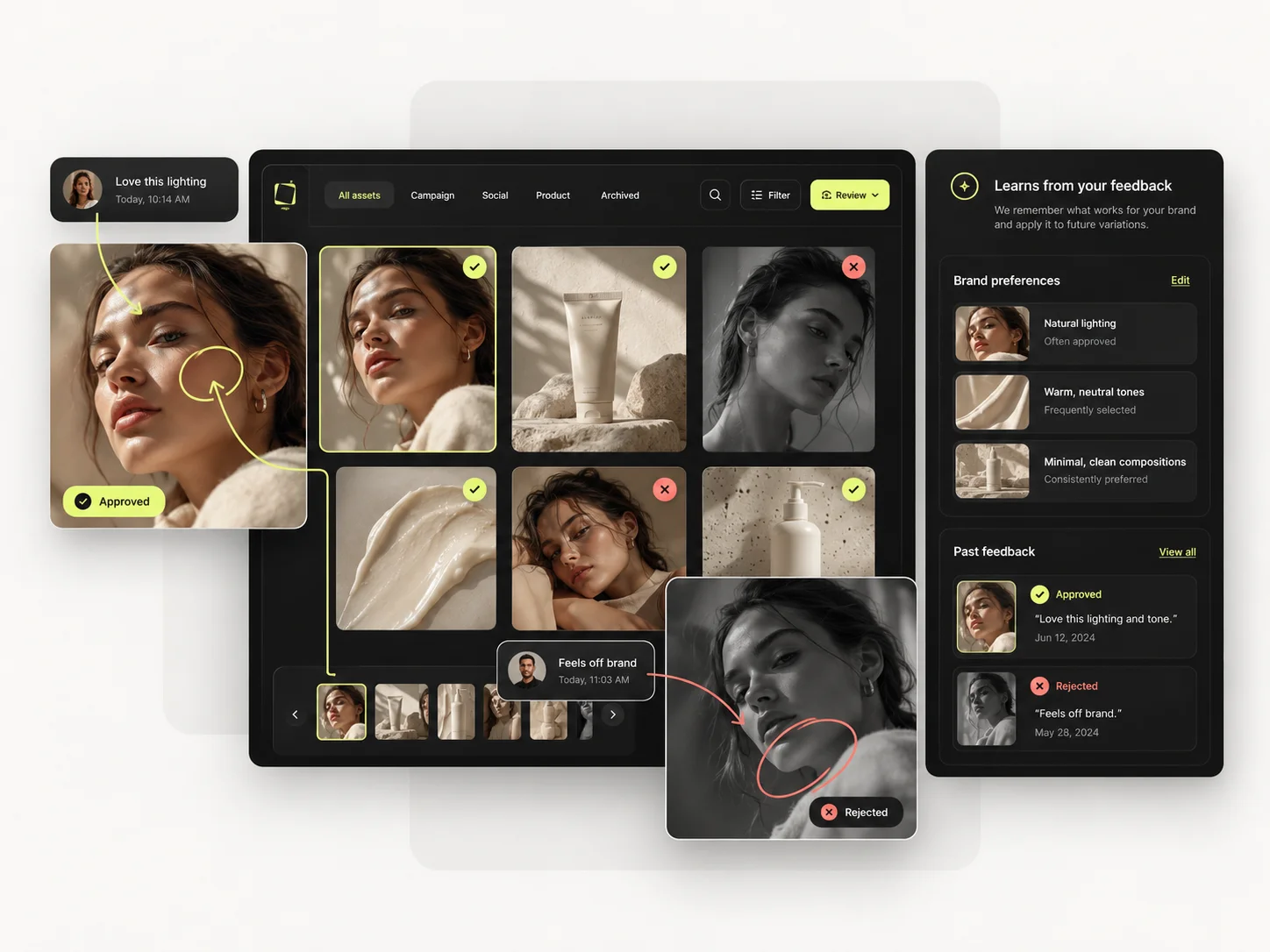
ImagineArt's paid plans are designed for commercial creation, with private generation available from Standard in current documentation. Mujo supports commercial use and ownership of outputs, and publishes stronger explicit no-training language. Teams with sensitive brand assets should compare data-processing terms and privacy controls on the exact ImagineArt plan they intend to use.
Specifically, on Mujo's side: users keep ownership of what they upload and of AI-generated outputs and may use those outputs commercially, subject to applicable law and third-party rights; inputs and outputs are not used to train foundation models without opt-in, and the enterprise terms extend that to the third-party models in the stack. Commercial-use permission is not rights clearance. Trademark, publicity rights and model-provider terms still apply, so client work needs human review before it ships.
What ImagineArt does better, and what Mujo does better. A comparison page that only fills in one side is not a comparison.
Worth reading before a trial rather than after one.
ImagineArt is one of the strongest direct alternatives to Mujo because it competes at the workflow level rather than only the model-access level. Its automation ceiling is higher. Mujo's advantage is a more opinionated commercial-content abstraction: instead of teaching every user a graph, it tries to make successful directions reusable as content systems.
Choose ImagineArt when reusable node automation, Film Studio, Ad Studio, MCP and connected video production are high priorities.
Choose Mujo when repeatable product and marketing content needs to be simple enough for non-technical creators and operators to reuse directly.
Using both is reasonable: a broad suite for miscellaneous tasks, Mujo for the commercial work that repeats. The overlap is smaller than the feature lists imply.
If your work is many different small jobs, buy breadth. If it is the same job at volume, buy the platform that keeps the setup.
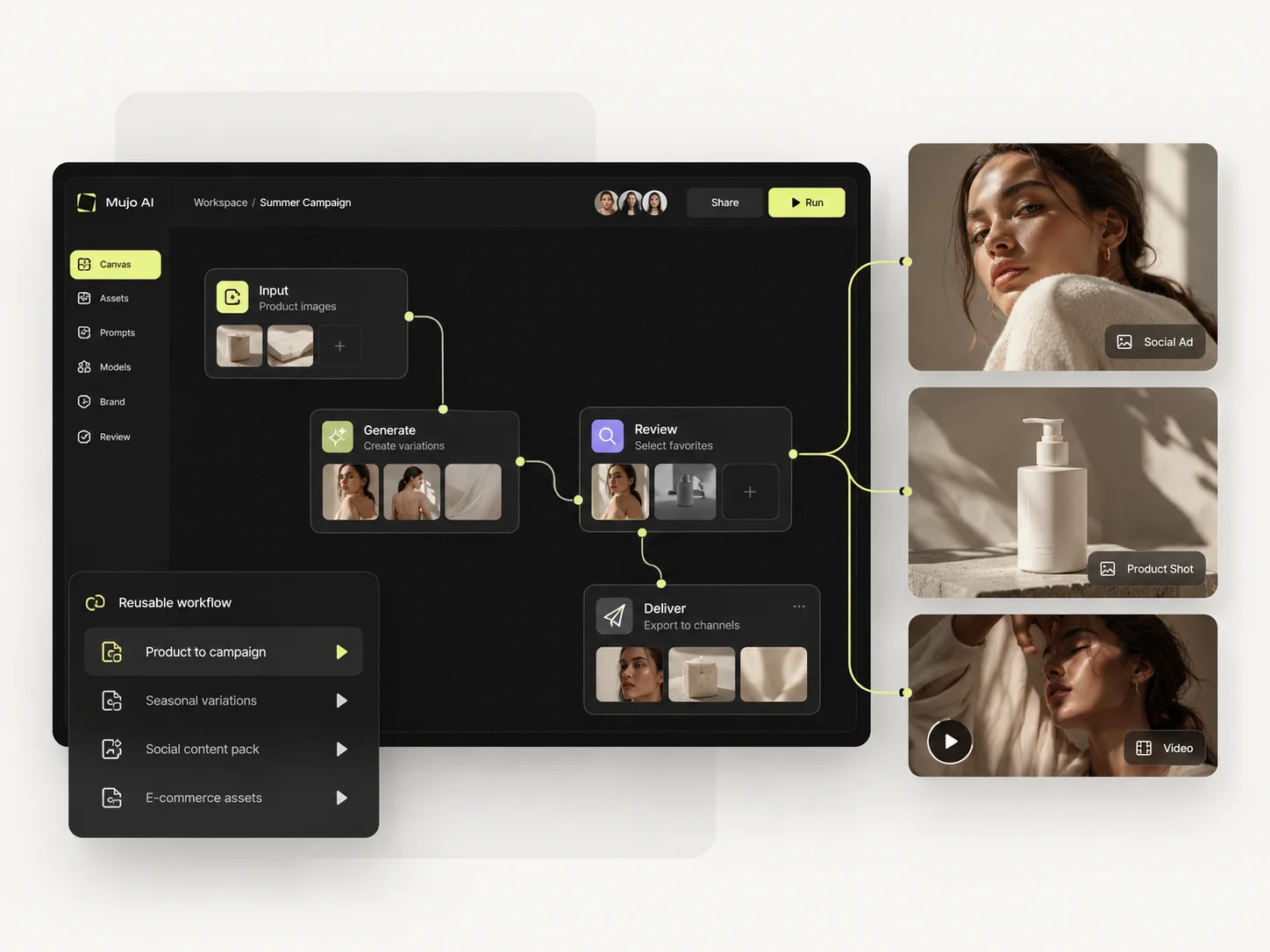
Short answers about ImagineArt, about Mujo, and about the parts that are easy to get wrong.
Yes. Its Workflows use a node canvas that can chain models and creative steps.
Ad Studio is a marketing-oriented workflow surface designed to turn products and creative inputs into ad-ready outputs.
Yes. Current product materials describe MCP connectivity for generation workflows.
Subscription credits refresh monthly and do not roll over under current plan documentation.
Mujo is more preset/control oriented. ImagineArt is more programmable and therefore can be more powerful but also more complex.
A comparison against ImagineArt stays abstract until you look at the work it is about. These are the production workflows Mujo is built around, plus the neighbouring comparisons if you are still shortlisting.
Produce editorial and studio photoshoots without booking one.
One idea rendered as a month of posts, stories and formats.
Plan the shots before generating the video.
Characters and stories against products and campaigns.
A model aggregator against a production system.
The single-model aesthetic engine, compared on workflow.
If the tools are all there but every campaign still starts from scratch, that is the problem Mujo is aimed at. 20 free credits. Rebuild last month's campaign and compare the hours.