A cast
The person on set, held consistent from the first frame to the last.
Create complete product, fashion, beauty and campaign shoots with controllable people, styling, locations, lighting and camera direction — all inside Mujo. A shoot is not one good image; it is a set of images that clearly came from the same day, the same person and the same light.
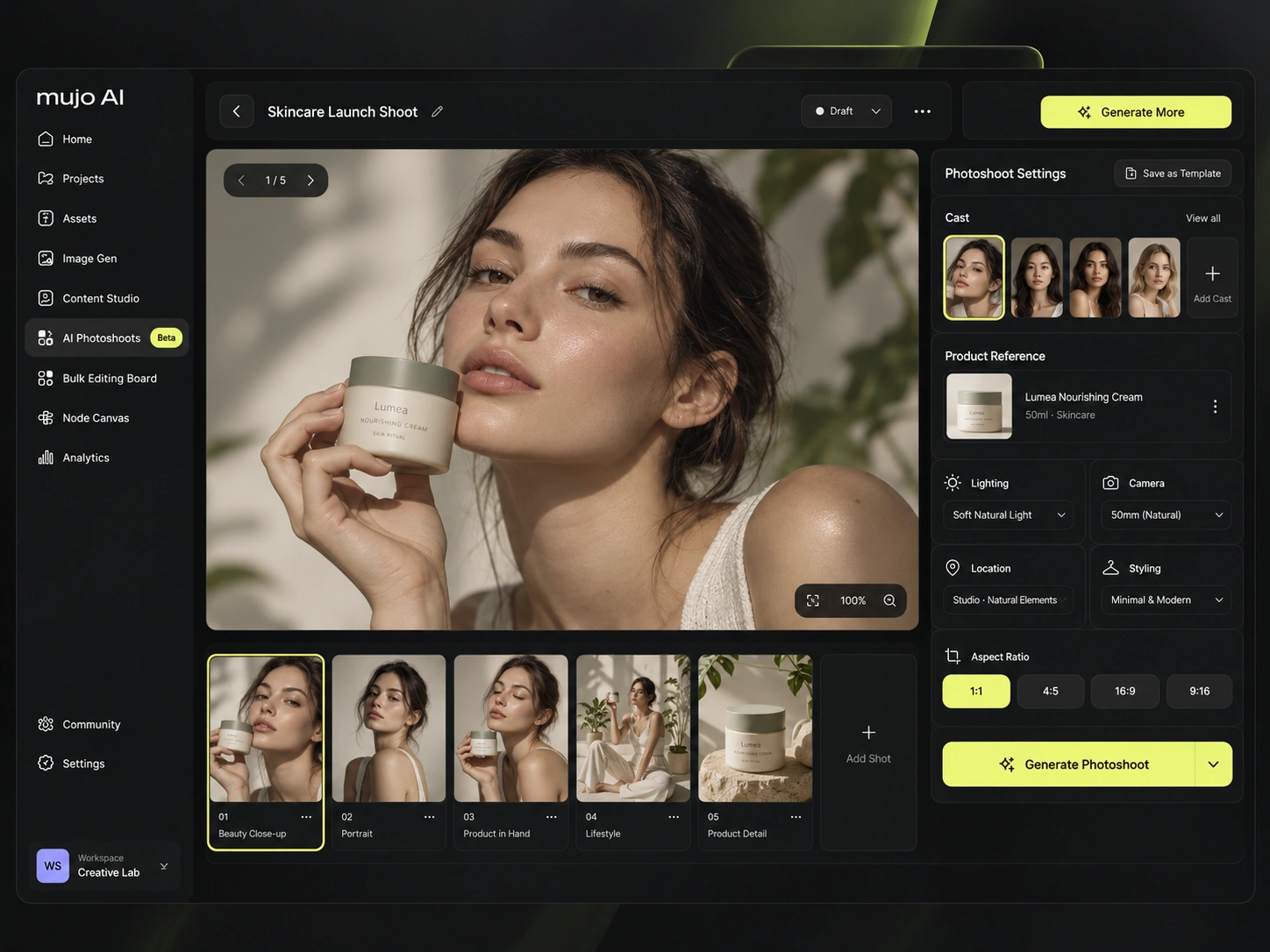
An AI photoshoot combines products, people, references, styling, environment, lighting and camera direction to generate a coherent image series. The distinction that matters: generating one striking image is a prompt; producing twelve images that a client accepts as one shoot is a photoshoot. Everything on this page is about the second.
The person on set, held consistent from the first frame to the last.
The real item, carried through the whole shoot as a reference.
Styling, location, light and camera language decided once.
Wide, medium, close and detail — a set, not a single picture.
The same shoot workflow covers the packshot-adjacent work and the campaign work. What changes is the direction, not the process.
The product with a person, in the scene the campaign is built around.
A full look explored across shots, with styling held between frames.
Skin, texture and packaging — the details this category is judged on.
The product in a room somebody lives in, not on a white background.
Character-led frames for brand pages, features and covers.
Vertical and square versions of the shoot, ready for feeds and ads.
These examples are beauty-led because that is the category the reference shoot was built in. The method is the same whatever is being sold: one cast, one product, one look, applied across the frames the brief asks for.
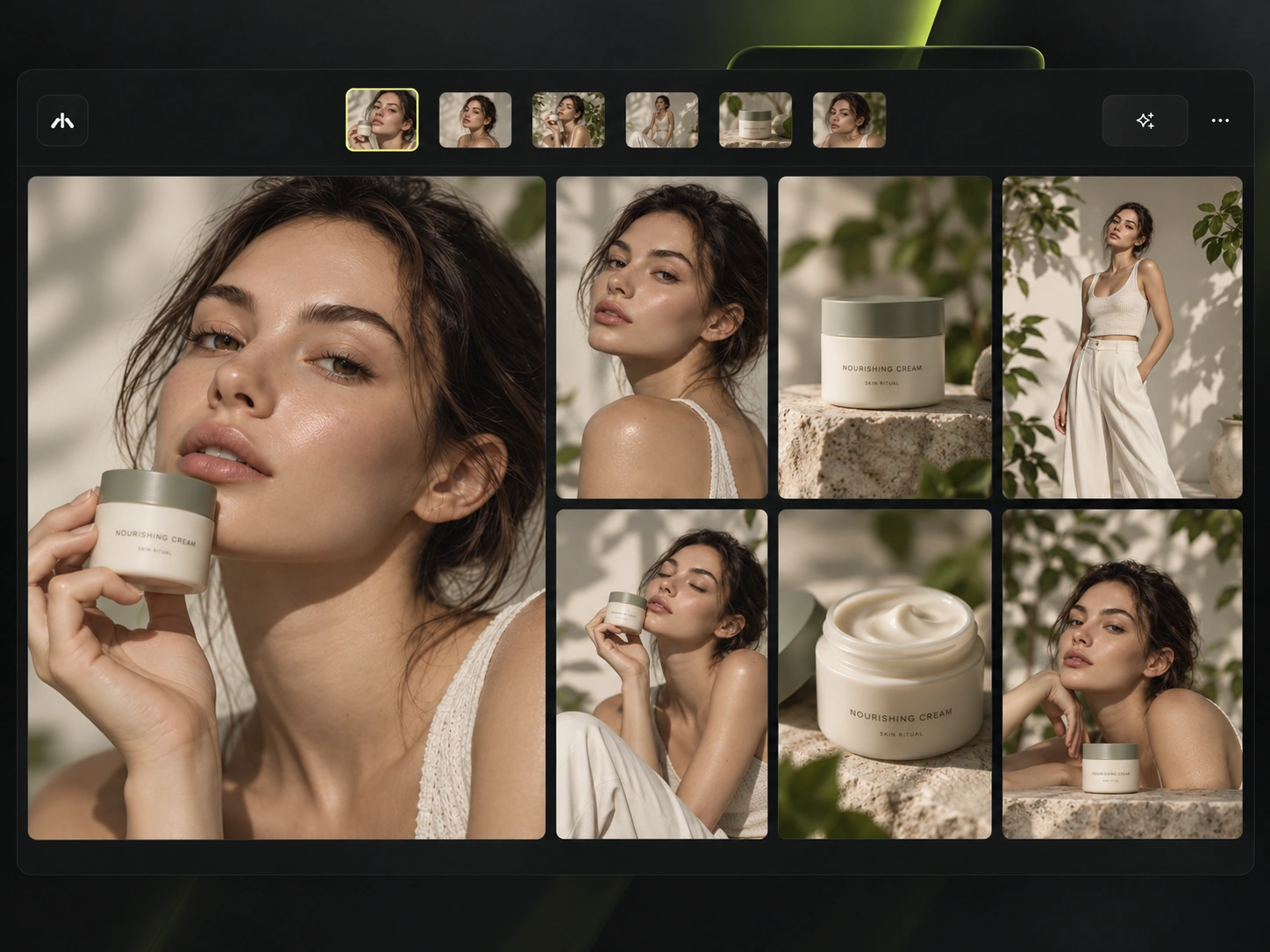
Casting is the variable that traditionally costs the most and changes the least, because changing it means another shoot day. Here it is a choice you can revisit — with the same person reusable across a whole campaign. Use only inputs you hold the rights to, and review each frame: identity consistency is something to verify, not to assume.
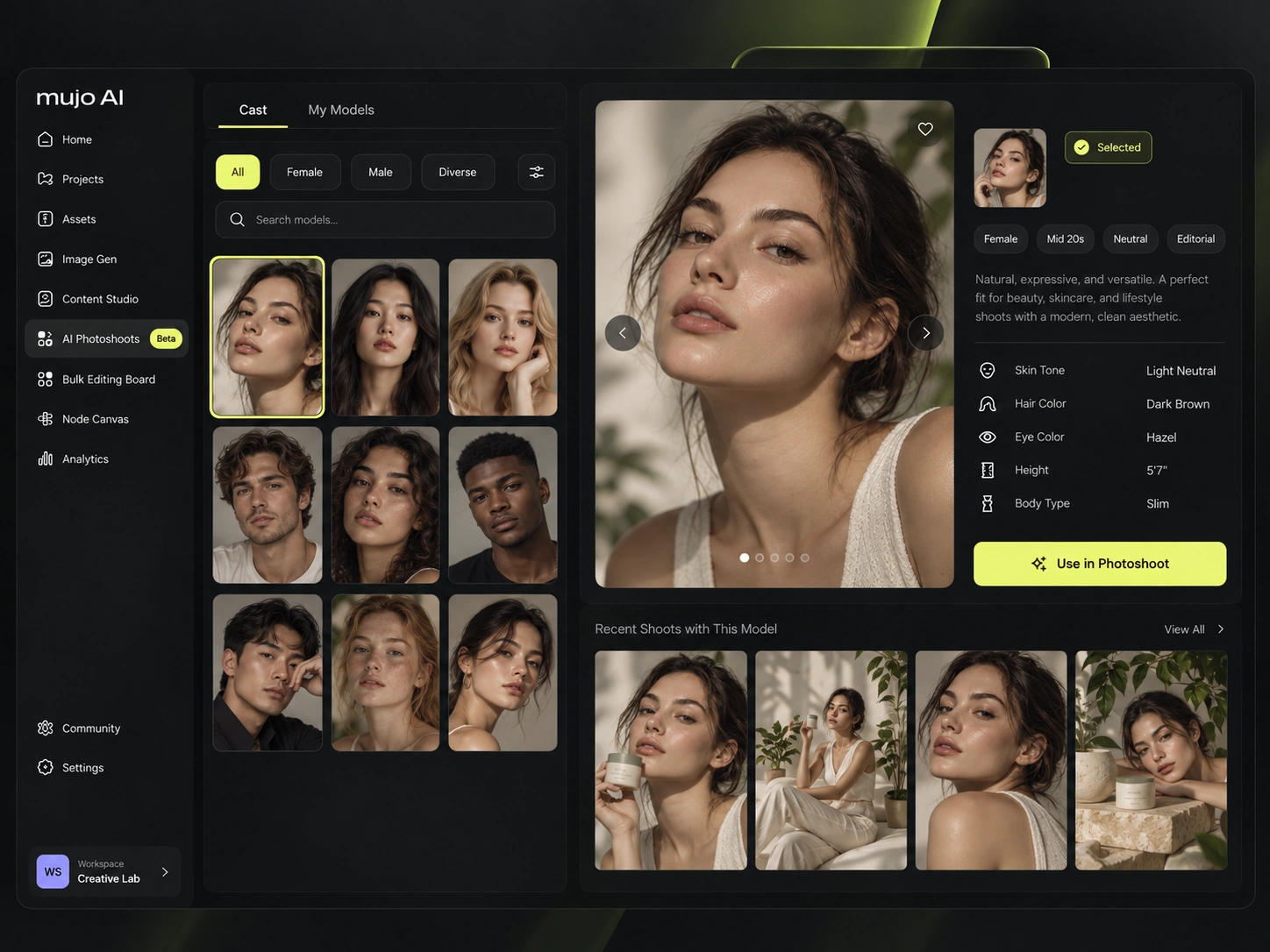
Upload or select product references and carry them through the whole workflow. A description produces any bottle; a reference produces yours. Fine text, logos and packaging details can still come back imperfect, so check them against the real item before anything is published.
See AI product photosThe real item, uploaded once and used throughout the shoot.
Held, worn or applied — the frame that makes it feel real.
Texture, cap, label and finish at the scale a buyer inspects.
The product placed in a scene rather than presented on a plinth.
The hero shot the whole set is arranged around.
Use visual controls instead of rewriting a long prompt for every adjustment. "A bit warmer, one stop softer, half a step wider" is how a shoot is actually directed — and it is impossible to say in a paragraph you have to retype each time. Supported controls differ by model, and the interface shows which ones the selected model accepts.
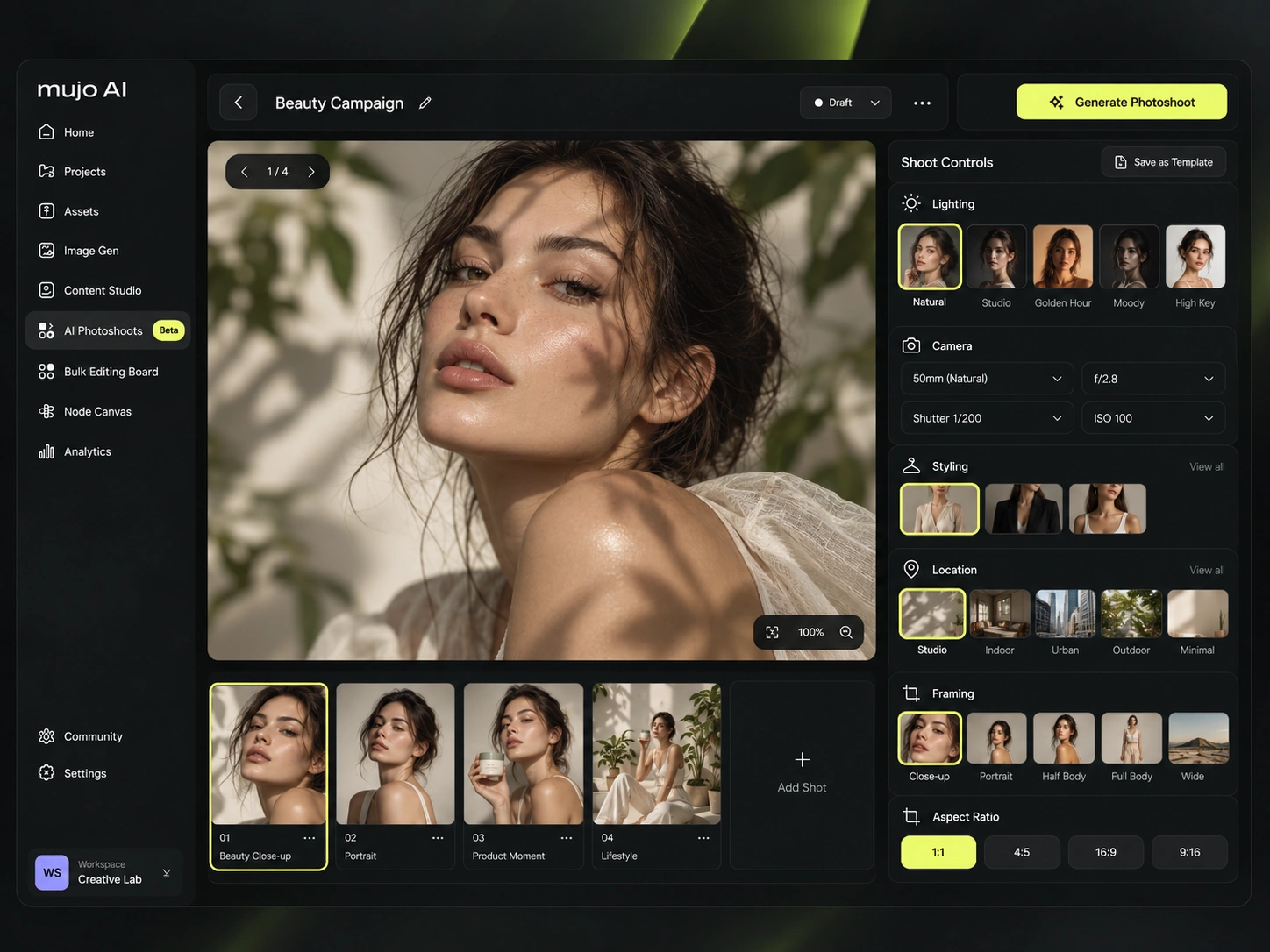
Generate multiple shots while keeping the visual direction, product, character and styling consistent — the way a real shoot produces a set of selects rather than one frame.
The establishing frame that sets the place and the mood.
The person and the product together, in context.
The emotional frame — skin, expression, gesture.
Texture and packaging at inspection distance.
The clean shot the product page will open with.
The frame that goes to social and paid media.
Six frames that hold the same person, the same product and the same styling. This is the difficult part of AI photography and the only thing that separates a shoot from a folder of good-looking generations.
Reuse the same product or cast and explore a new creative direction instead of organising another traditional shoot. This is the change that matters commercially: a second direction stops being a second budget.
Explore creative variationsSame cast and product, a completely different world around them.
One lighting decision that changes what the brand feels like.
A restrained set reworked into something with more attitude.
Styling and grade moved up a register for a premium placement.
The seasonal refresh, without organising the season again.
Use approved frames as the starting point for short-form video, product clips and campaign motion. Available models and supported controls differ between image and video workflows, so check what the one you pick can do before planning around it.
Move approved shots into campaign creatives, social content, product pages and channel-specific adaptations. A shoot that ends at a folder of selects has done half the job — the other half is every version those selects have to become.
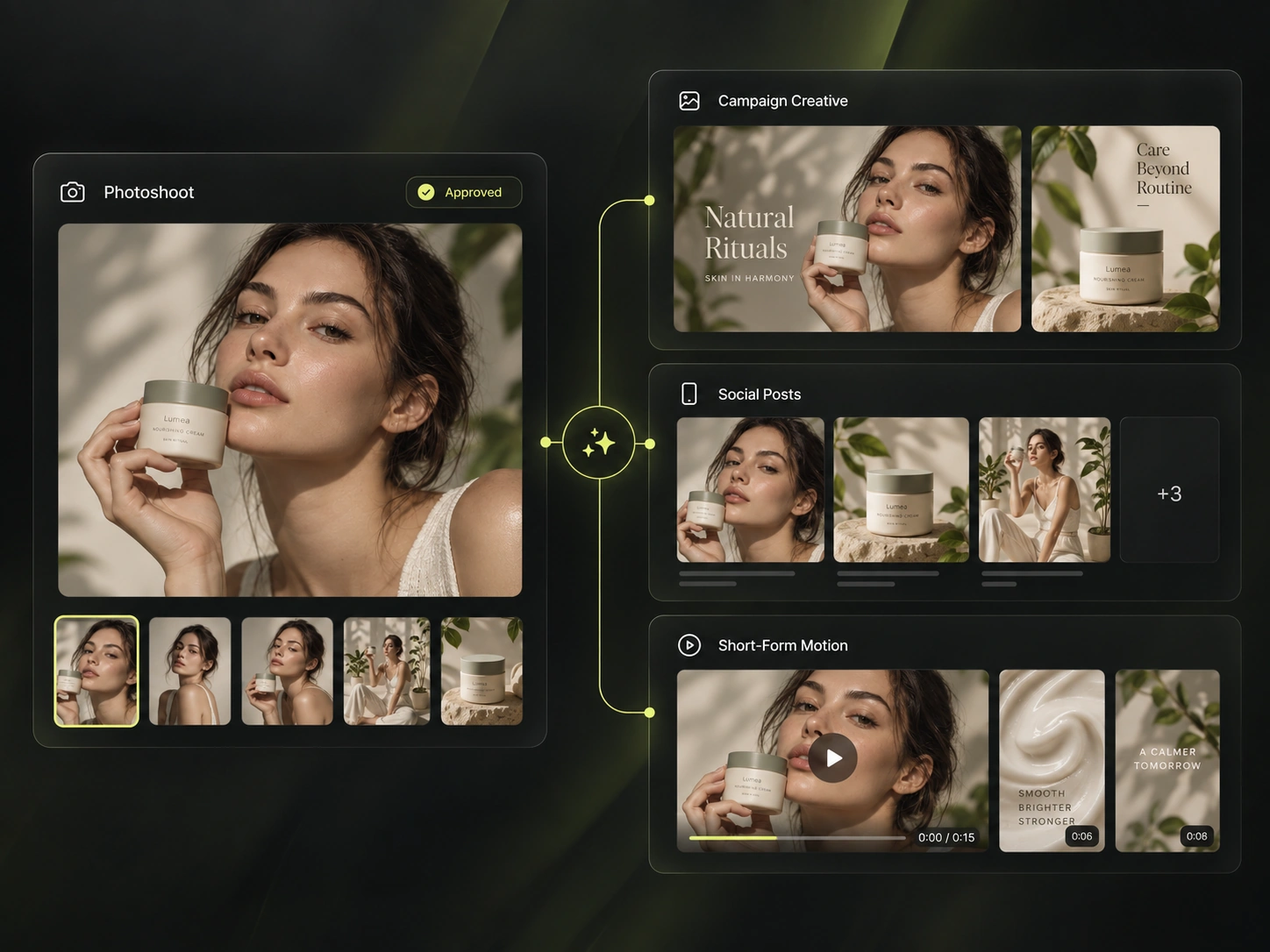
Save products, people, references, controls and workflows so the next shoot does not start from zero. The first shoot is where the work is; the fourth one should mostly be selection. Confirm which review and sharing features are available on your current plan and release.
Products, people, references and outputs kept where the next shoot can find them.
A shoot format that repeats every season, built once as a workflow.
When one shoot has to cover a hundred products rather than one.
Shared assets, roles and review for the people who run the shoots.
Not the craft — the decisions still have to be made by someone with taste. What changes is that a decision can be revisited. In a traditional shoot, the cost of changing your mind is another shoot day, which is why so many campaigns run on the frame that was merely acceptable.
Everything downstream inherits the cast, the product references and the creative settings the shoot was built with — which is the only reason the campaign after it is quick.
See all use casesProduct-only photography, when the shoot does not need a person in it.
The same logic applied across hundreds of SKUs rather than one shoot.
Where the selects go: concepts, key visuals and the full asset pack.
Versions of an approved frame across people, formats and markets.
Build the cast once and keep the same person across every shoot.
Photoshoot and beauty prompt packs, each shown with the result it produced.
It is a complete shoot produced with AI: products, people, references, styling, environment, lighting and camera direction combined to generate a coherent image series rather than a single picture.
Yes. Upload or select a product reference and carry it through the shoot. Check packaging, logos and fine text against the real item before publication — those are the details generative models get wrong most often.
Yes — build the person once as a saved AI character and reuse that identity across frames and across future shoots. Review each frame, since details can shift between generations.
Camera, lighting, composition, framing, aspect ratio, location and references are set through creative controls rather than written into a long prompt. Supported controls vary by model.
Yes. The workflow is the same across categories; what changes is the direction — the cast, the styling, the environment and the references you start from.
That is the point of a shoot rather than a generation: wide, medium, close, detail, product-only and lifestyle frames produced from one set of inputs and settings.
An approved frame can be taken into the video generator for short-form and campaign motion. What is possible depends on the model and workflow you select.
Shots, references and feedback sit in a shared workspace with the available roles and review features. Confirm what is available on your current plan and release.
Build the cast, the product, the styling and the creative direction once — then generate the full set inside Mujo.