Choose Photoroom
you have the shots and need them cleaned, cut out and resized at volume, fast and cheaply.
Photoroom starts from a photograph you already own and makes it sellable: background out, shadow in, resized, enhanced, thousands at a time. Mujo starts earlier, from a product that was never photographed in that setting at all. The two overlap on the word 'product photo' and almost nowhere else.

Three lines before the detail. If the first one describes you, Photoroom is the better purchase and the rest of this page will not change that.
you have the shots and need them cleaned, cut out and resized at volume, fast and cheaply.
the shot you need does not exist yet, and the look has to hold across a season of products.
one is an editor working on existing pixels, the other a generator working from a brief and a reference.
Three things this platform does not do, said before the arguments in its favour.
Photoroom's cutout and retouch tools are faster, cheaper and better at that one job.
Mujo is not where you go to fix an existing image pixel by pixel.
Catalogue sync and storefront integrations are not part of the product.
A practical comparison of the workflow each platform is designed to support, across nine dimensions.

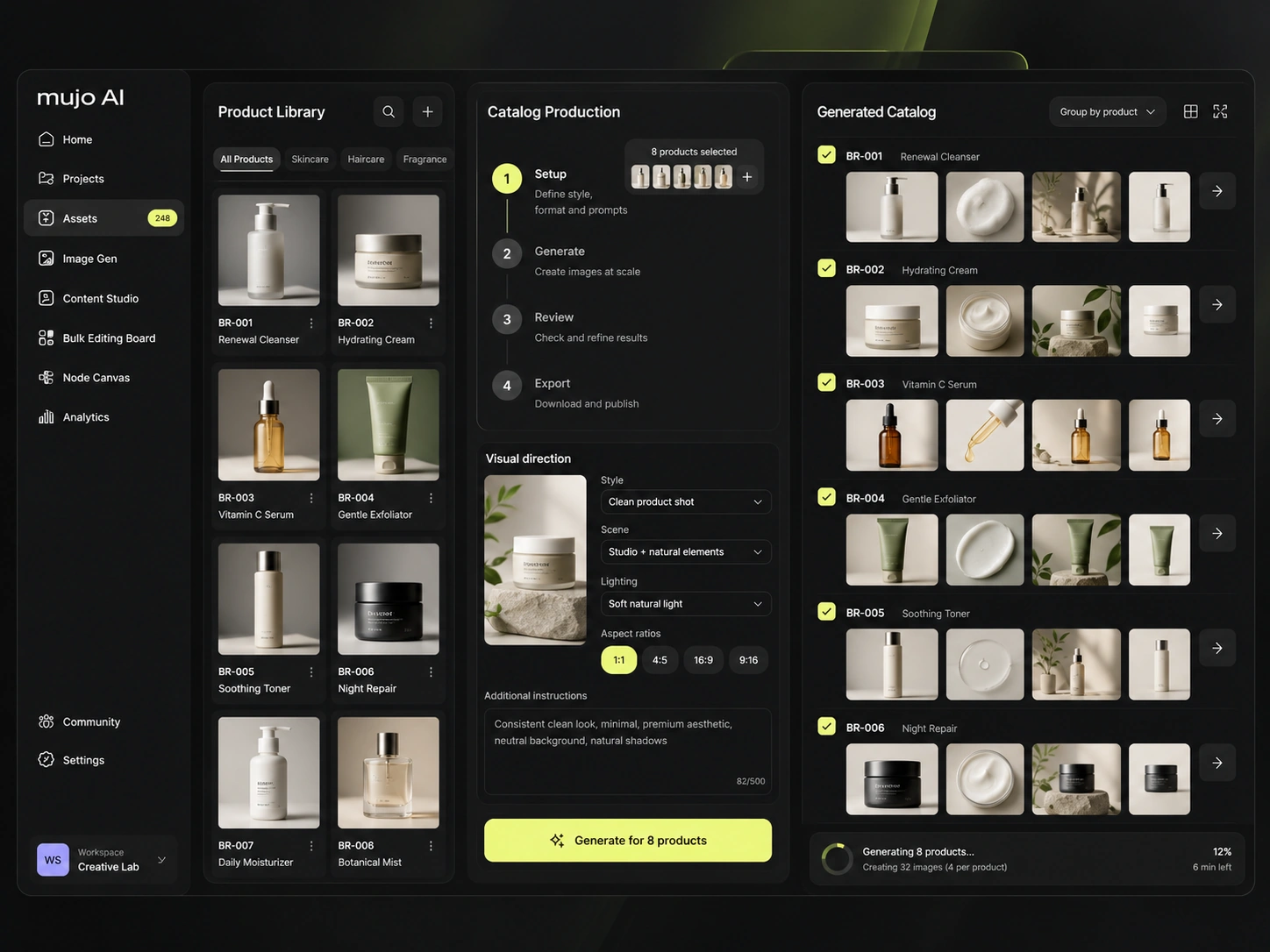
Photoroom is one of the clearest products in this whole comparison set: it removes backgrounds, fixes product shots, adds shadows, resizes for every marketplace and does it to thousands of files at once. It is an editor, and an unusually good one.
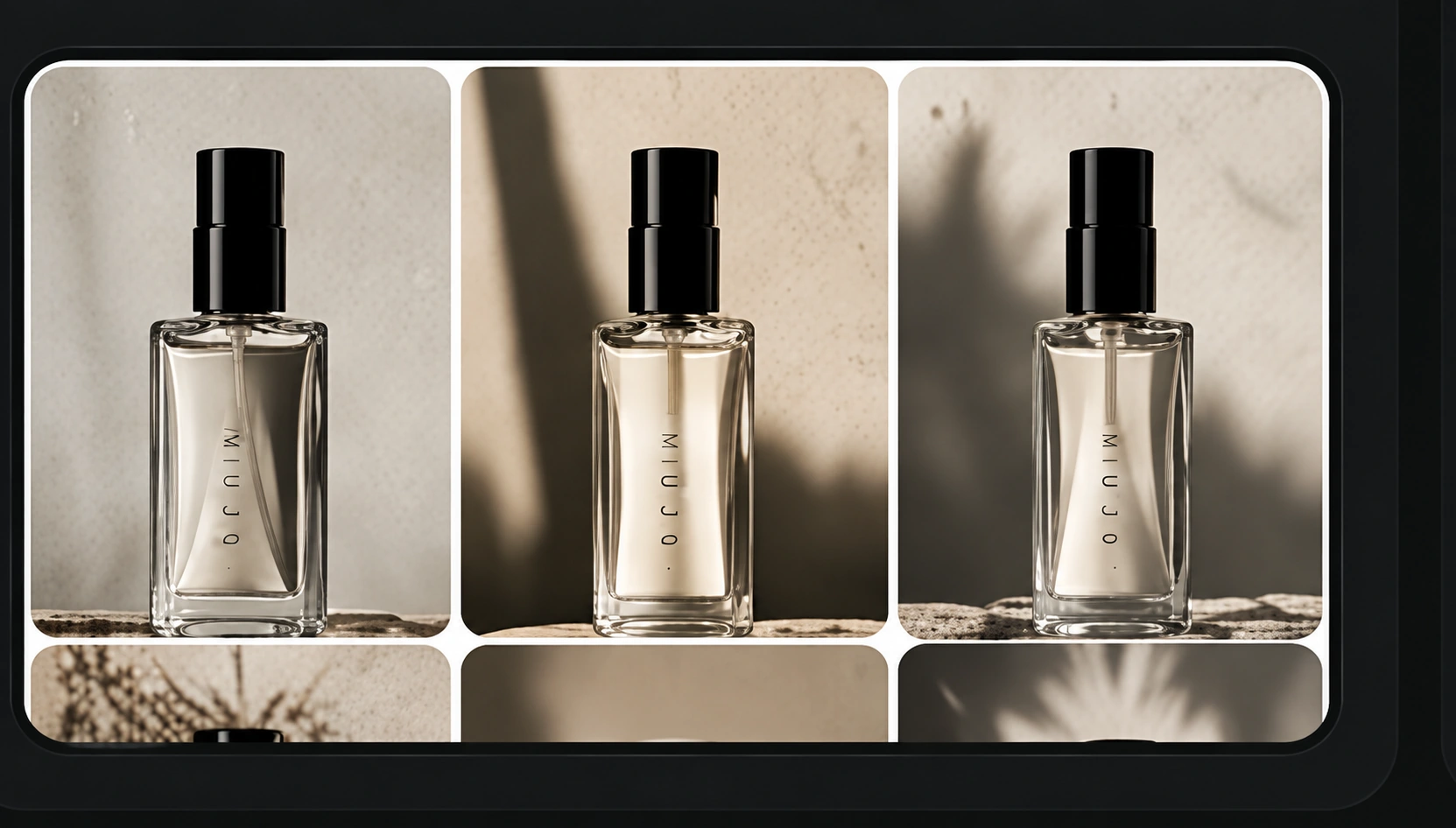
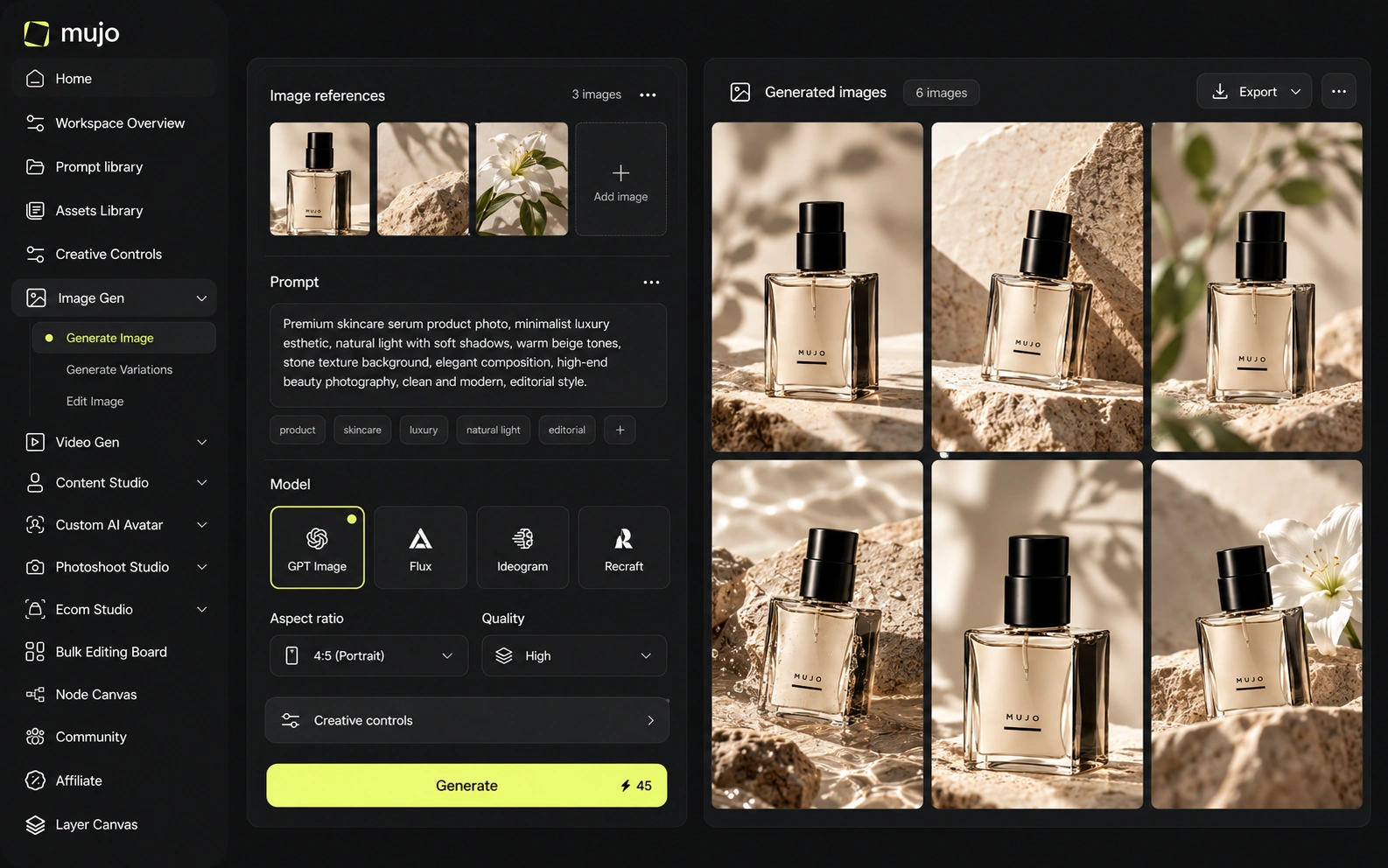
Mujo is a workflow layer over many models rather than an editor. The image workspace runs Nano Banana Lite, Nano Banana 2 and Nano Banana Pro, GPT Image 2, Midjourney, Seedream 5.0 Lite and Seedream 5.0 Pro, Grok Imagine and Kling 3.0 Image. The video workspace runs Veo 3.0 and Veo Fast, Kling 3.0, Seedance 2.5 and Seedance 2.0. The editing Photoroom does brilliantly is a small part of what Mujo does at all — and the generation Mujo does is not something Photoroom is trying to do. The dividing line is whether the photograph exists. If it does, edit it. If it does not, and shooting it would cost a studio day per SKU, that is the problem Mujo was built for.
Photoroom's model question is different from everyone else's here: it is not selling access to generators, it is selling results from its own editing stack. Model breadth is beside the point when the input is your own photograph.
Mujo's angle only matters once you are generating rather than editing. The same brief runs through several engines while the prompt, references and Creative Controls stay in place, so choosing a model is a side-by-side rather than a subscription decision. Two questions worth separating: whether you need the shot made or the shot fixed, and whether the look has to survive to the next product. Editors answer the first half very well.
Photoroom's control is preset-led and fast: templates, Brand Kit, shadow presets, instant backgrounds. You pick, it applies, you export. For high-volume listing work that speed is the whole product.
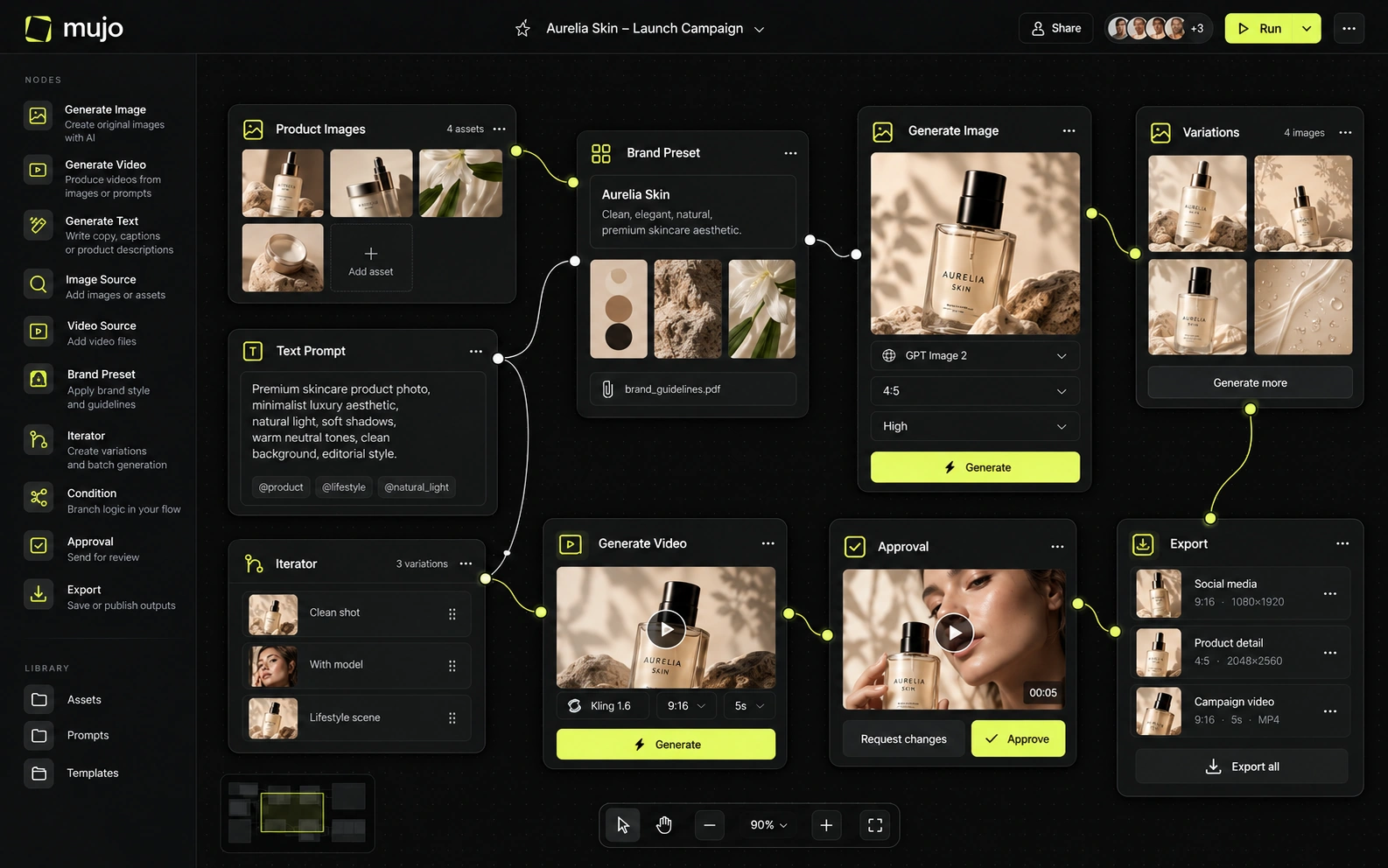
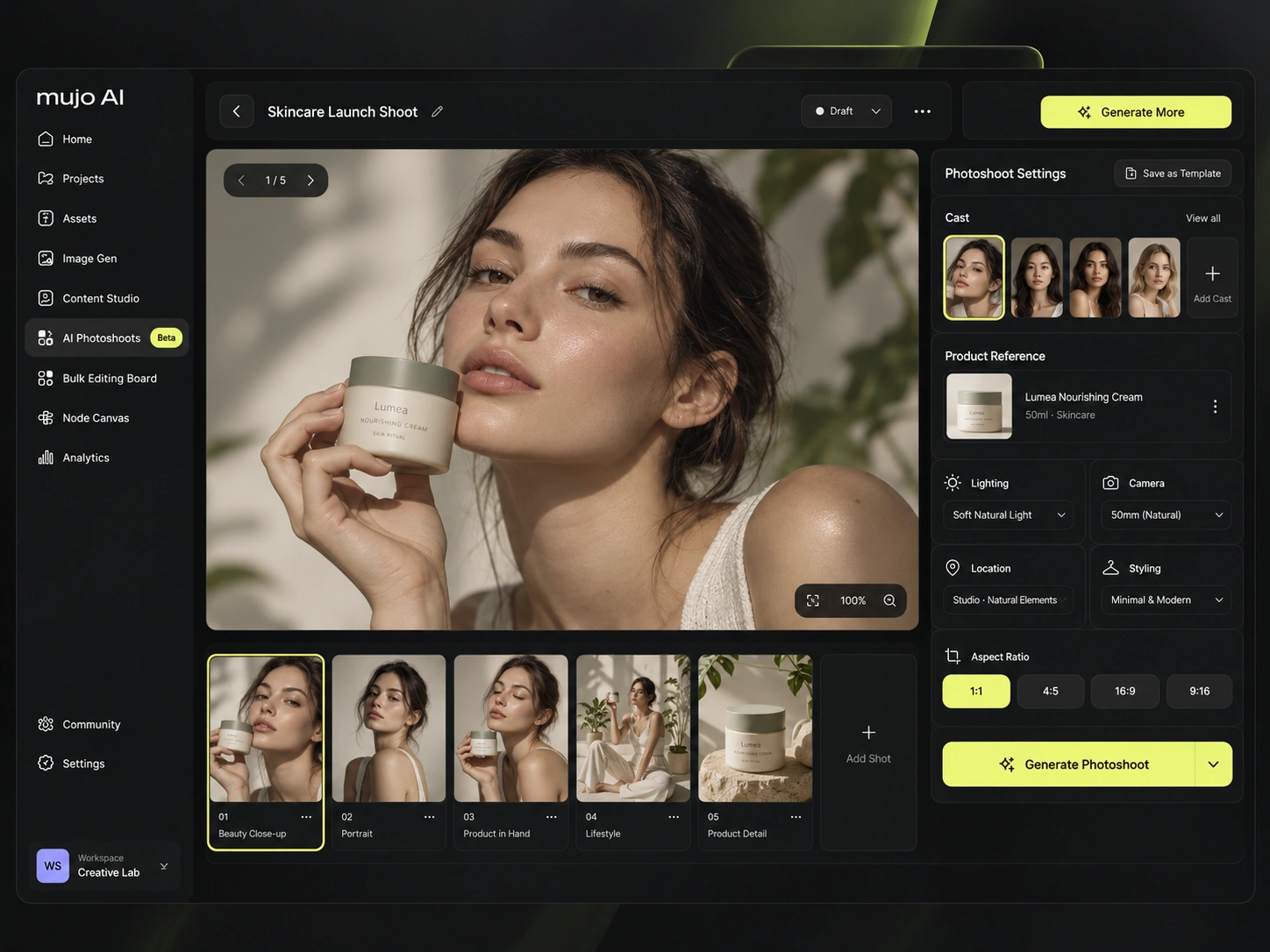
Mujo's control is parametric and slower to set up. Creative Controls expose the variables an art director actually changes — lighting, pose, expression, camera angle, location, style — as named settings rather than a paragraph of prompt. The payoff is not the first image. It is that the same direction can be handed to someone else and applied to a product that was not in the original shoot, which a preset cannot do.
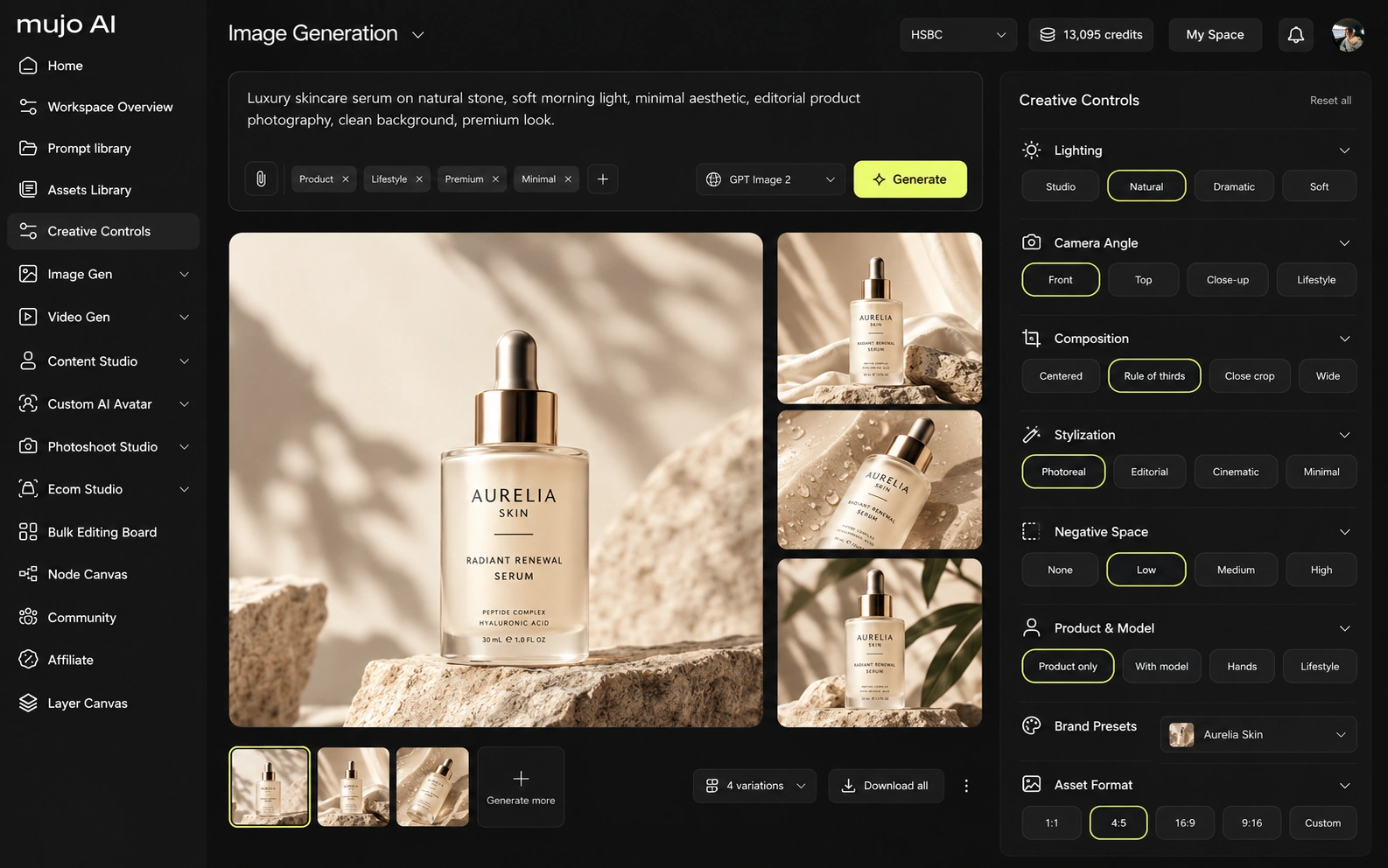
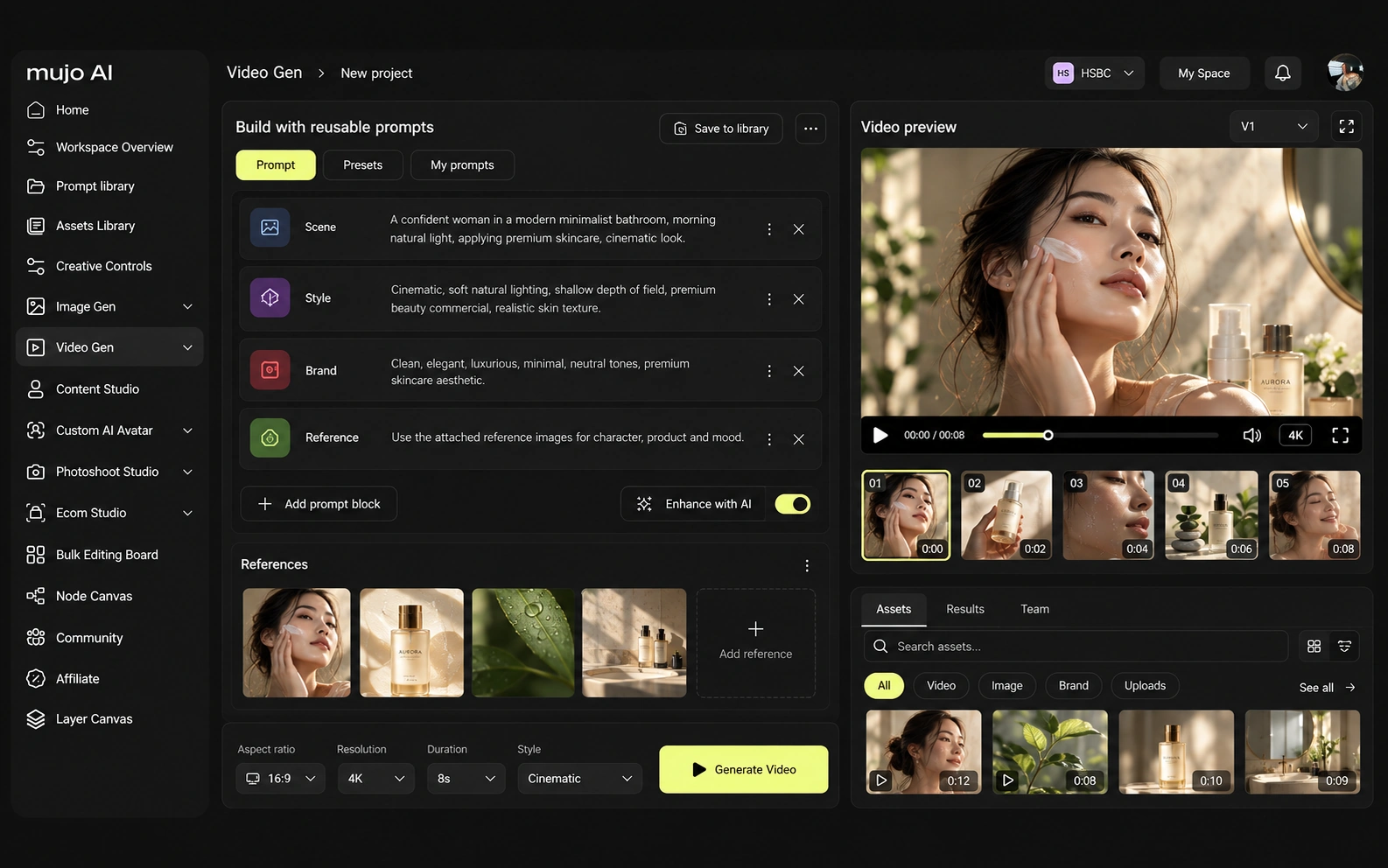
Photoroom added a Video Generator from the Max plan upward, aimed at bringing a product shot into motion for social placements.
Mujo runs text-to-video and image-to-video on several engines in the same workspace as the stills, so an approved product frame becomes a vertical ad inside one setup rather than a separate export.
Consistency means at least four things: the same person, the same product, the same look, or the same process. An editor guarantees the second one absolutely — the product in the file is the real product.
Mujo works the other way: the product is held by references and saved setups, and what gets stored is the route to the image — references, Creative Controls parameters, saved prompts, model choice, reusable flows. That is a real trade, and it is the honest centre of this comparison. Photoroom cannot invent a scene your product was never in; Mujo cannot promise pixel-identical fidelity to a photograph it did not take. If the recurring object is a catalogue of existing photographs, the editor wins on accuracy and cost. If it is a season of products that have to appear in settings nobody shot, the generator is the only option.

How each platform fits commercial work that repeats every month
Taking photographs you already have and making them listing-ready at volume: cutout, retouch, shadows, marketplace resizes, catalogue batches, Shopify sync from the Max plan.
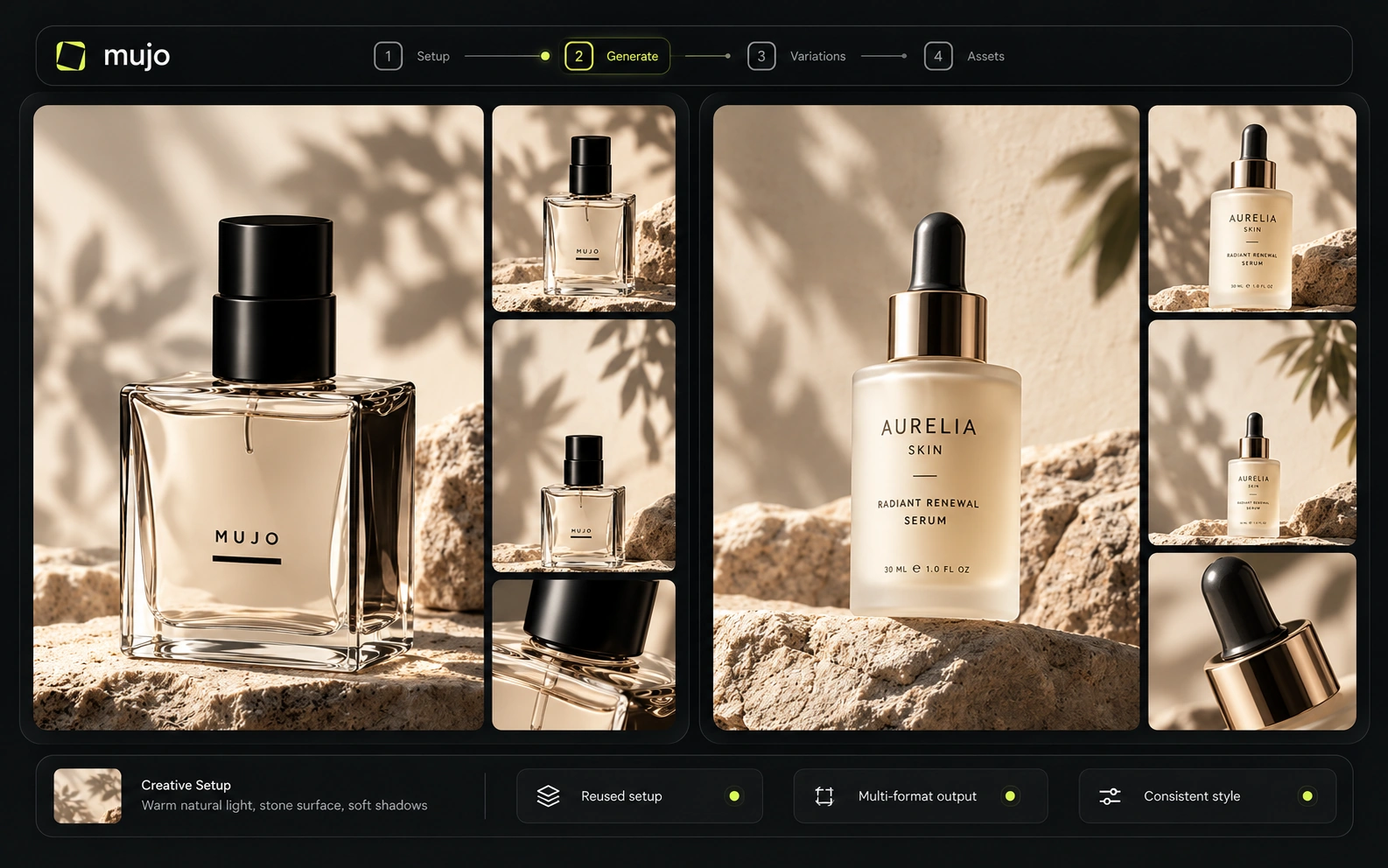
Product Photos, Listing Images, Product Catalog Production, AI Photoshoots, Campaign Creatives and Creative Variations — generated from a reference rather than edited from a file.
Photoroom shortens the path from shoot to storefront. Mujo removes the shoot for the shots that would never have been worth booking one.
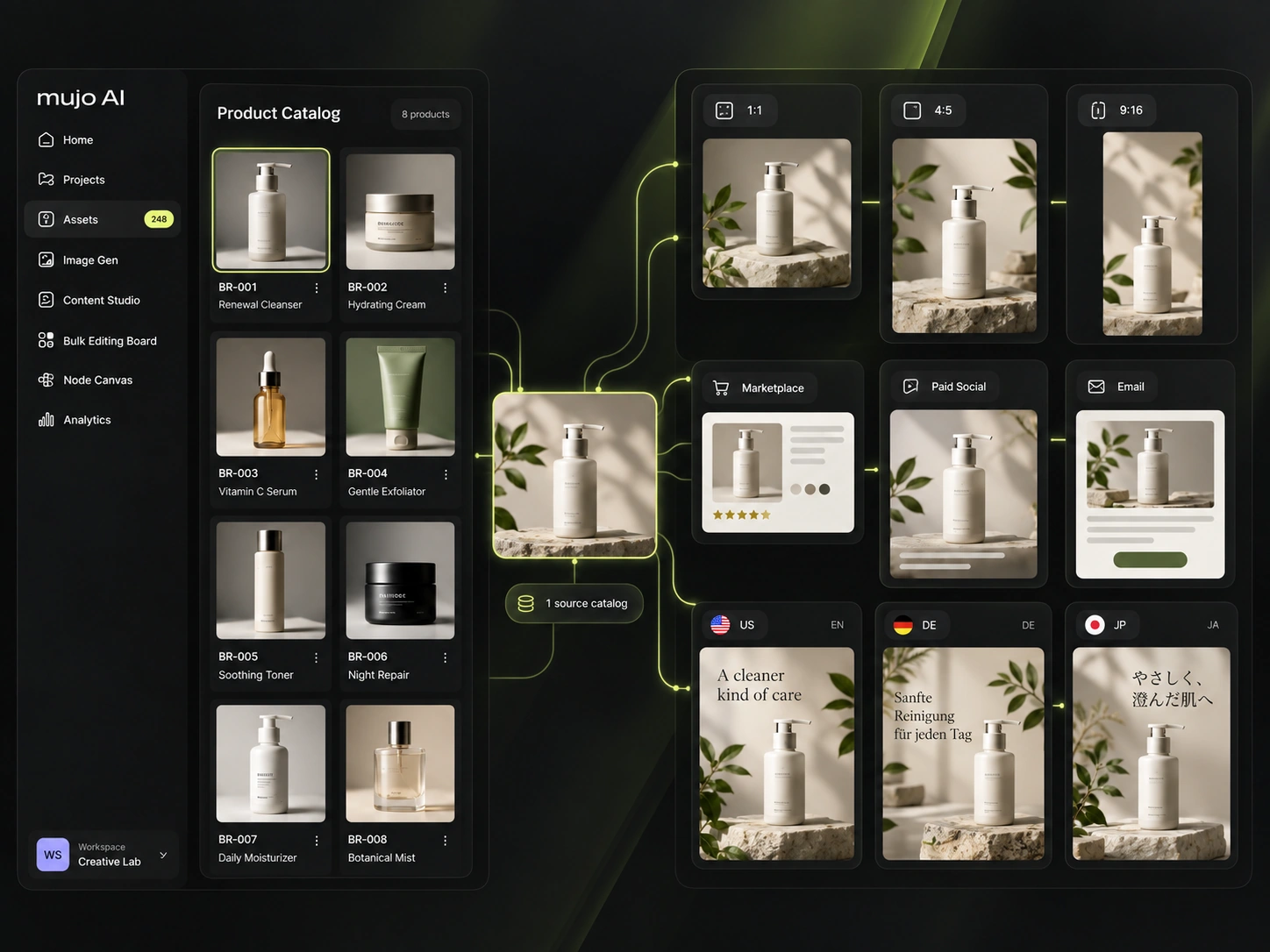
The product shot, its listing crops, its ad variants and its social cuts come out of the same approved direction. Volume is what makes commercial work expensive, not generation speed — and it is the part a Photoroom comparison usually leaves out.
Mujo treats a prompt as a production asset rather than a message: refined with structured controls, compared across models, saved into a library of 2,500+ prompts plus your own setups. Photoroom has no equivalent because it does not need one — its inputs are your files and a template, not a written description.
Saved setups live in the Prompt Library where the next person can find them, instead of in the generation history of whoever happened to get it right. Whatever a Photoroom session leaves behind, it is usually the output rather than the reasoning behind it.

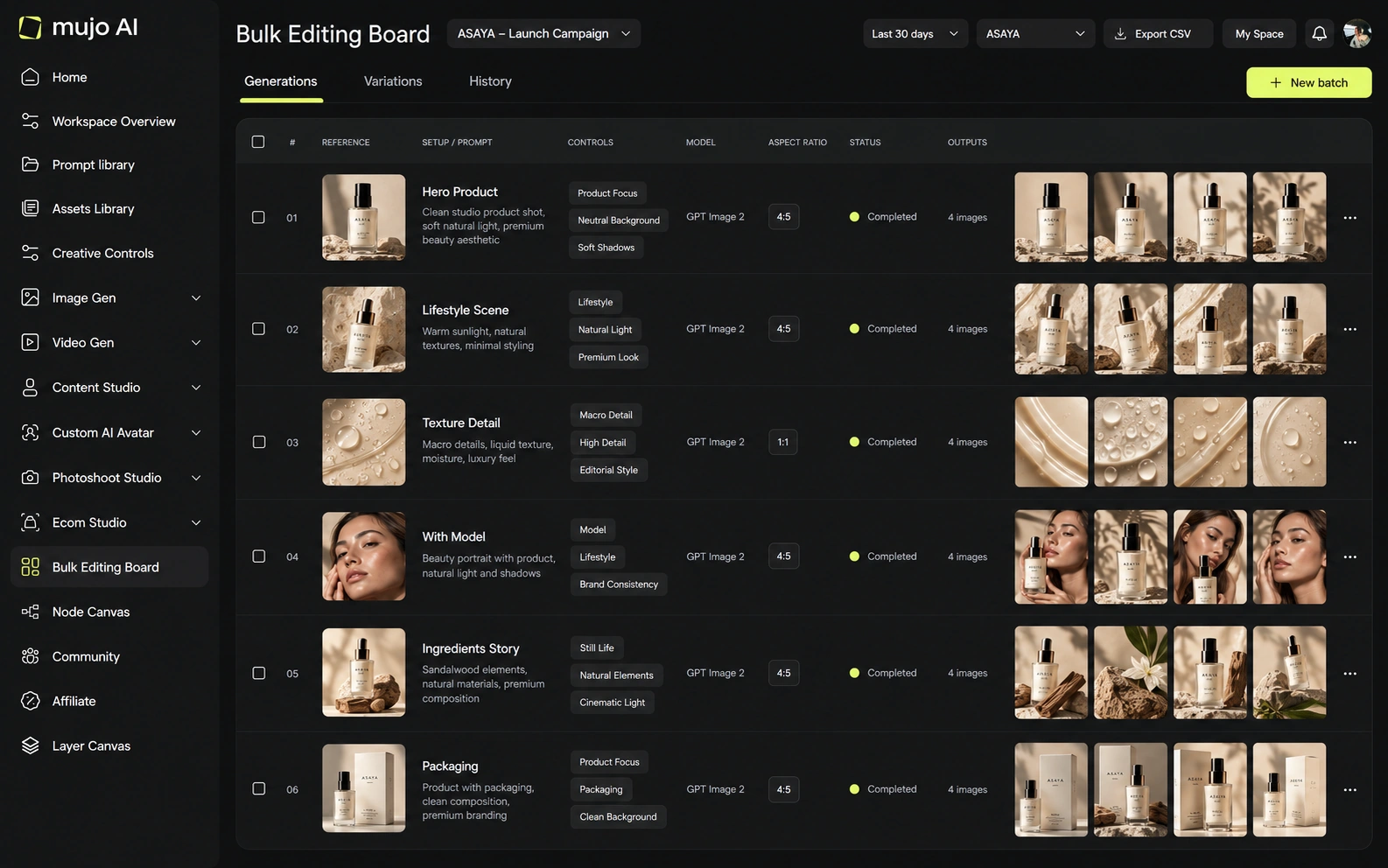
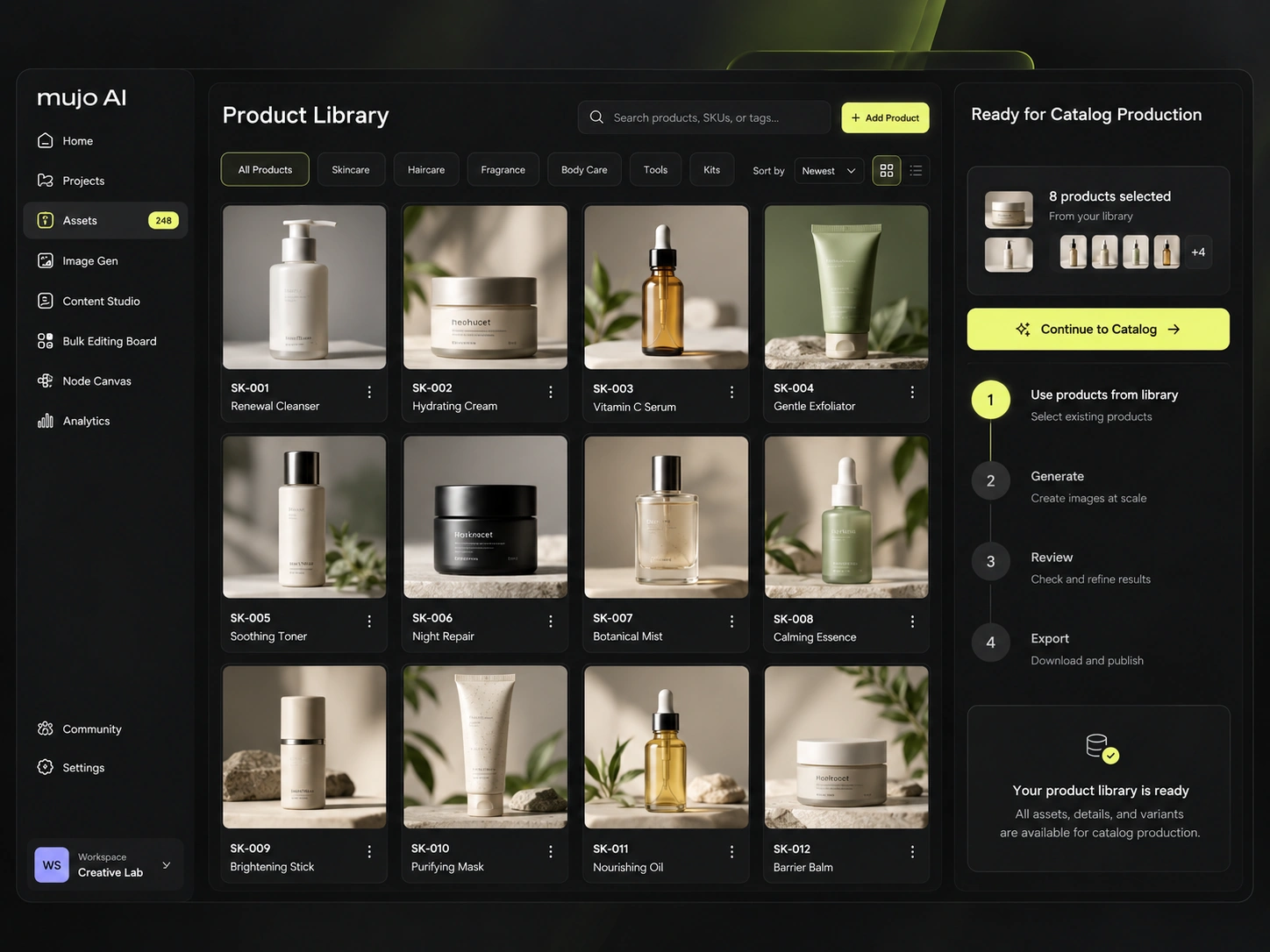
The Bulk Editing Board is the closest thing here to Photoroom's batch processing, and the difference is what gets batched. Rows are assets, columns are the variables, and one approved creative direction runs down a product list — generating each shot rather than applying the same edit to files you already have.
Photoroom's batch is unbeatable when the input exists. When it does not, batching an edit has nothing to work on, and that is where a generated direction run in bulk takes over.
Give both the same brief: one product image in, a hero visual, three square social variants and one vertical motion ad out, then the same direction on a second SKU a week later. Watch where each tool stops being able to help — that boundary is the real comparison.
Use one source product image and one launch brief.
Produce the hero visual, three square social cuts and a vertical motion ad.
Prompts, references, controls and the model that produced it.
Rerun it on a second product, including shots that were never photographed.
Photoroom clears the first round comfortably, as does almost anything else worth evaluating. The second round is where the difference appears, and it is the round nobody gets to during a two-week trial.
Photoroom offers Brand Kit on all paid plans, up to 50 seats on Pro, Max and Ultra, and an Enterprise tier with Visual QA, SSO, SLA and dedicated support. Its API is priced separately.
Mujo Enterprise covers connected flows in the Node Editor, brand context, shared prompt and asset libraries, approval traceability, onboarding, admin and security review. If throughput on existing files is the requirement, compare export limits and API rates. If the requirement is producing images that do not exist, compare what a saved setup carries between people.

Photoroom prices on AI credits plus monthly export counts: Pro at $7.50 a month billed yearly with 8,000 credits and 1,000 exports, Max at $20.99 with 25,000 and 3,000 plus the Video Generator, Ultra at $82.50 with 75,000 and 10,000 plus 4K. Core editing tools are unlimited on every paid plan, which is why pure cutout work is so cheap there.
8,000 AI credits, 1,000 exports, unlimited core editing tools
25,000 credits, 3,000 exports, Video Generator, Shopify integration
75,000 credits, 10,000 exports, 4K image and video
Tailored limits, Visual QA, SSO, SLA, dedicated support
Plans Start $9, Basic $19, Pro $34, Creator $84, Business $121 (5 seats); 200-credit packs from $2.60 with no use-by deadline
Mujo's plans run from $9 to $121 a month, with up to 40% off on annual billing. Pay-as-you-go packs start at 200 credits for $2.60, credits carry no use-by deadline, and new accounts start with 20 free. Editing operations and generation operations are not the same unit, so a per-image comparison between the two is meaningless without saying which is which.

Photoroom serves e-commerce brands and publishes plan-level terms; confirm commercial use and data handling for your tier, particularly if catalogue images are involved.
Specifically, on Mujo's side: users keep ownership of what they upload and of AI-generated outputs and may use those outputs commercially, subject to applicable law and third-party rights; inputs and outputs are not used to train foundation models without opt-in, and the enterprise terms extend that to the third-party models in the stack. Commercial-use permission is not rights clearance. Trademark, publicity rights and model-provider terms still apply, so client work needs human review before it ships.
What Photoroom does better, and what Mujo does better. A comparison page that fills in only one side is not a comparison.

Worth reading before a trial rather than after one.


Decide by where your images come from. If they come from a camera, buy the editor. If half of them should come from a brief because the shoot was never going to happen, buy the generator — and keep the editor.
Choose Photoroom when you have the photography and need it cleaned, cut out, resized and shipped to a storefront at volume.
Choose Mujo when the shot does not exist, the look has to hold across a catalogue, and booking a studio per SKU is not realistic.
Shoot or generate in Mujo, finish and export through Photoroom. These two overlap far less than their category names suggest, and most e-commerce teams end up with both.
Most shortlists are settled by the wrong question — which tool makes the better first asset. The question that predicts the next year is which tool still helps on the fortieth.

Short answers about Photoroom, about Mujo, and about the parts that are easy to get wrong.
It is primarily an editor: background removal, retouch, shadows, resizing and enhancement applied to photographs you supply, with generative backgrounds and AI fashion models layered on top.
Not for cutout and retouch work. Mujo generates product imagery from references and briefs; Photoroom is faster and cheaper at cleaning up files you already have.
Both handle scale differently. Photoroom batches one edit across thousands of existing files; Mujo's Bulk Editing Board runs one approved creative direction across a list of products, generating each result.
Background removal is available in the workspace, but it is not where Mujo competes. For high-volume cutout work a dedicated editor is the better tool.
Yes, and many e-commerce teams do: generate the scenes that were never shot in Mujo, then run the whole set through an editor for final cleanup and marketplace exports.
A comparison against Photoroom stays abstract until you look at the work it is about. These are the production workflows Mujo is built around, plus the neighbouring comparisons if you are still shortlisting.
Take a brief to a full set of campaign assets in one workspace.
Turn one approved creative into controlled versions across formats and markets.
Run an approved product direction across a whole SKU list.
Open-source node graphs against a managed production system.
A craft canvas against a production system.
The strongest house aesthetic in the category, compared on workflow.
If half your product images would exist only if someone booked a studio, that half is the part Mujo covers. 20 free credits. Take a product you never shot properly and see what comes back.