A frame per shot
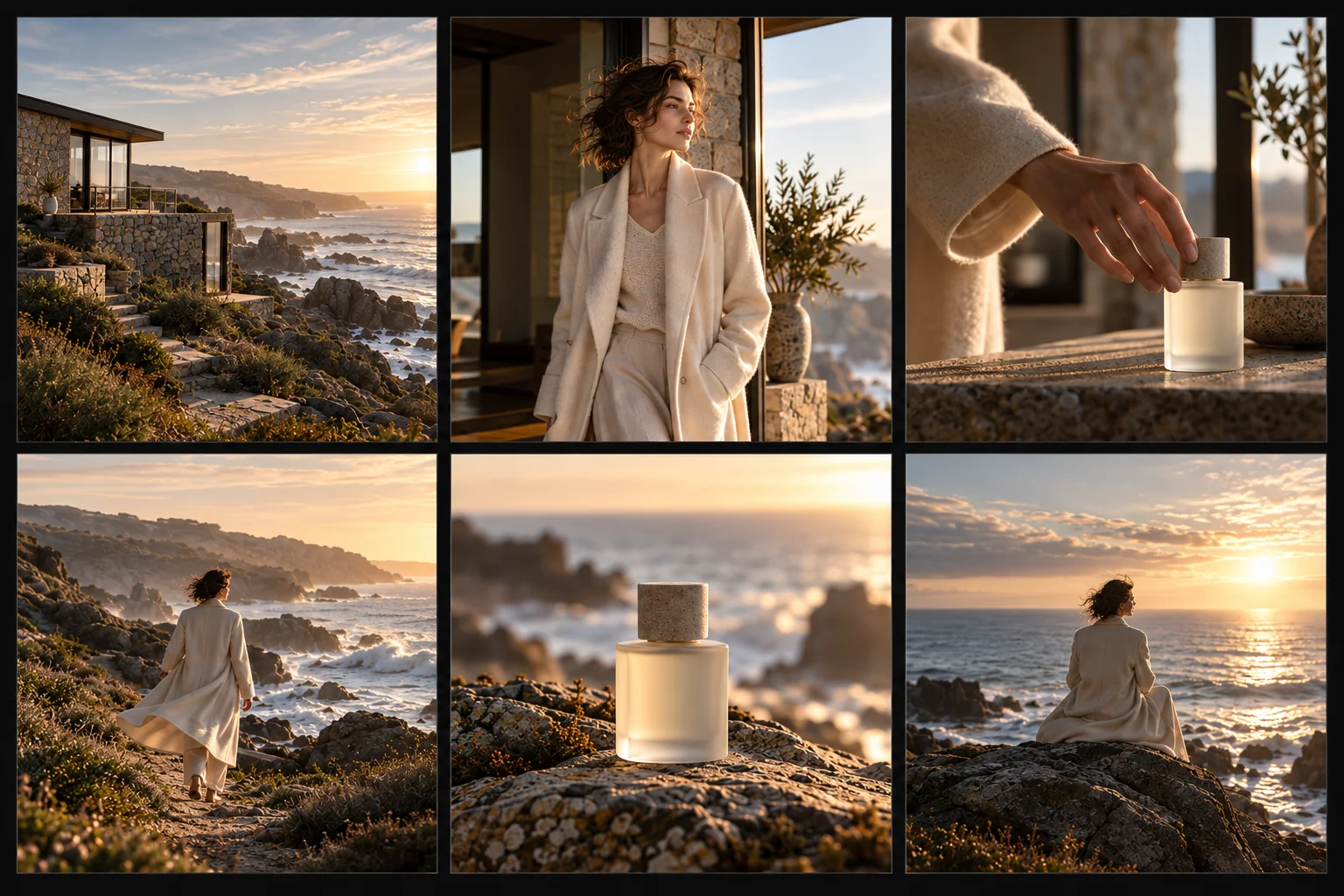
Each beat of the film rendered as a real image rather than described in a paragraph.
Turn a creative brief into a visual shot sequence — opening frame, product hero, lifestyle moment, detail, action, closing — with one character, one location and one visual language across every frame. Pre-production is where a shoot is won or lost, and it is still the part that runs on stick figures and hope.
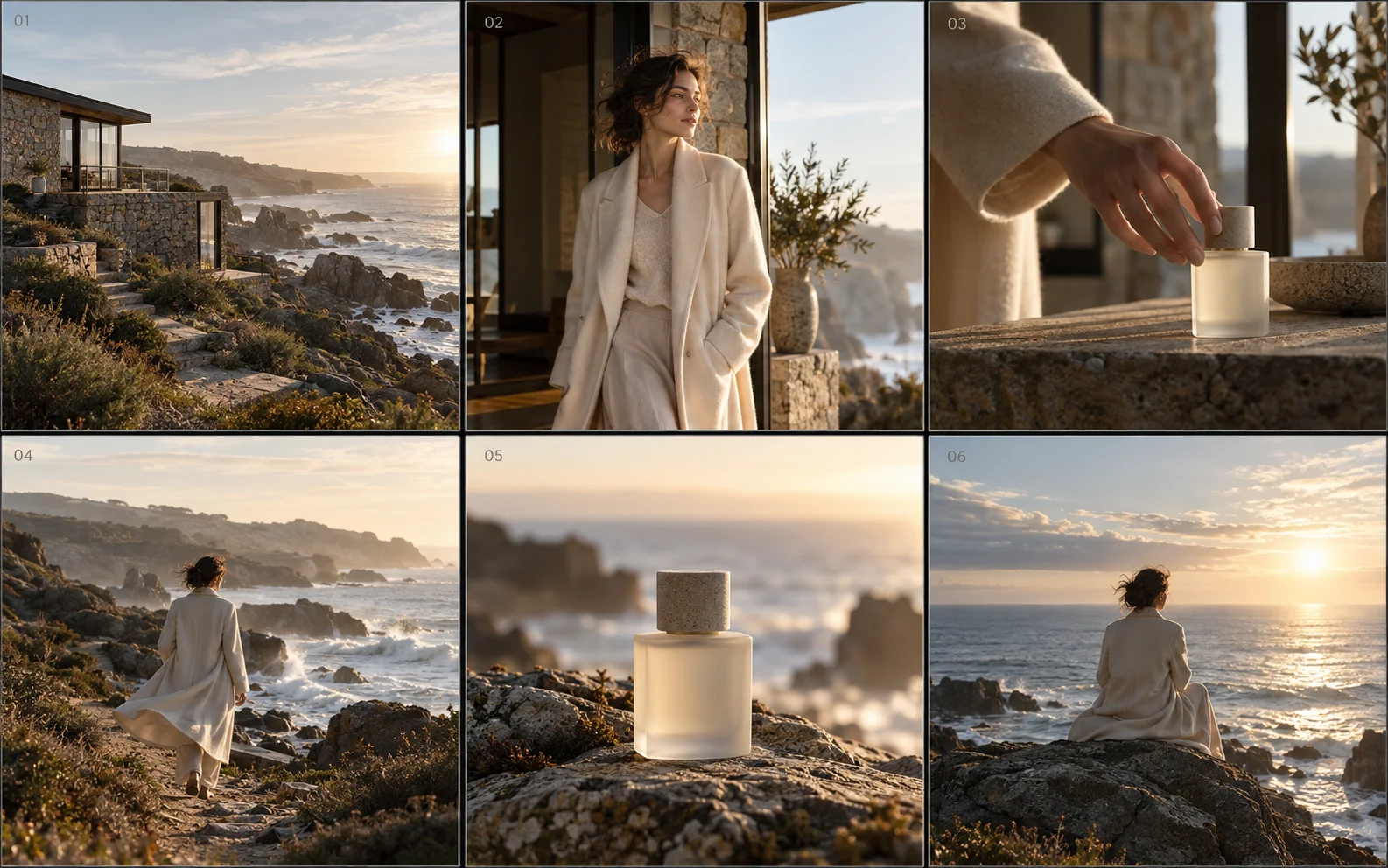
An AI storyboard is a sequence of generated frames that shows how a film or campaign will look, shot by shot, before anything is produced. In Mujo it is built from the same references, characters and creative controls used for the finished work — which is why the frames hold together as one film instead of reading as six separate generations.
Each beat of the film rendered as a real image rather than described in a paragraph.
The same person, the same location and the same light from the first frame to the last.
Shot type, camera angle, lighting and mood kept beside the image they belong to.
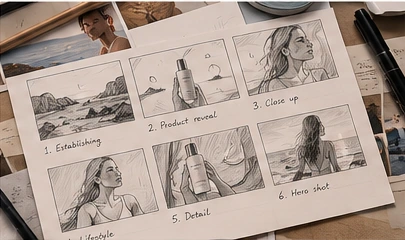
A 15–30 second coastal brand film, worked out frame by frame. Illustrative production example — a concept, not a delivered client project.
Wide shot. A new day begins.

Close-up. The product is introduced.

Medium shot. Active and free.

Detail shot. The product in use.

Movement. For every adventure.

End frame. The mood the film leaves on.

Read them in order and the film is already there: where it opens, when the product arrives, what the audience feels at the end. That is the entire job of a storyboard, and it is the thing a mood board cannot do.
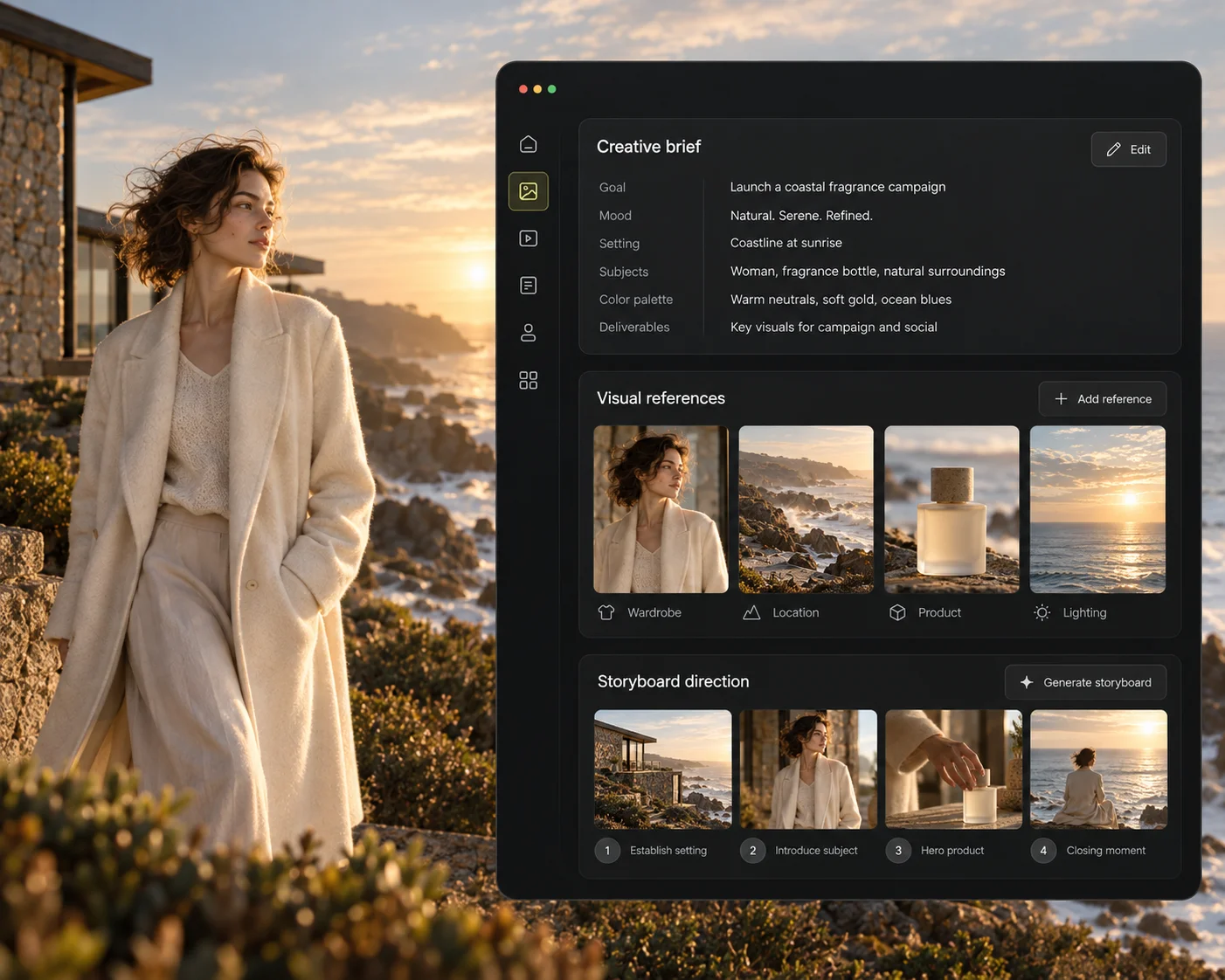
A brief plus a handful of references is enough to begin: the mood, the location, the casting direction and the product. Those four inputs are what the frames inherit — get them right and the storyboard writes itself; get them vague and no amount of generating will rescue it.
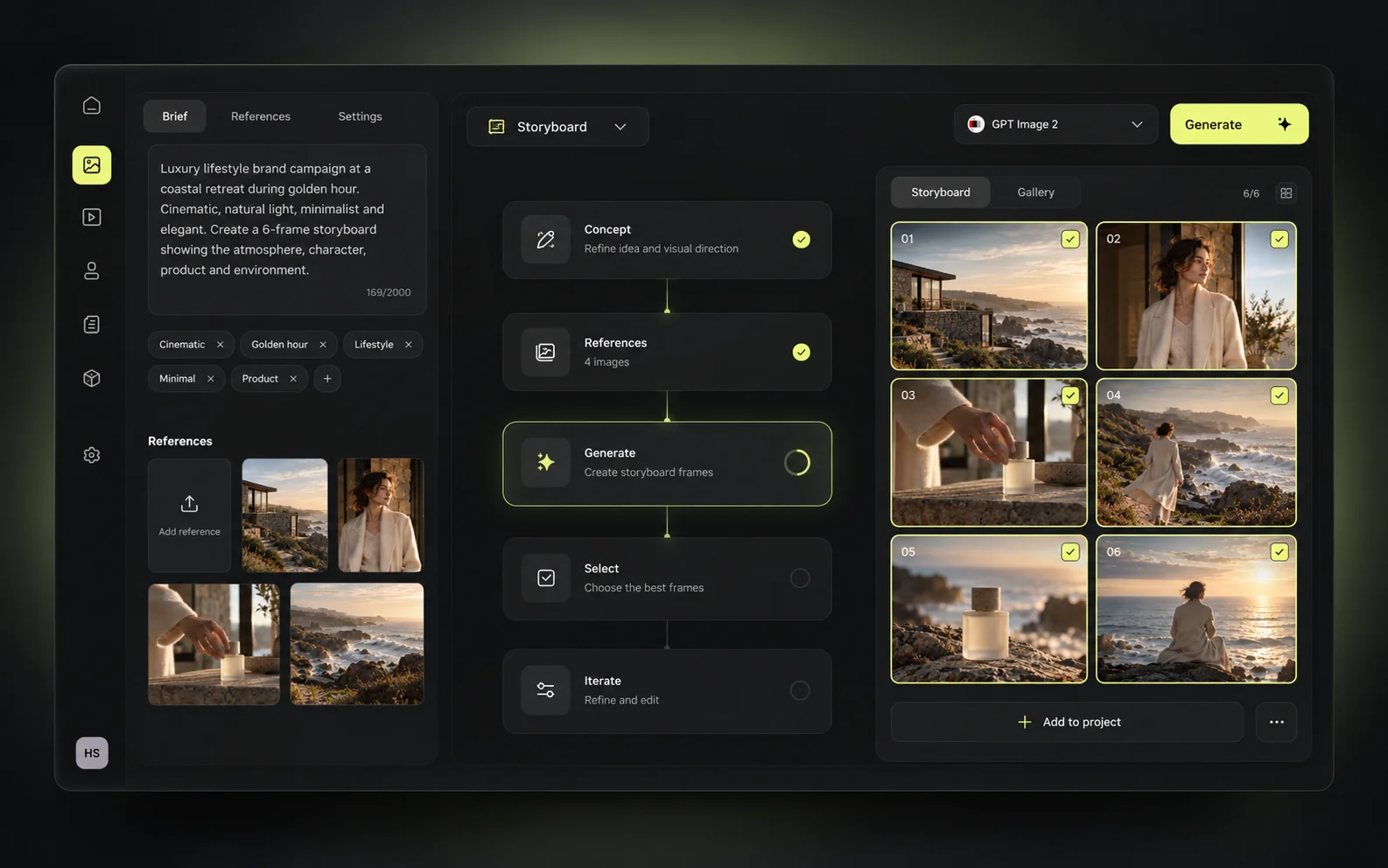
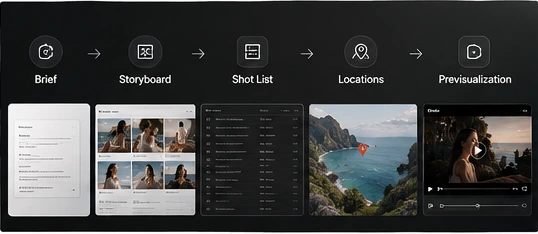
Six steps from a written brief to a sequence a director, a client or a production company can actually respond to.
Product, audience, tone, length. A few lines is enough to start from.
Mood, location, casting and the product itself, as real images.
How many frames, which shot types, what each beat has to carry.
The sequence is produced against those references and settings.
Change the angle, the light or the framing on one frame without touching the rest.
Walk the team or the client through the sequence before anyone books a crew.
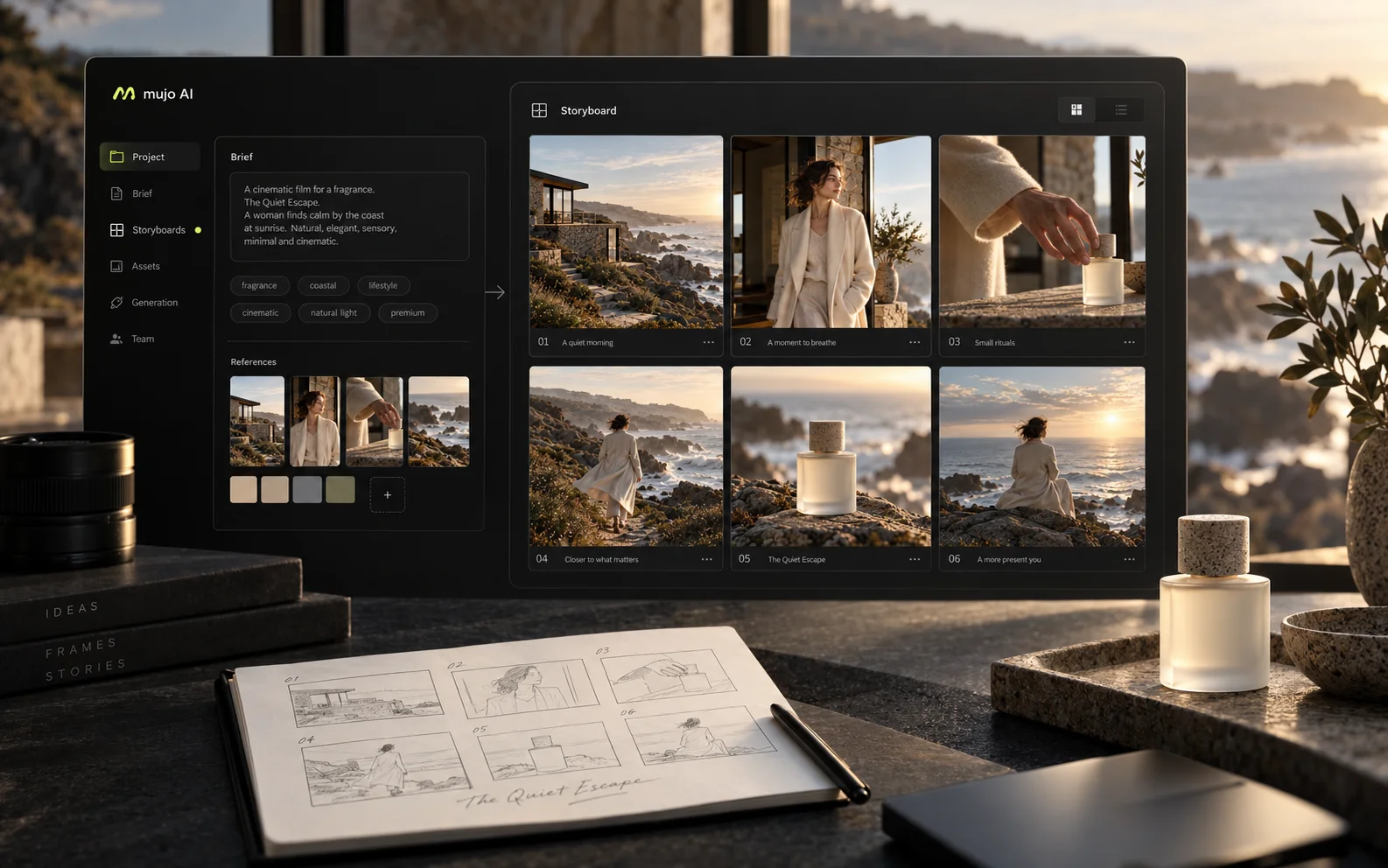
Aspect ratio, number of frames, visual style, shot types and reference images — the same controls that produce the final creative produce the board. This visual is an illustrative interface concept; check the current app for the exact controls available to you.
A storyboard is one of four things a shoot needs before it starts. They are usually made in four different tools by three different people, over a week nobody budgeted for.
The shot sequence itself — the document the shoot is planned against.
The visual agreement: palette, texture, light and tone, settled before the first frame.
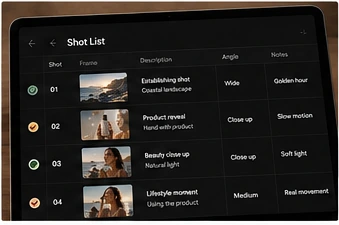
Each frame with its shot type, angle and note, in the order it will be filmed.
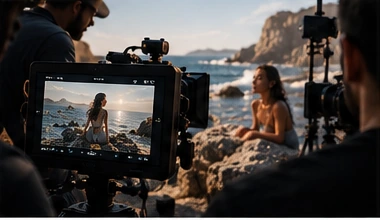
The reference frame everyone on set is looking at while the shot is being lit.
None of these are art. They exist so that fifteen people on a set on a Tuesday morning are making the same film. Producing them faster does not make them less important — it makes them possible on jobs that never had the budget for them.
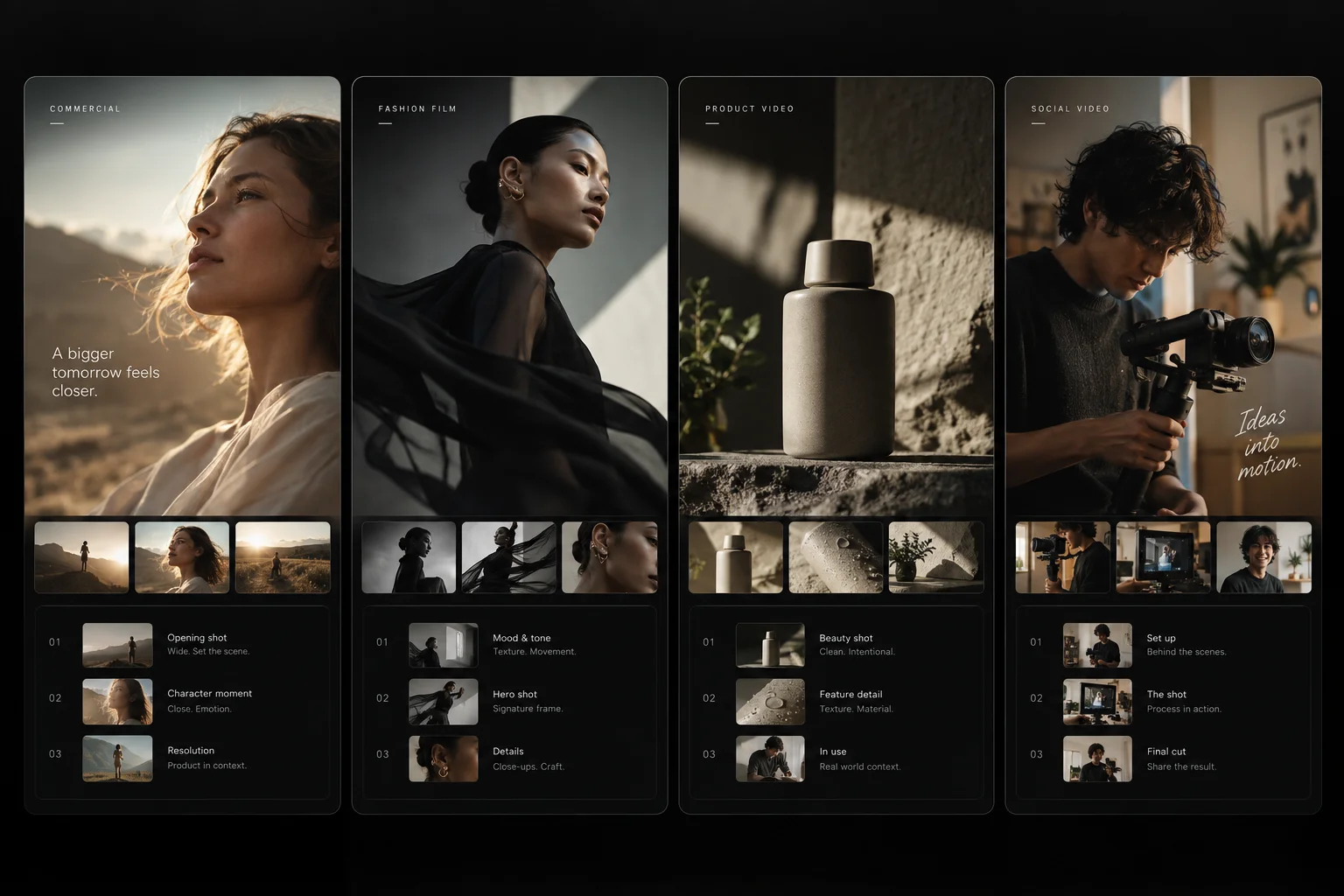
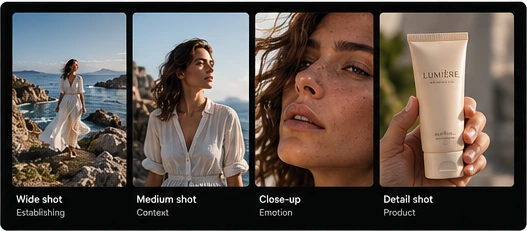
A film is built out of shot sizes, not out of good-looking pictures. A board that is six beautiful wide shots is not a board — it is a mood board with numbers on it.
Establishing. Where we are and what kind of film this is.

Context. The person and the place in one frame.

Emotion. The reason the audience stays.

Product. The frame the client will ask for first.

Shot type, camera angle, lighting and mood are chosen as settings rather than written into a paragraph of prompt and hoped for. That is what makes a board read as a coherent sequence instead of four different films.
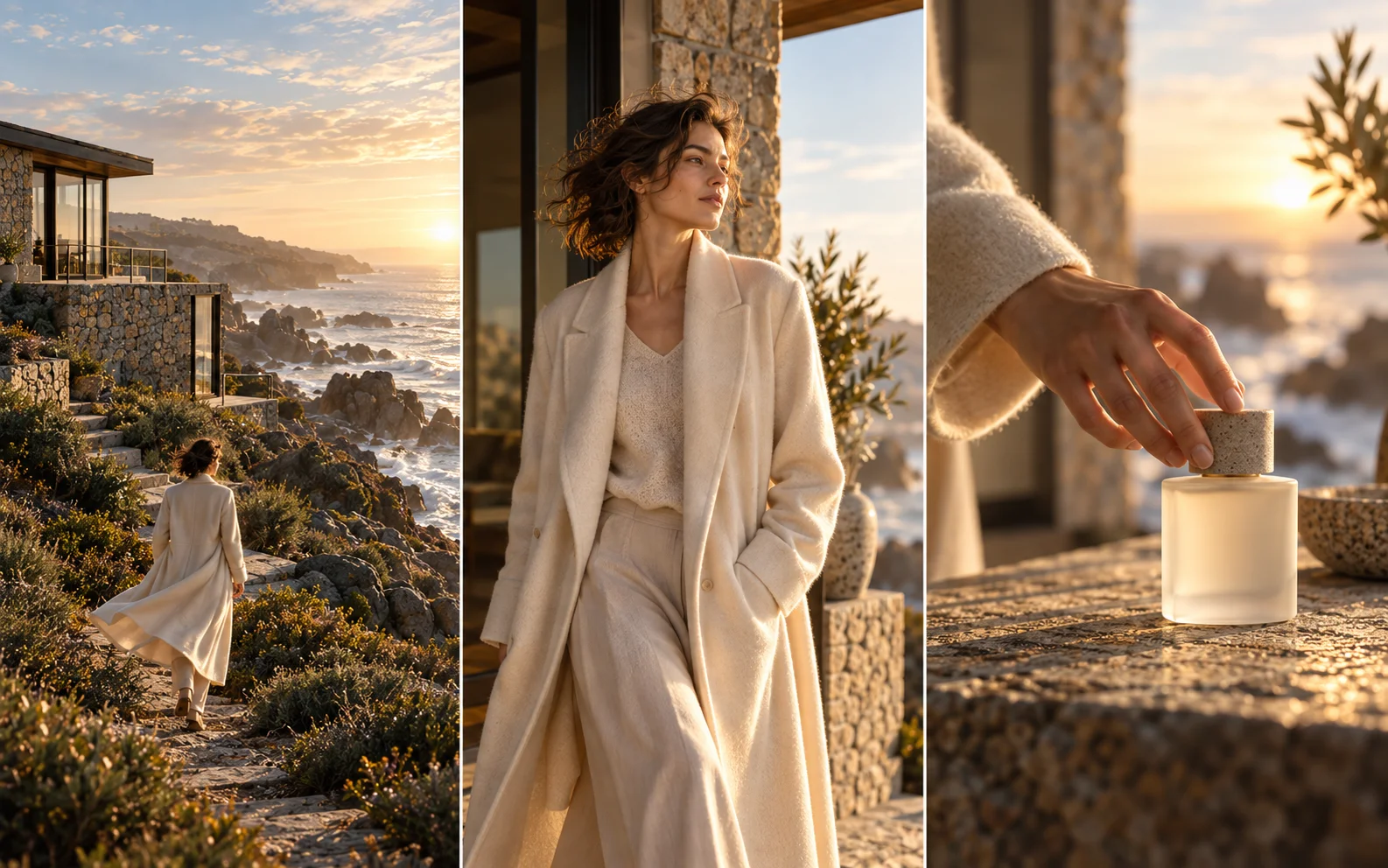
This is the whole difficulty of AI storyboarding, and it is where most tools fall over. Six good images are easy. Six images of the same woman, in the same light, on the same stretch of coast, is the thing that makes a board usable — and it comes from reusing references and a saved character, not from writing a longer prompt. Review each frame: generative models can move details you did not ask them to.
Build the person once as a saved AI character, then place them in every frame of the sequence.
One set of location references carried across shots, so the film happens in one place.
Camera, light and grade saved as settings and applied to the whole board.
Continuity is the thing a client checks first and the thing generative models lose first. Holding a character and a location across a sequence is what separates a board from a mood board.
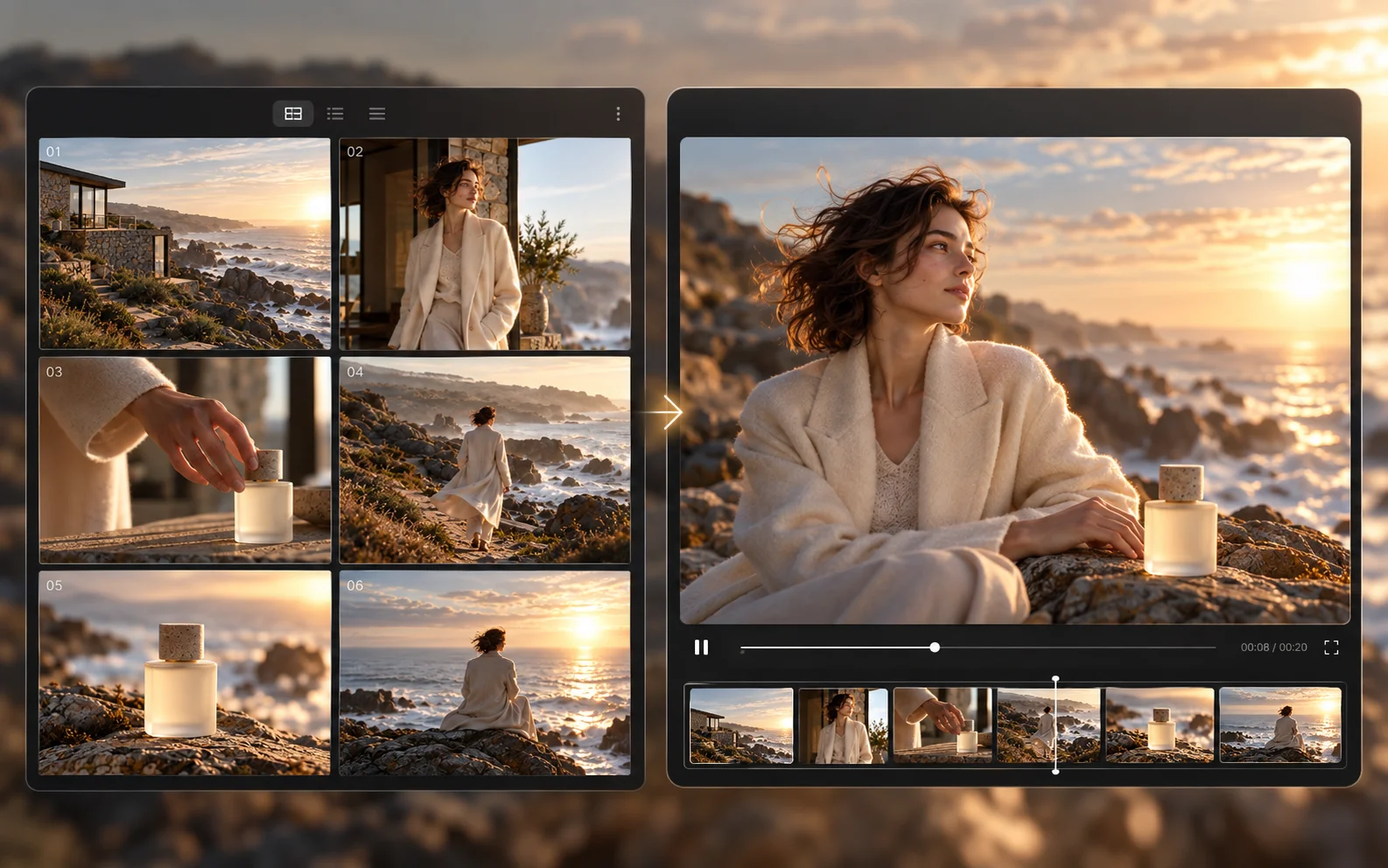
A still board answers what the shot looks like. Previz answers whether it works as a shot at all — the pace, the move, the beat before the cut. Available models and supported controls differ, so check what the video workflow you pick can do before planning around it.
Take an approved frame into the video generator and see the shot move before it is booked.
For short-form, the board and the deliverable are often the same work — hooks, beats, cuts.
A frame that does not work is cheap to discover now and expensive to discover on set.
An approved still taken into the video generator, so the move and the pace can be judged before a crew is booked. Illustrative preview — what a given model can do with a frame depends on the workflow you select.
Directors, creative directors, producers and agency teams — anyone who has to get a room to agree on a film that does not exist yet.
The 15 and 30 second films where every frame is argued over before it is shot.
Look, styling and casting agreed visually rather than in a paragraph of adjectives.
Vertical content where the board and the final asset are close to the same thing.
The full beat sequence around a new product, planned before the shoot date.
Longer sequences where continuity across scenes is the hard part.
Arrive with the film visualised instead of described. It is a different meeting.
The same six-step board built for a fragrance film instead of a coastal sunscreen spot. What changes is the brief, the references and the cast — the process underneath is identical, which is what makes it worth learning once.
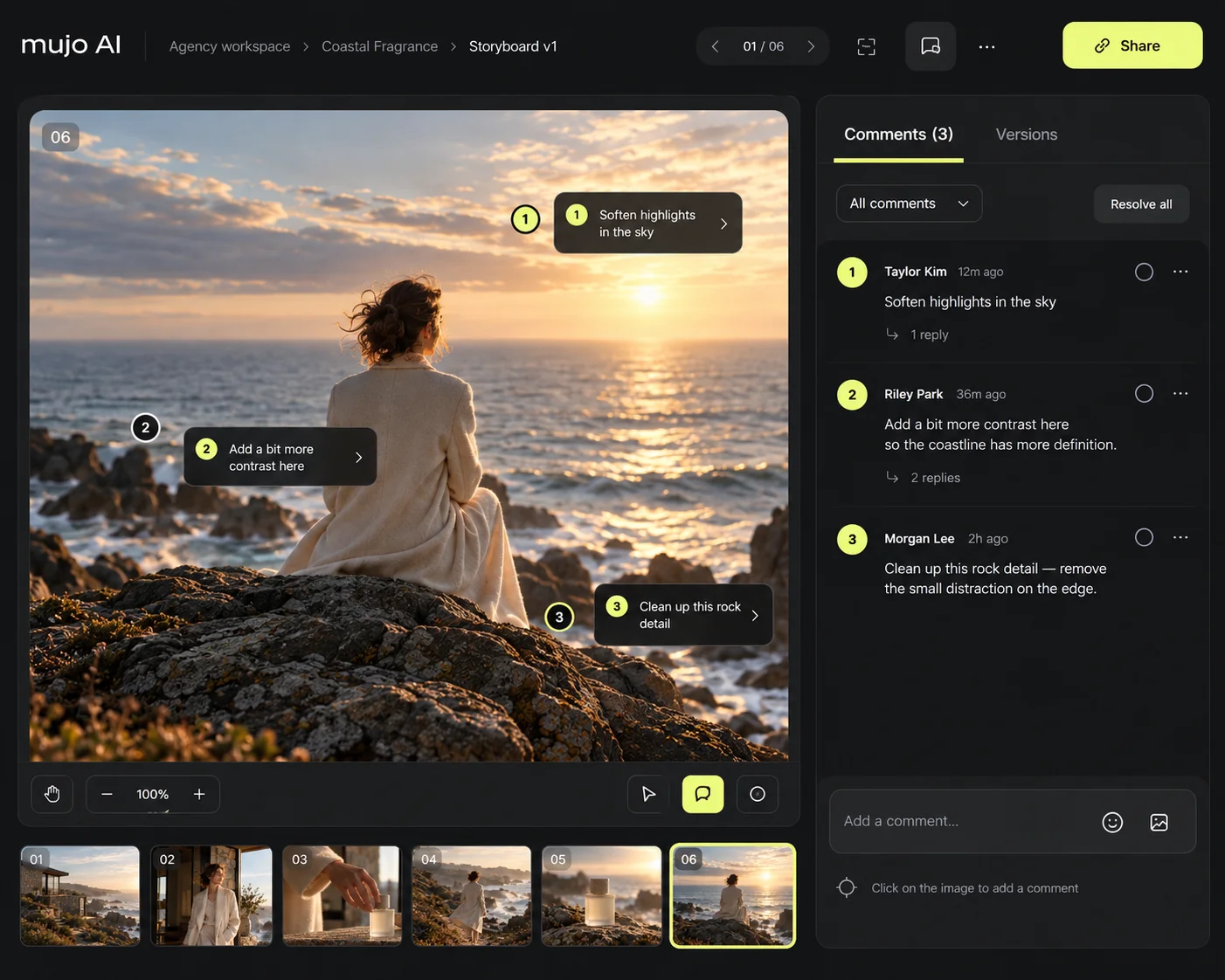
Most of a storyboard's life is spent being changed. Keeping the frames, the references and the feedback in one place is what stops version four being emailed to someone still looking at version two. Confirm which review and approval features are available on your current plan and release.
Explore Team WorkspaceFeedback lands on the shot it refers to, not in a thread three days old.
"Can we see a closer angle on shot 3" becomes a variant, not a new round.
One version everyone signed off, which is what the shoot is planned against.
Comments and approval states sit next to the shot they refer to, which is the only way a board survives four rounds of feedback intact.
Not because teams think it is unnecessary — because it costs a week and a specialist. Change that, and boards stop being a luxury reserved for the jobs that least need them.
A storyboard in Mujo is not a separate app with its own assets. It is the same characters, references and controls that make the finished work — which is why an approved frame can carry straight through into production.
The frames themselves, generated with the leading models in one interface.
Shot type, camera angle, lighting and composition set as reusable settings.
Cast the film once and keep the same person in every frame.
Take an approved frame into motion for previz or for the final cut.
Turn a board format you build every month into a workflow you run.
Produce alternative versions of a sequence across products or markets.
Everything downstream — the campaign, the paid creative, the content calendar, the market versions — inherits the characters, references and settings the board was built with.
See all use casesWhere the board leads: concepts, a master creative and the full asset pack.
Short-form, where the storyboard and the deliverable are almost the same work.
Once a sequence is approved: versions for other products, formats and markets.
The product references a board is built on, generated from one reference shot.
The content calendar that comes out of the same film and the same look.
Ready prompts by use case and by model, each shown with the result it produced.
It is a tool that turns a written brief and a set of references into a sequence of visual frames showing how a film or campaign will look, shot by shot, before production begins.
Start from the brief, add mood, location, casting and product references, decide how many frames and which shot types the sequence needs, then generate and refine frame by frame.
Yes — build the person once as a saved AI character and reuse that identity across the sequence. Review each frame, since generative models can shift details between shots.
Shot type, camera angle, lighting and composition are set through creative controls rather than written into the prompt. Supported controls vary by model.
An approved frame can be taken into the video generator for previsualization or for the final clip. What is possible depends on the model and workflow you select.
It replaces the part of the work that is production rather than authorship — drawing out a sequence someone has already decided on. The decisions about what the film is remain the director's.
A moodboard settles the look: palette, texture, tone. A storyboard settles the film: what happens in each shot and in what order. Most projects need both, and they answer different questions.
Frames, references and feedback are kept in a shared workspace. Confirm which review and approval steps are available on your current plan and release.
Turn a brief into a shot sequence, agree the film before the shoot, and carry the approved frames straight into production.