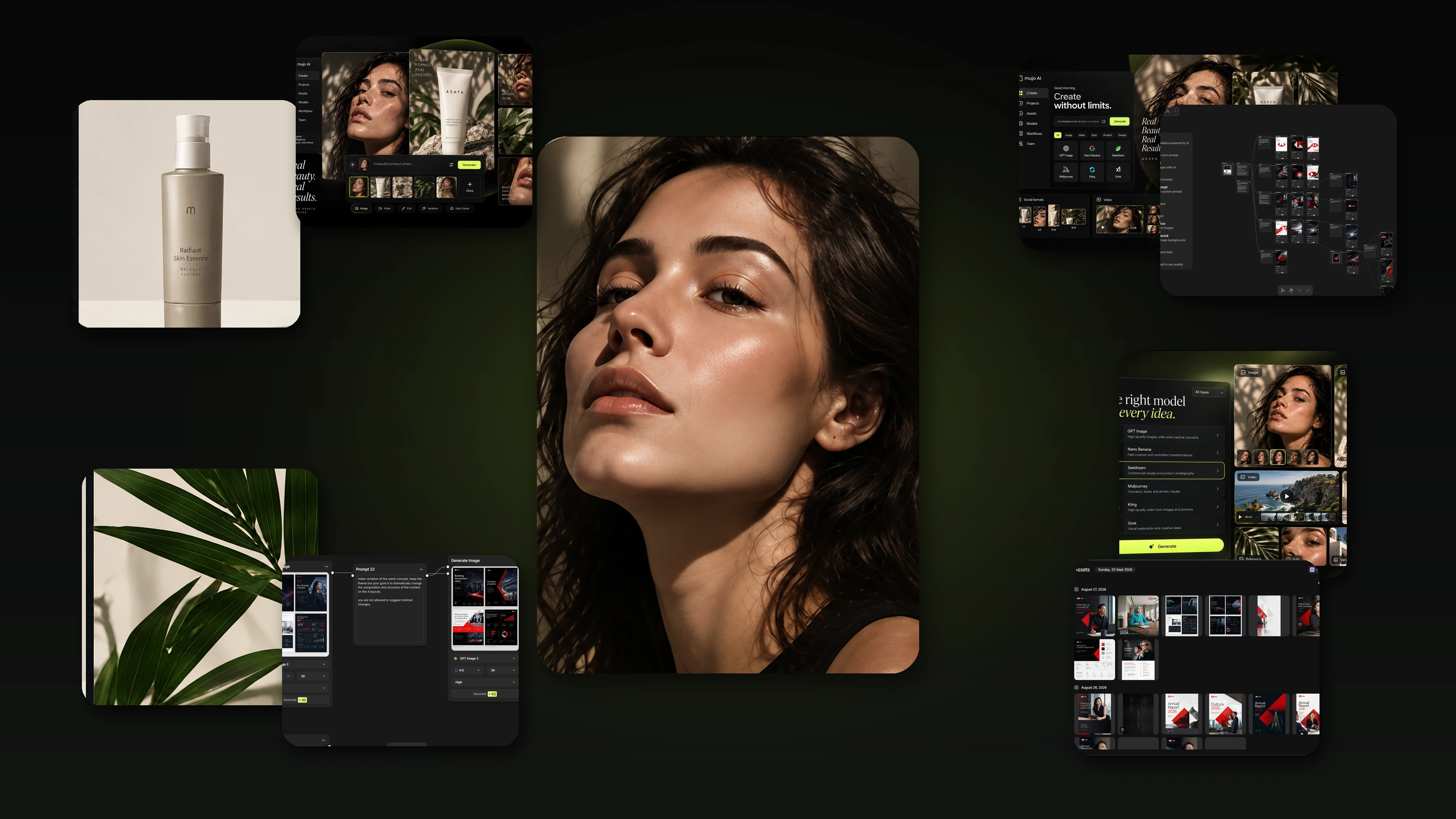
Load
Bring in products, photos, prompts or a list from your asset library.
Bulk Editing turns AI generation into a table. Put your products, prompts, models and formats in rows, apply one approved setup down the whole column, and run it — images and video together, without queueing anything by hand.
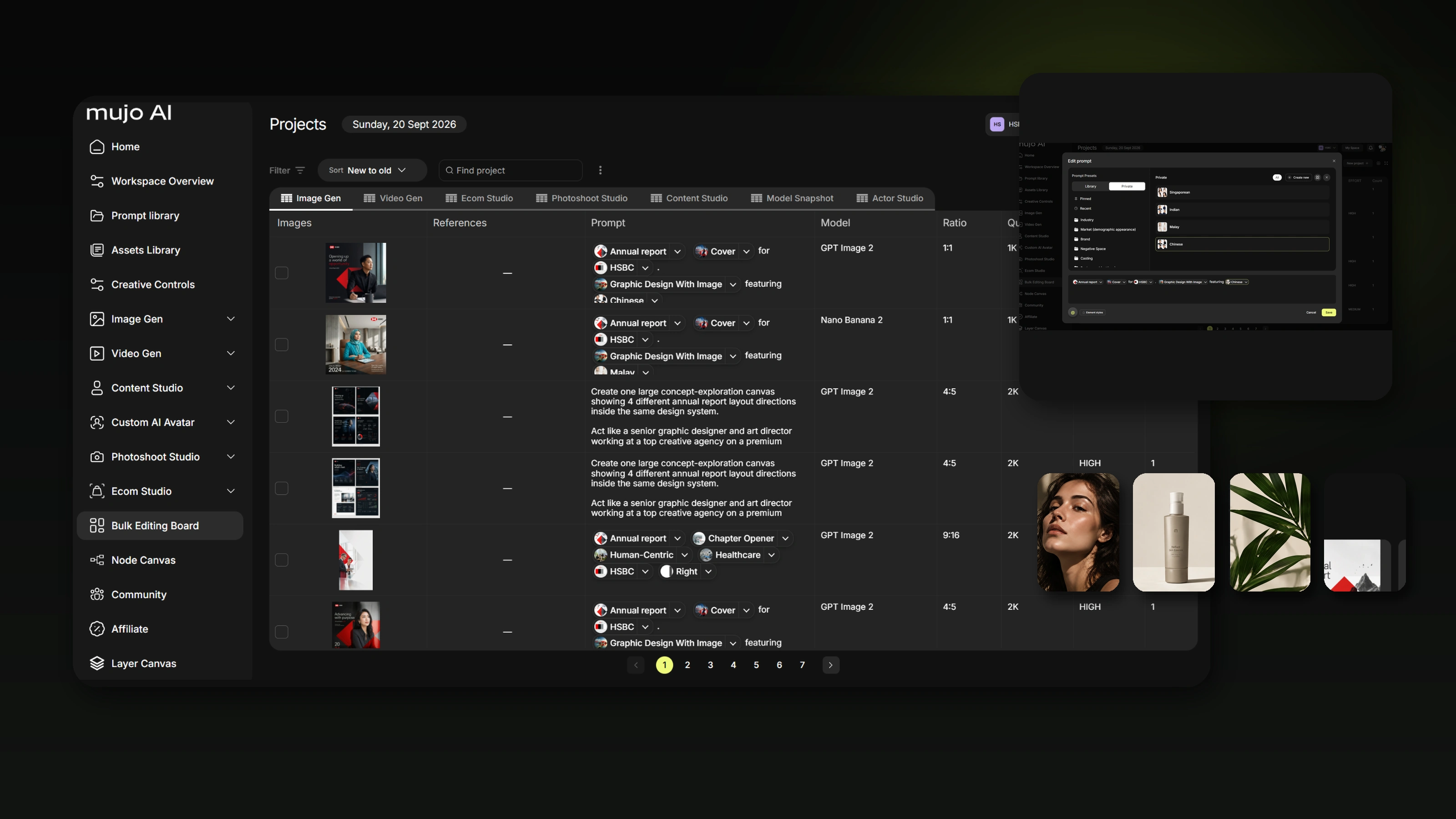
The whole idea is that the creative decision happens once. You approve a setup on a single row, then apply it to the rest and let the run do the repetitive part.
A run is a table: one row per asset, one column per variable, one setup applied across all of them.
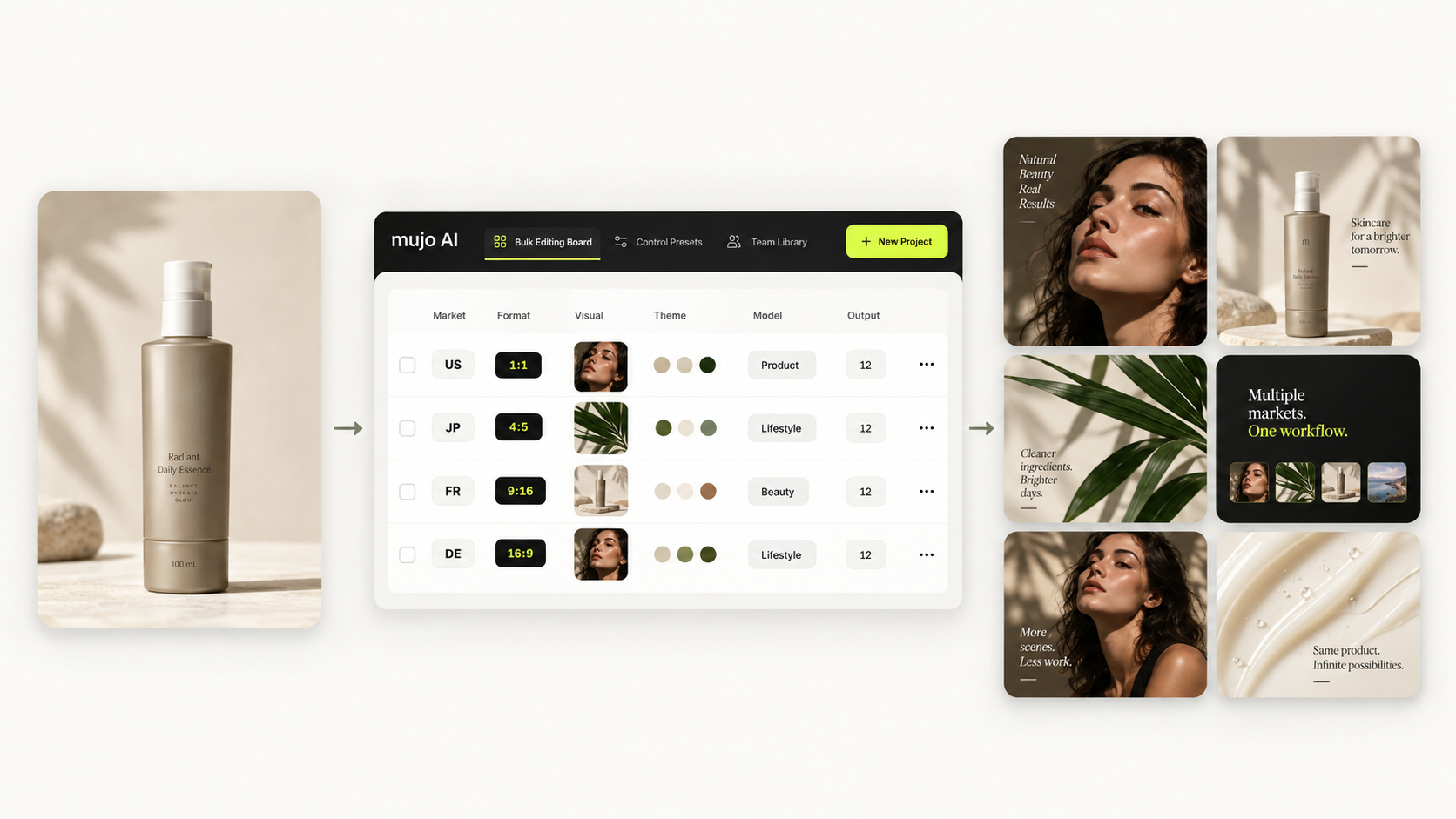
Bring in products, photos, prompts or a list from your asset library.
Pick the model, controls and format, and get that one right.
Push the approved setup down the whole column.
Everything generates together instead of one at a time.
Check the grid, reroll what missed, export the rest.
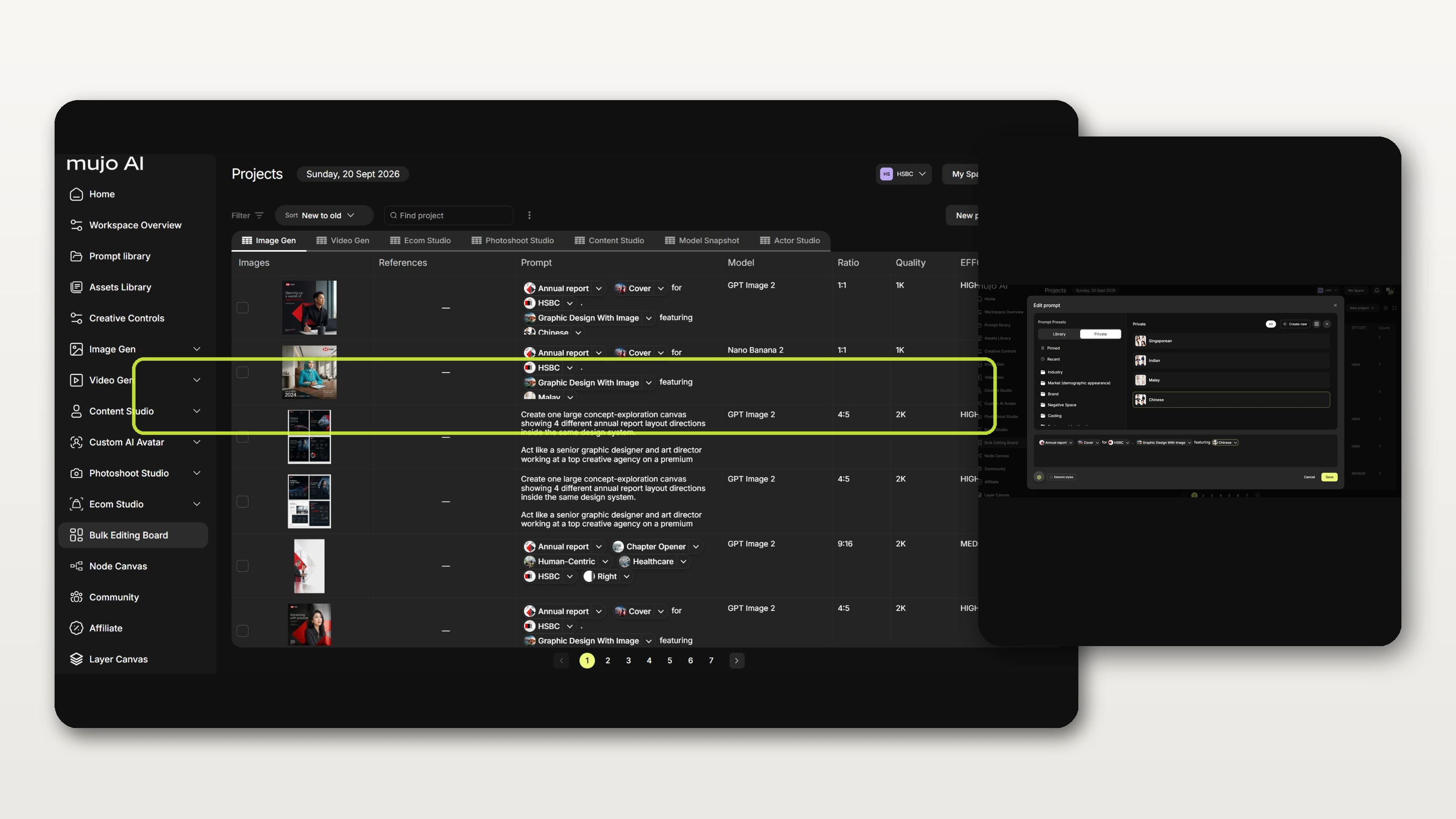
Each column in the board is one decision. A run can vary the product and hold the lighting, or vary the market and hold the product — and you always know which control moved, because it is a column rather than a sentence you rewrote.
Columns are variables. Whatever you do not change stays exactly as approved.
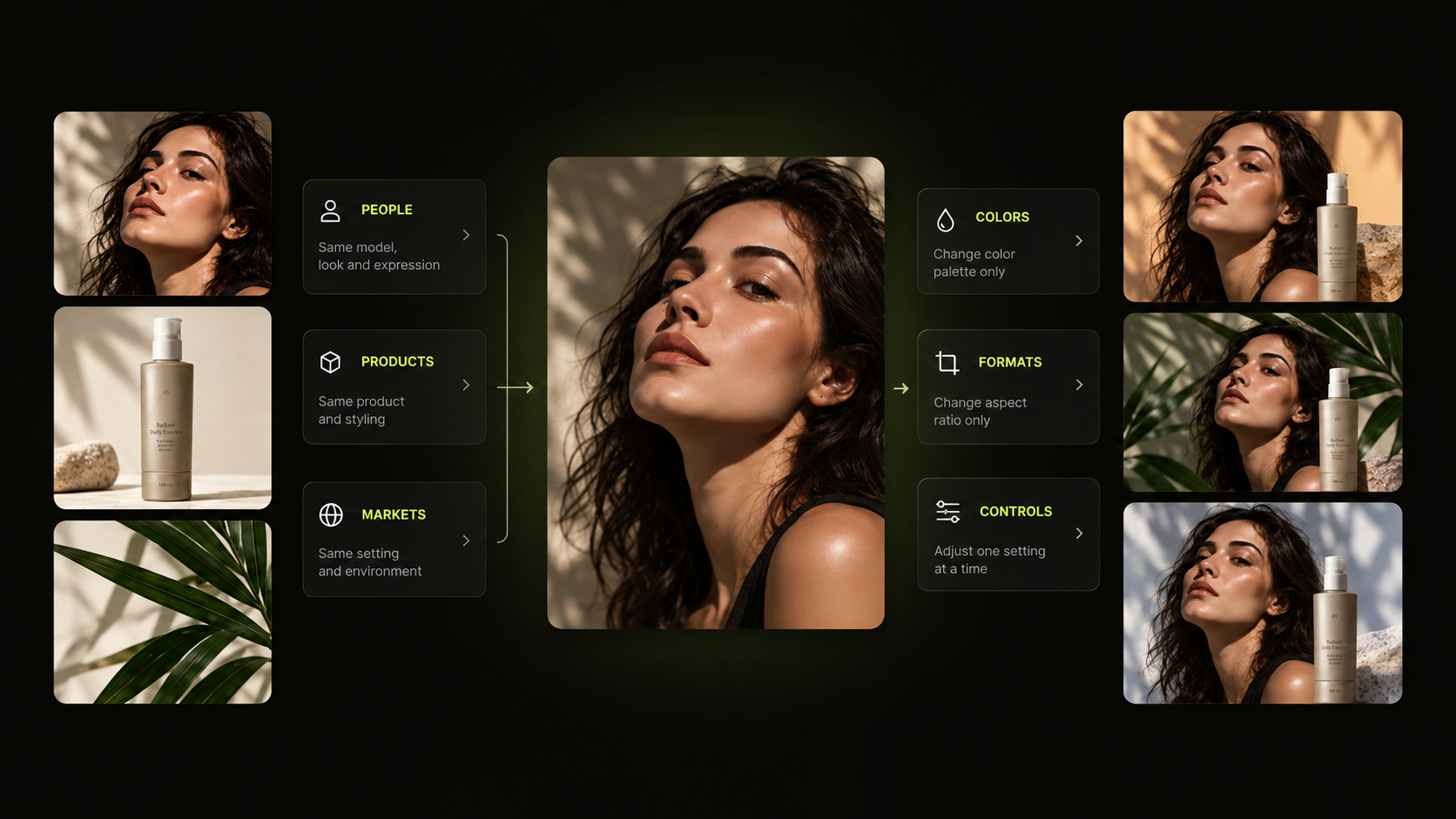
Swap who appears in the frame while the shot, the light and the product stay exactly where they were.
Run a whole range through one approved setup. The subject changes; the shoot does not.
One master adapted per region — language, casting and local formats — without rebuilding the campaign.
Palette and treatment as a column, so a seasonal repaint does not mean a reshoot.
Every ratio a placement needs, produced from the same row rather than cropped afterwards.
A saved Control Bar applied down the column — camera, lighting, style and your own custom controls.
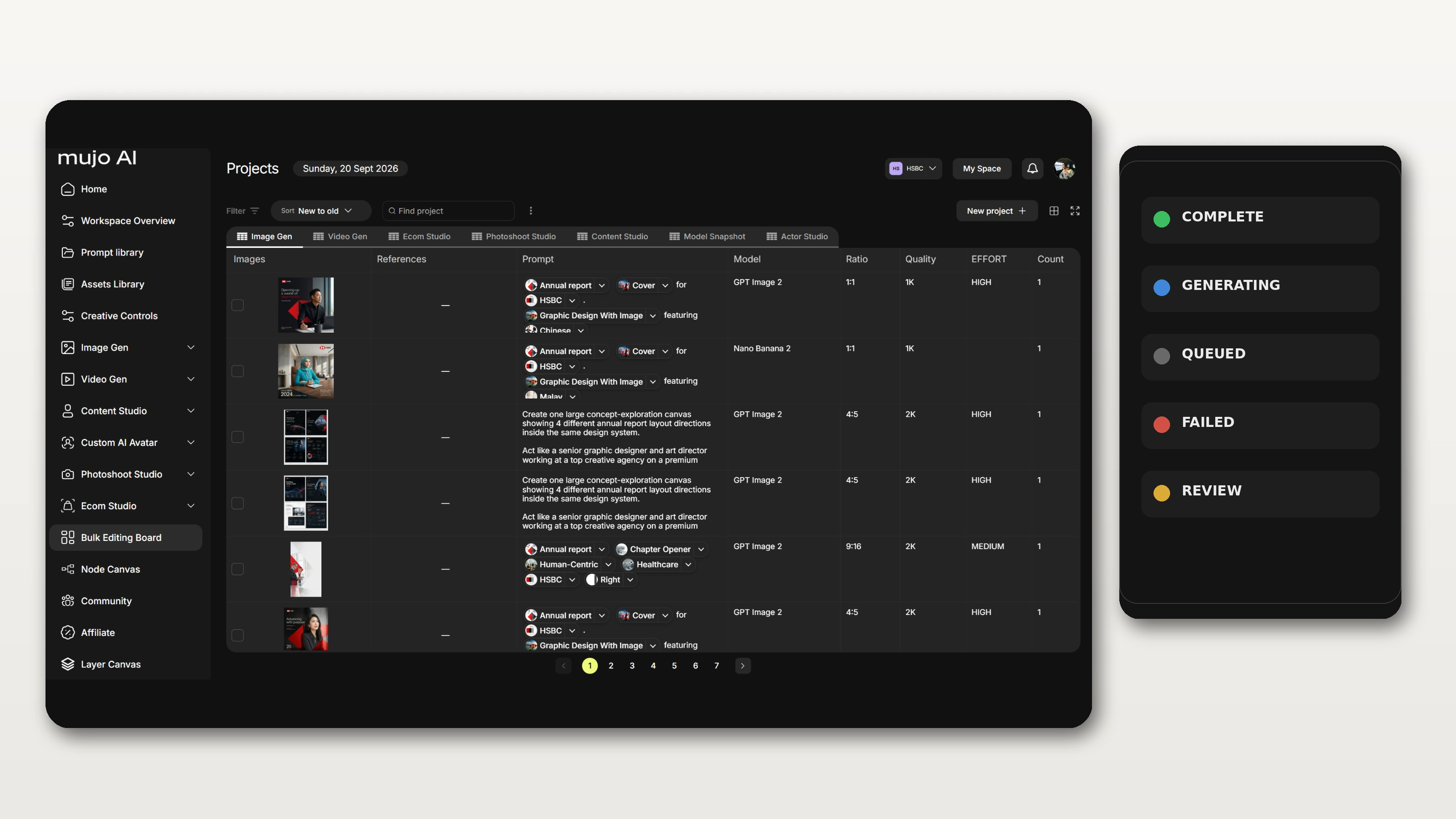
Image, Control Preset, References, Prompt, Model, Ratio, Quality — and alongside them Team Member, Status and Count, so a run is also a record of who produced what.
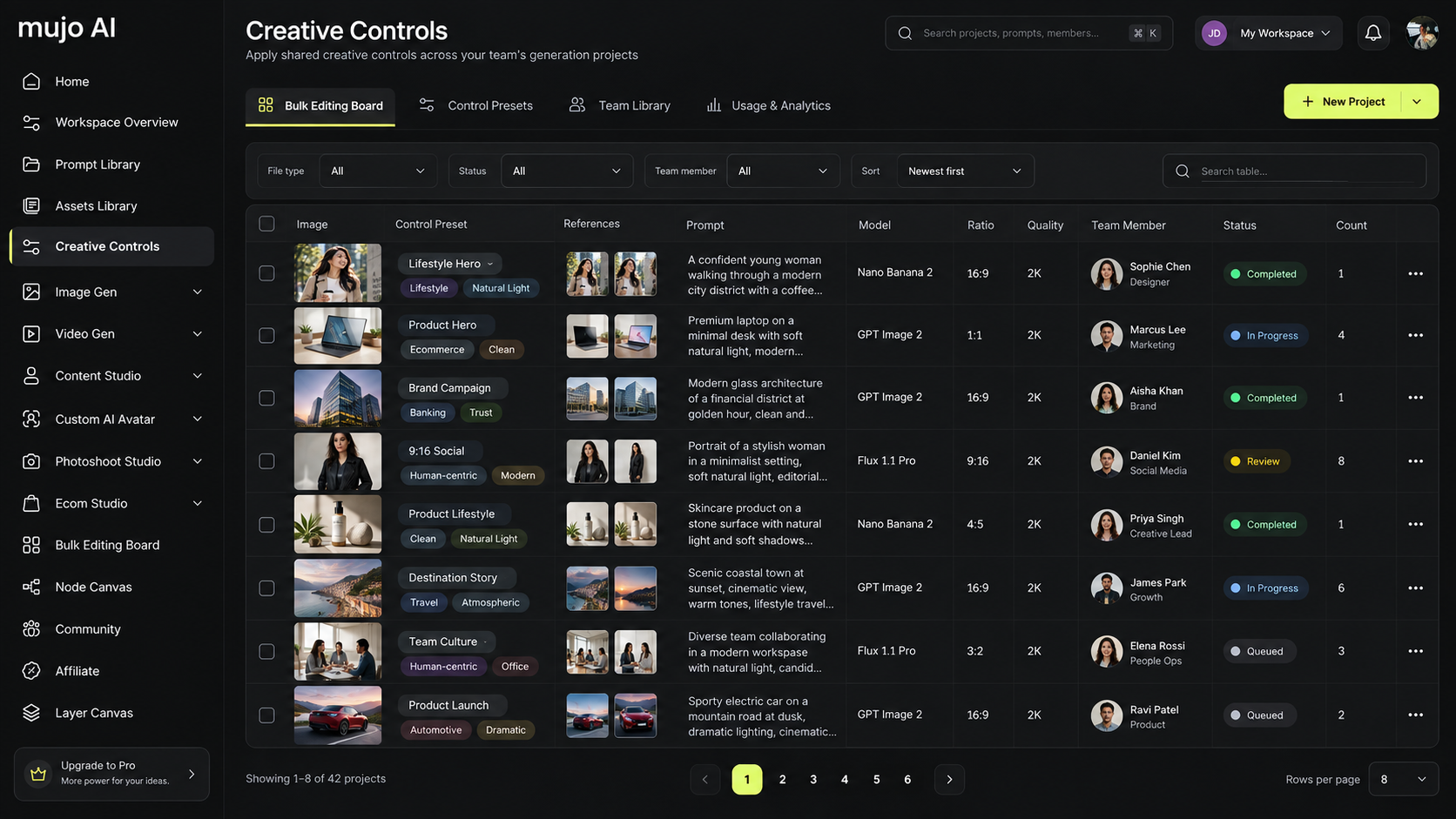
Most batch tools hand you a progress bar and a folder at the end. Here the run is a grid you work in: results appear per row, and you can fix, reroll or override a single cell without restarting anything.
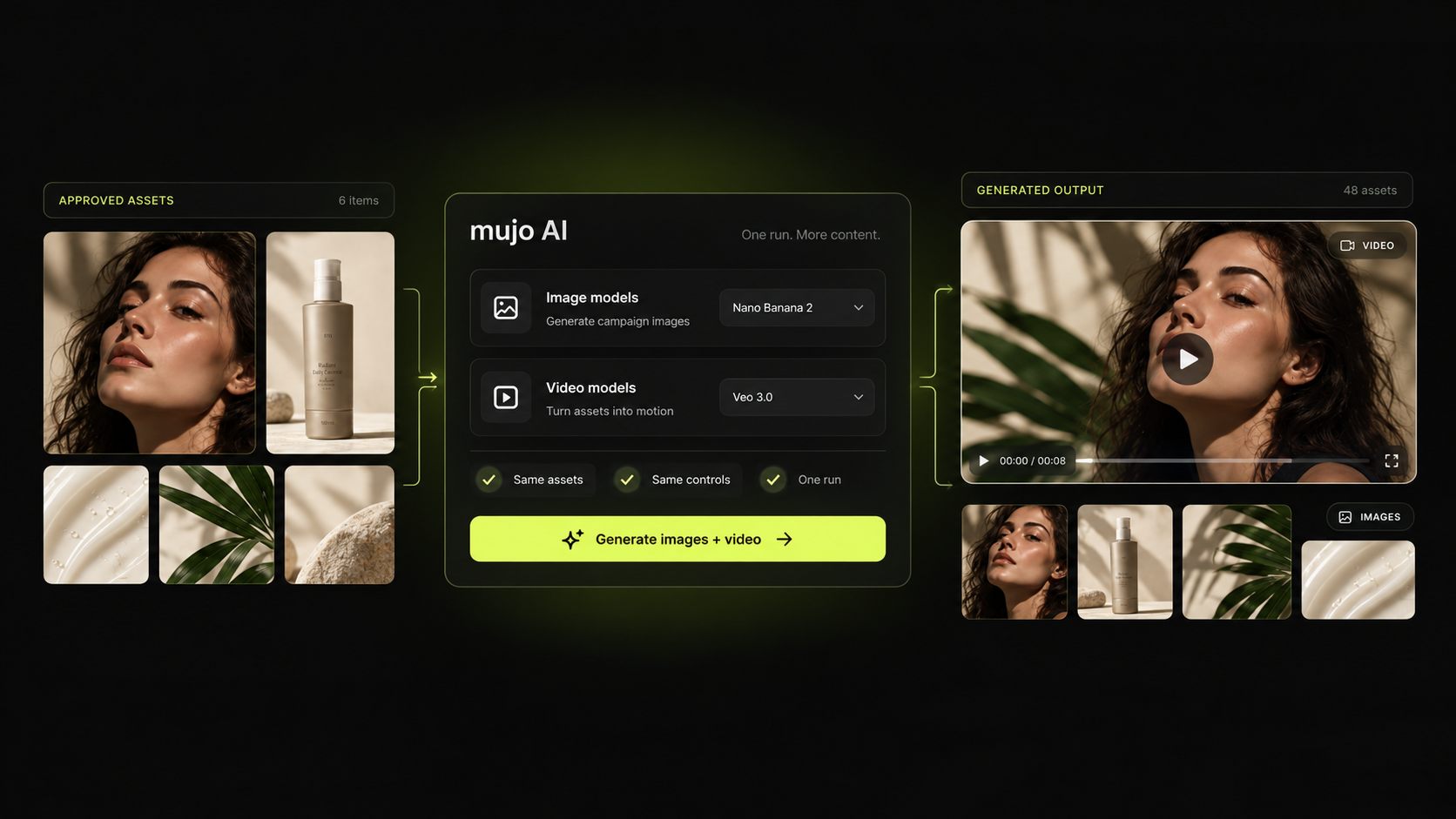
The same table produces stills and motion. Generate a product range as images, then send the approved frames on as video inputs — inside one run, on the image and video models Mujo connects.
When a campaign needs a range of people rather than one, casting is the slow part. Generate the range as rows — age, look, setting — under identical lighting and framing, then keep the ones that fit as reusable characters.
A casting sheet produced in one run: every face shot at the same distance, in the same light, so a side-by-side choice actually means something.
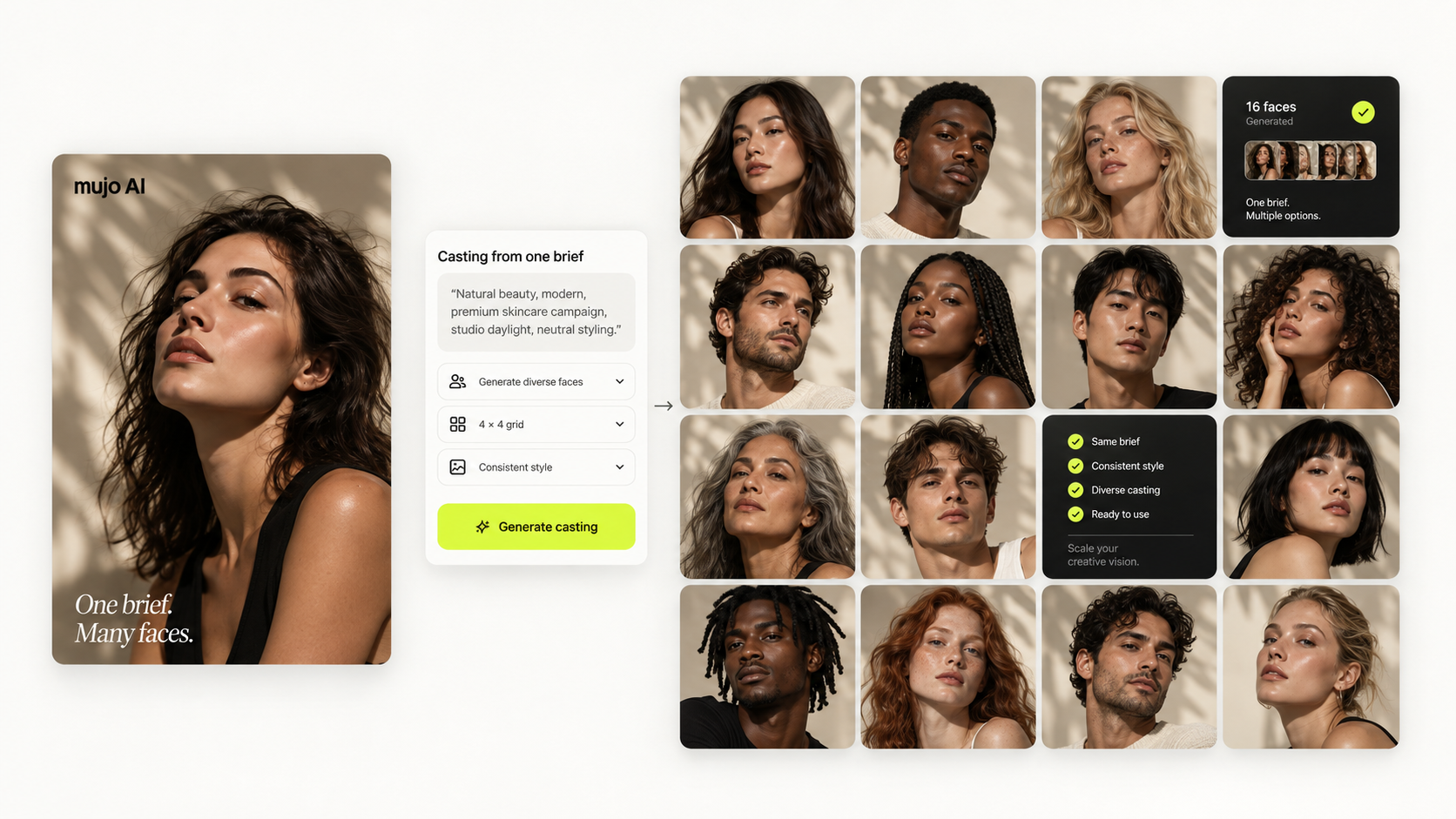
Age, look, wardrobe and setting as columns, so a casting sheet arrives as one run instead of a week of prompting.
Identical framing and lighting across every face — the only way a side-by-side choice means anything.
Save the ones you picked as reusable AI avatars and bring the same person back in later work.
A rollout across regions is a batch problem wearing a marketing hat: same idea, different language, different faces, different formats. Put the markets in rows and the campaign adapts once instead of twelve times.

The most common reason teams end up here: a catalogue that needs visuals, and a list that is too long to shoot. Rows in, on-brand assets out, in the formats the storefront and the ad accounts expect.
A product list becomes a production plan, and the plan produces the assets.

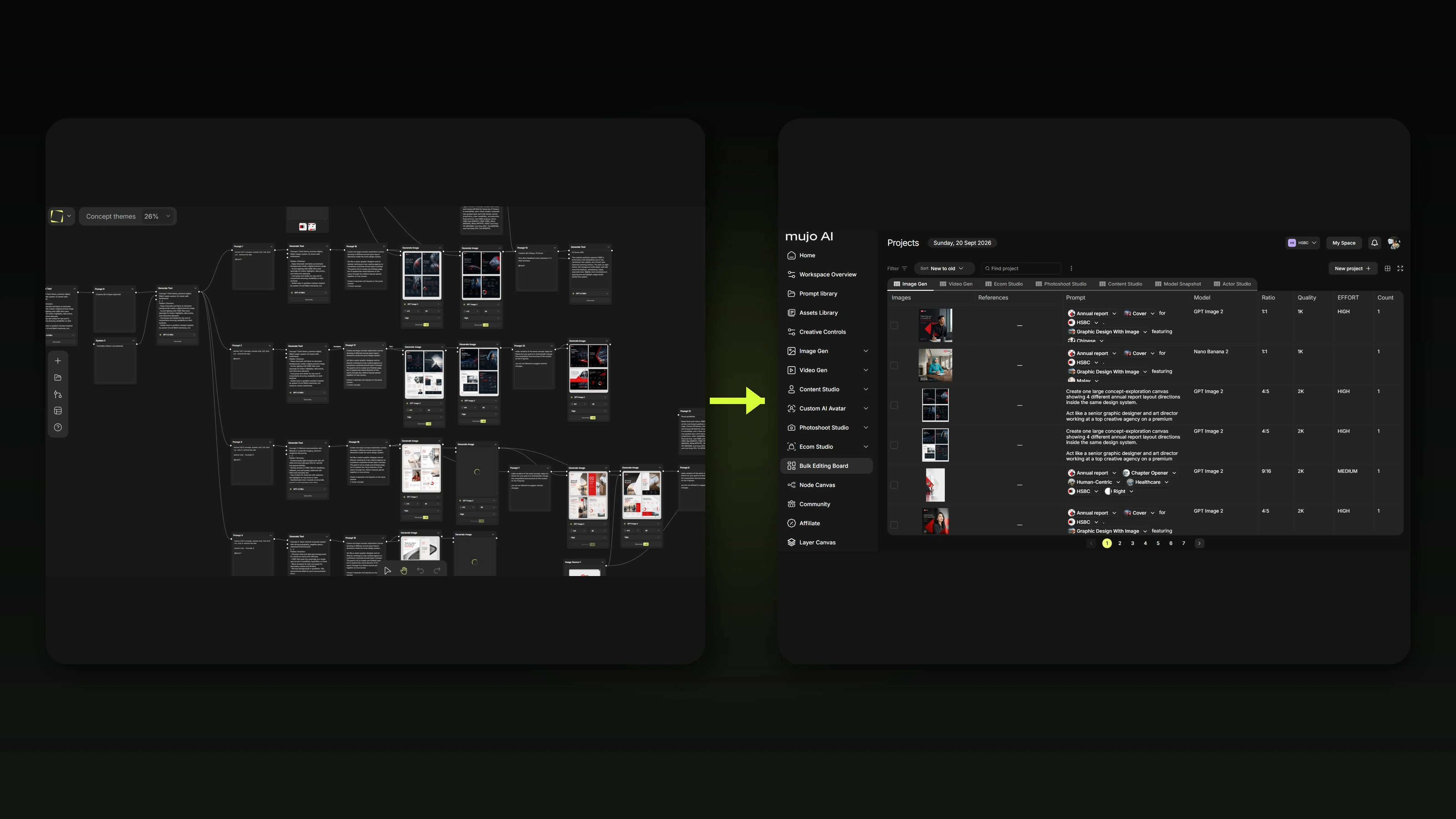
A bulk run does not have to be a single generation step. Build the process in Node Editor — generation, editing, background work, video, export — then point the whole thing at a table of inputs.
The workflow becomes the setup, and the table becomes the input.
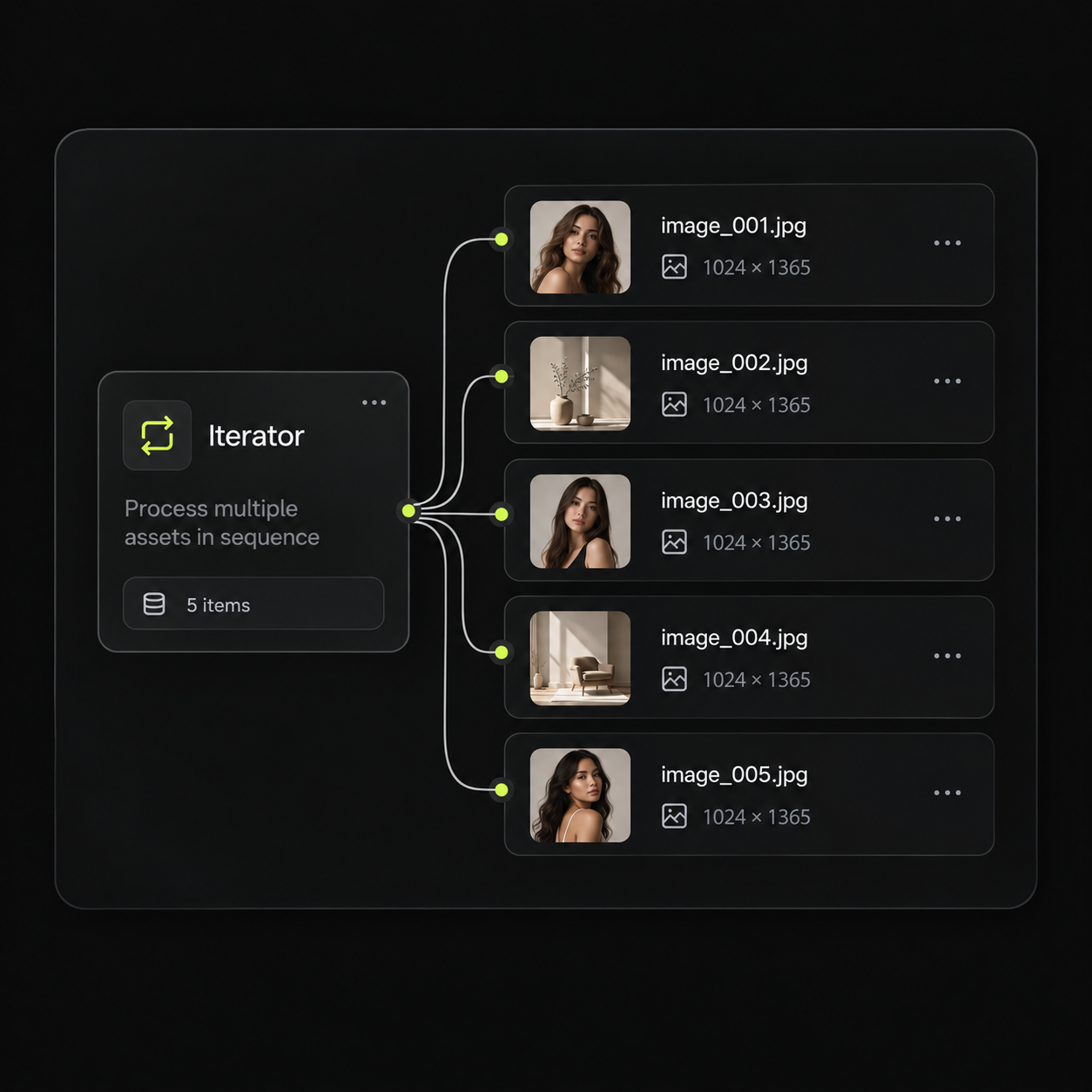
One node takes a list of files and sends every one of them through the same step. That is what turns a workflow you built once into a run over a hundred inputs.
A batch that ends in a zip file creates a second problem. Output stays in the workspace, attached to the project and the settings that made it, and available to every other tool.
Inputs, outputs and the setup between them stay together after the run finishes.
The saved setup that shaped the run is the same one you reuse next time.
Approved stills become inputs for motion without leaving the workspace.
Cut the output into publish-ready short form.
Wire the run into a longer process when one step stops being enough.
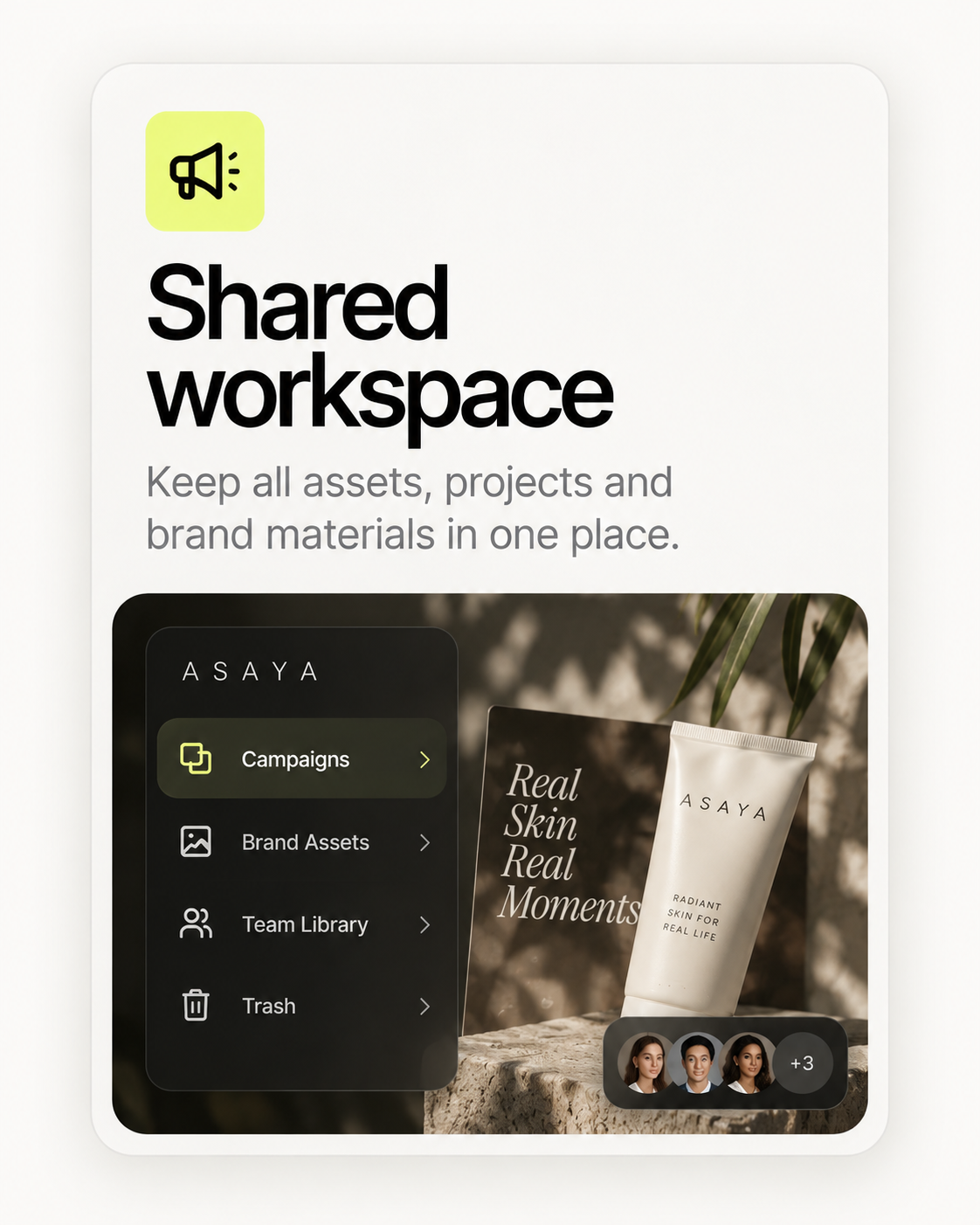
Bulk work is where informal process breaks first. Shared setups, roles and limits keep a large run from becoming someone's private folder. Shared controls are available from the first paid plan.
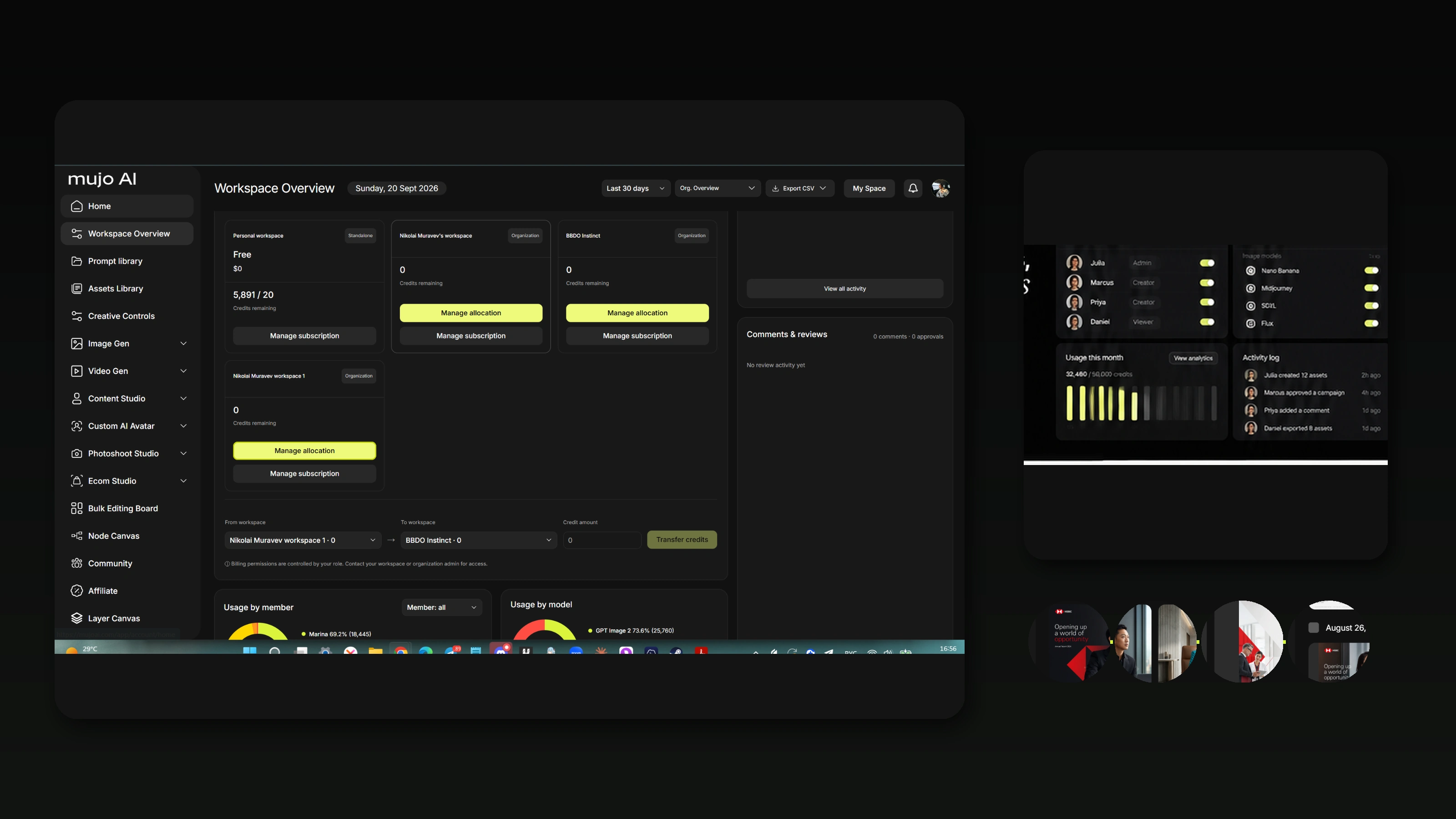
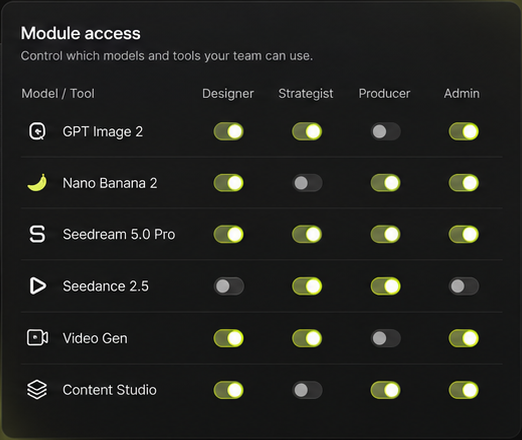
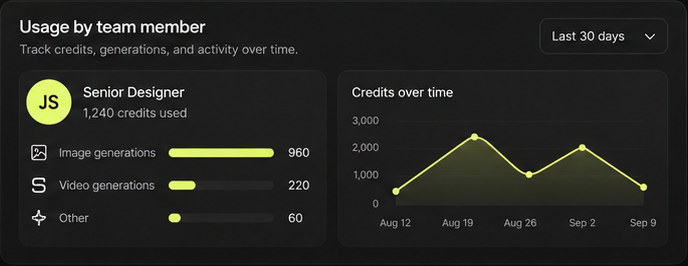
Two things decide whether a team trusts bulk generation: being able to see the run while it happens, and not being surprised by the bill afterwards.
Status per row, owner per row, output per row. A stalled batch is visible as a stalled row, not as silence.
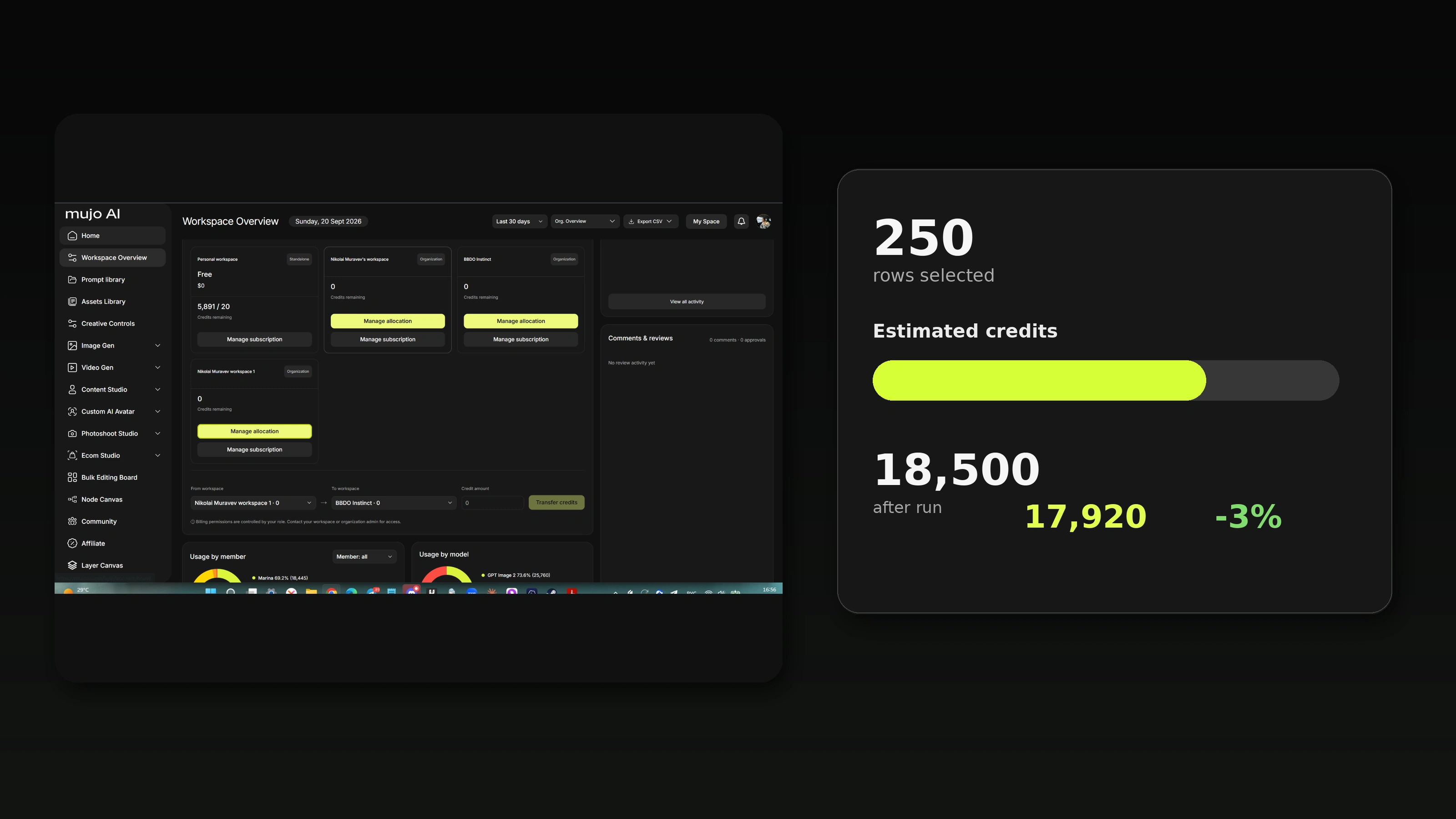
Cost is counted in credits and shown against the run, so the size of a batch is a decision rather than a discovery. There is no cap on how many rows you process — how far a run goes is a question of credits.
If you have said the words "and the same for the other two hundred", this is the page for that.
One lighting and camera setup held across an entire range.
Every SKU produced to the same spec, in the formats each platform wants.
Dozens of cuts of one idea for testing, instead of three and a guess.
A month of posts that read as one account.
One master adapted across languages and regions.
A range of faces generated and compared under identical conditions.
Many clips of one concept for channels, lengths and markets.
The same catalogue re-shot for a new season without a new shoot.
Producing many assets from one approved setup instead of one prompt at a time. In Mujo it works as a table: rows are assets, columns are variables, and a saved control setup is applied across the whole run.
There is no cap on batch size. How far a run goes is a question of credits rather than a platform limit.
Yes. The same table handles video, and an approved still from one row can be used as the starting frame for a clip.
Yes. Rows are independent — change a cell, rerun that row, leave the rest of the batch alone.
Yes. A saved Control Bar — camera, lighting, style and your own custom controls — applies down the entire column.
Yes. Build the process in Node Editor and point it at a table of inputs, so every row goes through the same multi-step pipeline.
A free account covers image generation with 20 credits. Video generation and shared team setups require a paid plan.
Into your workspace asset library, attached to the project and the settings that produced them, and available to Content Studio, Node Editor and the rest of Mujo.
Put the next repetitive job in a table and see how much of it stops being work.