Choose ComfyUI
you have the technical appetite, want total control over the graph, and free beats managed.
ComfyUI is free, open source, and the most configurable thing in this category by a wide margin. If someone on your team enjoys building graphs and owns a GPU, it is very hard to argue against on price. The argument is about everything else: who maintains it, who else can run it, and what happens when that person leaves.
Three lines before the detail. If the first one describes you, ComfyUI is the better purchase and the rest of this page will not change that.
you have the technical appetite, want total control over the graph, and free beats managed.
the people producing the work are marketers, and the workflow has to survive without its author.
one gives you every node and asks you to assemble the product; the other ships the product and gives you fewer knobs.
Three things this platform does not do, said before the arguments in its favour.
Mujo is a hosted commercial product. If self-hosting is a requirement, ComfyUI is the answer.
There is no custom-node ecosystem. You get a curated set of models and controls.
There is a free tier of credits, but the product is paid, and ComfyUI is not.
A practical comparison of the workflow each platform is designed to support, across nine dimensions.

ComfyUI is not a company's product in the way everything else on this page is. It is an open-source node interface with an enormous community ecosystem, run locally on your own hardware or through hosted runtimes including the official Comfy Cloud, which starts around $20 a month on credits and charges only while a workflow executes.
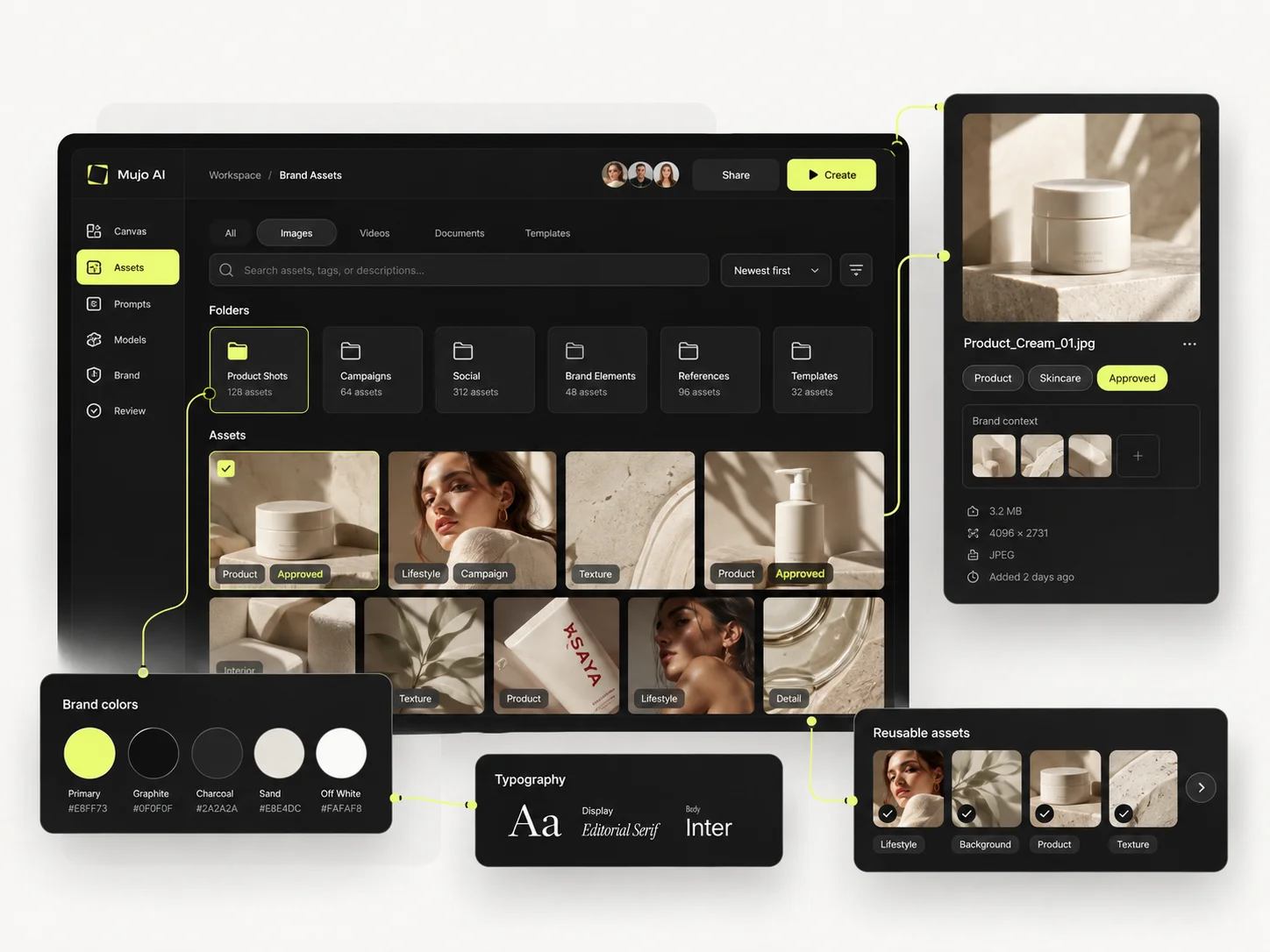
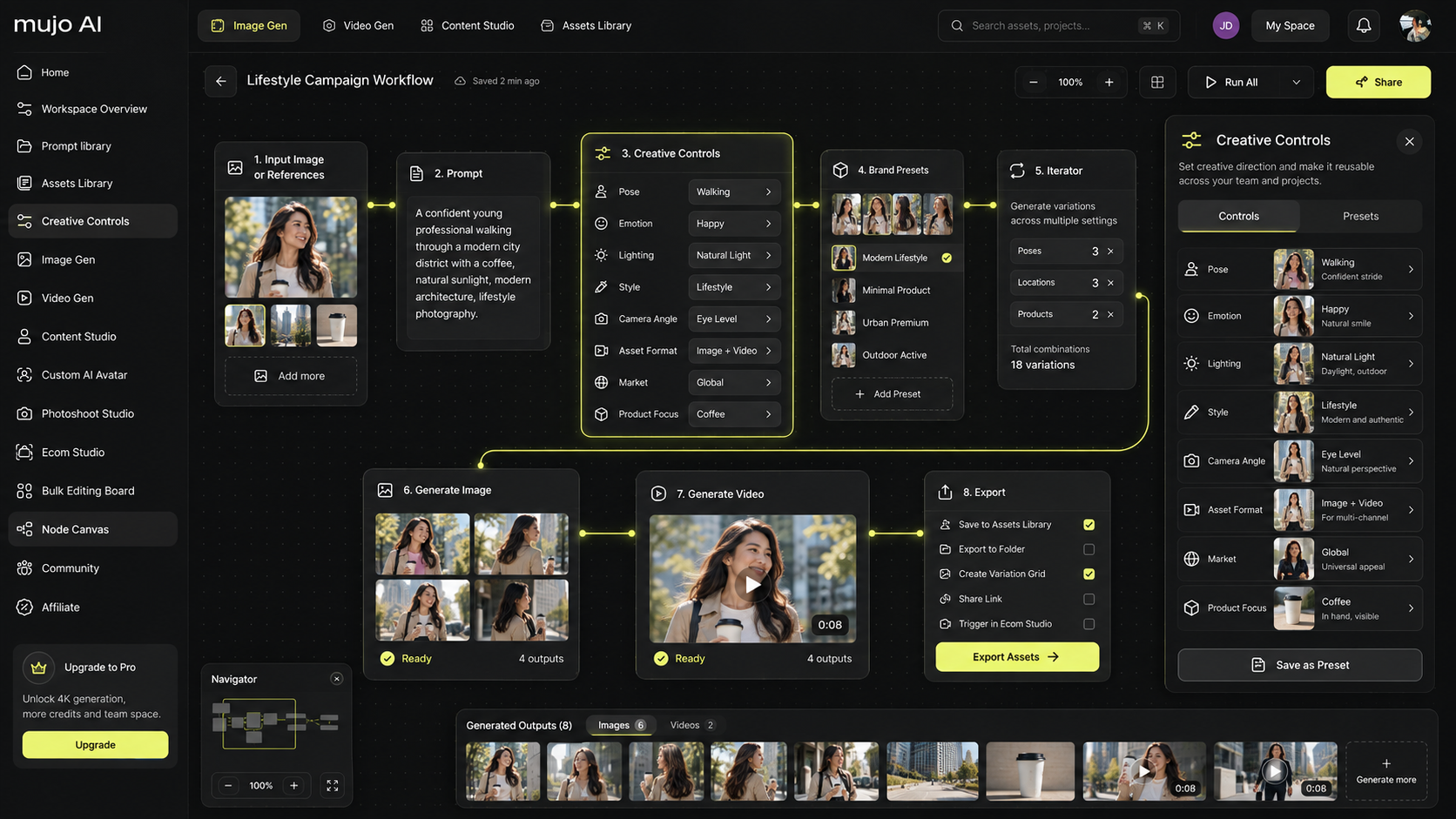
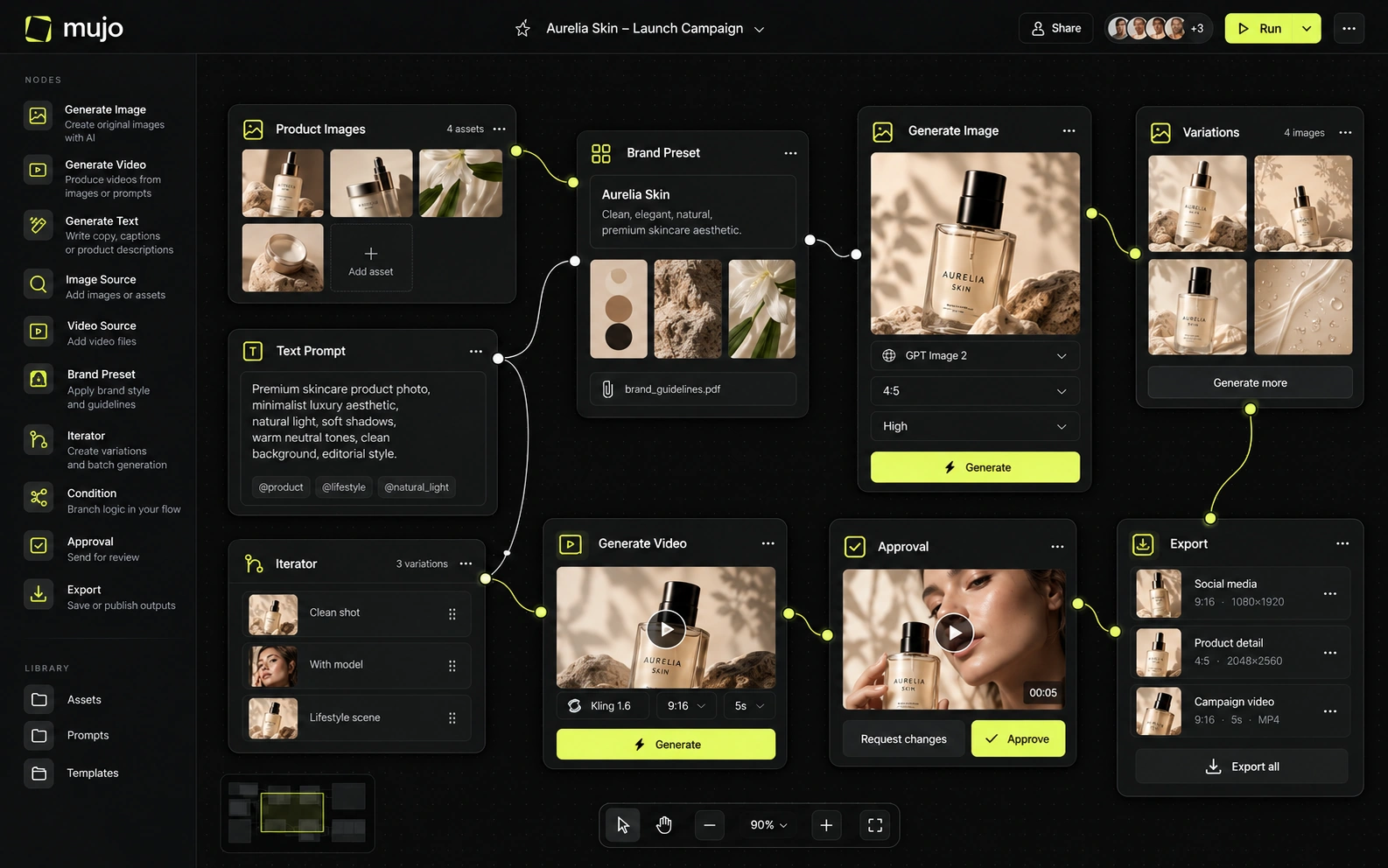
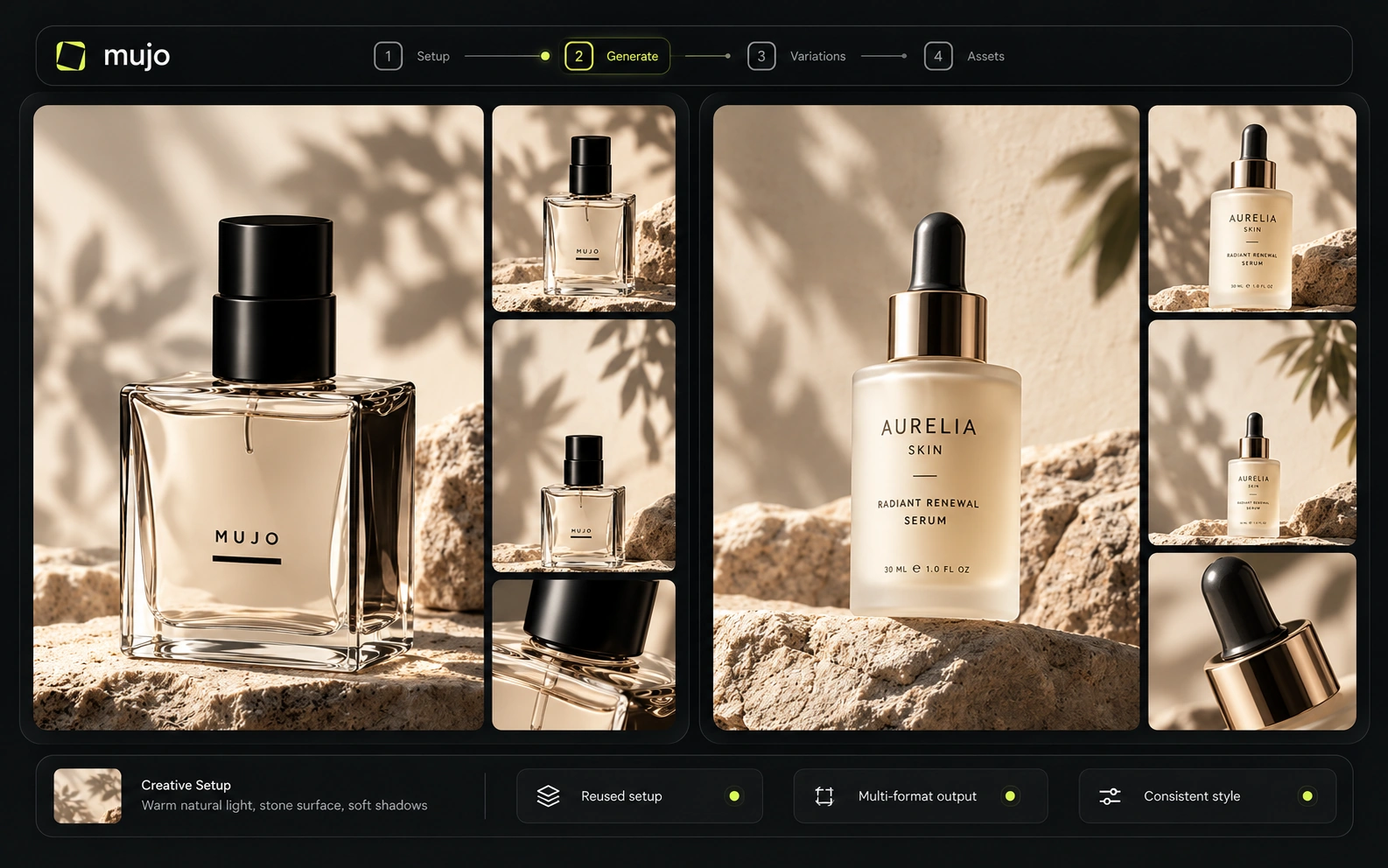
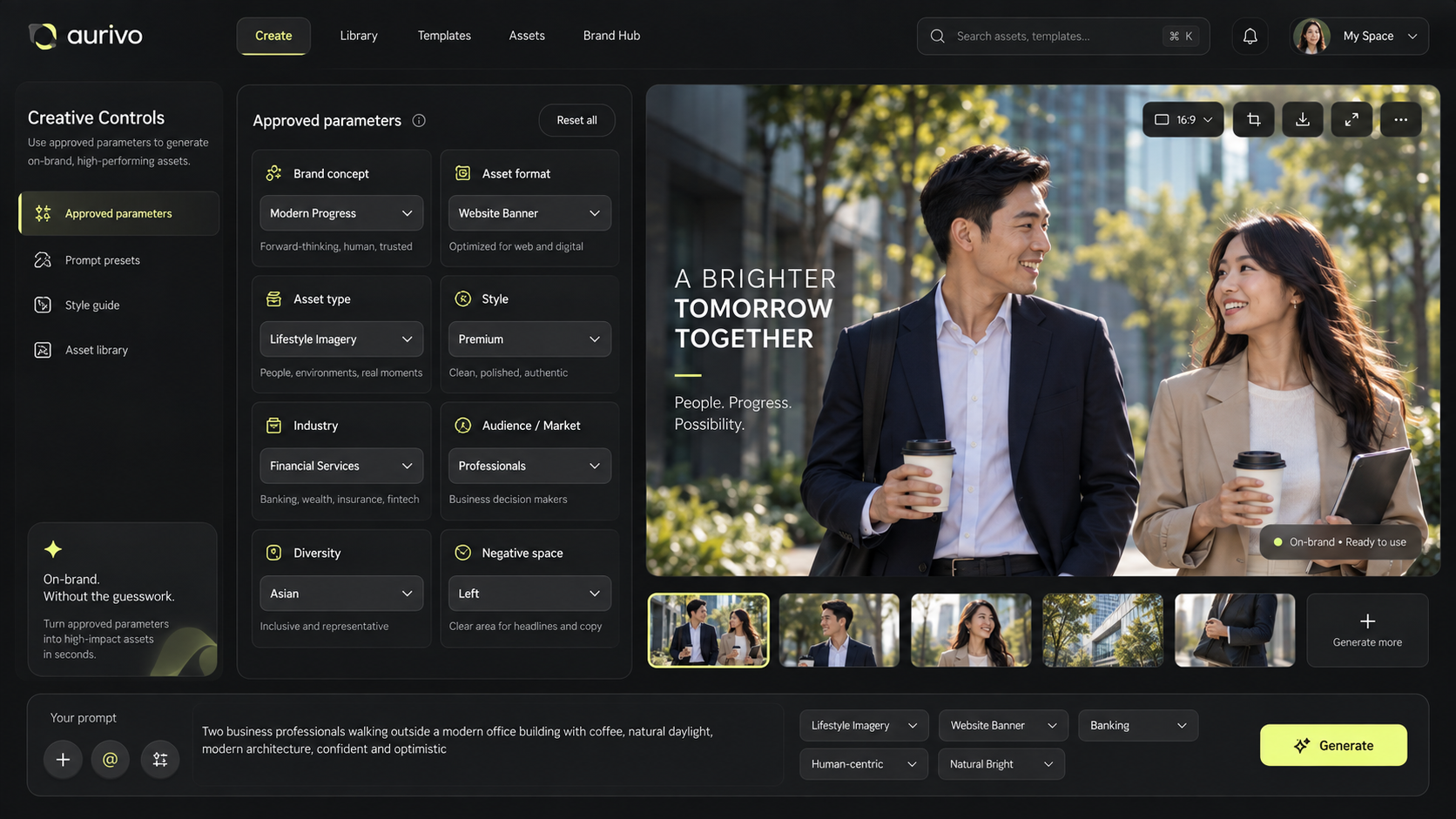
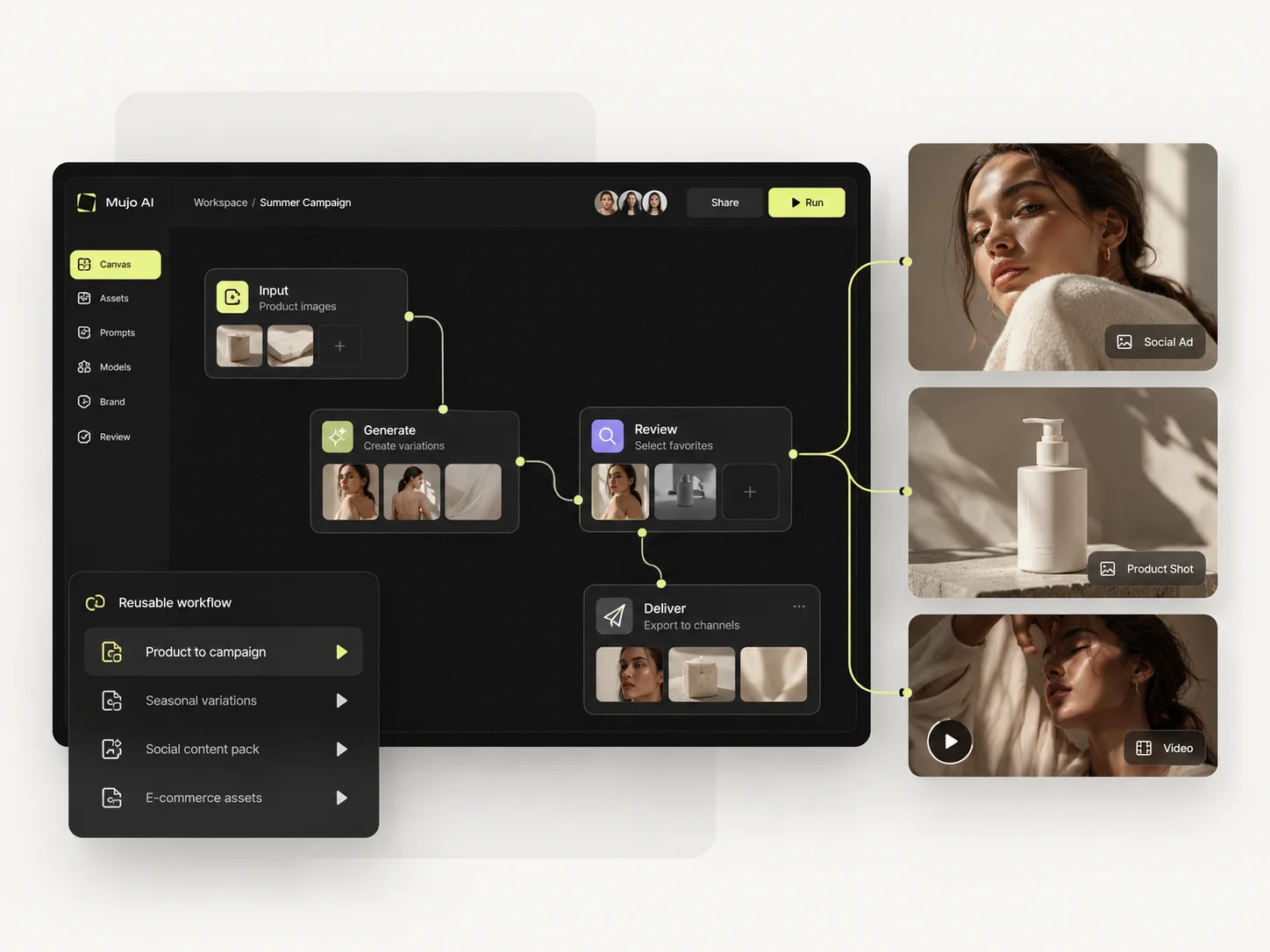
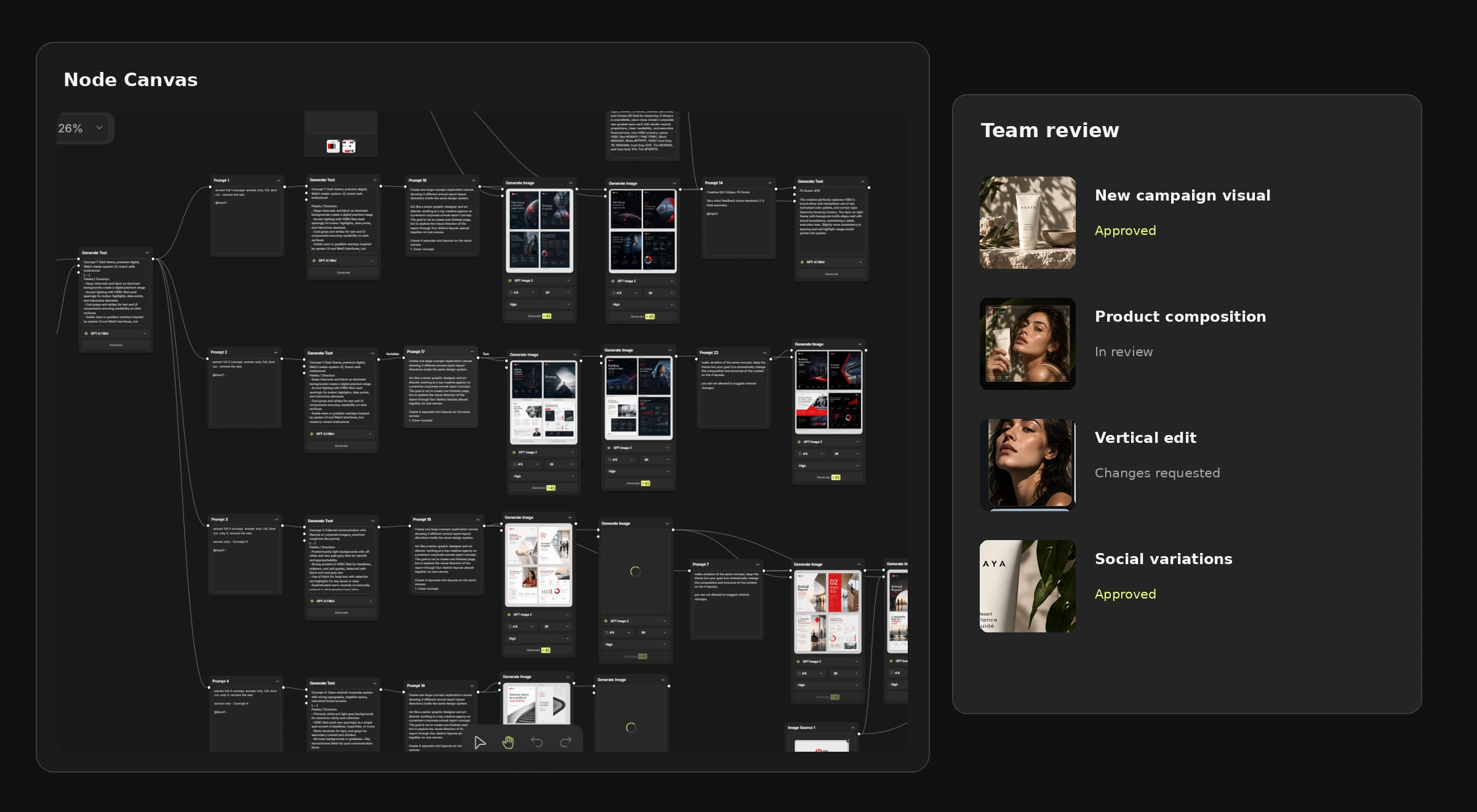
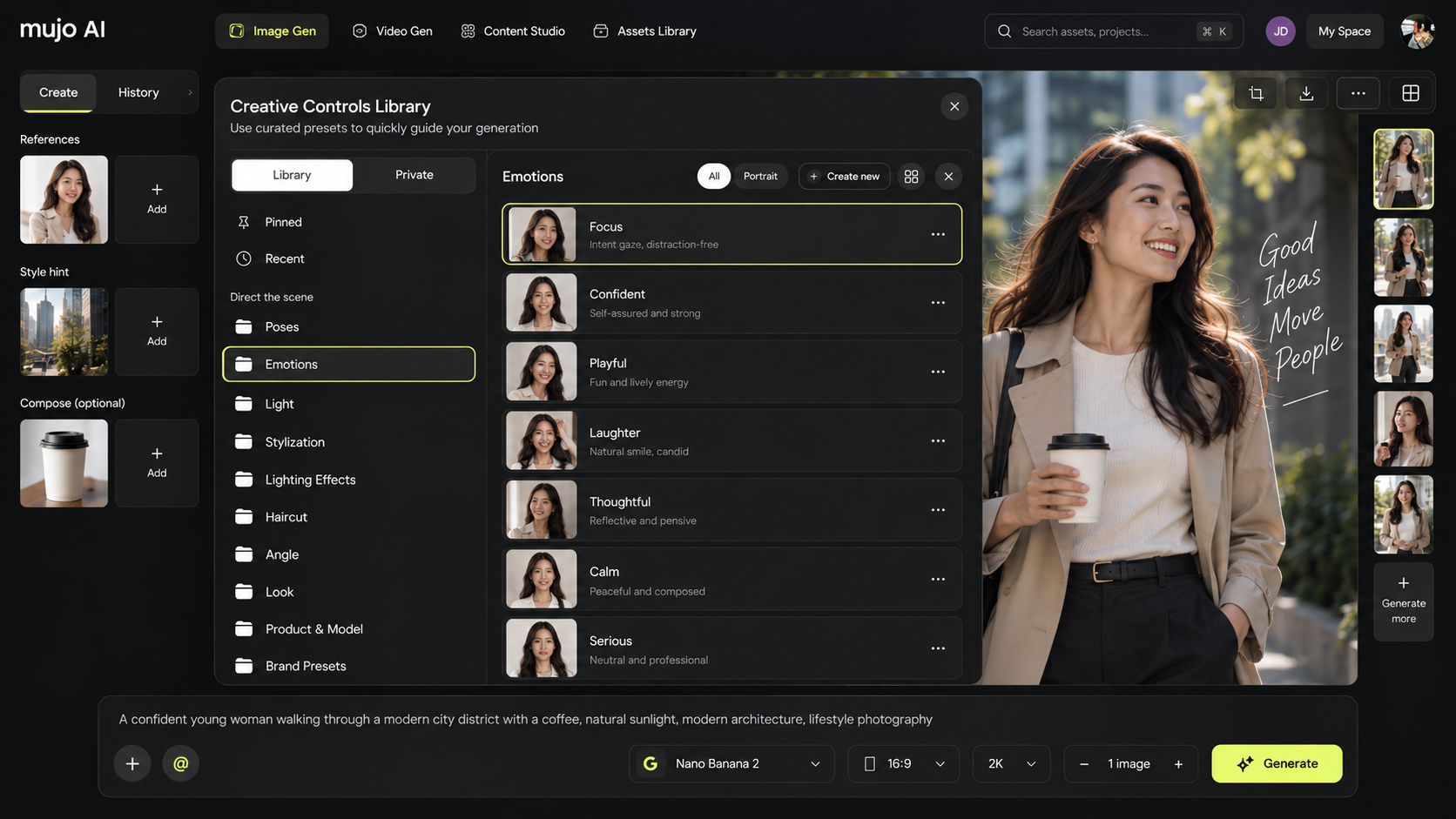
Mujo is the managed version of the same idea, with the configurability traded away deliberately. The image workspace runs Nano Banana Lite, Nano Banana 2 and Nano Banana Pro, GPT Image 2, Midjourney, Seedream 5.0 Lite and Seedream 5.0 Pro, Grok Imagine and Kling 3.0 Image and the video workspace runs Veo 3.0 and Veo Fast, Kling 3.0, Seedance 2.5 and Seedance 2.0, all hosted, with Creative Controls, a shared Prompt Library, an Asset Library and a Node Editor on top. Both platforms believe a reusable graph beats a reusable prompt. They disagree about who should build and maintain it — and that disagreement is the entire comparison.
On raw model access ComfyUI wins outright: anything with weights you can obtain will run, including fine-tunes and LoRAs nobody hosts commercially.
Mujo's list is short by comparison and hosted, which is the trade: nine image engines and five video engines that a marketer can switch between with the prompt, references and controls staying in place. Two questions, kept apart: which models you can reach, and who on your team can reach them unaided. Open source answers the first completely and the second not at all.
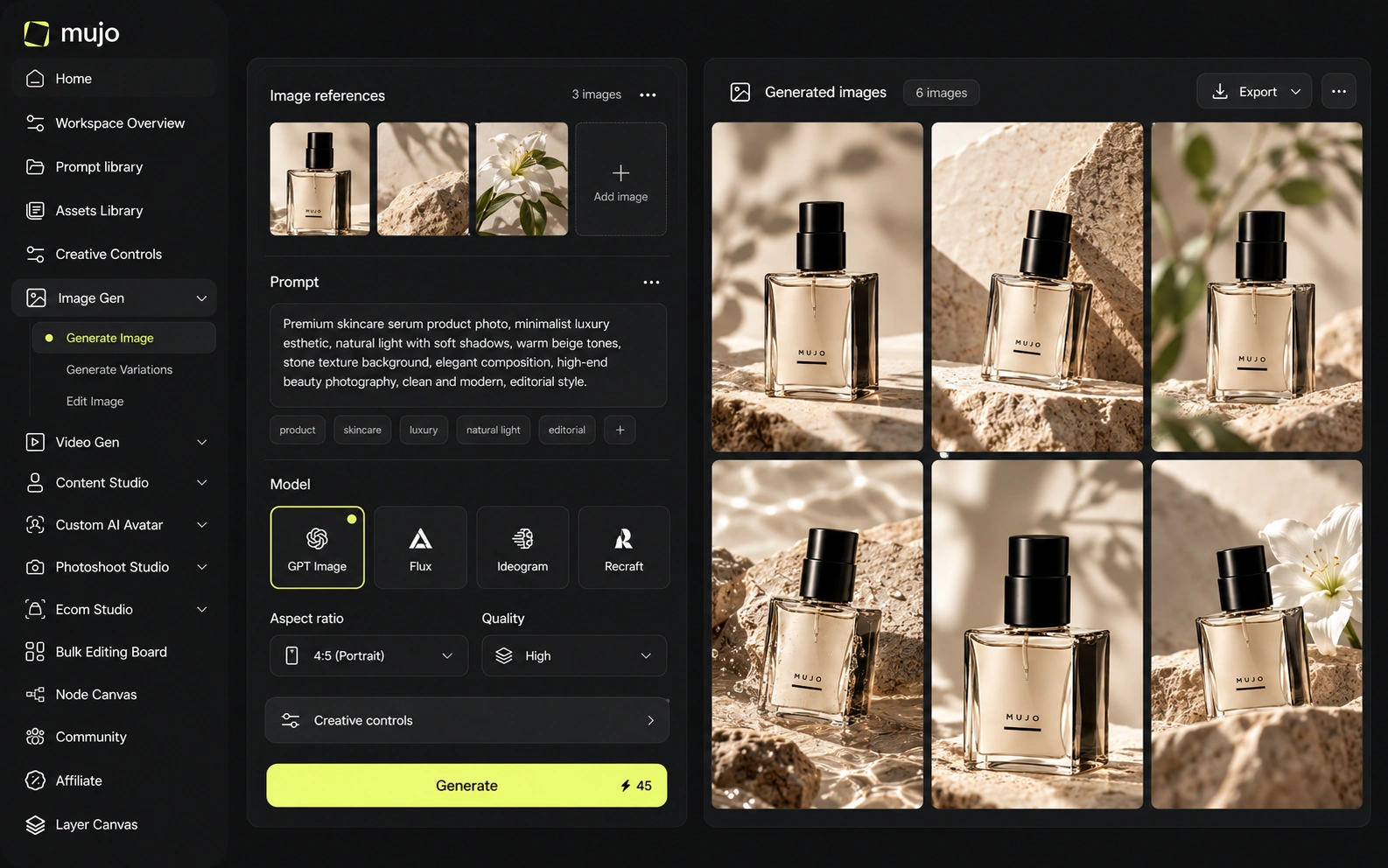
Control in ComfyUI is absolute and expressed as a graph. Every sampler, scheduler and conditioning path is exposed. For someone who understands them, nothing else here comes close.
Mujo deliberately hides most of that. Creative Controls name the variables a campaign actually changes — lighting, pose, expression, camera angle, location, style — so the person setting them does not need to know what a sampler is. This is a real loss of power in exchange for a real gain in reach. The question is not which interface is more capable; it is how many people in your organisation can produce with it on a Tuesday afternoon.
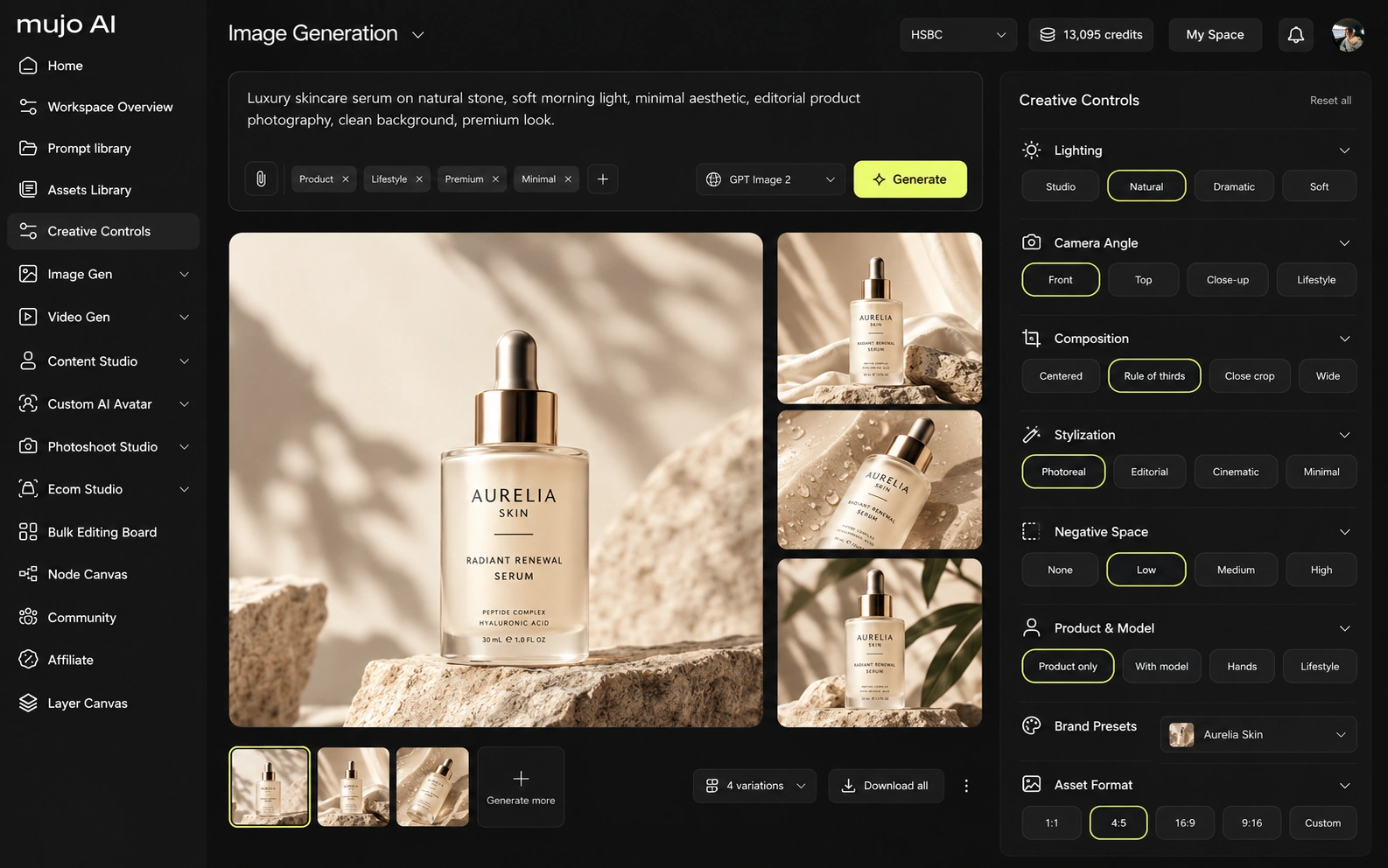
Video in ComfyUI is entirely possible and entirely up to you: community nodes, model weights, runtime and VRAM are your problem to solve.
Mujo runs text-to-video and image-to-video on five hosted engines beside the image workspace, with Storyboards connecting approved frames to the motion work. No setup, and no GPU.
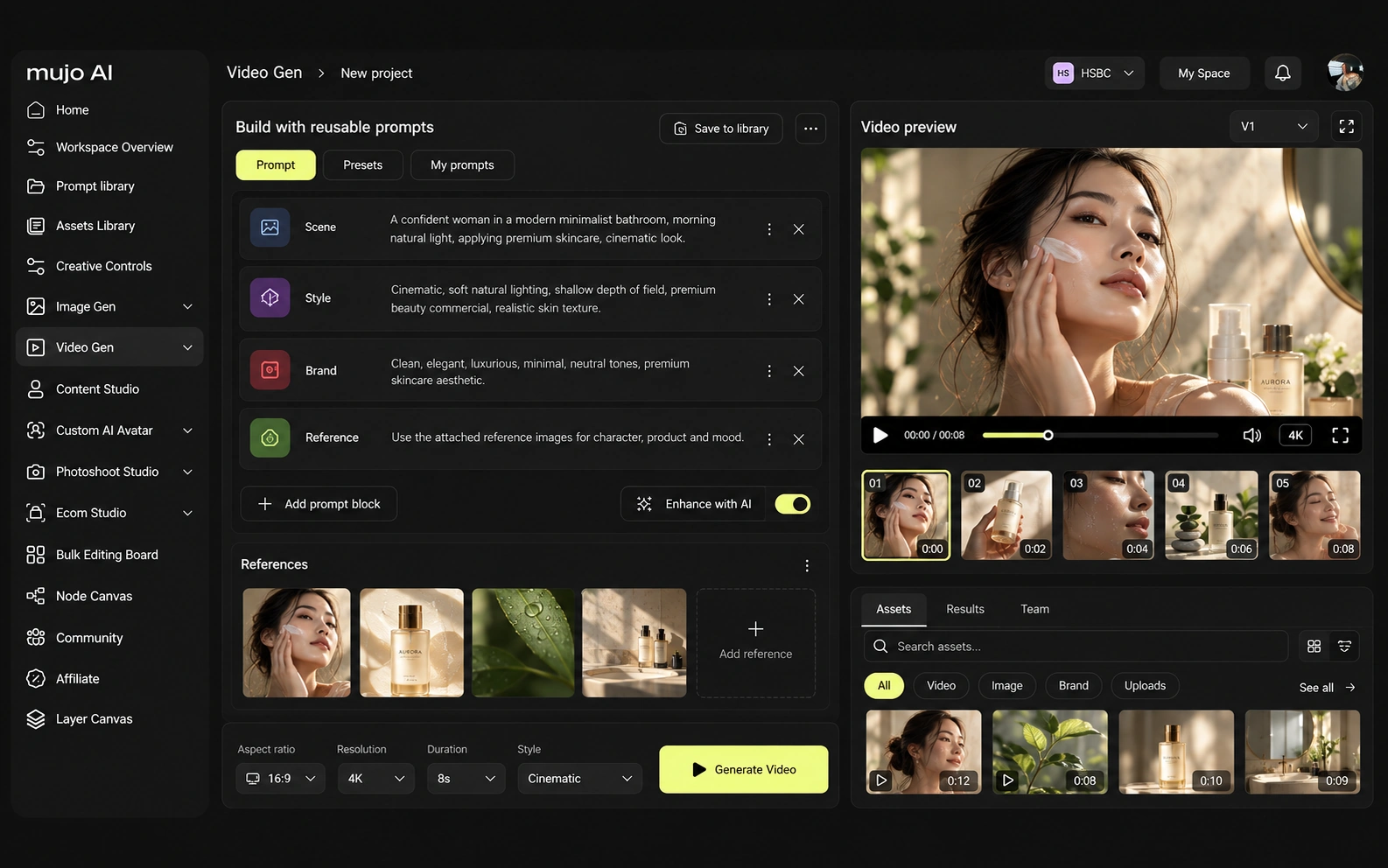
Consistency means four different things: the same person, product, look, or process. A saved graph is an excellent answer to the fourth — arguably the original one, since ComfyUI made reusable graphs normal.
Mujo's version stores the same idea in a managed form: references, Creative Controls parameters, saved prompts, model choice, workspace history and shared flows, all in one place with the assets. The difference is durability of a different kind. A ComfyUI graph depends on the node versions, model files and machine it was built against; six months later those can all have moved. If the person maintaining the graph is on staff and enjoys it, self-hosted wins. If the graph has to still work when they are on holiday, managed wins.
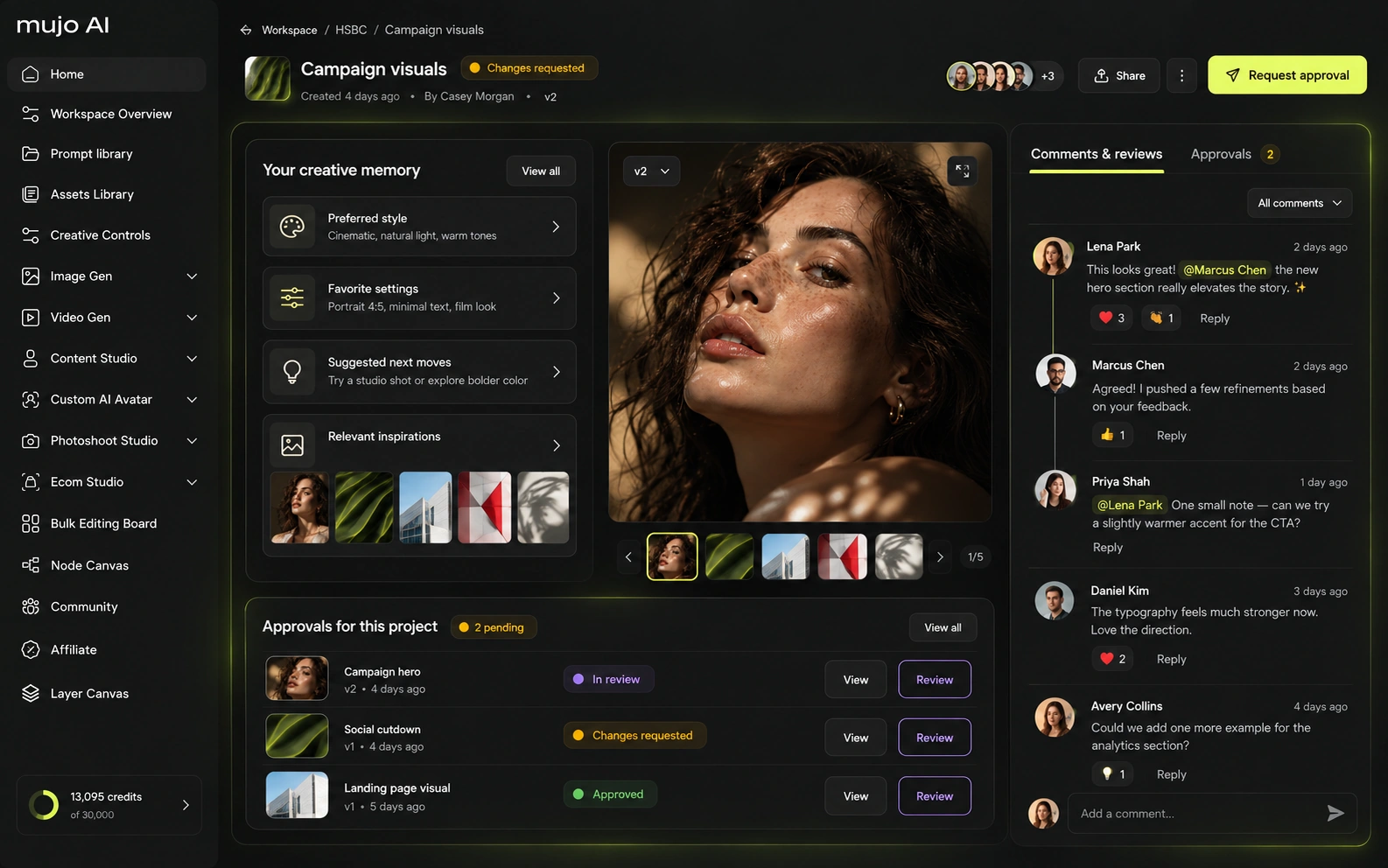
How each option fits commercial production that repeats
A general-purpose graph engine. E-commerce workflows are entirely buildable and several good ones circulate publicly, but you assemble, host and maintain them.
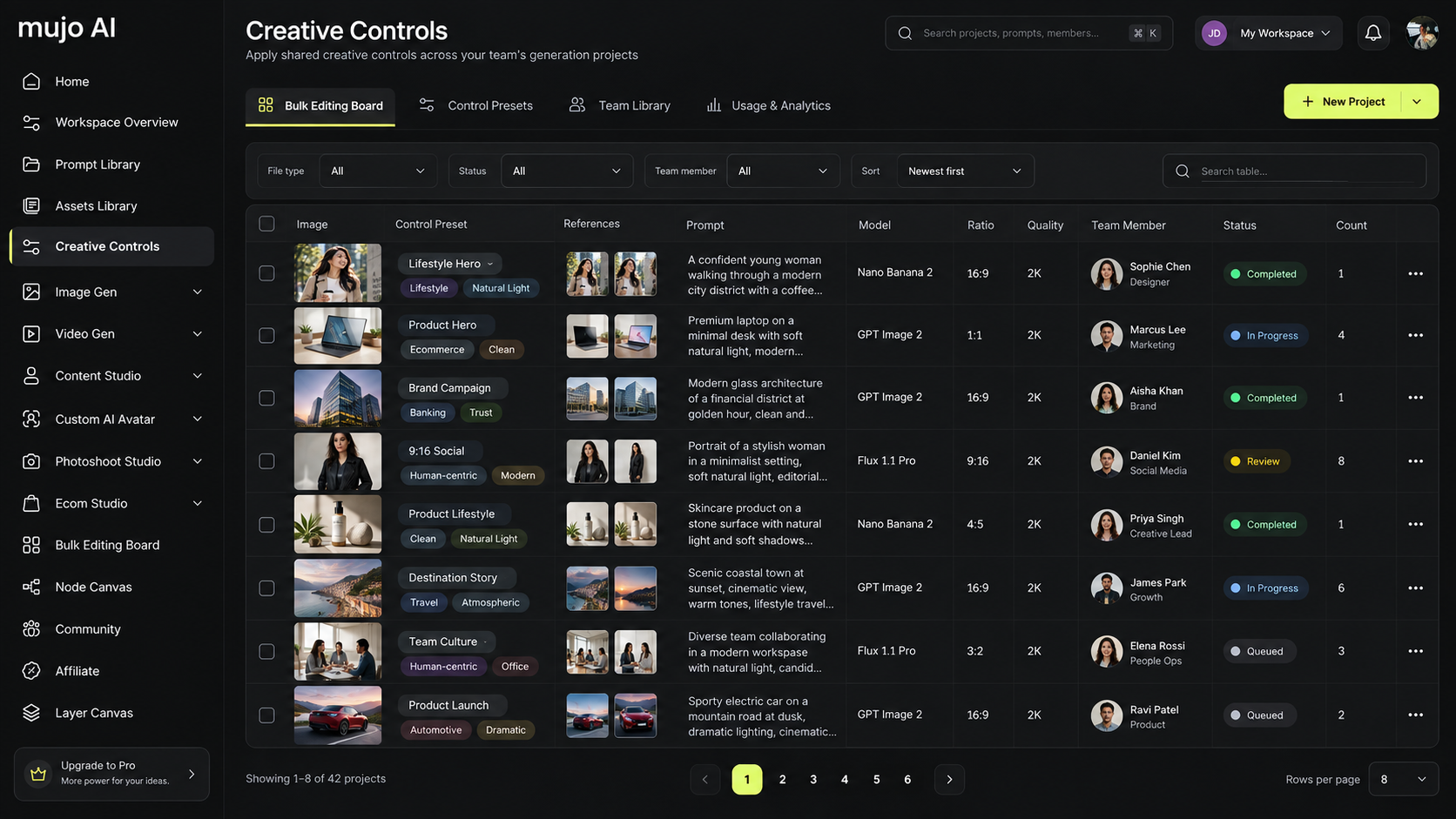
Product Photos, Listing Images, Product Catalog Production, AI Photoshoots, Campaign Creatives and Social Video Ads arrive as finished workflows rather than as parts.
One is a toolkit priced at zero plus your time. The other is a product priced in dollars that removes the time. Which is cheaper depends entirely on what your team's hours cost.
The product shot, its listing crops, its ad variants and its social cuts come out of the same approved direction. Volume is what makes commercial work expensive, not generation speed — and it is the part a ComfyUI comparison usually leaves out.
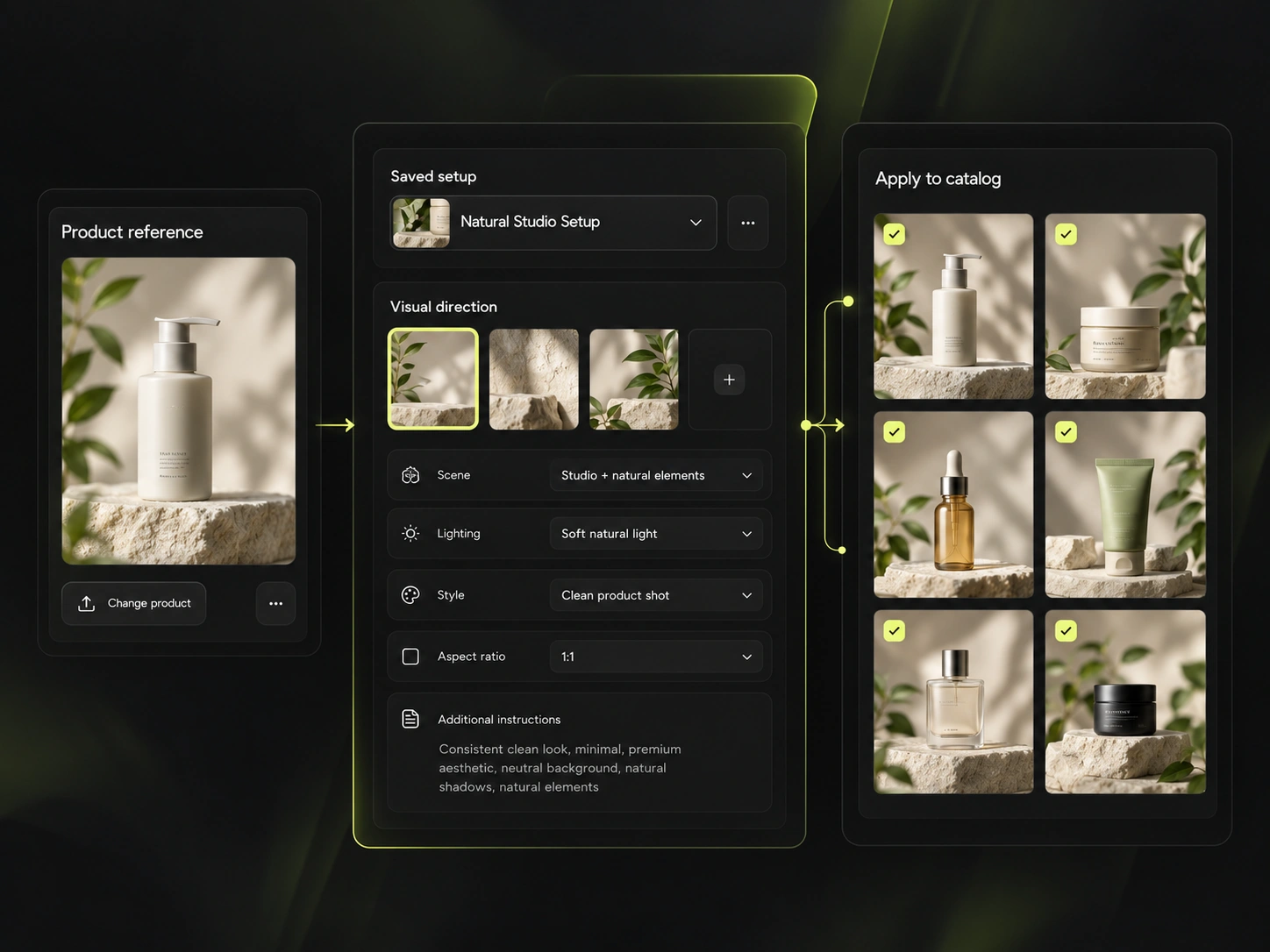
Mujo keeps prompts as production assets: refined with structured controls, compared across models, saved into a library of 2,500+ prompts plus your team's own setups. In ComfyUI the equivalent lives in workflow JSON files, which are more powerful and rather less easy for a colleague to find.
Saved setups live in the Prompt Library where the next person can find them, instead of in the generation history of whoever happened to get it right. Whatever a ComfyUI session leaves behind, it is usually the output rather than the reasoning behind it.

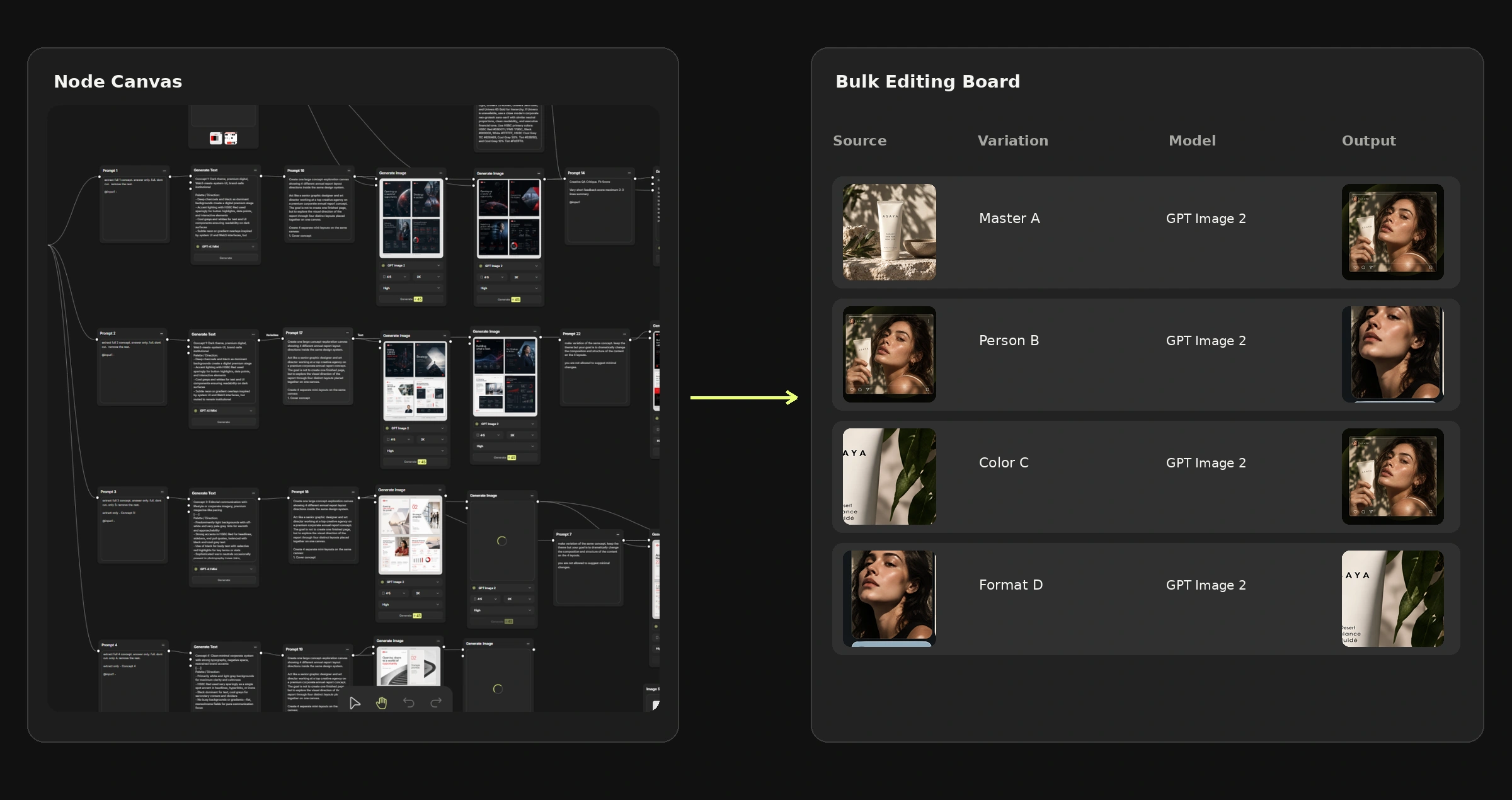
The Bulk Editing Board is the part of Mujo a ComfyUI user would recognise fastest and build last. Rows are assets, columns are the variables, and one approved direction runs down a product list — a batch node with a spreadsheet interface, available to someone who has never seen a graph.
You can absolutely build this in ComfyUI. The question is whether building and maintaining it is the best use of the one person on your team who can.
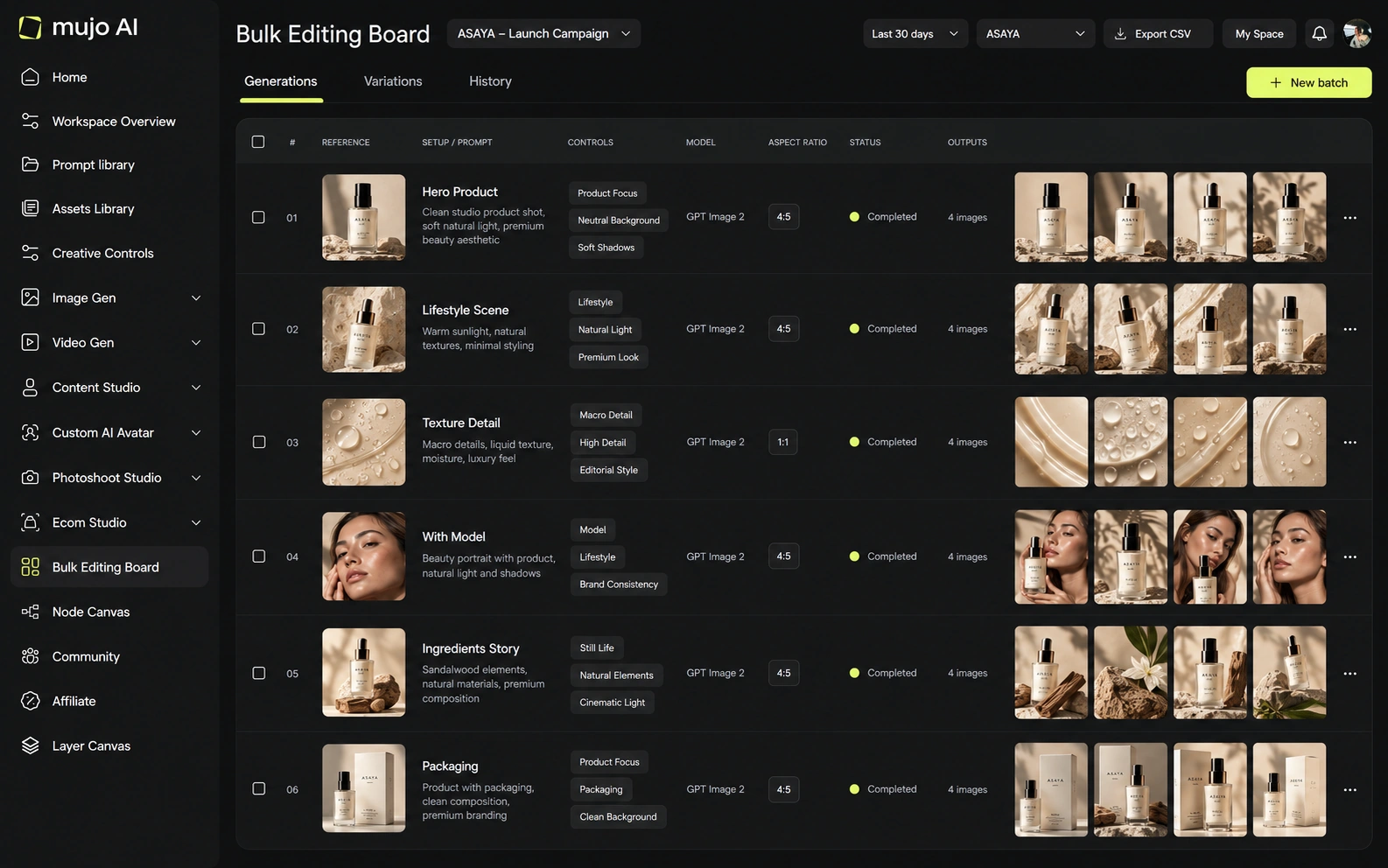
Run the same brief through both: one product image in, a hero visual, three square social variants and one vertical motion ad out, then the same direction on a second SKU a week later. Count setup time honestly, including the graph you had to build or fix.
Use one source product image and one launch brief.
Produce the hero visual, three square social cuts and one vertical motion ad.
As a shared setup, not as a file on one person's machine.
Have a different person rerun it. That is the part the test is really measuring.
ComfyUI clears the first round comfortably, as does almost anything else worth evaluating. The second round is where the difference appears, and it is the round nobody gets to during a two-week trial.
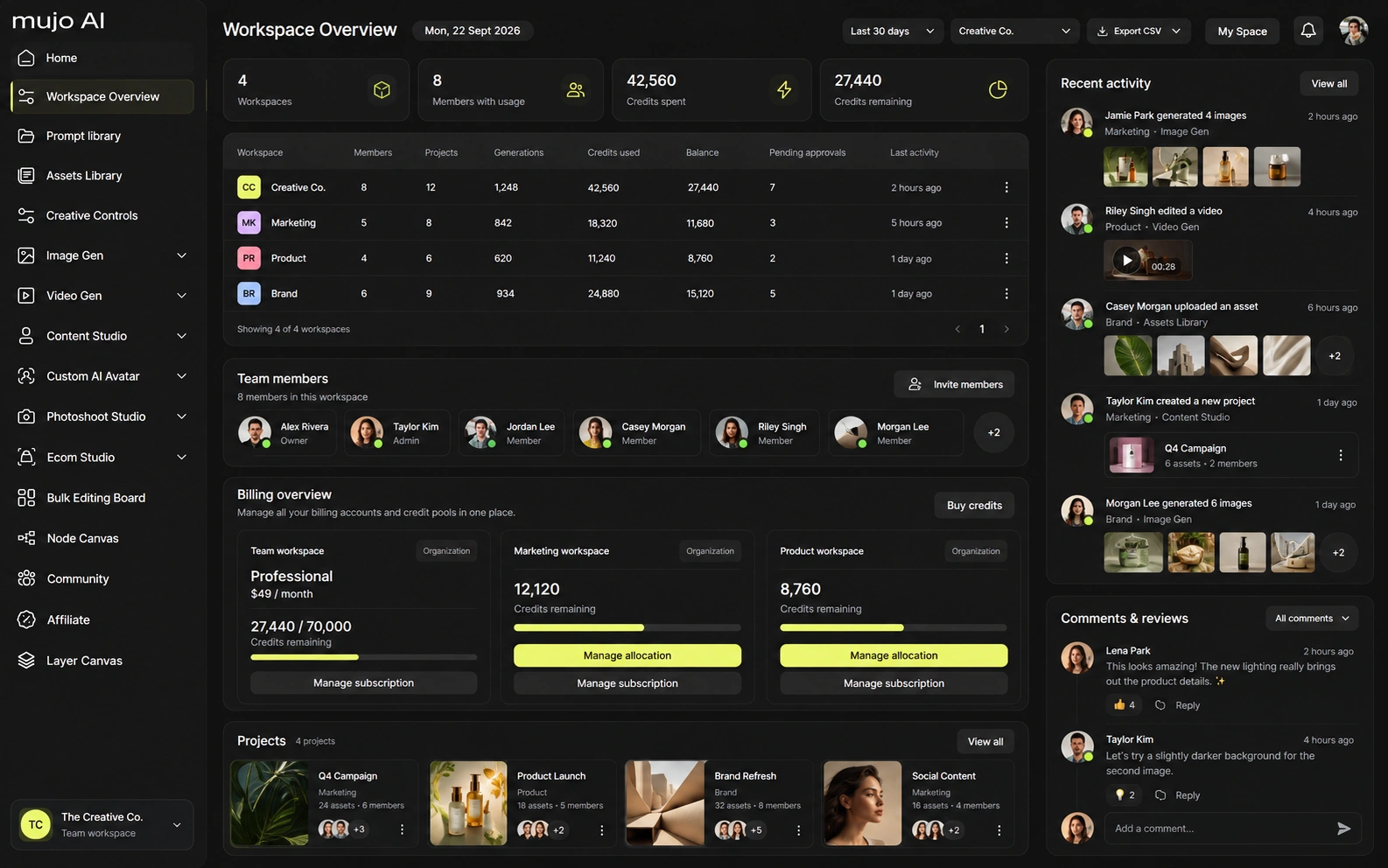
ComfyUI has no team layer by design. Sharing means sharing files; access control, usage limits and review are whatever you build or buy around it. Hosted runtimes add concurrency and queueing — Comfy Cloud caps workflow runtime at 30 minutes on lower tiers and an hour on Pro, with one to five concurrent API jobs depending on plan.
Mujo Enterprise covers connected Node Editor flows, brand context, shared prompt and asset libraries, approval traceability, onboarding, admin and enterprise security review. If your team is one technical person, the team layer is overhead. If it is eight people, three of whom have never opened a terminal, it is the entire reason to pay for anything.
ComfyUI itself is free and always will be. The real costs are a GPU capable of running what you want, the hours spent building and maintaining graphs, and hosted runtime if you go that way — Comfy Cloud starts around $20 a month on a credit model that charges only while a workflow executes.
Free and open source; you supply the GPU, the models and the maintenance
Credit-based, charged while workflows execute; 30-minute runtime cap on lower tiers
Longer runtime, three to five concurrent API jobs, custom LoRA uploads
A capable GPU, plus the engineering time nobody puts in the spreadsheet
Plans Start $9, Basic $19, Pro $34, Creator $84, Business $121 (5 seats); 200-credit packs from $2.60 with no use-by deadline
Mujo's plans run from $9 to $121 a month, with up to 40% off on annual billing. Pay-as-you-go packs start at 200 credits for $2.60, credits carry no use-by deadline, and new accounts start with 20 free. Free software with paid time is not obviously cheaper than paid software with no setup. Price both including the hours.
Self-hosting is the strongest privacy position available here: nothing leaves your machine. Any hosted option, Mujo included, is a different trade and should be read as one.
Specifically, on Mujo's side: users keep ownership of what they upload and of AI-generated outputs and may use those outputs commercially, subject to applicable law and third-party rights; inputs and outputs are not used to train foundation models without opt-in, and the enterprise terms extend that to the third-party models in the stack. Commercial-use permission is not rights clearance. Trademark, publicity rights and model-provider terms still apply, so client work needs human review before it ships.
What ComfyUI does better, and what Mujo does better. A comparison page that fills in only one side is not a comparison.

Worth reading before a trial rather than after one.
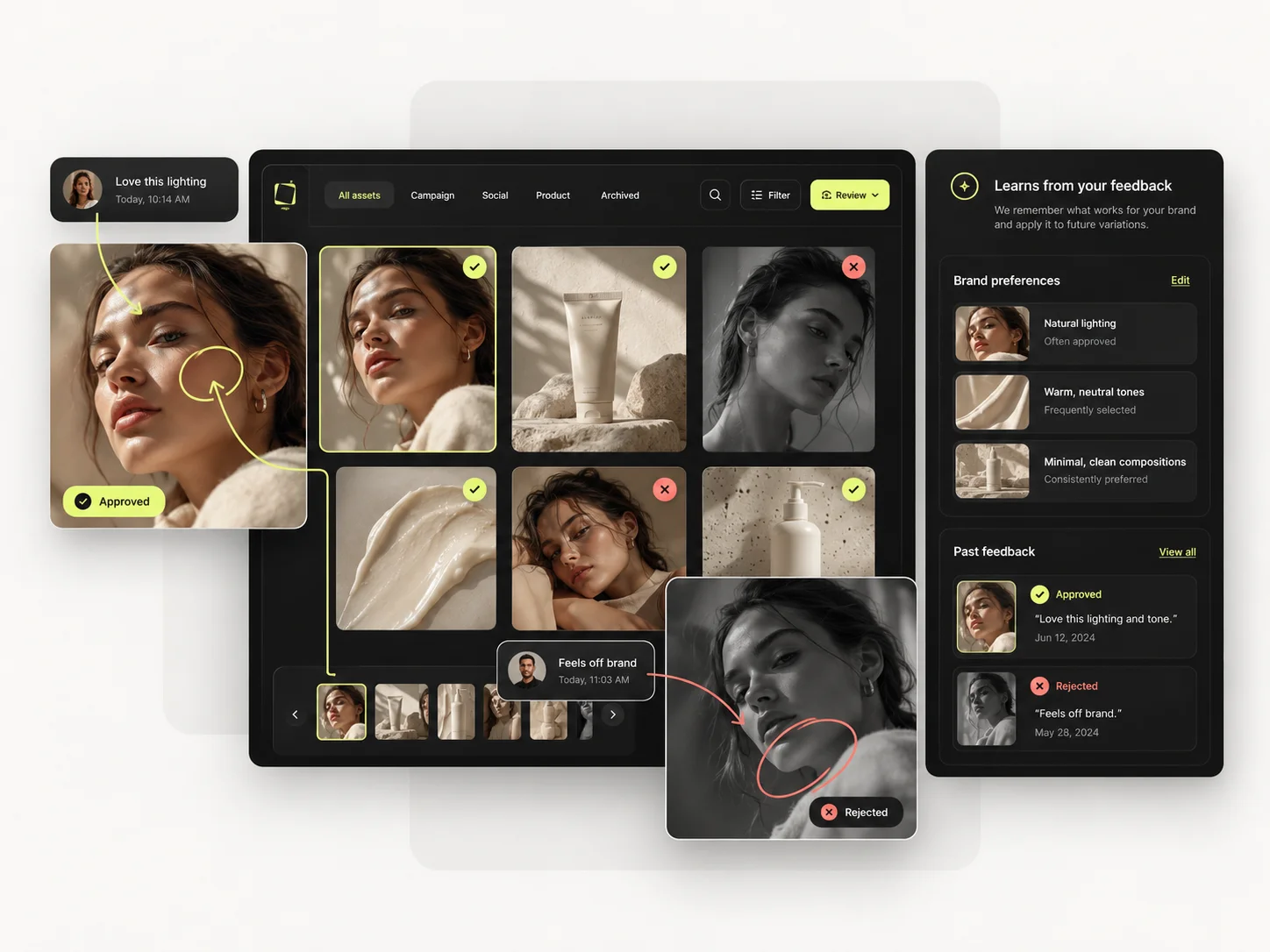
Decide by who does the work. A technical team with time gets more from an open graph than from any managed product. A marketing team without an engineer gets nothing from it at all.
Choose ComfyUI when you have technical depth in-house, want total control, and self-hosting or cost is decisive.
Choose Mujo when the producers are marketers and designers, and the workflow has to outlive whoever set it up.
Some teams prototype in ComfyUI, where anything is possible, and standardise the result in Mujo, where everyone can run it. The handoff point is usually when a second person needs to produce.
Most shortlists are settled by the wrong question — which tool makes the better first asset. The question that predicts the next year is which tool still helps on the fortieth.
Short answers about ComfyUI, about Mujo, and about the parts that are easy to get wrong.
Yes — it is open source and free to self-host. The costs are hardware, setup and maintenance, plus hosted runtime if you use Comfy Cloud, which starts around $20 a month on credits.
Mujo is its own hosted platform with a Node Editor of its own. It is not a ComfyUI front end.
No. Mujo's Node Editor is a separate system, so an existing graph is rebuilt rather than imported. If your graphs are elaborate, weigh that migration cost seriously.
ComfyUI, without qualification. Mujo trades node-level control for something a non-technical colleague can operate.
Mujo, for the plain reason that ComfyUI has no team layer: no roles, no usage limits, no shared review. Those have to be built or bought separately.
A comparison against ComfyUI stays abstract until you look at the work it is about. These are the production workflows Mujo is built around, plus the neighbouring comparisons if you are still shortlisting.
Produce editorial and studio photoshoots without booking one.
One idea rendered as a month of posts, stories and formats.
Plan the shots before generating the video.
Product photography against generated product imagery.
A craft canvas against a production system.
A high-end video suite against a campaign production system.
If one person maintains every workflow in your team, that dependency is the thing worth pricing — not the software. 20 free credits. Hand it to someone who does not build graphs and see how far they get.