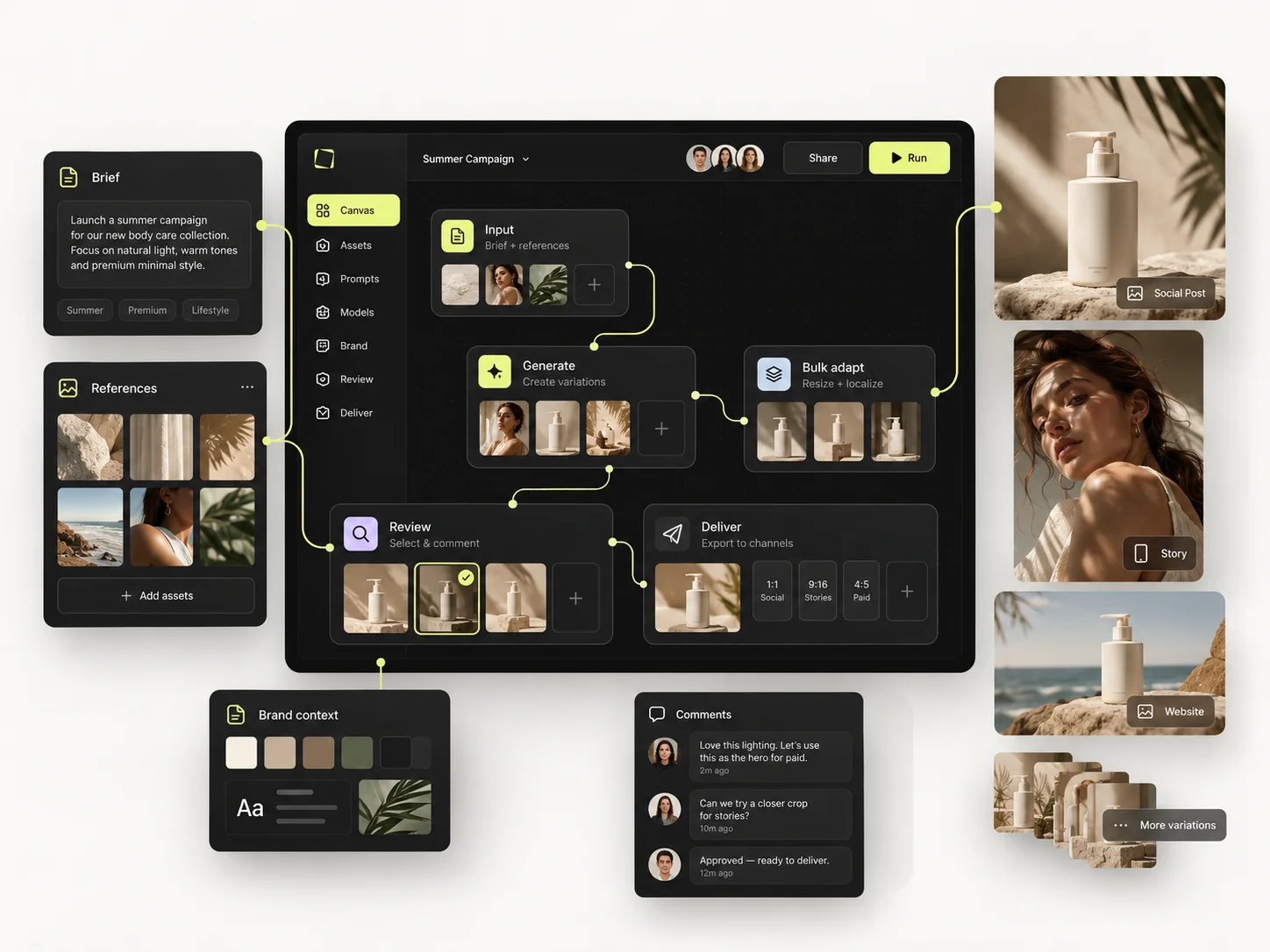
A team using AI without a shared production system ends up with prompts in personal accounts, budgets nobody can see and successful setups nobody can find. The fix is not asking everyone to use the same prompt. It is shared context, clear access and a review routine people actually follow.
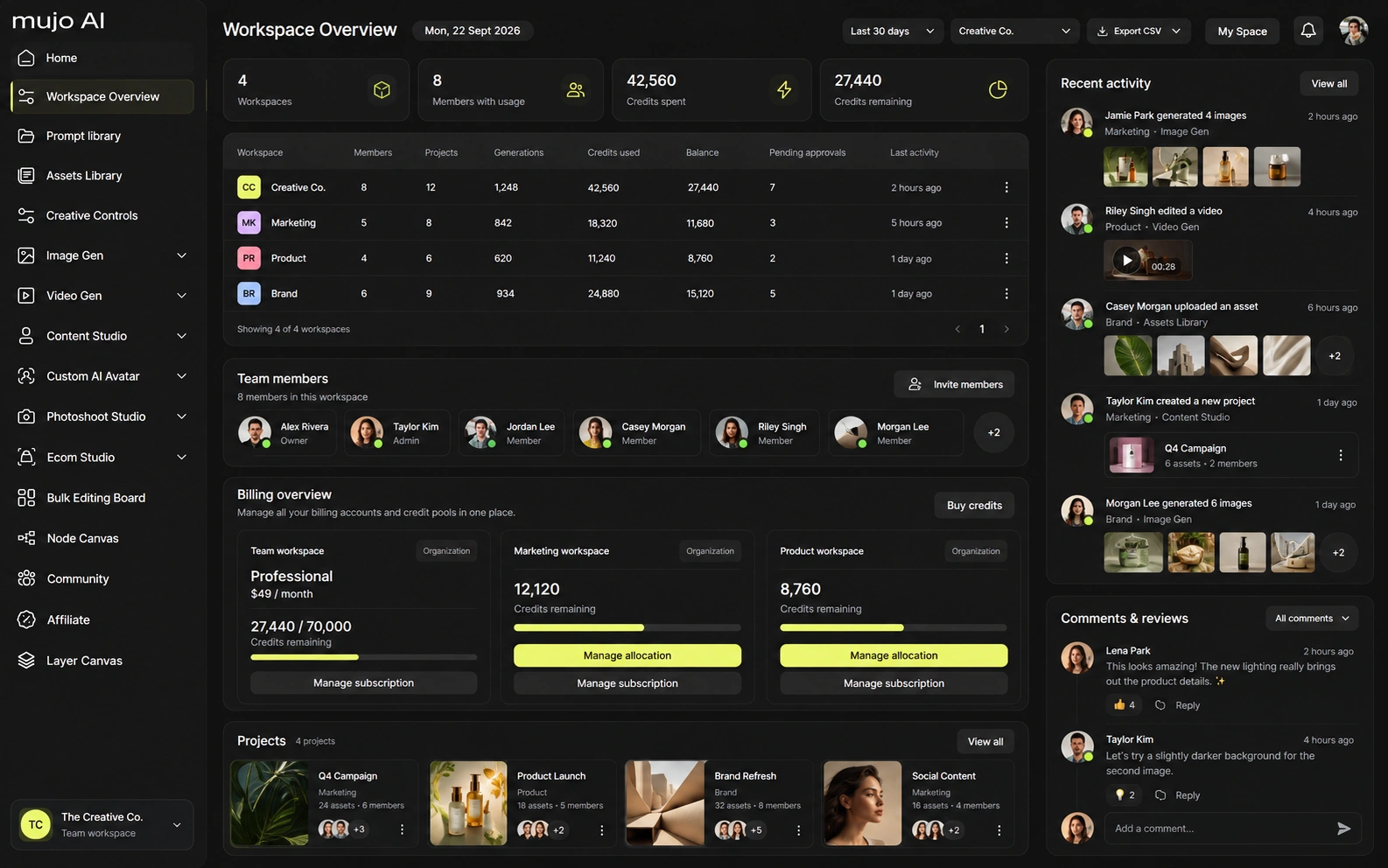
Team Workspace brings members, usage visibility, shared assets and administration into the same environment as the production tools. Start with a small pilot group and settle how people will work before adding complexity.
Most failed rollouts failed at the process, not at the software.
The short version
- Define roles around responsibilities, not seniority.
- Set model access and usage boundaries that match the work.
- Keep source assets and winning setups where a colleague can find them.
- Agree four review questions before production starts.
- Read usage in context — a high total is not automatically waste.
Define roles around responsibilities
Identify who manages the workspace, who creates, who reviews and who needs visibility into usage. Then add members and assign their roles in the workspace admin settings.
A workable pattern: a workspace owner or admin manages settings and members; creative contributors generate and refine; review participants give feedback within their access. Roles differ in what they can do, so check each one before you hand out access.
Agree model access and credit boundaries
Different jobs justify different models and different spending. Decide which models each role can use and set usage limits for members. Make the rule legible: concept exploration uses a selected set of models, final-quality output is reviewed before the more expensive run.
Read the usage view on a schedule. A high total is not automatically waste — look at what was produced, which models were used and how many revisions it took. Credit limits are a management tool, not a substitute for a clear brief. Current plans and limits are on the pricing page.
Keep source assets and winning setups accessible
Decide where original product images, references, approved directions and final selections live, and share them through the workspace. Give recurring setups clear names and one line about what should stay fixed.
A product team reuses one studio lighting setup across many SKUs. A social team keeps approved directions and swaps scene or format. The aim in both cases is that work continues without depending on the memory of whoever got the first good generation.
Build a clear review routine
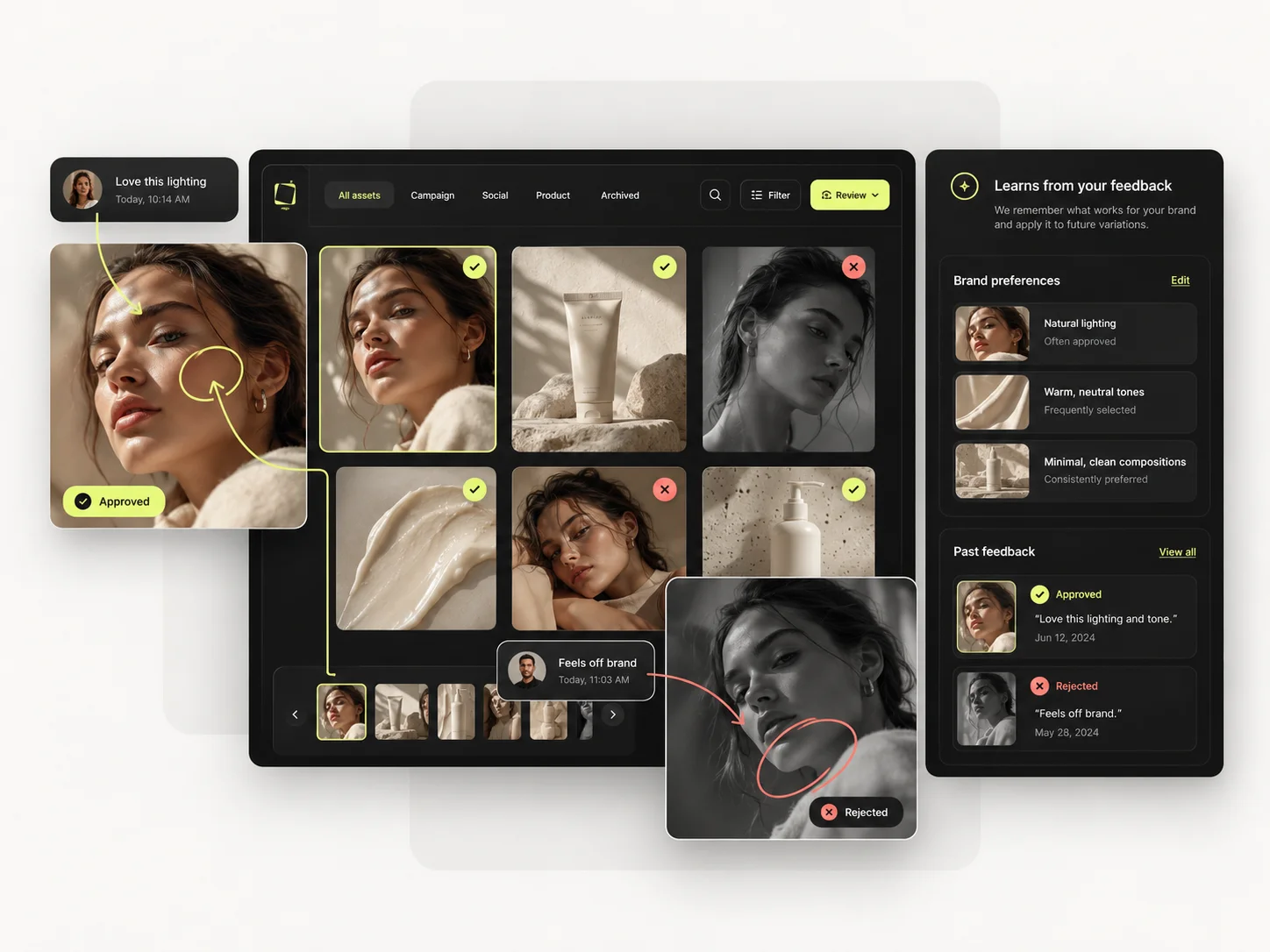
Agree four questions before production starts: does it answer the brief; are critical product or identity details accurate; is it right for the placement; what specifically needs to change?
Keep comments next to the asset, and name who decides that something is ready to move on. Client sign-off happens outside Mujo, so run it through the process you already use with that client.
A practical rhythm: brief and references → initial direction → selected outputs → targeted revisions → final handoff. Keep the same bottle, reduce glare on the label is actionable. Make it better is a second round of guessing.
Review activity weekly
Once a week, look at selected outputs, usage and the friction that keeps recurring. If several people keep rebuilding the same product setup, turn it into a reusable one. If credits are going into competing directions with no decision owner, the brief or the review step is the problem. If one model is being used for every task, check that it actually suits each stage.
That weekly half hour is the difference between giving a team AI access and running a creative production system.
Common mistakes
- Rolling out to everyone at once instead of piloting with a small group.
- Giving every member identical access regardless of what they do.
- Treating a high credit total as waste without looking at the work.
- Leaving feedback in chat threads instead of beside the asset.
- Never converting a repeated setup into a shared one.
Team workspace checklist
- □Ownership and member responsibilities are clear.
- □Model access and usage settings match each person's work.
- □Shared assets have a simple organisation scheme.
- □Reusable prompts and workflows are named and documented.
- □Review decisions and comments are attributable.
- □Usage is evaluated in context, not only as a total.
- □A new member can understand the workflow from existing project materials.
Frequently asked questions
Should every team member have access to every model?
Not necessarily. Define access around responsibilities, production requirements and budget policy, then set it in the workspace permissions.
Can a team stay consistent without identical prompts?
Yes — that is the point. Share references, controls, accepted examples and output standards. Contributors can vary their approach while the agreed direction stays visible.
Does a shared workspace replace creative review?
No. It makes inputs, work and feedback easier to coordinate. Someone still has to check the details and decide whether the result meets the brief.
Related guides
- How to Save and Reuse Your Best AI Creative Setups
- How to Build Your First Reusable AI Workflow in Mujo
- How to Produce Creative Variations in Bulk
Bring your tools, team and usage into one workspace.
Start with a pilot group, agree the four review questions, and read usage in context.