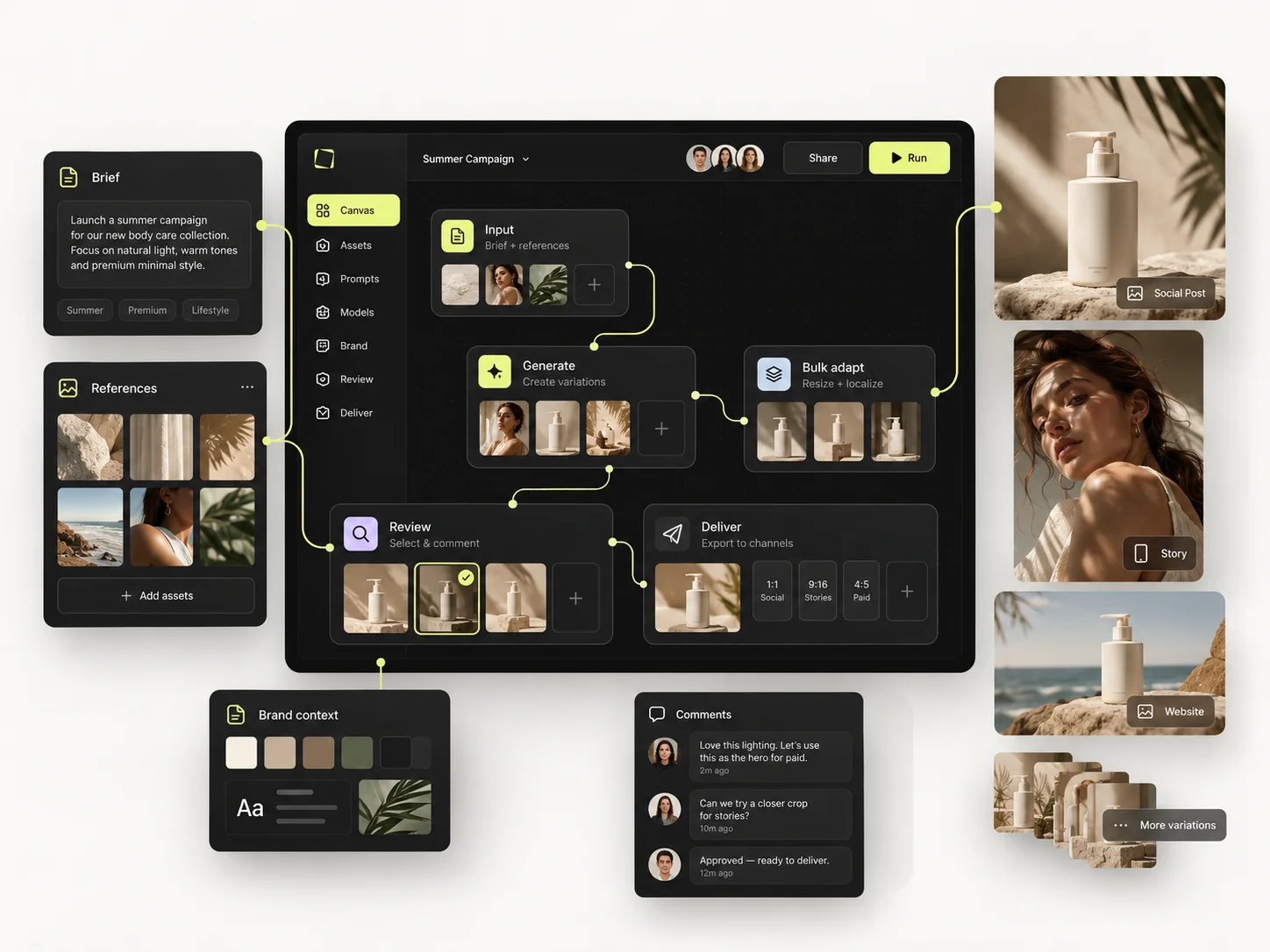
A finished AI image is useful once. The combination of decisions that produced it is useful for months. Saving the result and not the setup is the most common reason teams recreate the same look every quarter.
A reusable setup is the repeatable part of a good result: the prompt structure, the reference strategy, the lighting and framing, the relevant Creative Controls, the model choice, the output format and the checks that decide whether an output passes.
It can start as nothing more than a documented set of inputs. A workflow in the Node Editor goes further by connecting steps into a process. Start with the setup; build the workflow when the task actually calls for one.
The short version
- Save the reasoning, not only the image.
- Separate fixed rules from editable variables — if everything is fixed, it is too rigid.
- Name a setup by purpose, not by adjective.
- Test it on a different subject before you trust it.
- Write down its limitation in one sentence.

Separate fixed rules from editable variables
For a consistent product campaign, the fixed rules might be the lighting style, the background palette, the camera treatment, the image format and the requirement that the real product stays recognisable. The editable variables might be the SKU, the scene, the shot type and the seasonal direction.
If everything is fixed, the setup only ever produces one image. If everything is editable, nothing holds the look together. The work is identifying the small number of decisions that define your visual system and leaving the subject free to change.
Assemble the setup
- Start from one result you would genuinely use again — not one you found interesting.
- Find the source image and the prompt that produced it.
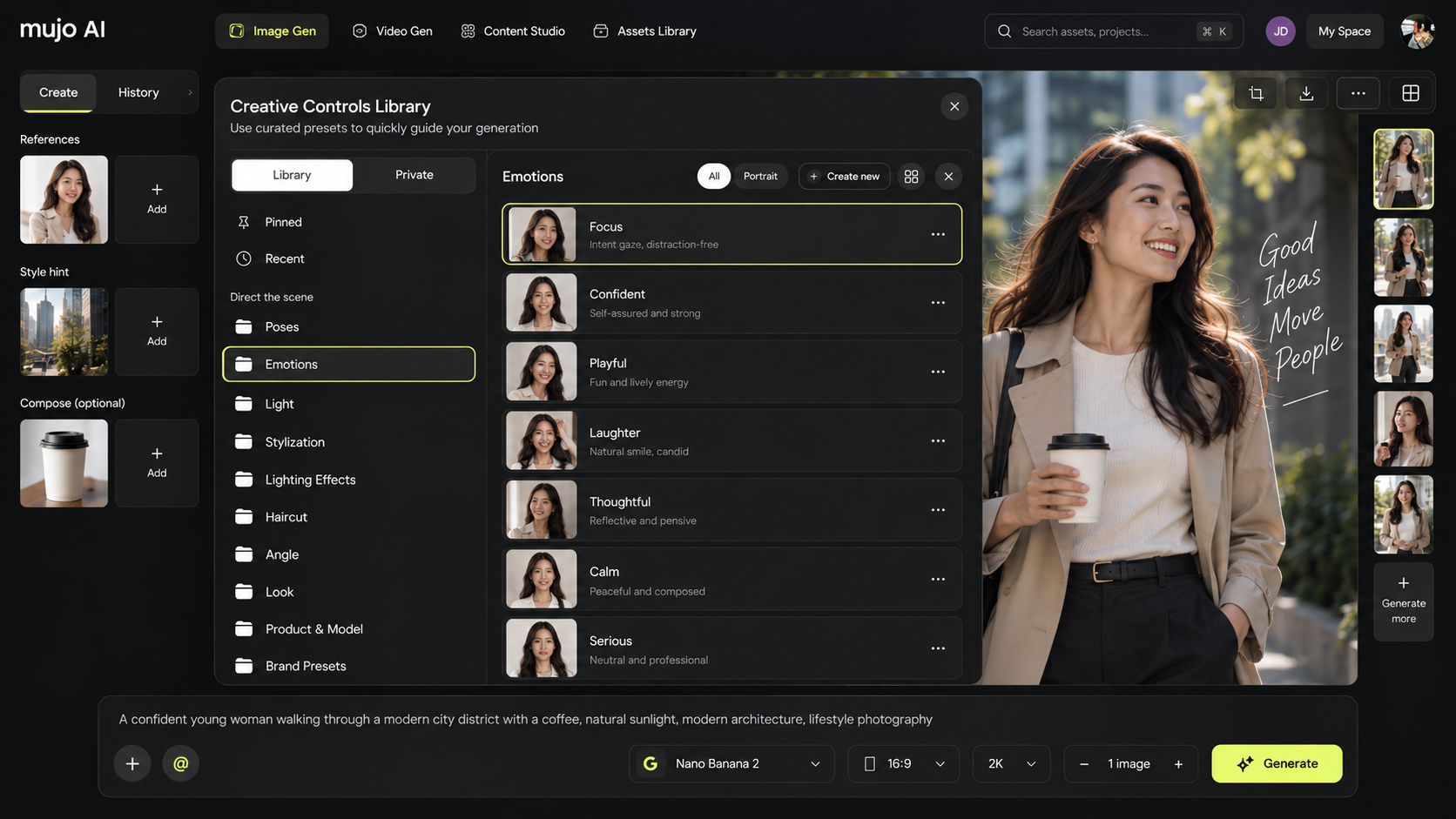
- Record the model and the controls that were actually in play.
- Separate the instructions that define the style from the details that belong only to that subject.
- Save the prompt in the Prompt Library and keep the reference assets with the project.
- Name it by purpose:
Studio product / soft side light / 4:5is findable.Amazing v7is not. - Test it on a new subject. If it only works for the original product, your fixed-versus-variable split is wrong.
A worked example: a product direction
Setup name:   Warm Studio Product
Goal:         One premium 4:5 ecommerce or campaign product image
Source:       Clear photograph of the actual product
Fixed:        Soft side light, warm neutral backdrop, clean foreground,
              product-first composition, natural contact shadow
Editable:     Product image, angle, secondary prop, season
Review:       Shape and packaging must match source; inspect logo and fine text
Output:       Selected image plus saved source, reference and setup notes
Treat this as a creative template rather than an exact prompt or a guarantee of product fidelity. Change the minimum necessary for a new SKU, then review the result against the same criteria.
Reuse the right unit of work
Not every repetition needs a pipeline. Reuse the smallest thing that solves it:
- A prompt structure when the same kind of scene or copy recurs.
- A reference set when a character or product must stay consistent.
- Creative Controls when a camera and lighting treatment recurs.
- A Node Editor workflow when several generation steps have to run in sequence.
- The Bulk Editing Board when one approved direction has to run across a list.
These complement each other; they are not alternatives. A team that jumps straight to workflows usually ends up maintaining a graph for something a saved prompt would have covered.
Test before sharing with a team
Run the setup on at least one different input. Watch which details drift, where model behaviour changes and which instruction turns out to be ambiguous. Then write two sentences: what it is for, and where it stops working.
A shared setup only helps if a colleague can tell what is supposed to stay fixed. Without that sentence they will change the one thing that was holding it together.
Common mistakes
- Saving the output and not the inputs that produced it.
- Naming setups after how you felt about them rather than what they do.
- Building a workflow for something a saved prompt already covered.
- Never testing the setup on a second subject.
- Sharing it with no note about its limitation.
Reusable setup checklist
- □The purpose is clear from the name.
- □Fixed rules and editable variables are separated.
- □Source references and selected outputs are retained.
- □Model and important controls are recorded.
- □The setup has been tested on a different input.
- □Known limitations are written down.
Frequently asked questions
Is a saved prompt the same as a reusable workflow?
No. A prompt is one input. A setup includes the context and settings around it. A workflow connects several steps into a repeatable production structure.
Can saved controls guarantee identical results?
No. They express a consistent direction, but output still depends on the source material, the model and generative variation. Review the details that matter before anything ships.
When should a setup move into the Node Editor?
When more than one connected step repeats, when you need to branch into variations, or when another person has to be able to follow the process without you.
Related guides
- How to Build Your First Reusable AI Workflow in Mujo
- How to Use Reference Images and Creative Controls
- How to Get More from Mujo AI as a Solo Creator
Keep the creative logic that works.
Turn one good result into a direction your whole team can run again.