Take one approved direction through workflows, batch production and review so your team scales without wasting generations
Scaling AI creative production is not about generating faster — it is about knowing which production stage you are in and using the right tool for it. Six stages: build the reusable library, create the master direction, move repeatable logic into a workflow, scale the approved setup in batch, finish editable design elements, then review and feed what you learned back into the system. The operative word throughout is approved — never scale uncertainty.
AI makes it easy to generate more. That does not automatically make a team faster.
Teams usually lose time in exactly the places AI was supposed to save it: repeated prompting, inconsistent outputs, rebuilding references, trying the wrong model, regenerating a whole image to fix one detail, resizing approved creative by hand, and reviewing hundreds of variants that should never have been generated.
The fix is not “generate more efficiently”. It is deciding which stage of production you are actually in, and using the tool built for that stage.
The short version
- Explore cheaply, finish expensively: the expensive mistake is not using a premium model, it is using one before you know what you want.
- When the product is right and the light is wrong, change the light — do not rewrite the whole prompt and hope everything else survives.
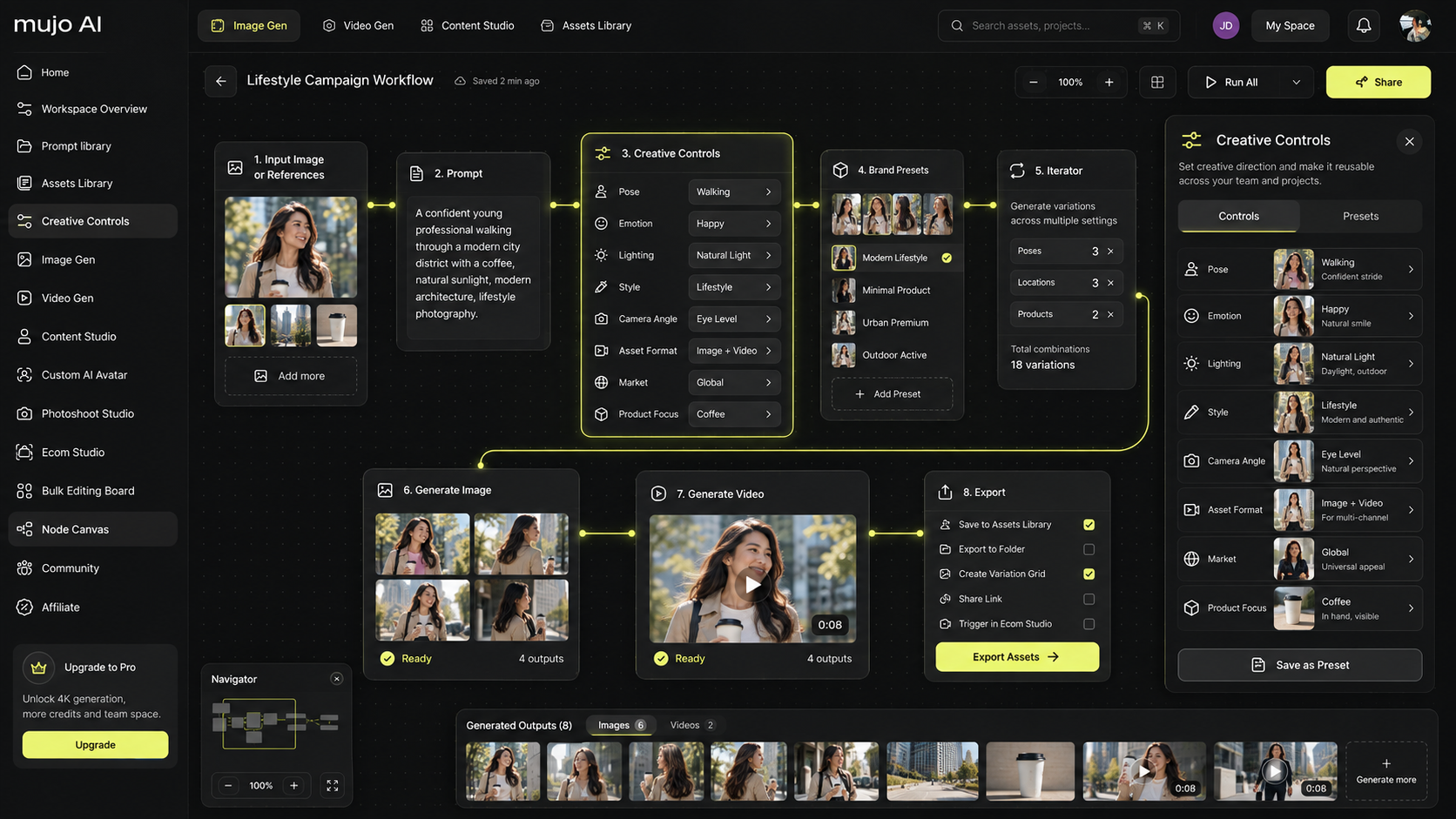
- Move work into a node workflow once it has logic: branches, dependencies, repeated steps, a human selection point followed by automated production.
- Batch is for scaling an approved concept, never for discovering one.
- Keep typography, legal copy, pricing and layout in editable layers rather than asking an image model to solve a design problem.
- Track credits per accepted asset. Credits per generation tells you nothing about whether the system is improving.
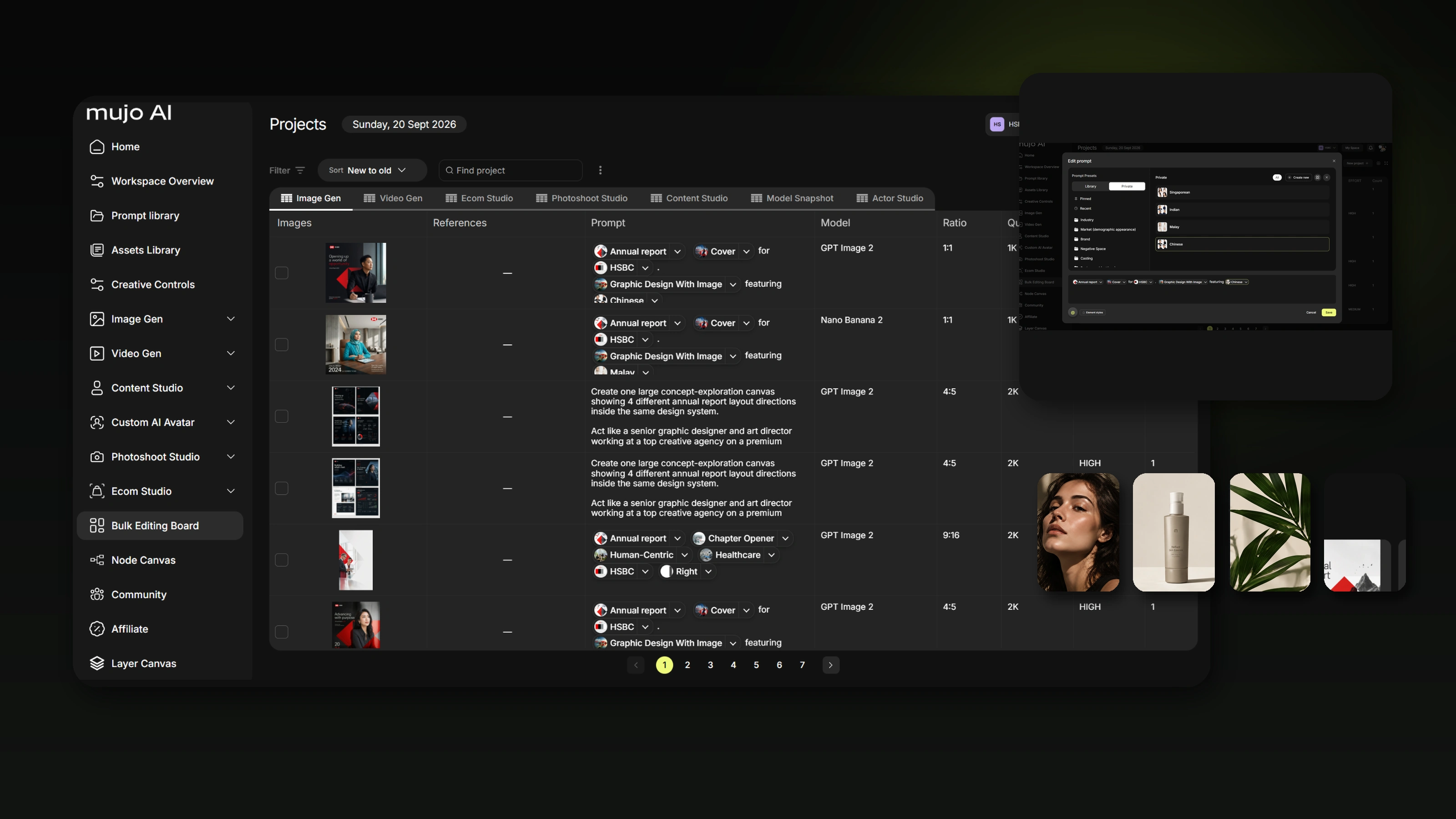
1. Build the reusable library before production starts
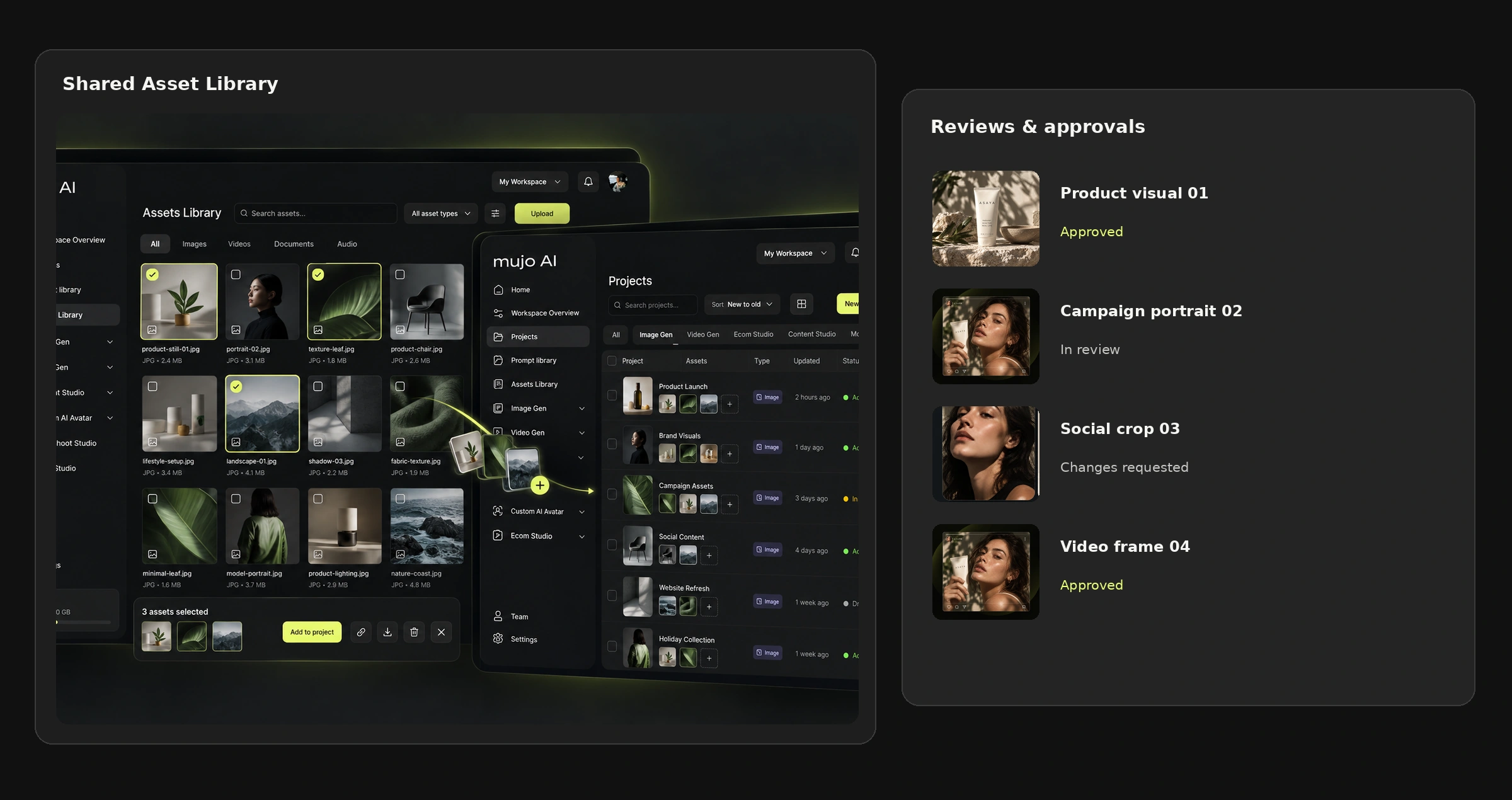
No new project should begin from a blank prompt. Start from the reusable system: brand system, product and campaign assets, approved references, custom controls, reusable workflows, output presets, QA rules, approved models and reporting rules.
A solo creator can keep important context in their head. A team cannot.
For a team this library becomes the shared source of truth, which is the whole reason it is worth building before the first brief rather than during the third one. The companion guide — Build Once, Reuse Everywhere — covers how to construct each layer.

2. Stage one: create the master direction in the normal generator
If the task is exploratory, or you need one hero image, one shot or one video concept, do not begin with a complex automation. Use the standard AI Image Generator or AI Video Generator. The objective at this stage is to answer what the idea is, what the visual direction is, which model suits the task, which references matter, which variables are genuinely important, and what the team approves as the master.
The credit rule: explore cheaply, finish expensively
A practical three-round funnel
- Round 1 — direction. A small number of variants on a fast or cost-efficient approved model. You are testing composition, idea and art direction, nothing else.
- Round 2 — refinement. Keep the selected direction and change one or two variables at a time: product fidelity, camera, light, styling.
- Round 3 — master. Only now move to the higher-quality model, and generate the master at the quality the downstream formats need.
The expensive mistake is not using a premium model. It is using it before you know what you want.
3. Do not regenerate the whole creative to change one variable
A common source of wasted credits is treating every correction as a new prompt. If the product is correct but the light is wrong, change the light. If the framing is wrong, change the framing. If the environment is right but the shot feels generic, adjust camera, texture or composition.
This is why explicit variables matter. Creative Controls lets the team operate on the decision that actually changed, instead of rewriting the entire instruction and hoping the model preserves everything else.
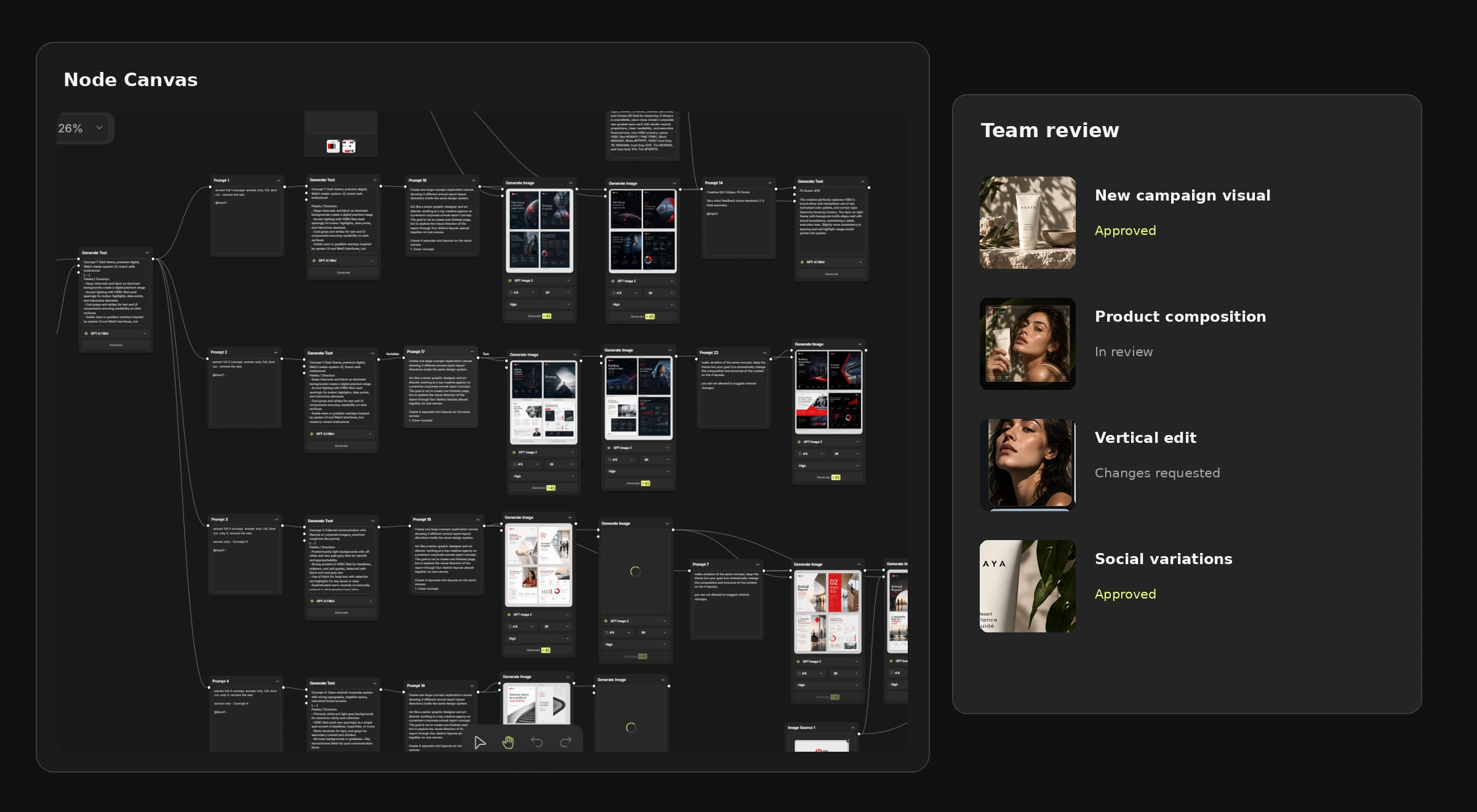
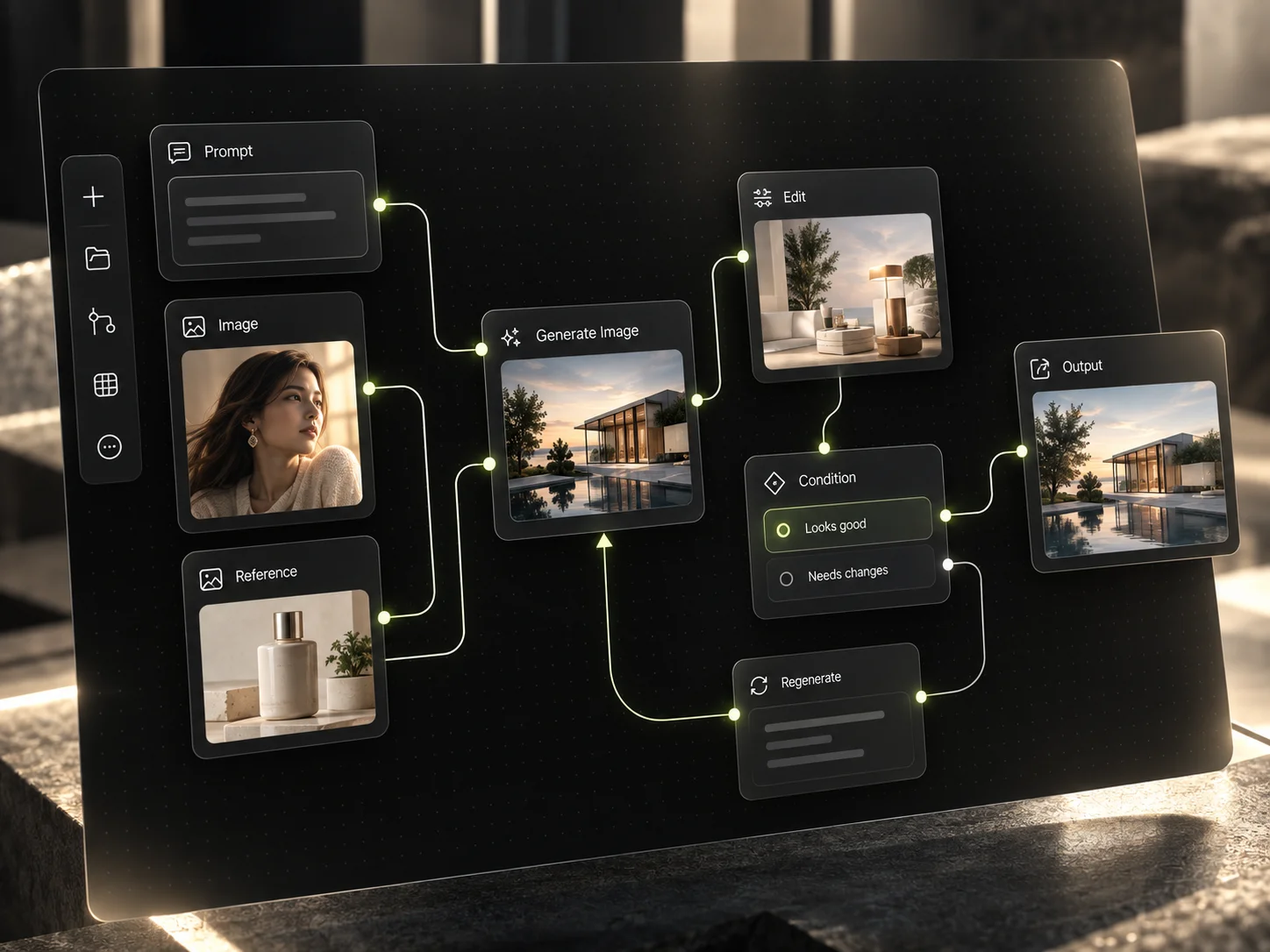
4. Stage two: when the process becomes repeatable, move it into nodes
Use the Node Editor when the work has logic rather than when the work is merely long.
Signs the task belongs in a node workflow
- Every SKU goes through the same sequence.
- One brief should produce three concept branches.
- An approved image should generate both image and video outputs.
- Every market needs a localised branch.
- The same input needs background removal, enhancement and several outputs.
- The task contains a human selection point followed by automated production.

Once the logic is stable, save it as a reusable workflow instead of rebuilding it next week.
5. Branches are where team knowledge becomes scalable
A branch is not only a technical convenience. It is a reusable production decision, and if you use one repeatedly it belongs in the reusable setup rather than in someone's memory.
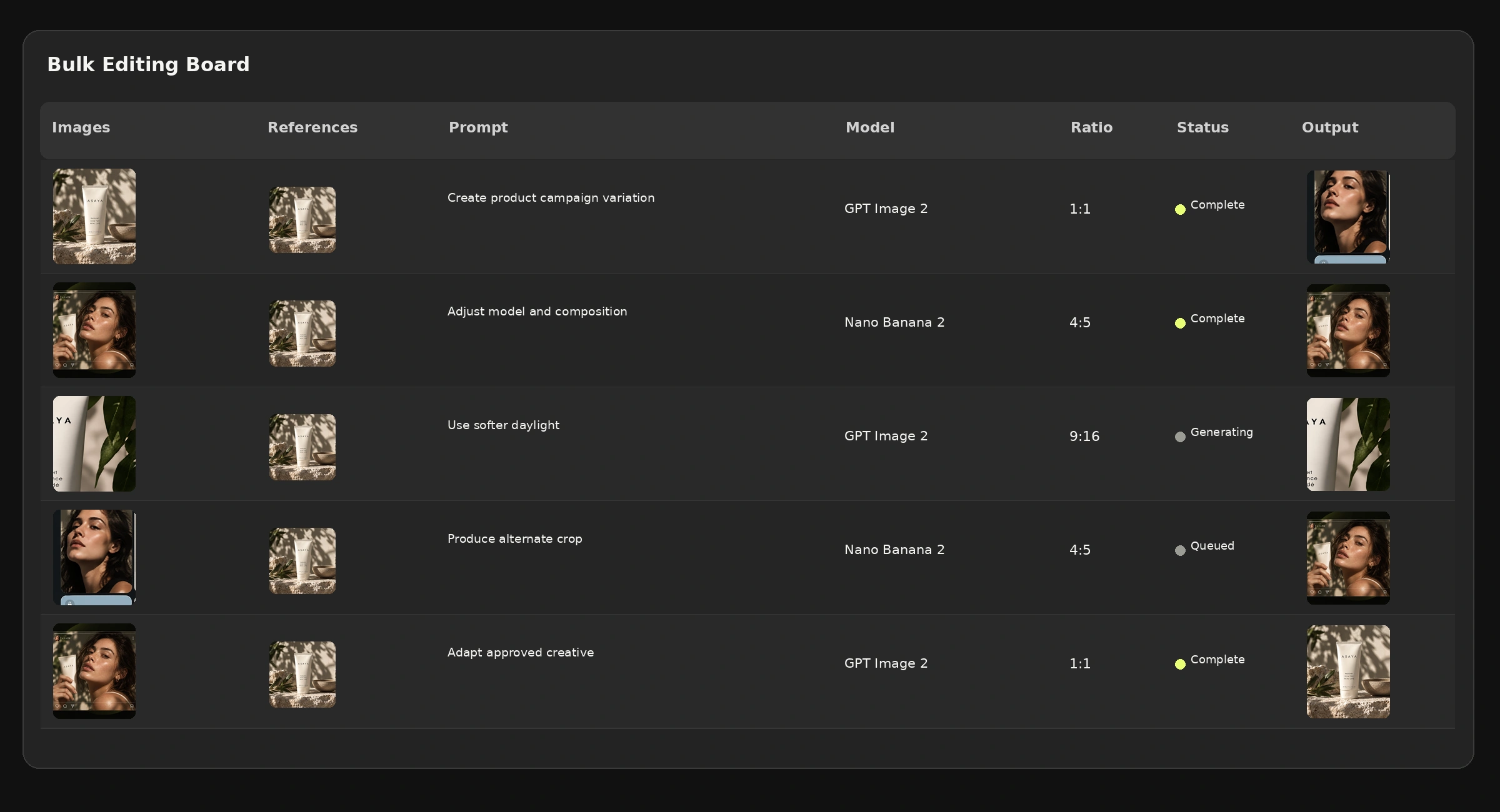
6. Stage three: scale the approved concept in batch
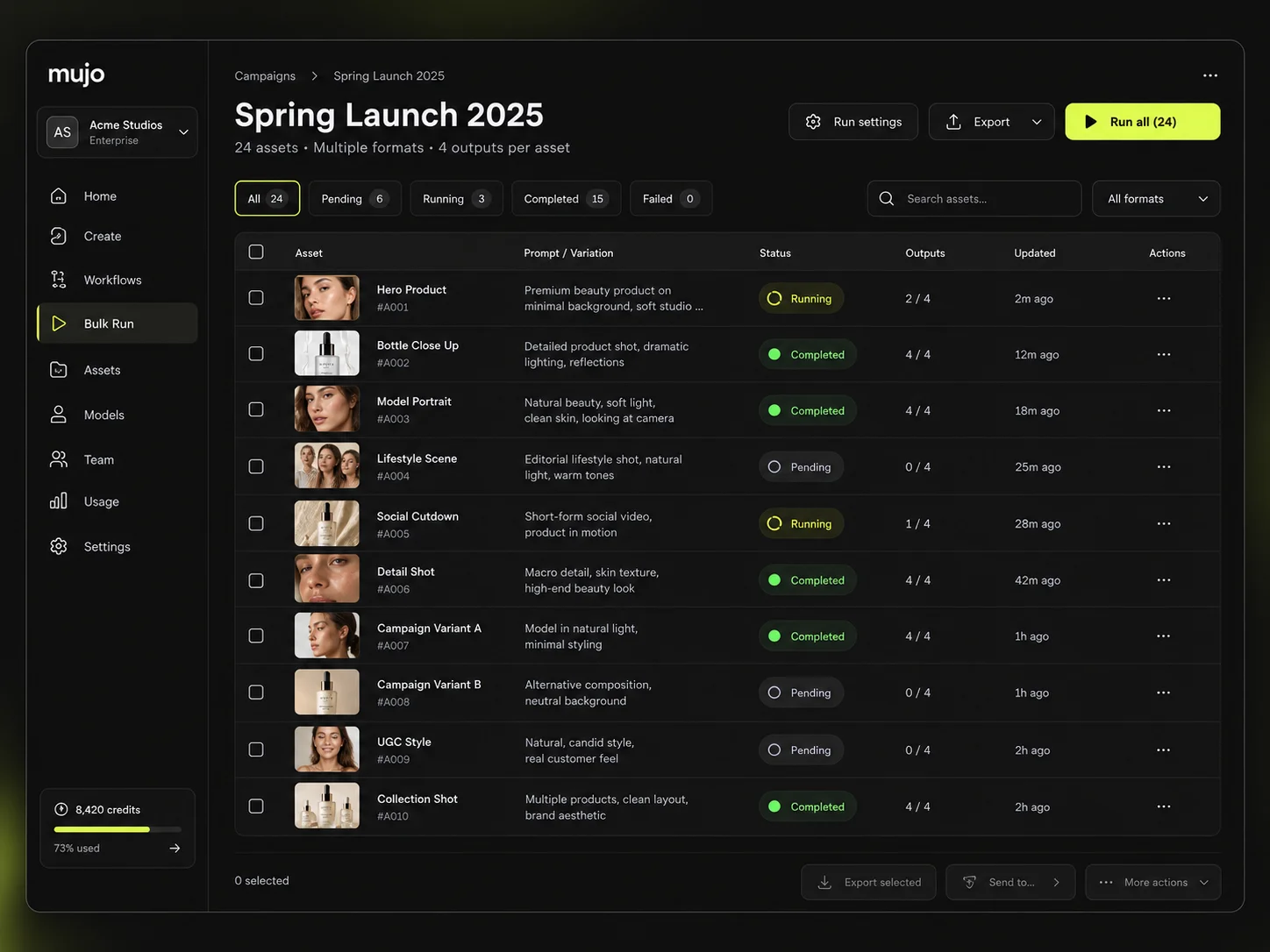
Do not use the Bulk Editing Board to discover the creative idea. Use it after the creative logic is stable — when you already know the approved master, the approved references, which variables are allowed to change, which must stay locked, the target SKUs, markets or formats, and the QA rules.
This is the difference between generating many things and structured batch production.

7. Stage four: keep the elements that should stay editable in layers
Not every part of an asset should be regenerated. Typography, final copy, logos, pricing, legal text and layout usually belong in editable layers rather than in pixels.
This matters most when
- The brand font must be exact.
- Legal copy cannot change.
- The same visual needs several languages.
- Pricing changes between runs.
- Product names must remain legible.
- Layout must stay pixel-consistent across markets.
Do not ask the image model to solve a problem a design layer solves more reliably.
8. Stage five: review before you multiply
A team needs approval gates, and each gate needs an owner. Generating five hundred variants and then discovering the master was wrong is the single most expensive failure mode in AI production.
Five gates
- Concept — is the idea worth developing?
- Master — is this the approved visual direction?
- Scale setup — are the variables, branches and outputs correct?
- Batch QA — do the scaled outputs preserve the master?
- Final design — are copy, typography, legal and export requirements correct?
9. How this reduces credits
Where the saving actually comes from
Without the system
- Blind generations from an empty prompt.
- Premium models used during exploration.
- Whole prompts rewritten to fix one detail.
- References and controls rebuilt per project.
- Batch runs started before approval.
- One default model used for every job.
With the system
- Generations start from approved references and controls.
- Fast models carry the exploratory rounds.
- Explicit variables change in isolation.
- References, controls, branches and workflows are reused.
- Batch runs only after the master and rules are stable.
- Models routed per production problem.
Track credits per accepted asset, not credits per generation. Only the first number tells you whether the system is getting better.
10. How this reduces time
The biggest time saving rarely comes from raw generation speed. It comes from removing repeated decisions. When the system already holds the correct references, the available controls, the approved model, the output formats, the QA rules and the workflow branches, the creator spends their time on creative decisions instead of reconstructing context.
11. One platform, one production flow
Many creative teams still split this process across separate tools: one app for images, another for video, a third for workflows, spreadsheets for batch, a design editor for text and layout, and a separate workspace for access and review. Every handover between them loses the references, logic and decisions that made the master successful.

12. A team operating model that holds
The exact roles vary by team. The part that does not vary is that every approval stage needs a named owner, otherwise the gates above quietly stop existing.
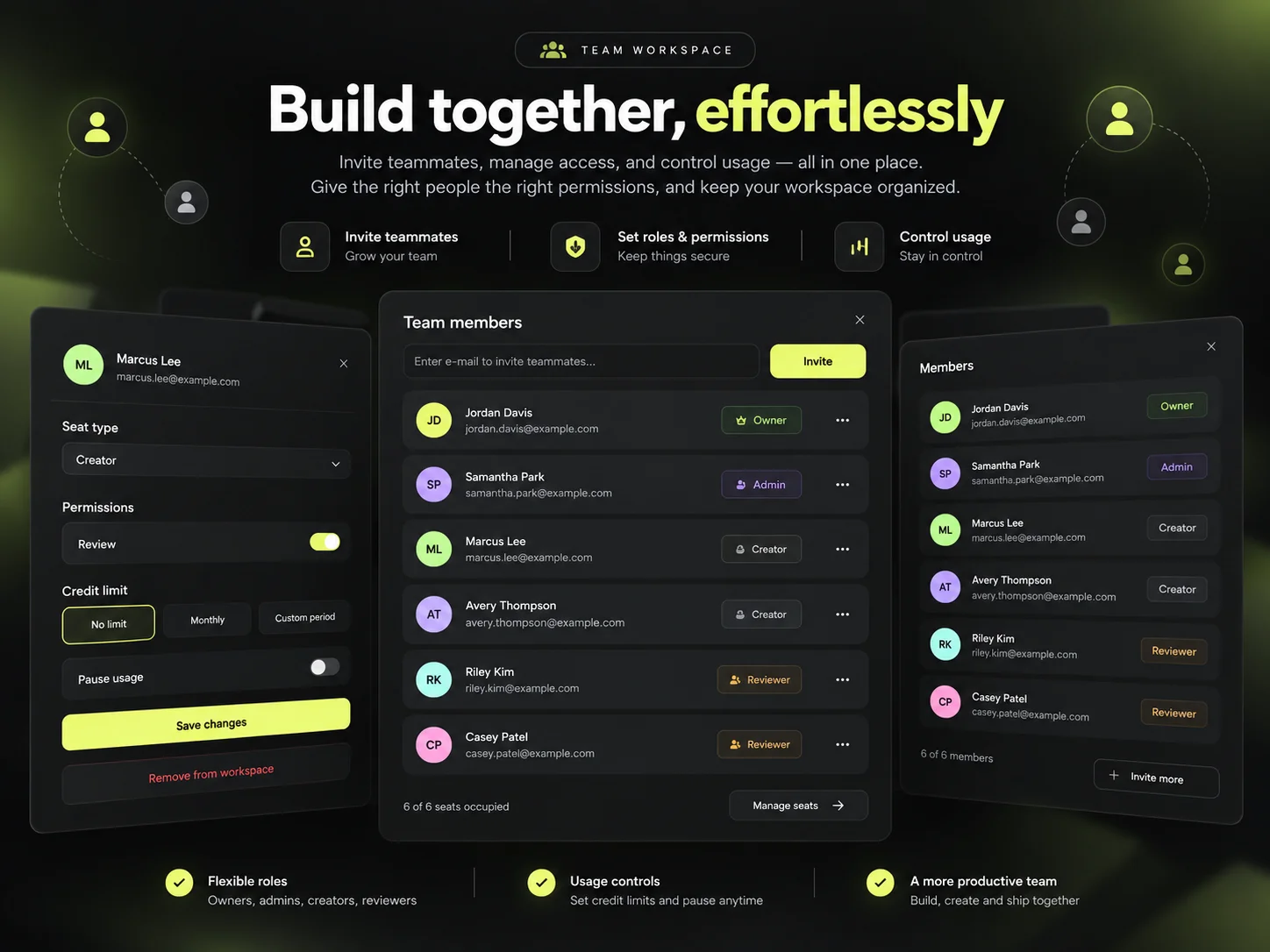
Roles, permissions and per-model access are configured in the Team Workspace, so the operating model above is something the workspace enforces rather than something a document describes.

If that is where you are, the AI Creative Workflow Setup engagement maps your current production, converts briefs and brand rules into reusable components, builds the workflow branches and sets the roles, QA and reporting around them.
Common mistakes
- Starting a new brief from an empty prompt instead of the reusable library.
- Using a premium model while the creative direction is still unresolved.
- Rewriting the whole prompt to correct a single variable.
- Building a node workflow for work that has no repeated logic.
- Running batch production before the master has been approved.
- Regenerating a visual to change a word of copy.
- Leaving approval gates without a named owner.
Frequently asked questions
How do I scale AI creative production across a team?
Work in stages: build the reusable library, create and approve one master direction in the standard generator, move the repeatable logic into a node workflow, scale the approved setup in batch, keep typography and legal copy in editable layers, then review and feed the result back into the system.
When should I use a node workflow instead of the normal generator?
When the work has logic rather than length: repeated sequences across SKUs, several concept branches from one brief, localised market branches, or a human selection point followed by automated production.
When is batch production the right tool?
After approval. Batch is for scaling a master that already exists, with the locked and variable inputs decided and the QA rules written. It is the wrong place to discover a creative idea.
How do I stop wasting AI credits?
Explore on fast, lower-cost models; change single explicit variables instead of rewriting whole prompts; reuse references, controls and workflows; and only run batch after the master is approved. Measure credits per accepted asset.
Why should typography stay in an editable layer?
Because brand fonts, legal copy, pricing and multi-language versions need to be exact and changeable. Regenerating the whole visual to correct a word is slower, more expensive and less reliable than editing a layer.
Related guides
- Build Once, Reuse Everywhere: turn your brand brief into an AI creative system
- How to produce creative variations in bulk
- How to use fewer AI credits without losing quality
- How to manage an AI creative production team
- How to build your first reusable AI workflow
Build your production workflow with Mujo Enterprise
Set the system up once, then reuse it across briefs, teams, formats and markets. From $3,000, live in 7–10 business days, with two training sessions included.