Everyone uses a different model
Output quality depends on who happened to run the generation.
We design and implement the creative workflows, brand controls, model logic, review rules and Creative Memory your team needs to produce consistent image and video at scale. One or two production workflows, fully configured inside Mujo AI, live in 7–10 business days. From $3,000.
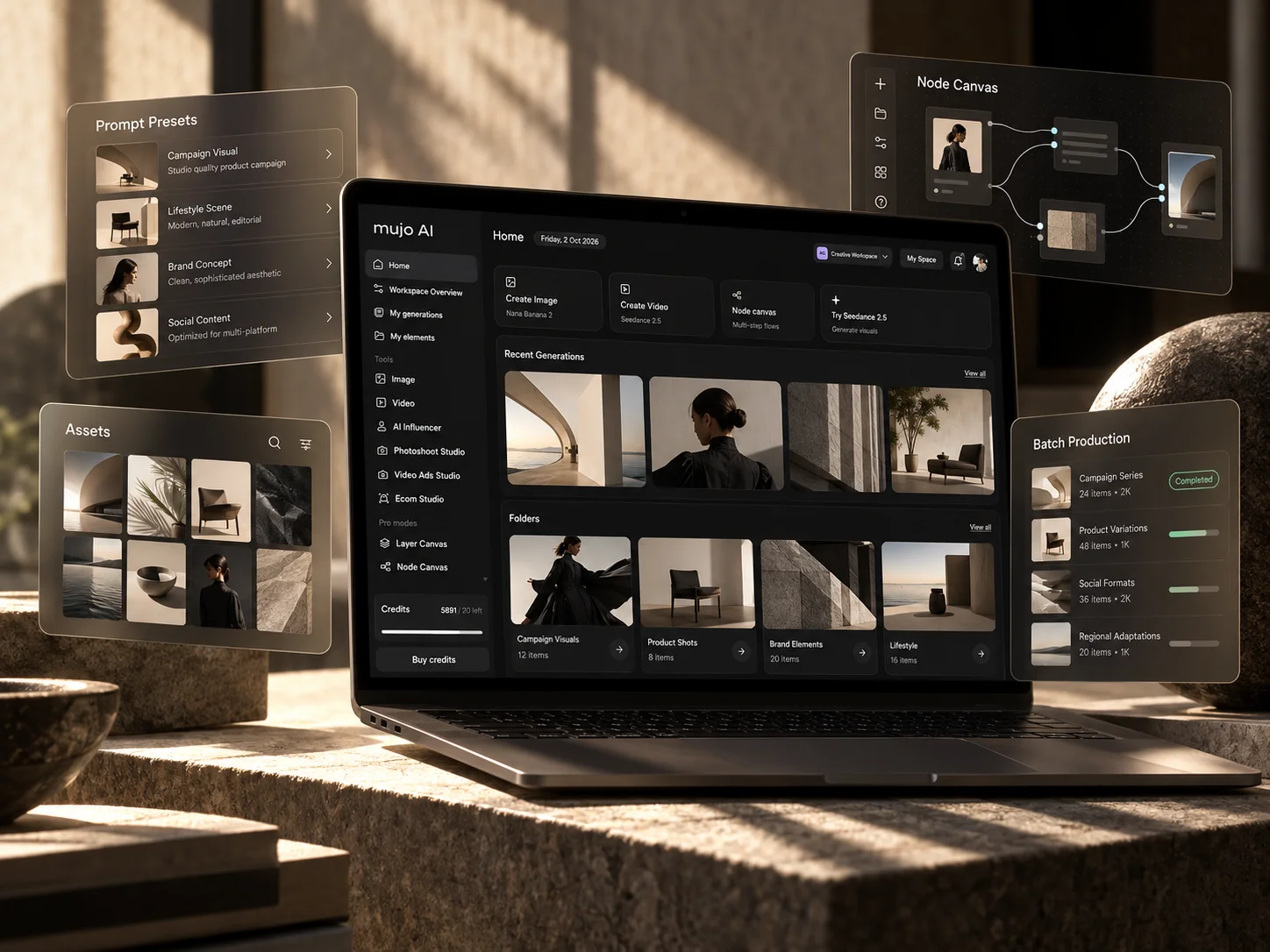
Most teams start the same way. Everyone picks a different model, prompts live in personal documents and chats, the brand guidelines get uploaded once and are expected to just work, and approved references are never preserved. The result is technically AI-enabled production that is still inconsistent, still slow and still dependent on individual people.
Access to models is not a workflow. Without structured production context, every generation starts an argument that was already settled in the last campaign, and the next campaign starts from close to zero.
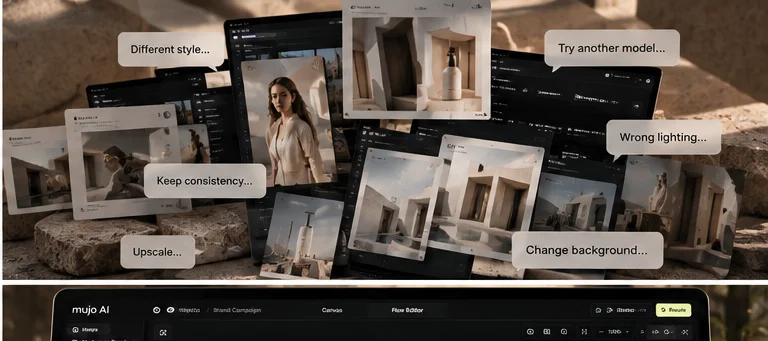
None of them are model problems. All of them are workflow problems.
Output quality depends on who happened to run the generation.
The useful ones are never found again, and never improved.
A PDF written for designers is not instruction a model can follow.
The reference that finally worked is not kept for the next run.
Camera, styling and product treatment change without anyone deciding.
Feedback lands in chat threads and never reaches production.
The same correction is applied again on the next batch.
When someone changes role, the working setup leaves with them.
Uploading a logo, a font and a palette is not enough. We translate your brand and production requirements into structured instructions that models can actually follow, and we test generations until the rules hold.
Creative Controls in Mujo AIWhere the rules apply, what the known failure cases are, which references prove the correct result — written as production instruction rather than as design documentation.
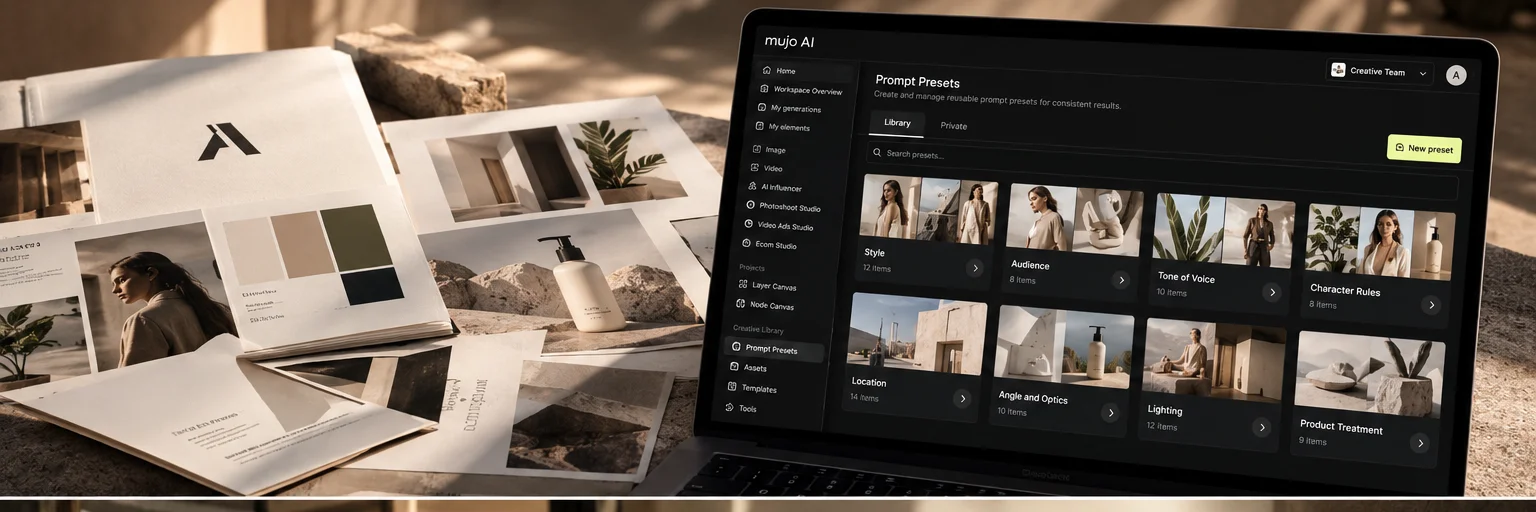
Where type can and cannot be used, proportions and hierarchy, correct implementations, known failure cases and system instructions written to reduce distortion.
Correct usage, placement, scale, clear space, prohibited transformations, reference examples and rules for generation and editing.
Approved palette, colour relationships, lighting considerations, grading, unacceptable shifts and channel-specific requirements.
Character identity, skin treatment, hair consistency, styling, dress code, demographic requirements and rules for pose and expression.
Hero references, shape fidelity, packaging, materials, camera angles, proportions and which modifications are allowed.
Camera families, lenses and perspective, lighting, composition, backgrounds, negative space, grading and crop rules.
The goal is not better prompting. The goal is a route from brief to approved asset that the same team can run again next month without rebuilding it.
Bulk production in Mujo AIBefore: brand book, someone writes a prompt, regenerate, regenerate again, fix by hand, feedback in chat, next campaign starts from close to zero. After: a structured route where each step feeds the next and the decisions are kept.
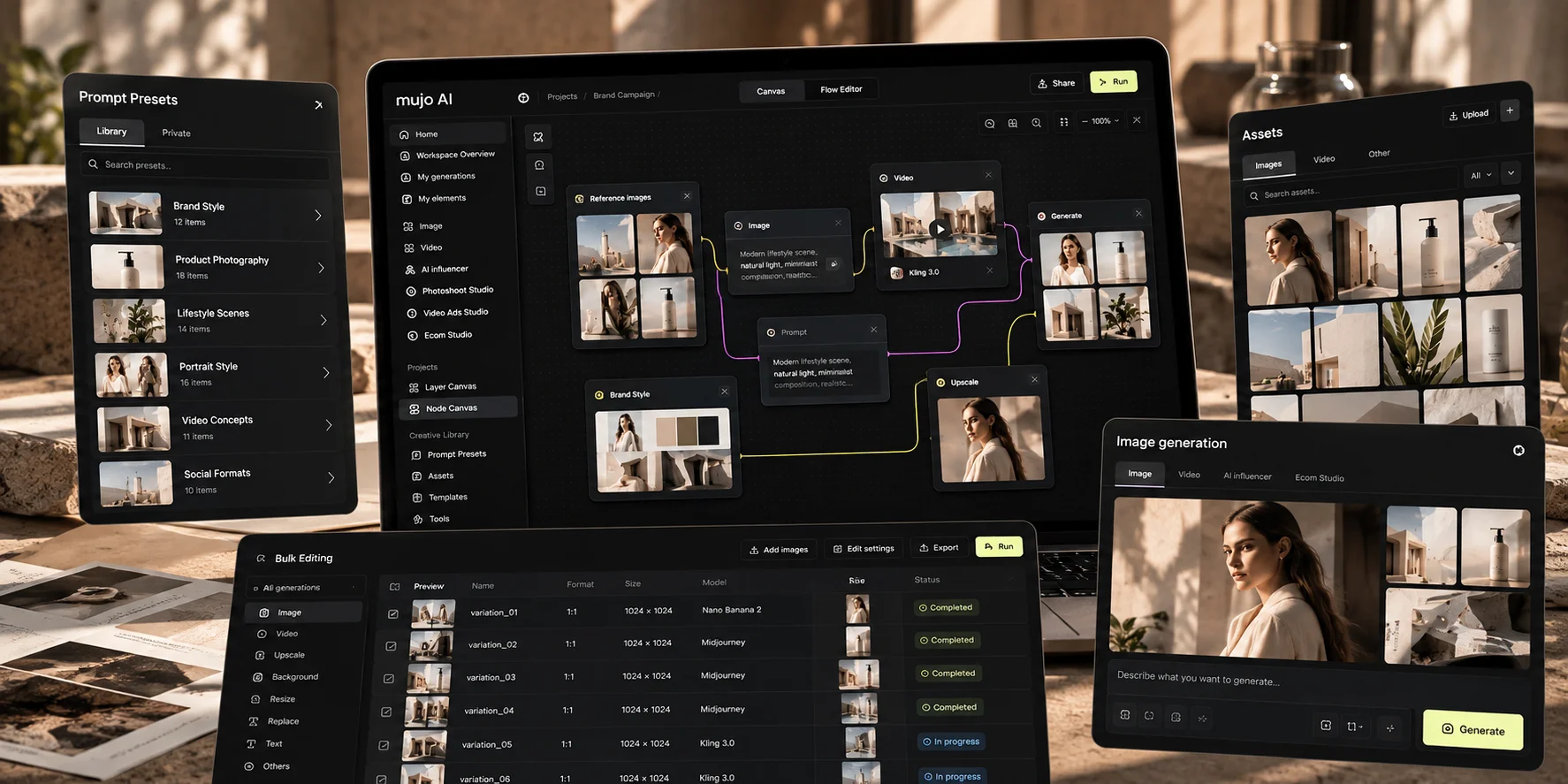
Brand, historical work and production requirements turned into instruction.
The material that proved the correct result, kept where production can reach it.
The right models and production routes configured behind the workflow.
Reusable controls for camera, lighting, styling, composition, characters and products.
The route itself, built once and run again.
Decisions made beside the work rather than in a separate thread.
Approvals, rejections and comments retained as project context.
New formats, new campaigns and larger asset families from the same system.
When the setup is finished, your Mujo workspace is already configured around the way your team actually produces creative. Not a blank workspace. Not a generic template. Not a strategy deck.
Enterprise capabilities on Mujo AIProjects, assets, references and controls are populated during setup, using your own production material, so the first real brief can run through the system on day one.
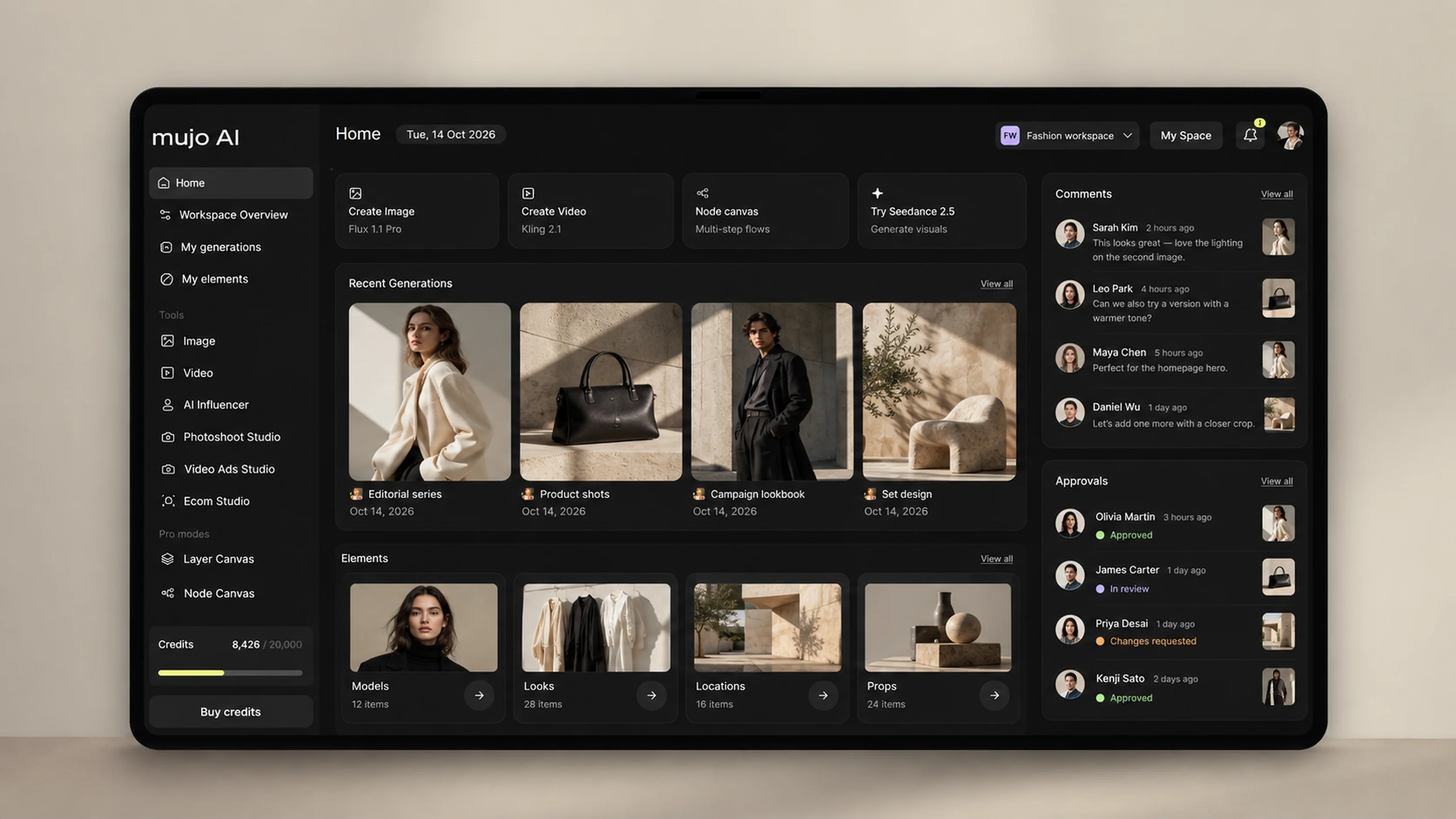
Your production structure, projects and assets.
Fonts, colours, logos, visual rules, instructions and approved references.
Reusable controls for cameras, lighting, styling, composition, environments, characters and products.
One or two production-ready workflows built around your highest-value use cases.
The right models and production routes configured behind each workflow.
Where the use case needs variants, resizes or larger asset families.
Review stages and approval logic around your production process.
Memory starts learning from approvals, rejections, comments and production decisions during setup.
Approved references, source material and production inputs organised for reuse.
Brand, visual and technical checks relevant to your output.
Campaign assets, banners, social, ecommerce and video — the formats your team actually needs.
Production activity and usage visibility inside your environment.
We build one or two working production workflows around your highest-value recurring use cases. We do not implement AI in general — we start with the work your team already repeats.
See the Node EditorThe workflow is built on the Node Canvas inside your own workspace, using your own references and controls, so your team can open it, run it and extend it after handoff.
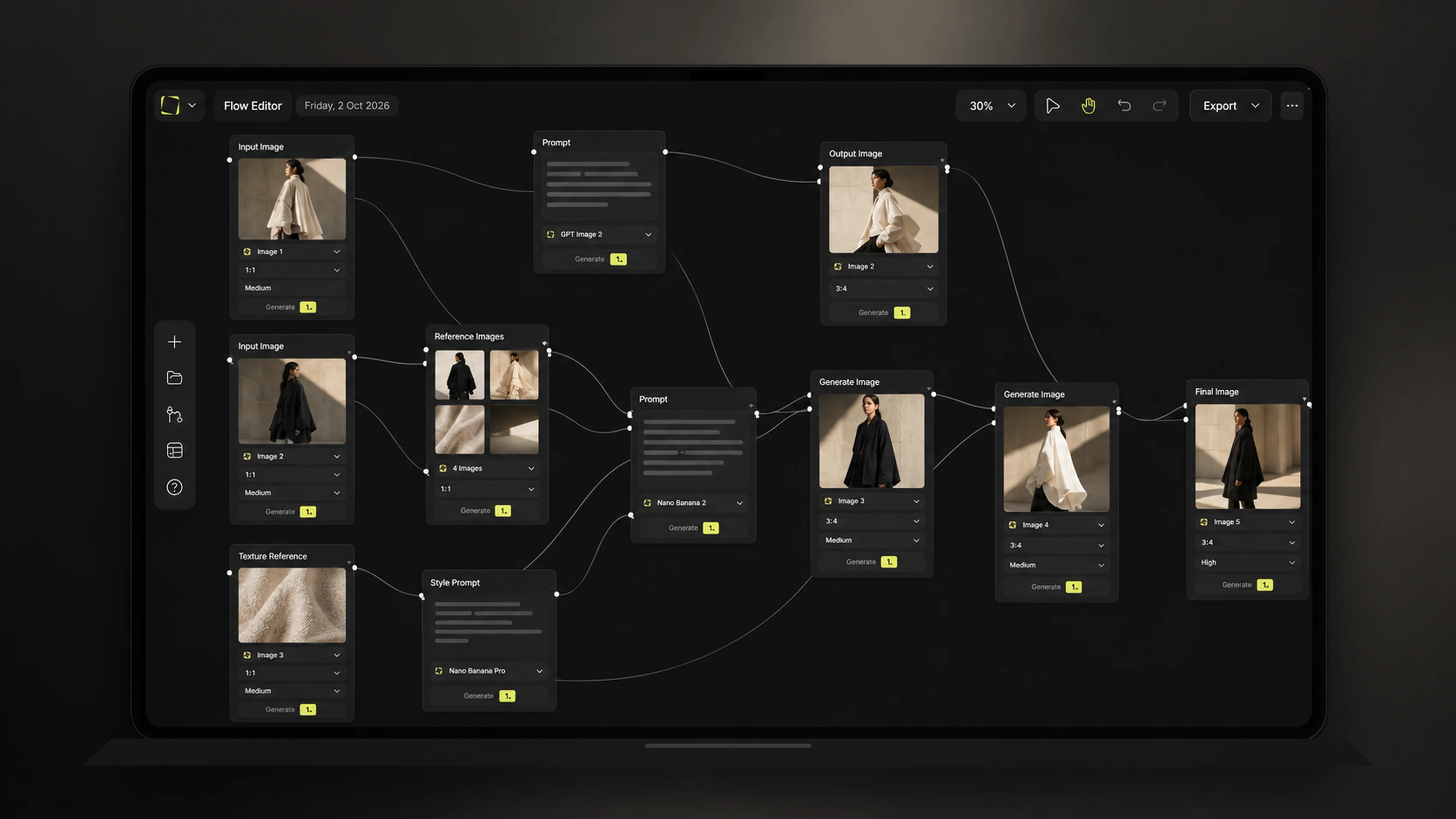
Approved master into social, display, OOH and alternative compositions.
Product references into hero, lifestyle, campaign and ecommerce variants.
Brief into concept, frames, video, review and vertical outputs.
Talent identity, styling, environment and camera system into approved output.
Render into enhanced master, lifestyle, static, video and adaptations.
Product and script into AI talent, hooks and vertical-video variants.
Catalogue inputs into a consistent, repeatable listing image system.
Brand context and visual direction into recurring report and communication assets.
The first impressive generation is not the problem. These are the problems that appear on the second campaign, the fortieth asset and the third format.
Production use cases on Mujo AIKeep the product recognisable across scenes, formats and campaigns.
Preserve identity across images and video.
Define the visual treatment rather than hoping each generation lands correctly.
Build repeatable camera families, angles and perspective.
Reduce broken type, unintended substitutions and incorrect brand treatment.
Control how and where brand marks appear.
Preserve palette and grading across output.
Wardrobe, dress code, accessories and art direction.
Maintain spatial logic, materials and architectural identity.
Preserve environments, props and creative direction across a sequence.
Turn approved creative into different placements without destroying composition.
Keep subjects, environments and key visual decisions coherent across shots.
Mujo AI has structured production analytics across more than 300,000 generations, and the number grows every day. We use that alongside hands-on production experience to understand how models, controls and workflows behave on real creative work.
We design it using what we have learned from hundreds of thousands of real generations, and we test the result on your own material before handing it over.
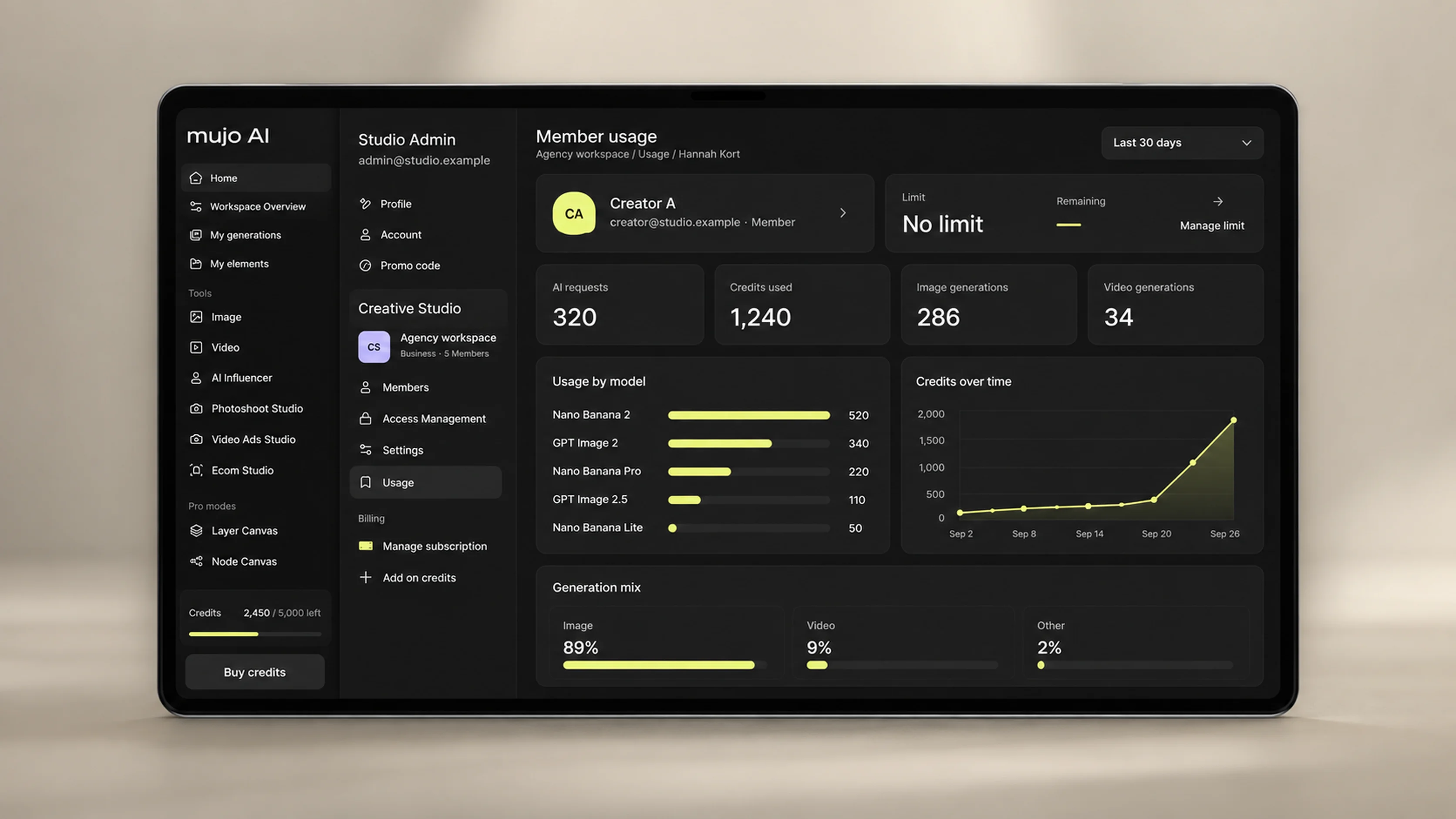
Which models tend to work better for specific production problems.
How successful workflows differ across product, people, architecture, video, ecommerce and campaign work.
Patterns across different types of users, projects and production behaviour.
Where teams regenerate unnecessarily, where controls improve repeatability and where a different route makes more sense.
Which combinations of references, controls, editing steps and model routes are worth testing first.
We structure review and approval around the way your team already works, so a decision made once does not have to be made again on the next batch.
The system should remember what your team already decided.
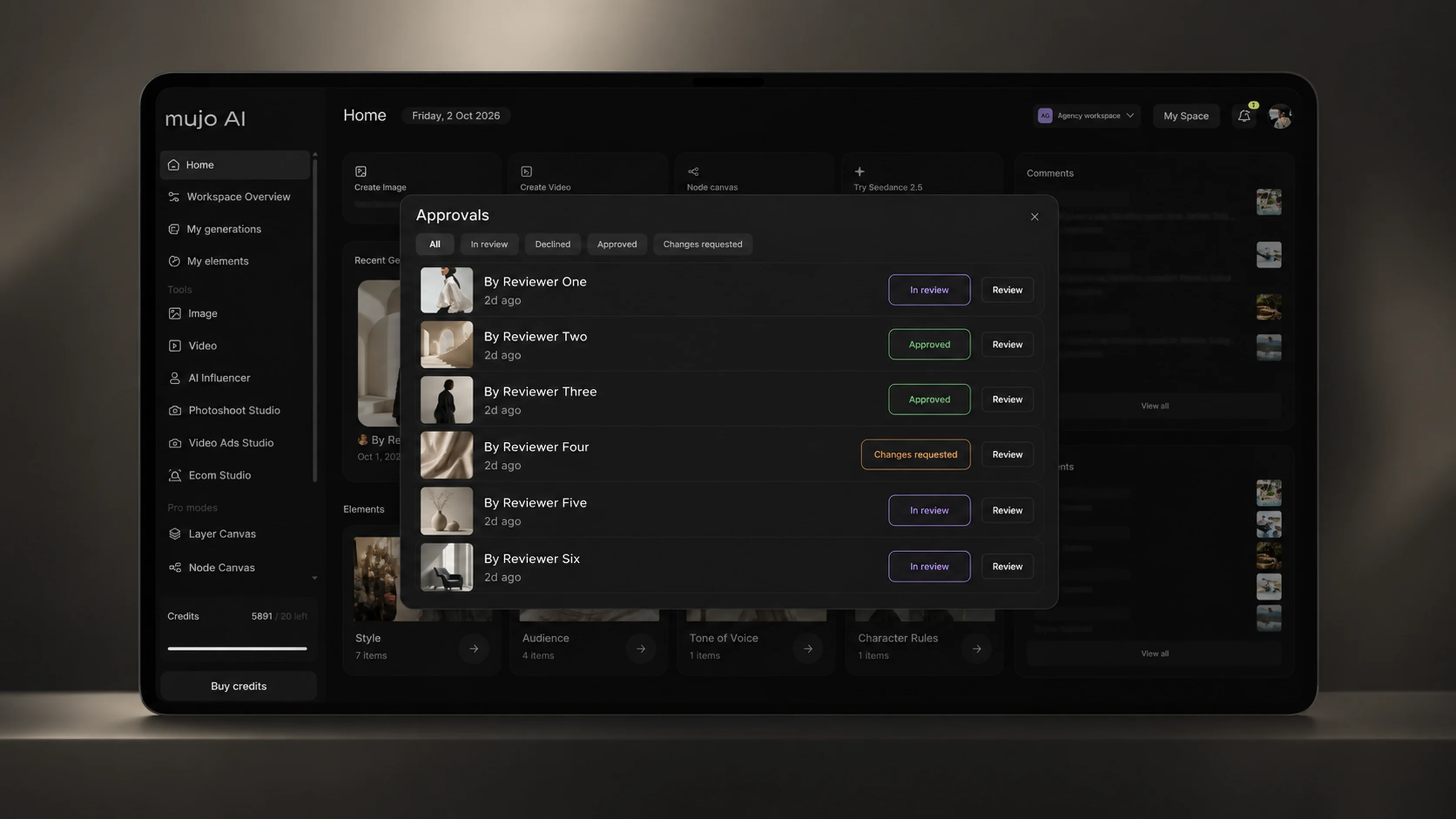
Creative Memory begins learning during setup rather than after it. For ongoing production, approvals, rejections and comments can feed the project's memory.
Memory can retain project context from approvals, rejections, comments, reused creative directions, recurring preferences and production decisions — which helps preserve useful context as projects evolve and teams change.
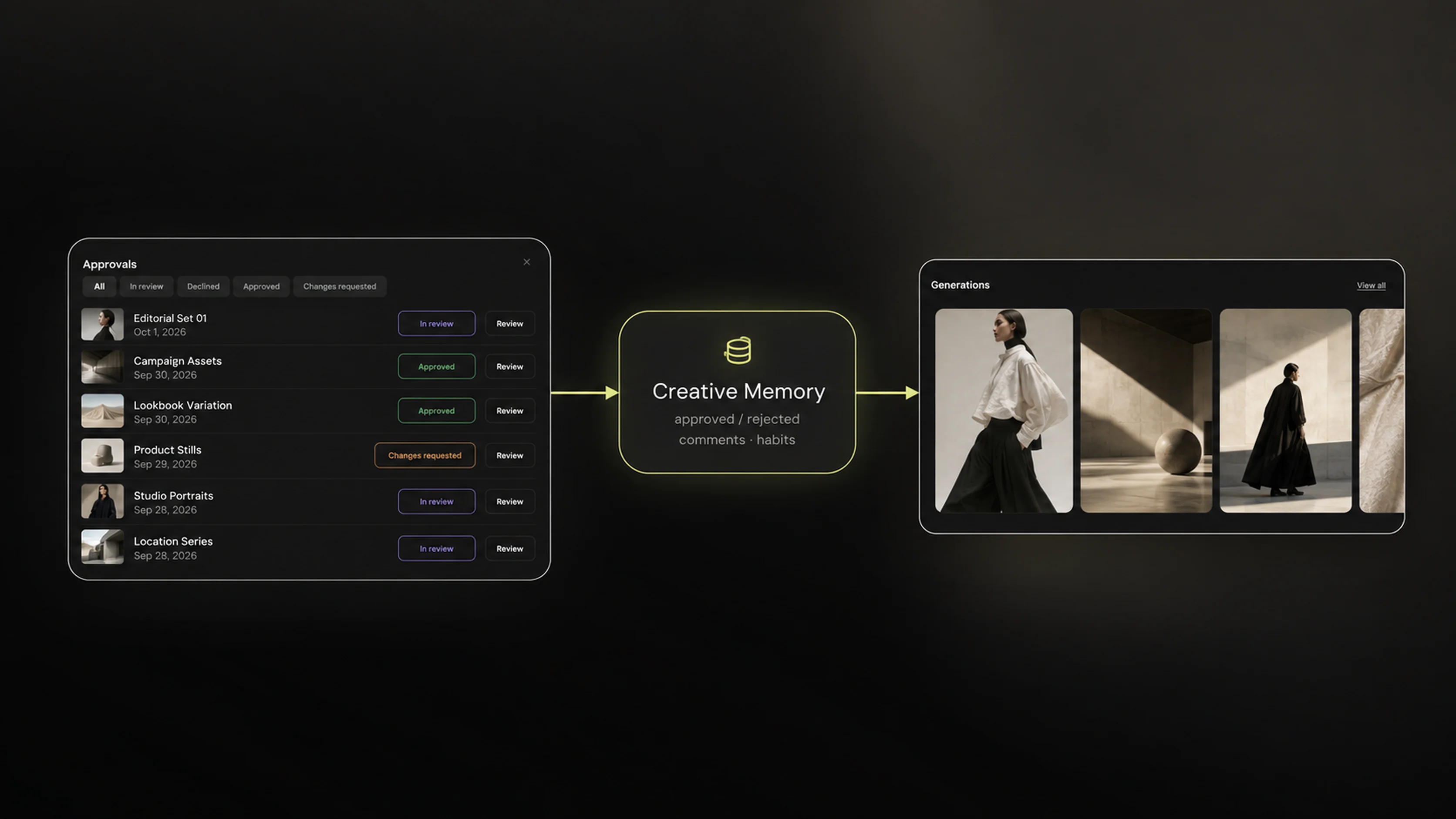
The team looks at real output inside the production system.
The decision is recorded against the work it refers to.
Context from that decision is retained on the project.
The following cycle starts from what was already decided.
Send us your last three to six campaigns, approved work, rejected work, comments and brand materials. We analyse what they have in common and translate it into the initial workflow, controls, references and Creative Memory.
Historical Creative Intelligence Setup — from $1,500 as an add-on. Final pricing depends on archive size and complexity.
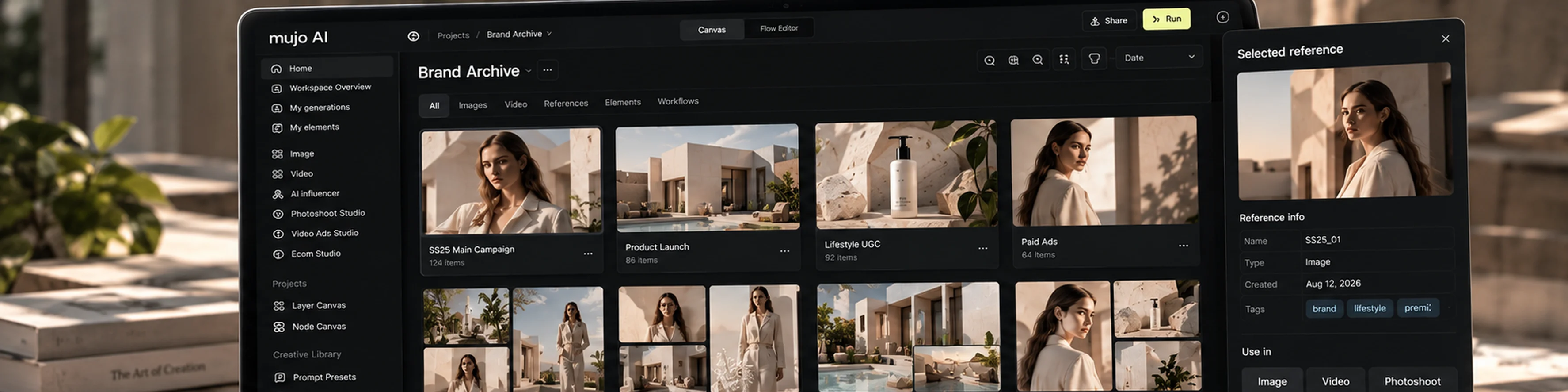
During setup we run the workflow against your actual production material, so the handover is a working system rather than a document describing one.
When a model repeatedly breaks a rule we do not just document the problem. We adjust the context, controls, references or production route, and test it again.
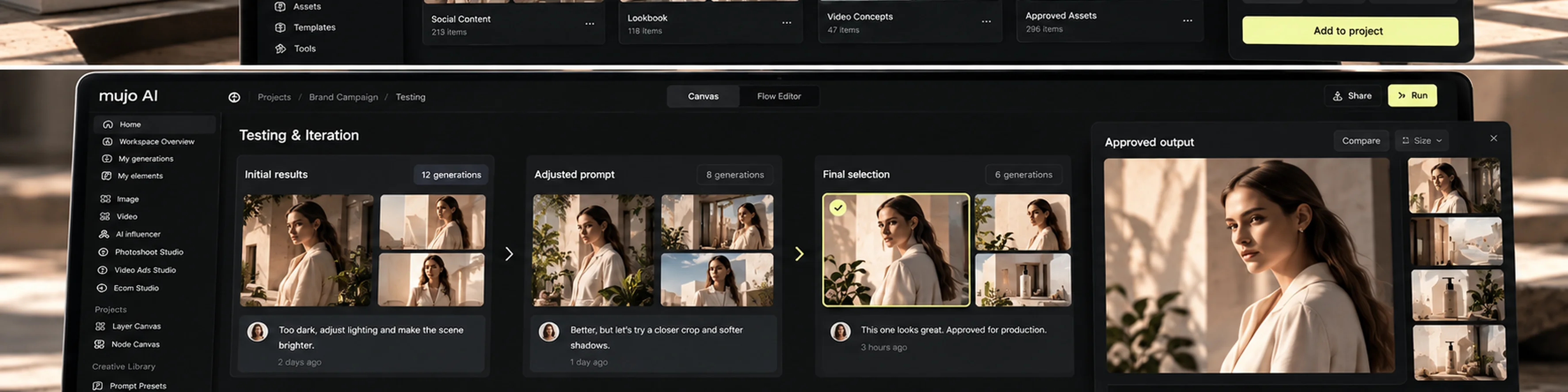
For teams that need governance, Mujo supports structured access and workspace management. We configure what exists in the product — nothing beyond it.
Team workspace and governanceWe configure the access and workspace management that exists in the Mujo product. We do not claim security or compliance functionality the platform does not have.
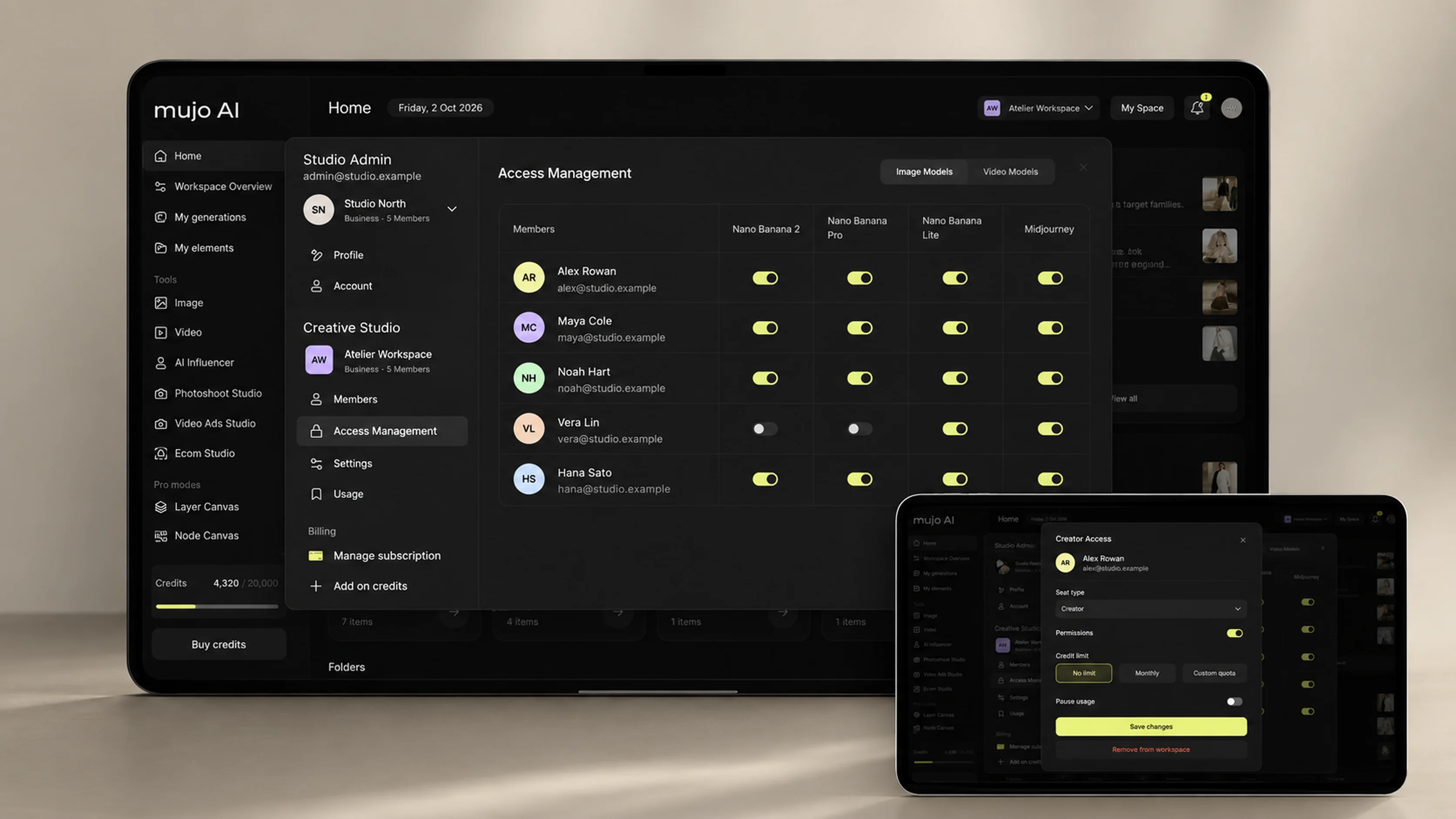
Who does what inside the workspace.
Access scoped to the way the team is organised.
Who can comment, request changes and approve.
Which models are available to which members.
Production volume kept inside agreed boundaries.
Per-member limits where the team needs them.
Stop activity on a member or a workspace when required.
Adding, changing and removing people as the team changes.
After 7–10 business days your team has a working system rather than a presentation. Everything below is included in the setup.
Set up around your production, not a template.
Projects and assets organised the way your team works.
Brand and production requirements written as model instruction.
Reusable controls for the variables you keep changing.
The material that proves the correct result, kept for reuse.
Built around your highest-value recurring work.
The routes configured behind those workflows.
Memory already holding context from the setup.
Review stages, approval logic and the checks relevant to your output.
Campaign, banner, social, ecommerce and video formats you actually use.
Real generations run on your own material.
Written for your team, with no attendee limit from one team.
We train the team that will actually use the system, then come back once they have used it.
How the system is structured, and how to run workflows, controls, projects and reviews.
After the team has used the setup, we review real output, answer questions and refine the workflow.
Both sessions are open to everyone on one team, not to a named list of seats.
After the setup is live we can keep improving it as models, campaigns and production requirements change. Ongoing optimisation starts from $1,500 a month, and is optional — the setup can be a standalone engagement.
One person who knows your setup.
What is working, what has drifted.
New and updated models evaluated against your use cases.
Production routes adjusted as the stack moves.
Controls tightened where output keeps drifting.
Memory kept useful as the project evolves.
References and checks refreshed against current work.
A workflow extended or a new one started, plus office hours.
The workflow changes by use case. The setup methodology does not. Typical roles: CMO, Head of Marketing, Creative Director, Head of Production, AI or Innovation Lead, Brand Lead, Ecommerce Lead. Industries: real estate, automotive, fashion, beauty, FMCG, ecommerce, consumer tech, advertising, production studios and corporate communications.
See the workTurn AI experiments into repeatable production for client work.
Build workflows around recurring brand and campaign production.
Reduce dependence on ad-hoc prompting and external production for everyday assets.
Integrate AI into existing image and video pipelines.
Build repeatable product and listing production.
Get a professional production setup without building an internal AI team.
Start with one working system. Final scope is confirmed after we see the work you already do.
Mujo AI platform pricingOne or two production workflows, live in 7–10 business days. Workspace configuration, brand system, Creative Controls, workflows, Creative Memory, reviews and approvals, QA, test production and two training sessions.
An add-on that analyses your last three to six campaigns and translates the patterns into references, controls and initial production context. Final pricing depends on archive size and complexity.
Ongoing optimisation after the setup is live: workflow health, model updates, routing, controls, memory tuning and one workflow update a month. Optional.
For multiple brands, departments, markets and use cases, larger production volumes and ongoing implementation.
If the answer you need is not here, send the question with your brief and we will answer it before quoting.
Mujo AI AgencyImplementation. We do not stop at recommendations — we configure the Mujo workspace, controls, workflows, reviews, QA and production context.
Most standard setups are designed to go live in 7–10 business days.
A configured Mujo workspace, structured brand context, Creative Controls, one or two production workflows, reviews and approvals, QA, Creative Memory initialisation, test production and two training sessions.
No. We can start from your current creative process, even if AI usage is still fragmented.
Anything you consider important: brand materials, campaigns, references, products, renders, examples, rejected work, existing prompts, current workflows, or simply a brief.
Yes. The Historical Creative Intelligence Setup analyses the last three to six campaigns and translates useful patterns into references, controls and initial production context.
No. The setup works for agencies, small businesses, in-house teams and large enterprises.
No. The $3,000 setup can be a standalone engagement. Ongoing optimisation is optional.
The workflows are built around models available through Mujo AI. The platform supports a broad multi-model stack, and the route is chosen around the production requirement.
A production architect from the Mujo AI Agency team, working with the people who will use the system. A real person, not an AI sales agent.
Send us the creative work you already do. We will identify the first workflows worth building and show you how we would configure them inside Mujo. Real person. No chatbot. No generic AI audit.