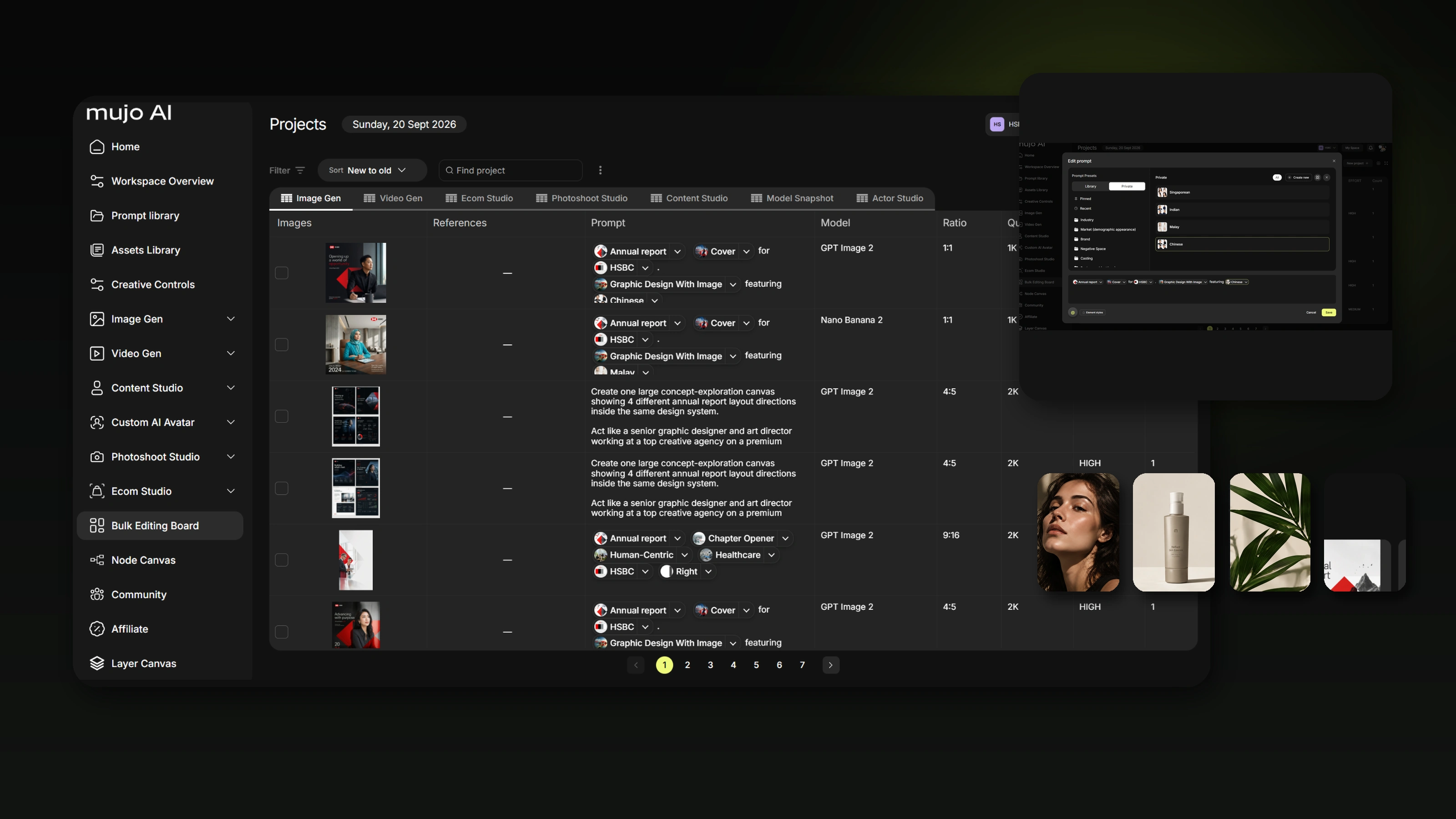
Turn brand rules, assets and references into reusable AI components your team can use on every brief
The useful unit of work in AI production is not the prompt — it is the reusable system around the prompt. This guide breaks a brand brief into nine reusable layers — brand system, assets, references, controls, workflows, output formats, QA rules, approved models and reporting — so a new campaign starts from an operating system instead of an empty prompt box.
Most teams start using generative AI the same way: open a model, paste a brief, write a long prompt, generate a few options, and start over on the next task. That works for experimentation. It breaks down in production.
The moment a team needs to produce hundreds of assets, work across several markets, keep a product recognisable, preserve brand language, control who can use which models, or repeat an approved visual direction next month, a prompt is no longer enough.
A brand already has a system: colours, typography, tone of voice, product assets, references, legal constraints, approved formats and review rules. AI production adds a second layer on top — model choice, generation variables, reference strategy, camera and lighting controls, repeatable workflows, branching logic, cost rules and QA. The work is translating both layers into components your team can call again without rebuilding the logic from zero.
The short version
- A traditional brief is written for people; an AI production system needs the same information split into components that can be reused independently.
- Nine layers cover it: brand system, assets, approved references, custom controls, workflows, output formats, QA rules, approved models and reporting.
- Encode how colour and type are used, not only their values — a model can match a hex code and still produce something completely off-brand.
- Give every reference an explicit job: subject, lighting, composition, camera, wardrobe, location, colour or motion. A folder called “moodboard” teaches the model nothing.
- Define output formats and QA rules before you scale, not after a thousand assets exist.
1. Start with the brief, but do not leave it as a document
A traditional brief mixes objectives, audience, brand context, deliverables and creative direction in one document. That is the right shape for a human reader and the wrong shape for a production system.
Instead of asking “what prompt should we write for this campaign?”, ask “which parts of this brief should become reusable inputs, controls, rules and workflows?”
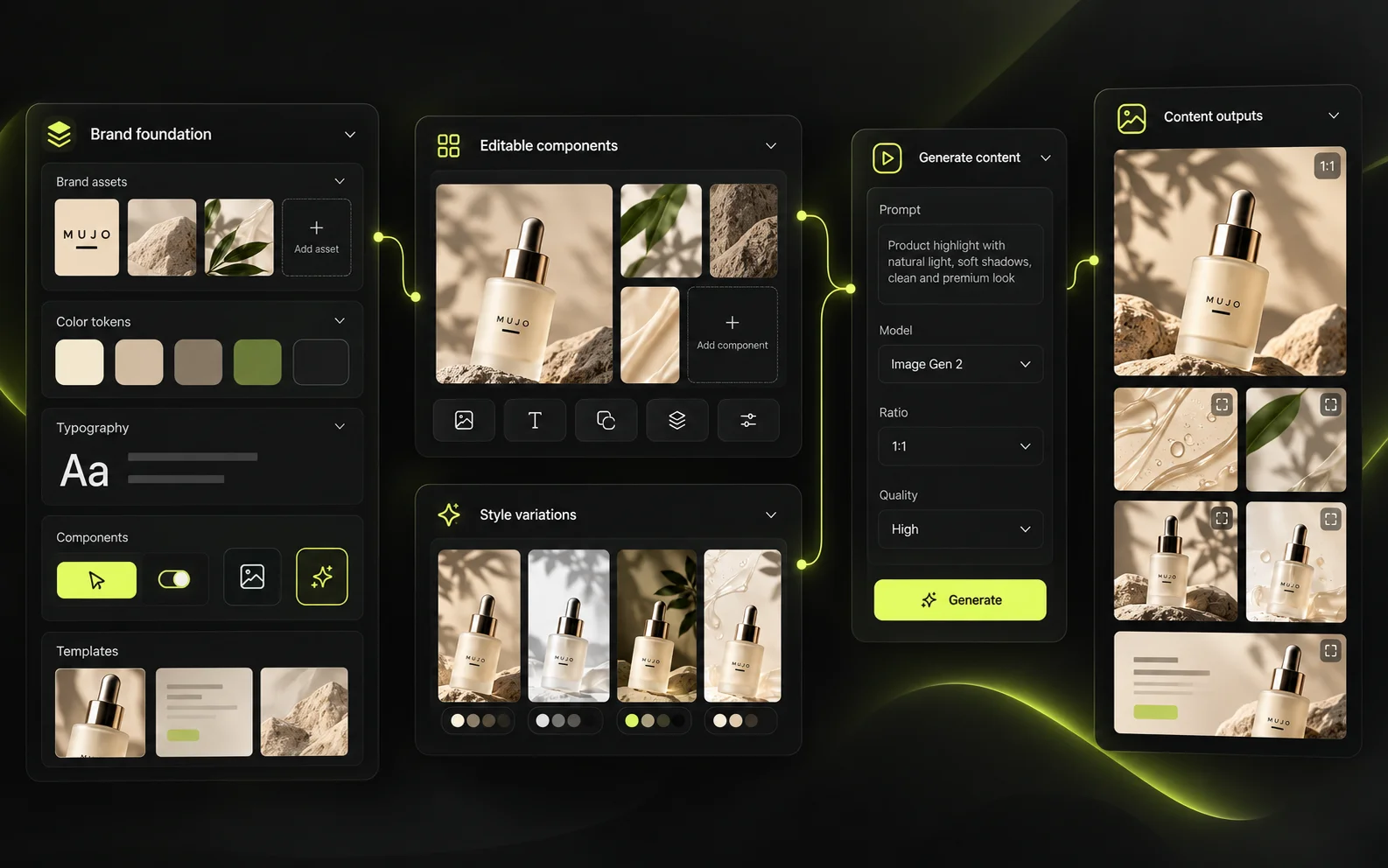
The nine layers of a reusable setup
- Brand system — the parts of the brand that must not drift.
- Assets — approved source material the system builds from.
- Approved references — images with a defined job.
- Custom controls — the variables your team changes repeatedly.
- Workflows — saved production logic, not only saved outputs.
- Output formats — the deliverables you actually ship.
- QA rules — a repeatable definition of approved.
- Approved models — which model is acceptable for which job.
- Reporting — what the production system is costing and returning.
Build these once and a new campaign starts with an existing operating system instead of an empty prompt box.
2. Brand system: encode the parts of the brand that should not drift
A brand system for AI production is broader than a classic colour palette. At minimum, document core and secondary colours, typography rules, logo usage and exclusion zones, tone of voice, product naming, packaging rules, recurring materials and textures, preferred photographic language, prohibited visual treatments, market-specific restrictions, and any legal or regulatory copy that must never be invented.
Colour
Do not only store hex values — store how colour is used. For example: primary background is a warm off-white; the accent is used sparingly; dark mode is graphite rather than pure black; neon gradients are out; packaging colour must remain unchanged. This matters because a model can match a colour approximately and still produce a result that feels completely off-brand.
Typography
Do not rely on an image model to reproduce critical brand typography perfectly. For brand names, legal copy, pack text, pricing or final ad copy, the safer production pattern is to generate the visual without the critical text, keep the required copy as structured content, apply approved fonts in an editable layout layer, and QA the text before export.
Treat typography as a production layer, not as decorative pixels the image model is free to reinterpret.
Brand safety
Create explicit rules for what the system must never generate. The more production you automate, the more these rules earn their keep.
Typical prohibitions worth writing down
- No unapproved health or performance claims.
- No competitor logos.
- No product redesign and no changes to mandatory packaging information.
- No prohibited environments or audience depictions.
- No unapproved public figures.
- No synthetic legal copy.
- No unsafe or culturally inappropriate variants for specific markets.
3. Assets: give the system the real material it should build from
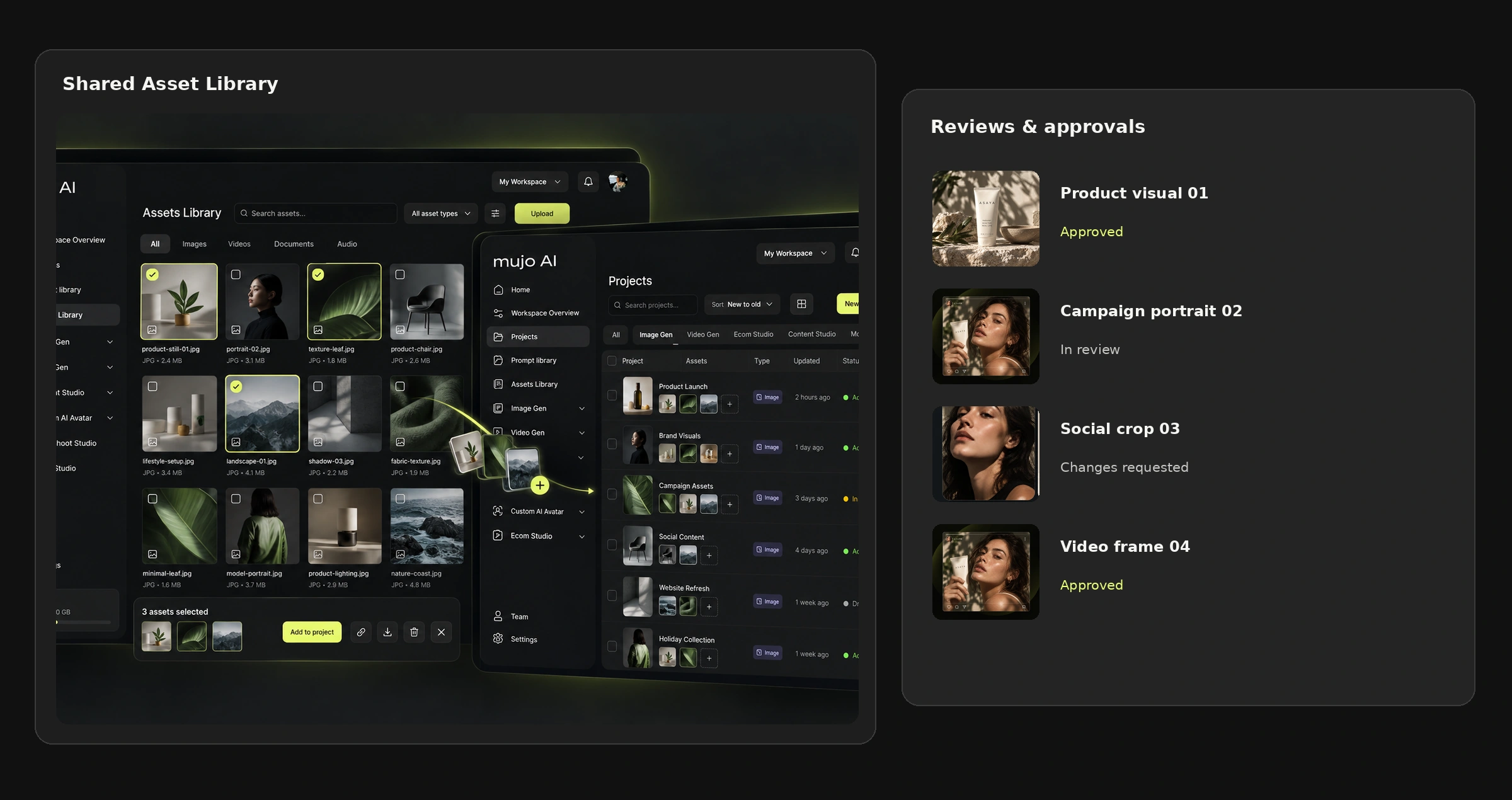
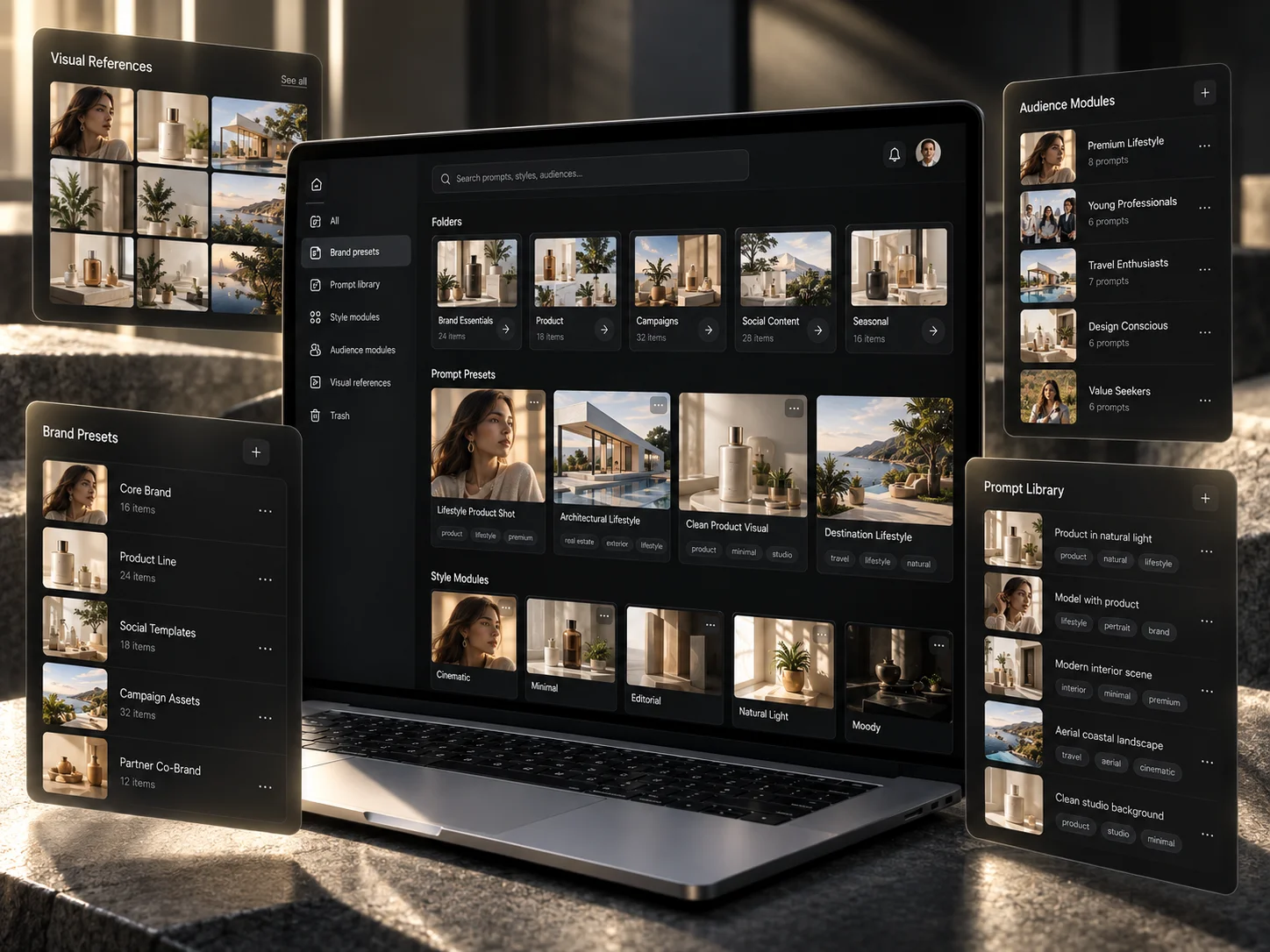
Your reusable library should contain approved source assets, not a dump of files from past campaigns. Typical categories: product packshots, cutouts with transparency, logos and lockups, approved campaign images, people or character references, locations, backgrounds, textures and materials, packaging files, previous high-performing creative, copy blocks, disclaimers and brand documents.
The point is not a giant archive. The point is a trusted source layer.
A teammate should be able to tell which product image is approved without searching across chat, drive folders, email and old design files. In Mujo this material lives in the shared asset library inside the Team Workspace, so the same approved file is what everyone generates from.
4. Approved references: separate inspiration from instruction
References are one of the strongest ways to steer a generative model, but a reference needs a defined job. Twelve images in a folder called “moodboard” do not tell the model what each one is for.
Label every reference by its role
- Subject — what must remain recognisable.
- Style — the overall visual treatment.
- Lighting — direction, hardness, temperature.
- Composition — framing and spatial hierarchy.
- Camera — shot size, perspective, lens feeling.
- Wardrobe — clothing and styling.
- Location — environment and materials.
- Colour — palette and grading.
- Motion — for video: camera movement, subject movement, pacing.
A well-labelled reference library removes ambiguity before anyone writes a prompt. There is a full walkthrough of this in our guide on reference images and controls, linked at the end.
5. Custom controls: turn invisible prompt decisions into explicit variables
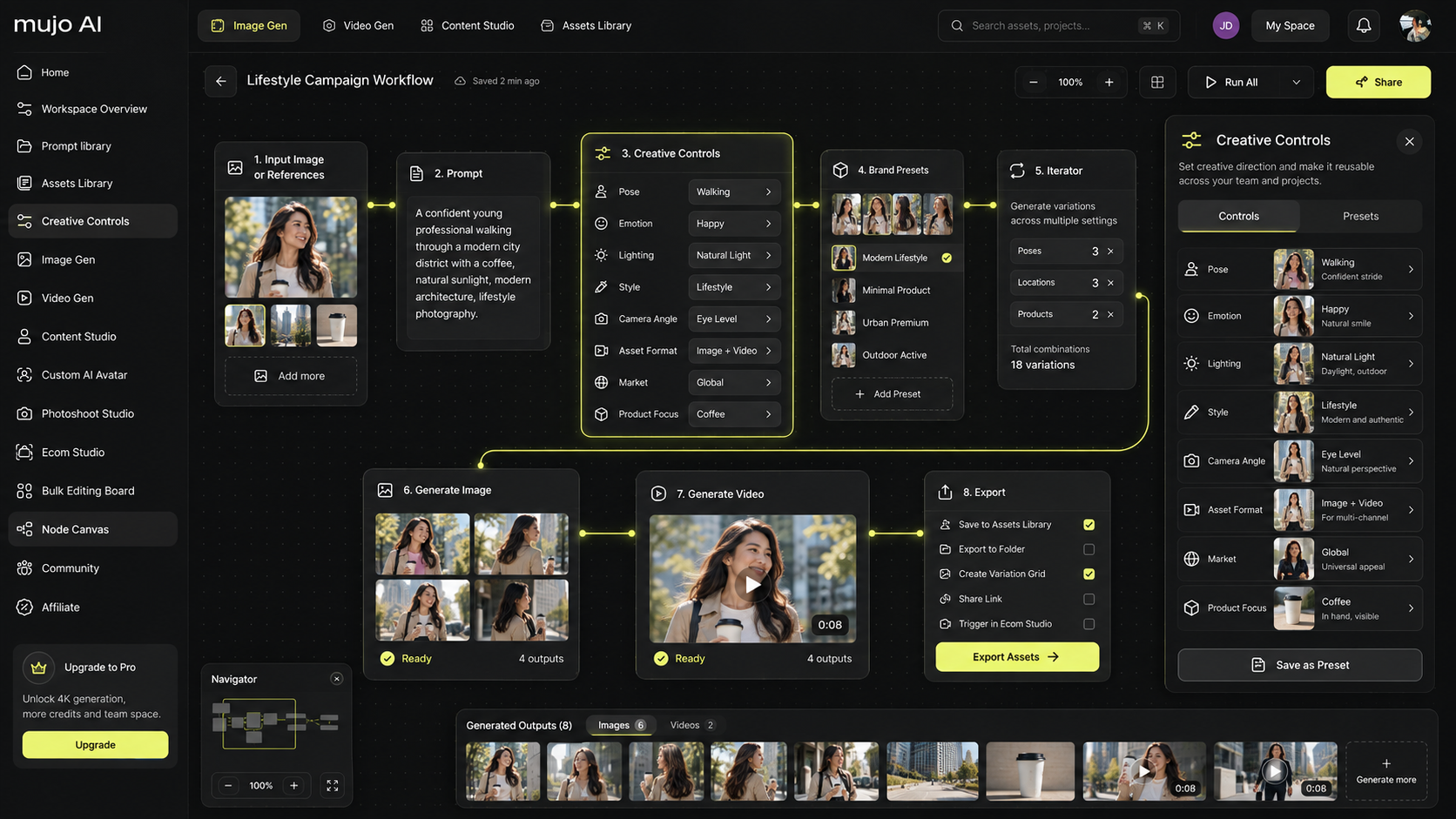
A long prompt hides decisions in prose. A control exposes the decisions your team changes repeatedly. In Mujo these live in Creative Controls, and the set you build becomes part of the reusable system rather than something each person reconstructs.
The exact controls depend on the task and the model. That is the point — nobody should have to hold the entire design space in their head on every brief.
6. Workflows: save the logic, not only the output
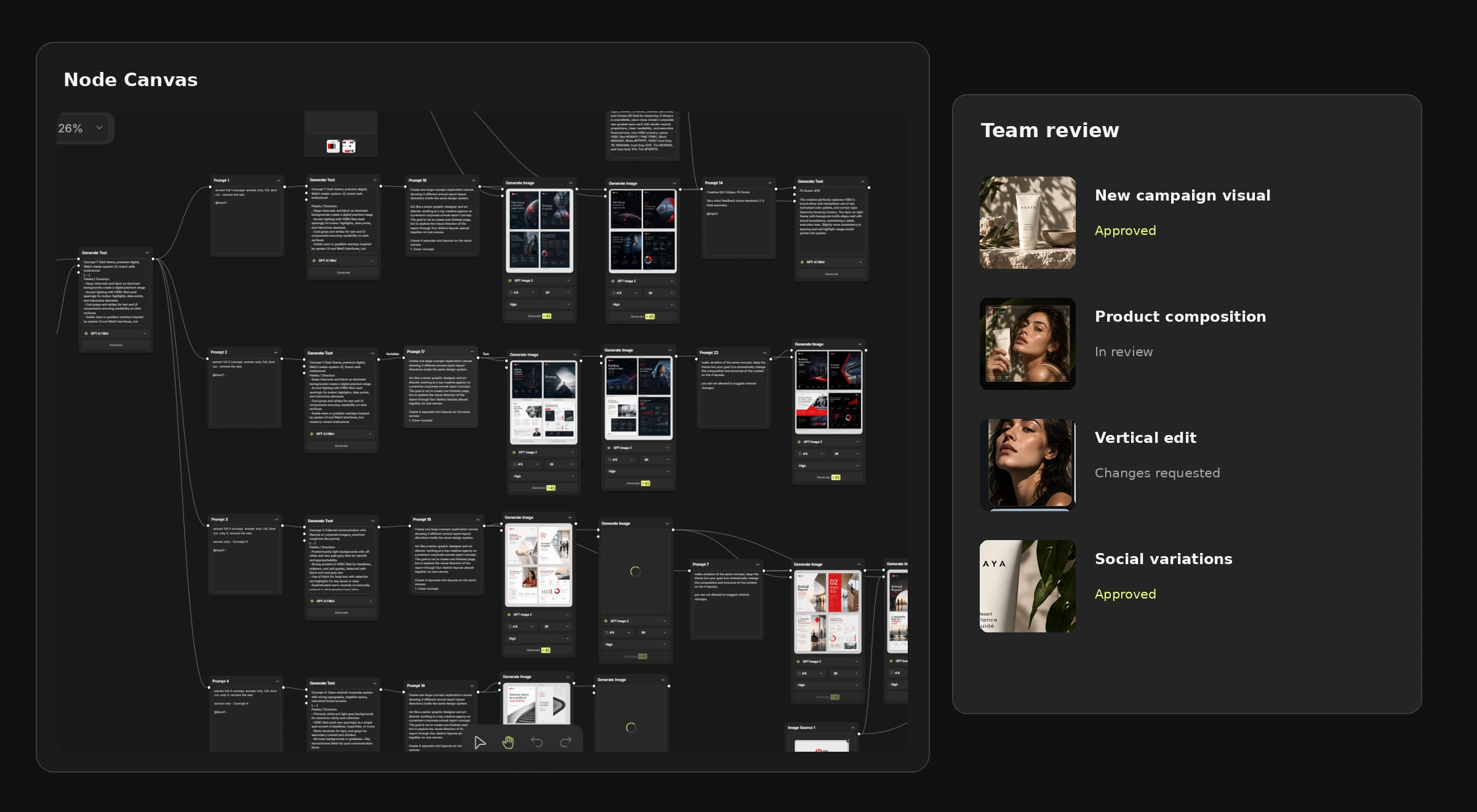
A reusable component can be small: a lighting setup, a reference pack. A reusable workflow saves the sequence of operations, which is what stops the team rebuilding known-good production logic every time a brief arrives.

Sequences worth saving as workflows
- Product source → background generation → selected lighting → upscale → export.
- Creative brief → three concept branches → selected concept → format variations.
- Master campaign image → localisation branch → market copy → resize → QA.
- Approved storyboard frame → video generation → alternate motion variants.
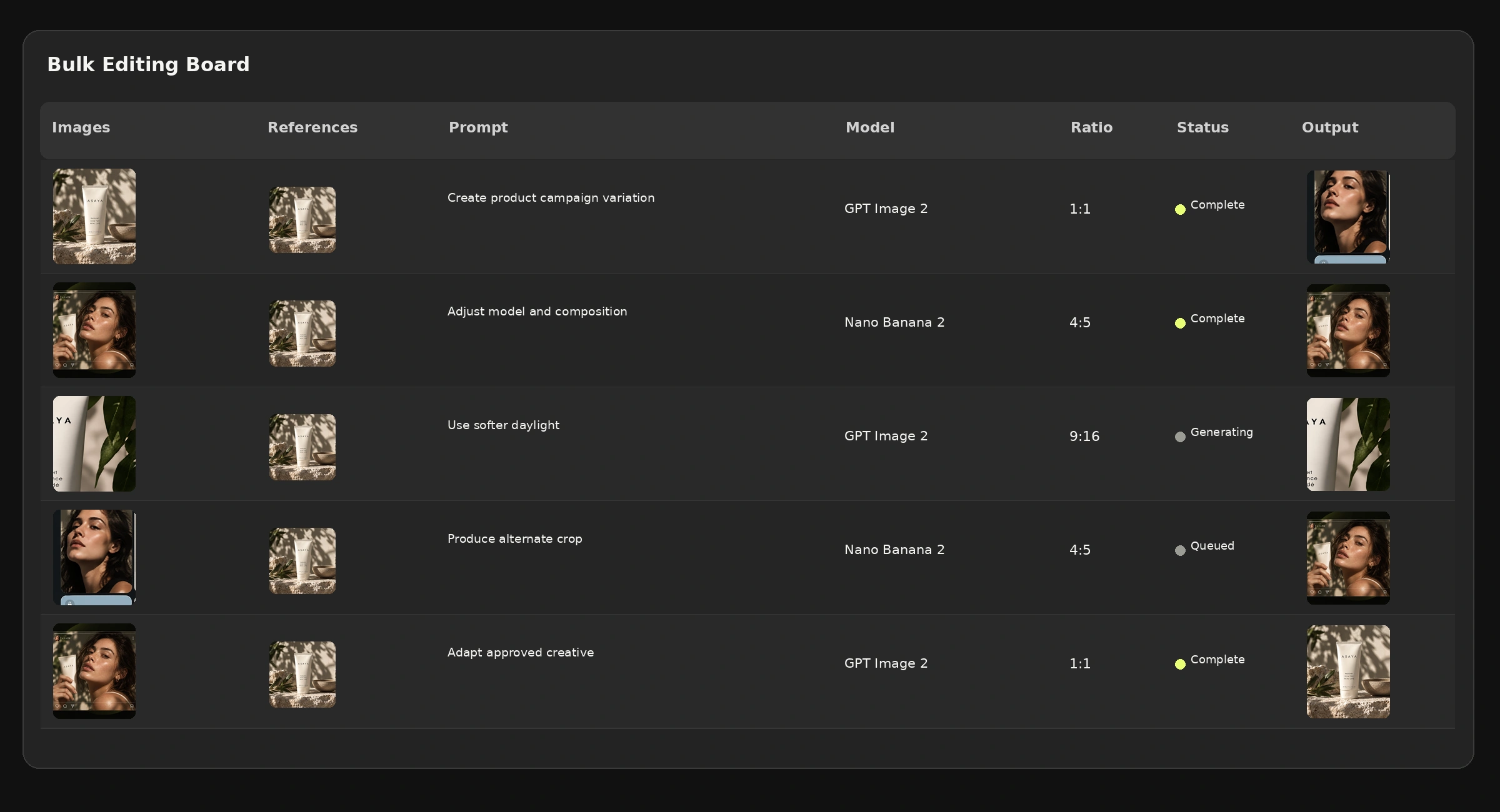
- Product catalogue → iterate SKUs → apply shared setup → batch output.
In Mujo this is what the Node Editor is for. The purpose is not to automate everything — it is to stop reconstructing the same production logic from scratch.
7. Output formats: define deliverables before generation
A team wastes credits when it generates a beautiful image and only afterwards discovers it cannot be used in the required placement. Create reusable output presets for the formats you actually ship: 1:1 social feed, 4:5 paid social, 9:16 short-form video, 16:9 video and presentation, marketplace product image, website hero, CRM banner, display formats, OOH master and local-market variants.
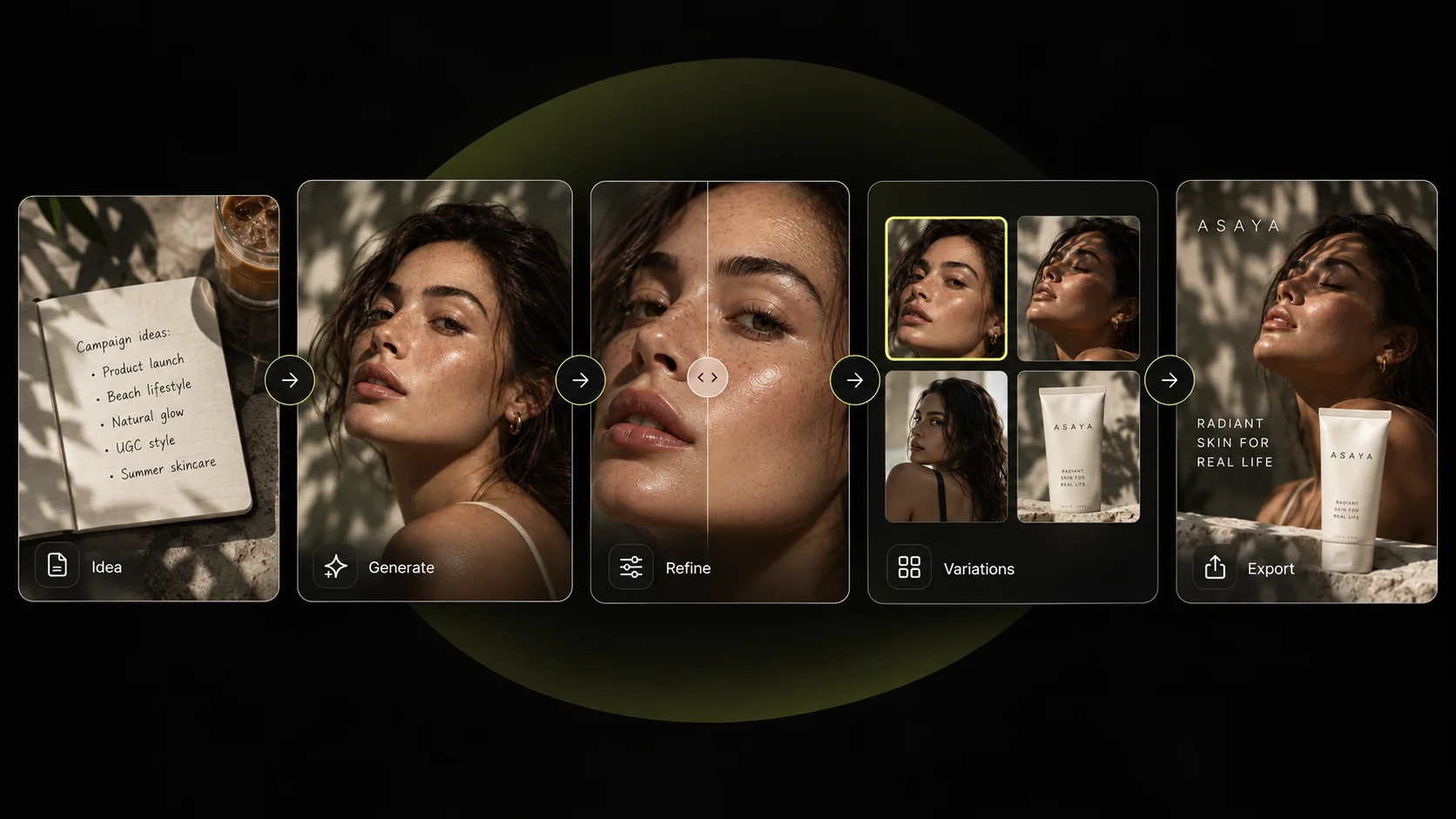
Define this for every output
- Aspect ratio and safe zones.
- Minimum resolution and file format.
- Copy limits and logo rules.
- Background requirements.
- Mandatory legal copy.
- Whether text is generated or added later as an editable layer.
8. QA rules: define what “approved” means
AI production needs a repeatable review checklist, specific enough that two reviewers reach a similar conclusion. QA belongs in the reusable system, not bolted on after a thousand assets exist.
9. Approved models: choose models by job, not by popularity
There is no single best model for every creative task. Your approved-model layer should describe which models are acceptable for which jobs, and it should be reviewed periodically, because model behaviour changes.

Mujo is built as a multi-model layer precisely because the production question is not “which model do we subscribe to?” but “which model is appropriate for this step?” You can see the current stack on the AI Image Generator and AI Video Generator pages.
10. Reporting: measure production, not only generations
The number of generations is not the goal. Useful signals include credits by member, by model and by project or workflow; outputs generated, selected, downloaded and approved; retries before acceptance; workflows reused; time from brief to approved master; and cost per accepted asset.
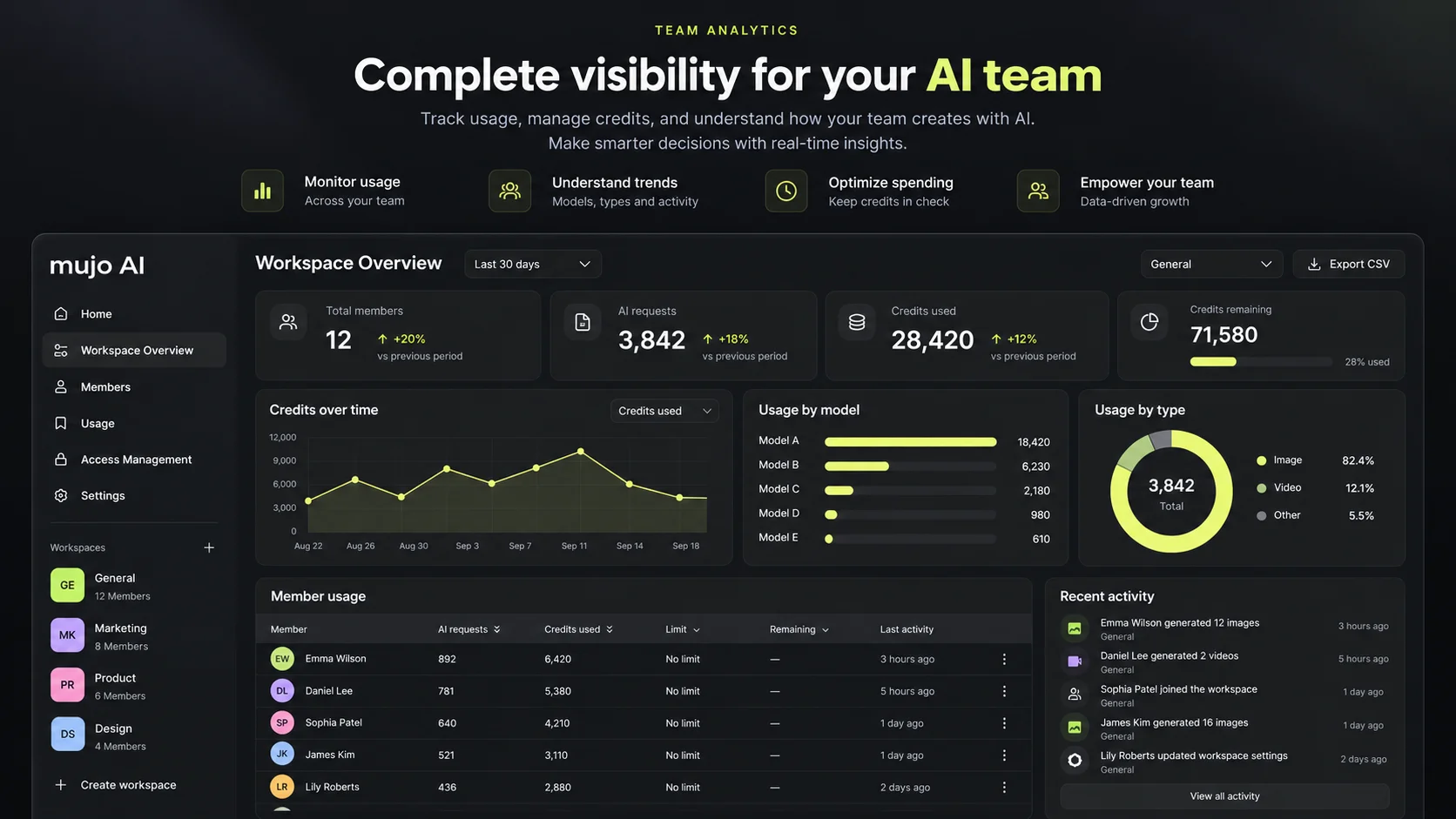
Track cost per accepted asset, not cost per generation. Only one of those tells you whether the system is improving.
11. Build the system before asking the team to scale it
The hard part is rarely generating the first image. It is deciding which inputs are trusted, which variables should become controls, which branches should be reusable, which models should be approved, which steps require human review, which elements should be locked, and which parts can safely be scaled.
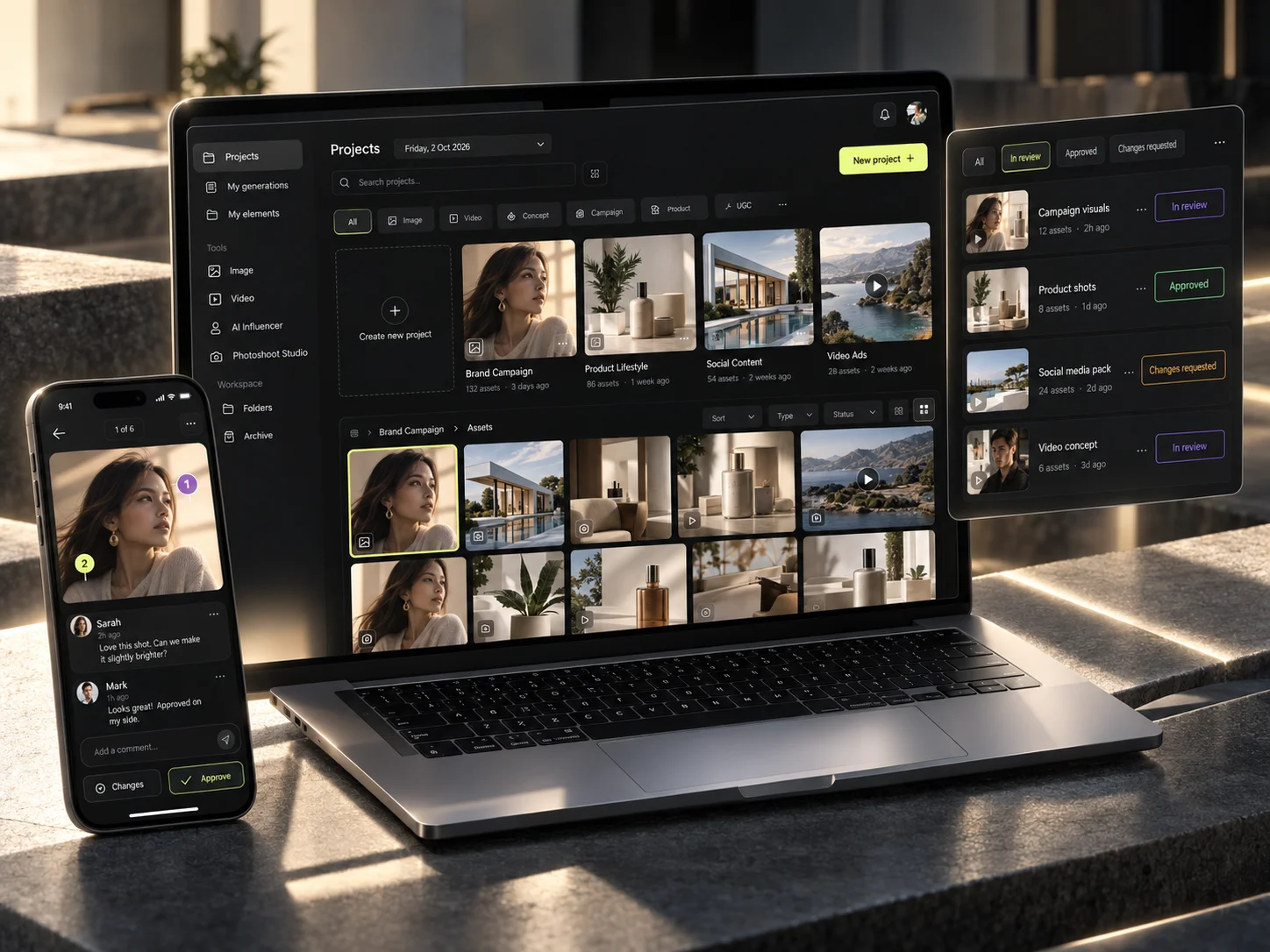
That is what the AI Creative Workflow Setup engagement does: it maps a team’s brand system, assets, references, reusable controls, workflow branches, output presets and review rules into a working production environment. If you are a founder or a lean team, there is a version of the same thing scoped for you on the founders page.
Checklist: your reusable AI brand system
Before scaling production, make sure you have
- □A documented brand system, including how colour and type are used.
- □A trusted asset library rather than an archive.
- □Approved reference sets, each labelled with its role.
- □Custom creative controls for the variables you change most.
- □Reusable workflows and branches.
- □Output format presets for what you actually ship.
- □QA and brand-safety rules two reviewers would apply the same way.
- □An approved model matrix, reviewed periodically.
- □Usage and production reporting, including cost per accepted asset.
Build these once. Improve them as the team learns. Reuse them on every brief.
Common mistakes
- Writing a longer prompt instead of building a reusable control set.
- Storing hex values and font files without recording how they are used.
- Asking an image model to render brand names, pricing or legal copy.
- Keeping references in one unlabelled moodboard folder.
- Choosing output formats after the asset is already generated.
- Writing QA rules only after the first thousand assets exist.
- Standardising on one model for every job because it won a single comparison.
Frequently asked questions
What is a reusable AI creative system?
A set of components a team builds once and calls again on every brief: a brand system, a trusted asset library, labelled references, custom creative controls, saved workflows, output format presets, QA rules, an approved model list and production reporting.
Why isn't a good prompt enough for production?
A prompt describes one generation. Production needs repeatability across hundreds of assets, several markets and multiple people, which requires the inputs, variables, approvals and formats to exist outside any single prompt.
How should brand guidelines be prepared for AI?
Record how colour, typography and logo are used rather than only their values, add explicit prohibitions, and keep critical text — brand names, legal copy, pricing — in an editable layer instead of asking an image model to render it.
How do I choose which AI model to use?
Choose per job rather than per subscription. Use fast, lower-cost models while the direction is still open, high-fidelity models for product and people, text-validated models or editable layers for typography, and a higher-quality model only once the direction is approved.
What should an AI production team measure?
Cost per accepted asset, retries before acceptance, outputs approved versus generated, workflows reused and time from brief to approved master — using the metrics the workspace actually exposes.
Related guides
- From One Brief to Hundreds of Assets: a scalable AI production workflow
- How to save and reuse your best AI creative setups
- How to use reference images and Creative Controls
- How to build your first reusable AI workflow
- How to manage an AI creative production team
Build your reusable creative system with Mujo Enterprise
Bring your brand rules, assets and existing production process. We translate them into a reusable AI production setup inside your own workspace — from $3,000, live in 7–10 business days.