Enterprise-grade is a structure, not a size
Structured brand context, reusable controls, model routing, approvals, permissions, production memory and analytics are useful long before you have 500 employees.
We build your company a production-ready AI system for image and video — configured around your brand, your workflows and your team. No AI hire. No tool sprawl. No months of experimentation. From $3,000 · live in 7–10 business days · 1–2 production workflows included. You talk to a real AI production architect, not a sales bot.
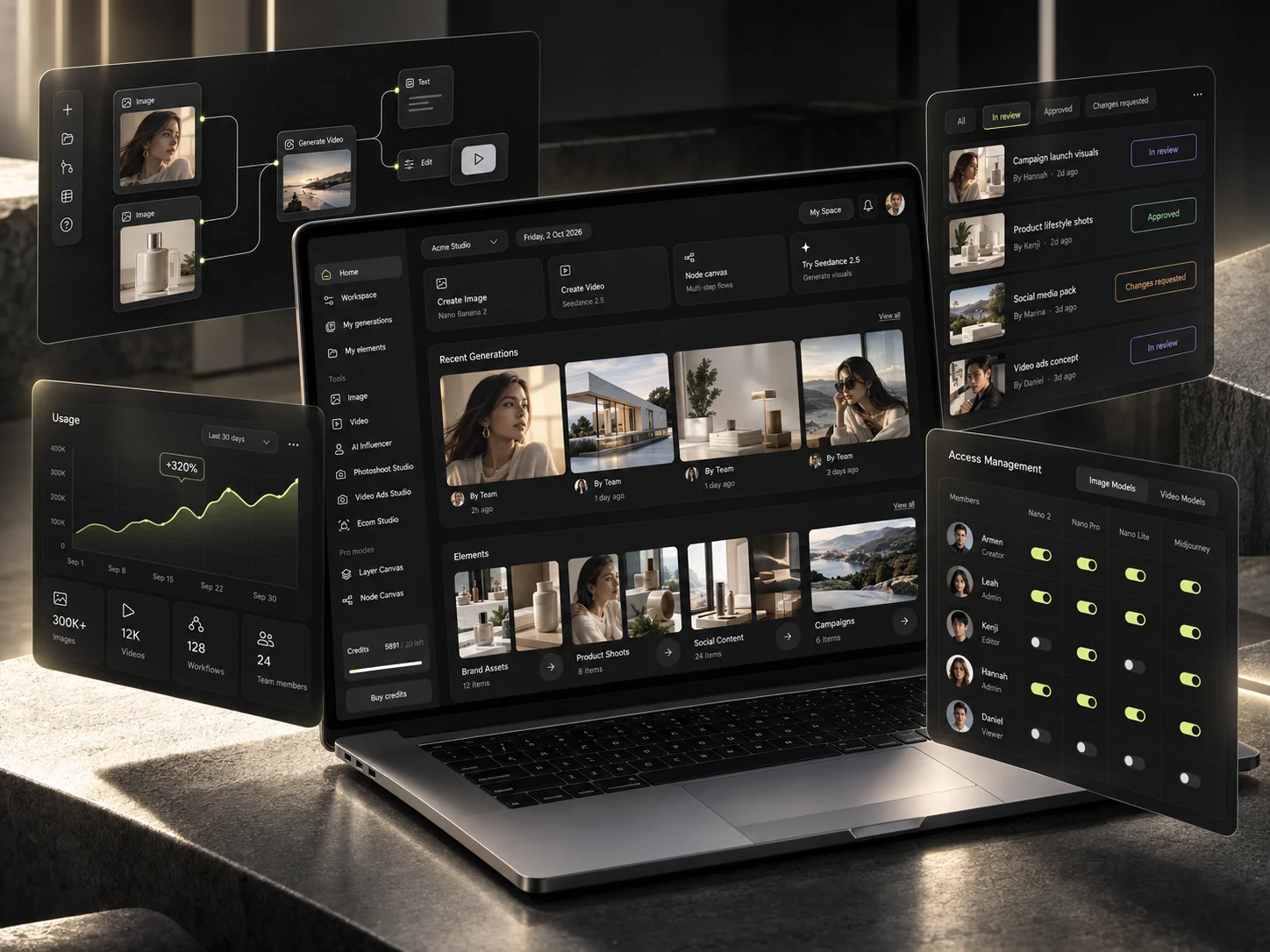
Every question above is a workflow problem, not a model problem. Buying another tool adds a twelfth tab. Building the production layer answers all of them in one pass.
Your team already has access to chat assistants, image generators, video models and a dozen new AI products. The problem is what happens after that. Which model do you use for this job? How do you keep the brand consistent? How do you reproduce a result that worked? How does one concept become thirty assets? Where do approvals live? And what happens when the person who wrote the prompt leaves?
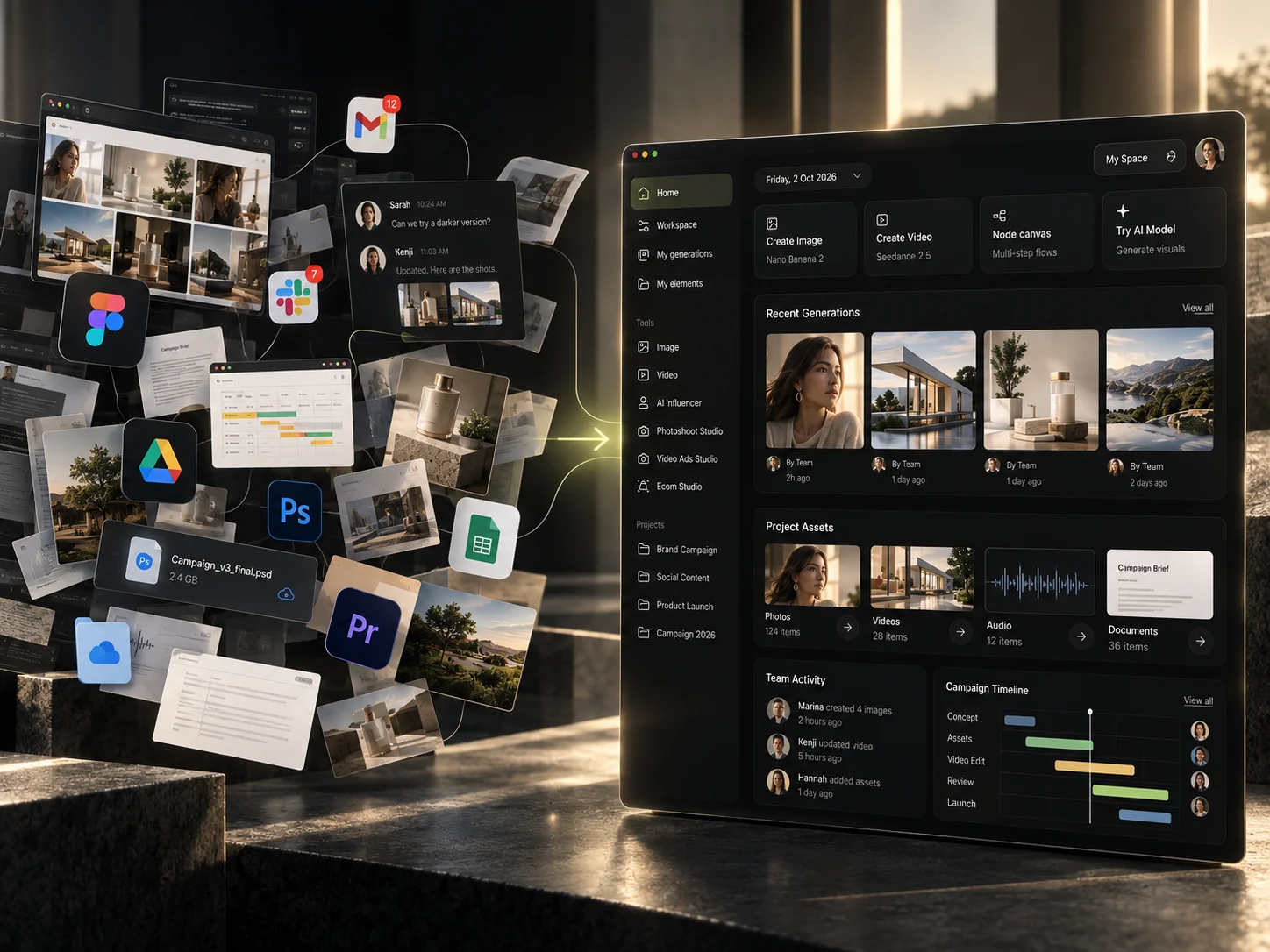
Enterprise here describes how the production system is structured, not how many people work in your company.
Structured brand context, reusable controls, model routing, approvals, permissions, production memory and analytics are useful long before you have 500 employees.
The workflows large creative teams rely on do not require a large creative team to run. They require someone to set them up once.
Most companies reassemble their AI stack each time they grow. Start with infrastructure you will actually be able to scale, and growth stops costing you the setup.
Founders often skip anything labelled enterprise, assuming it means procurement, seat minimums and a six-month rollout. Here it means the production layer is structured — which is cheaper to do at ten people than at a hundred.
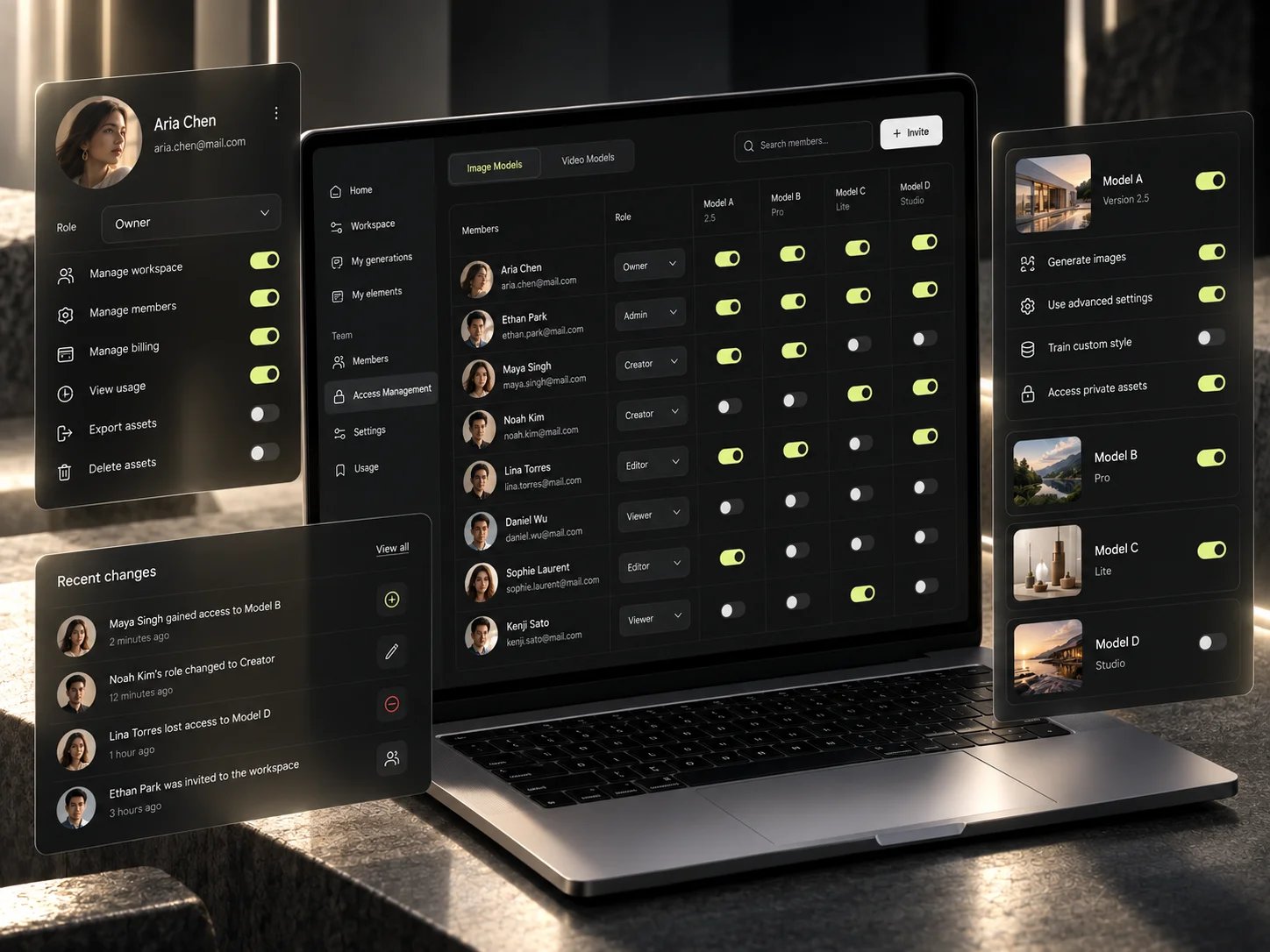
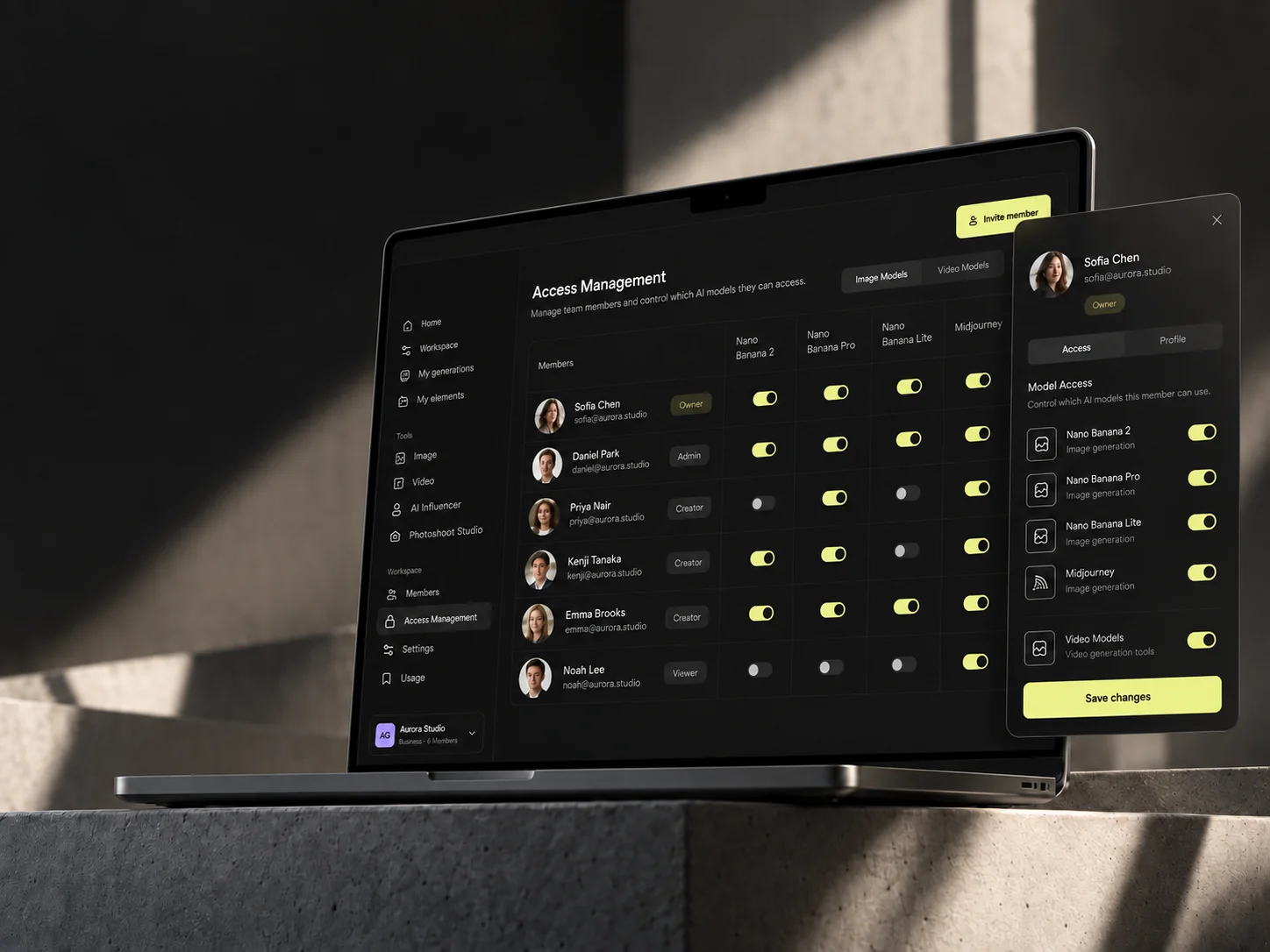
Explore the full AI Creative Workflow SetupPeople get the models, credits and permissions they need — and nothing they do not.
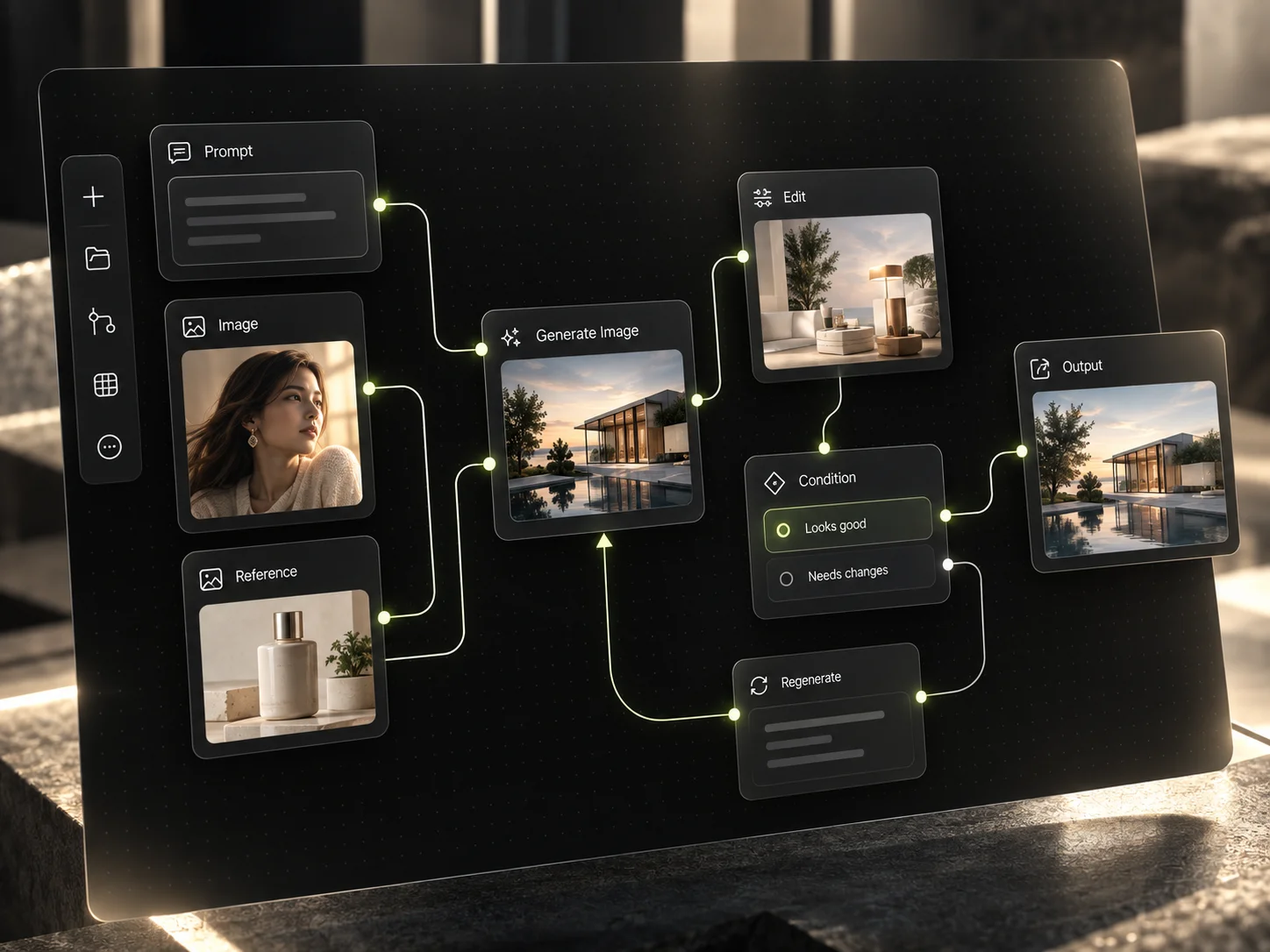
The route from brief to approved asset exists as a thing your team can run, not as a habit.
Assets, approved references and reusable controls sit where production can reach them.
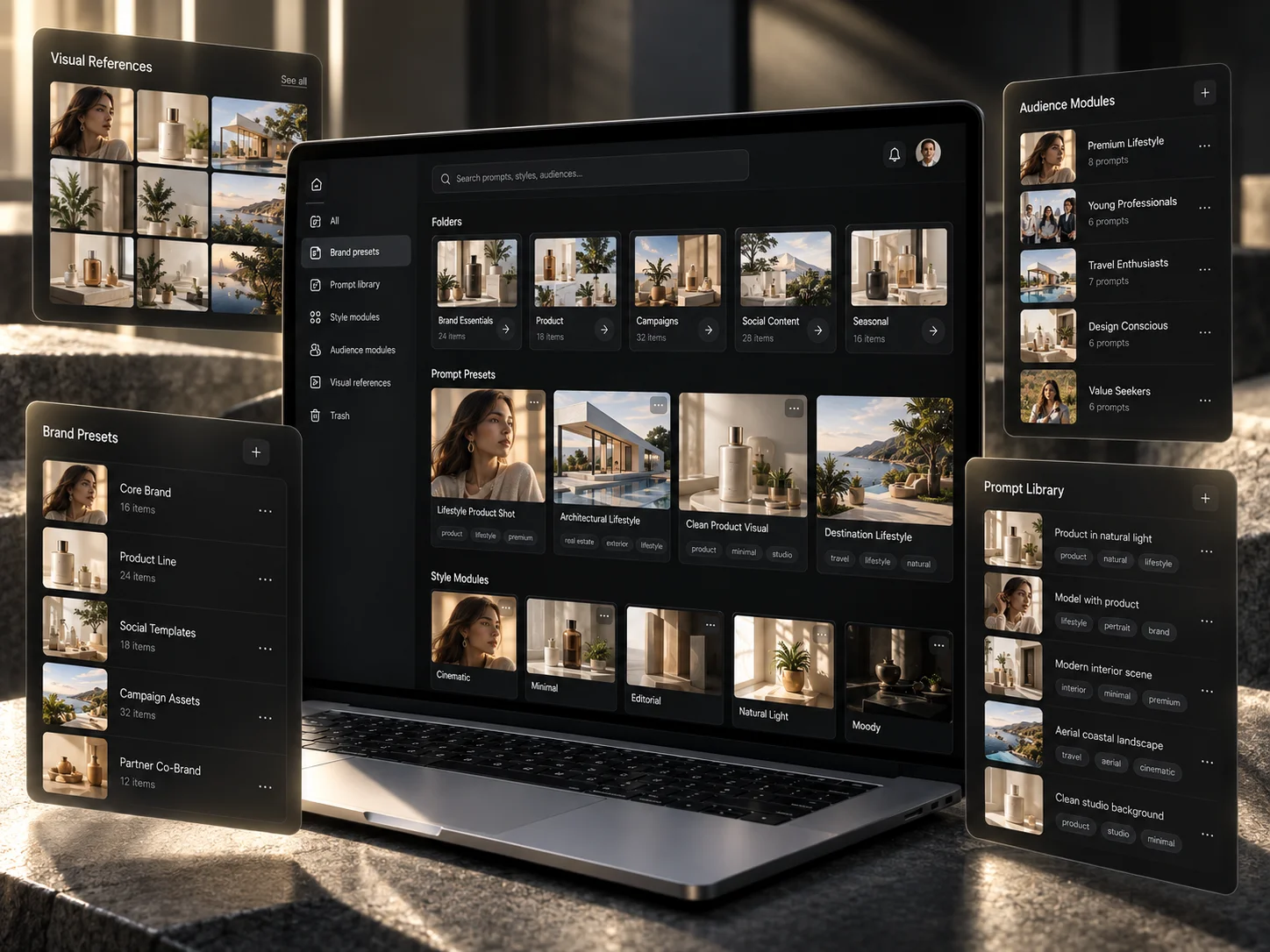
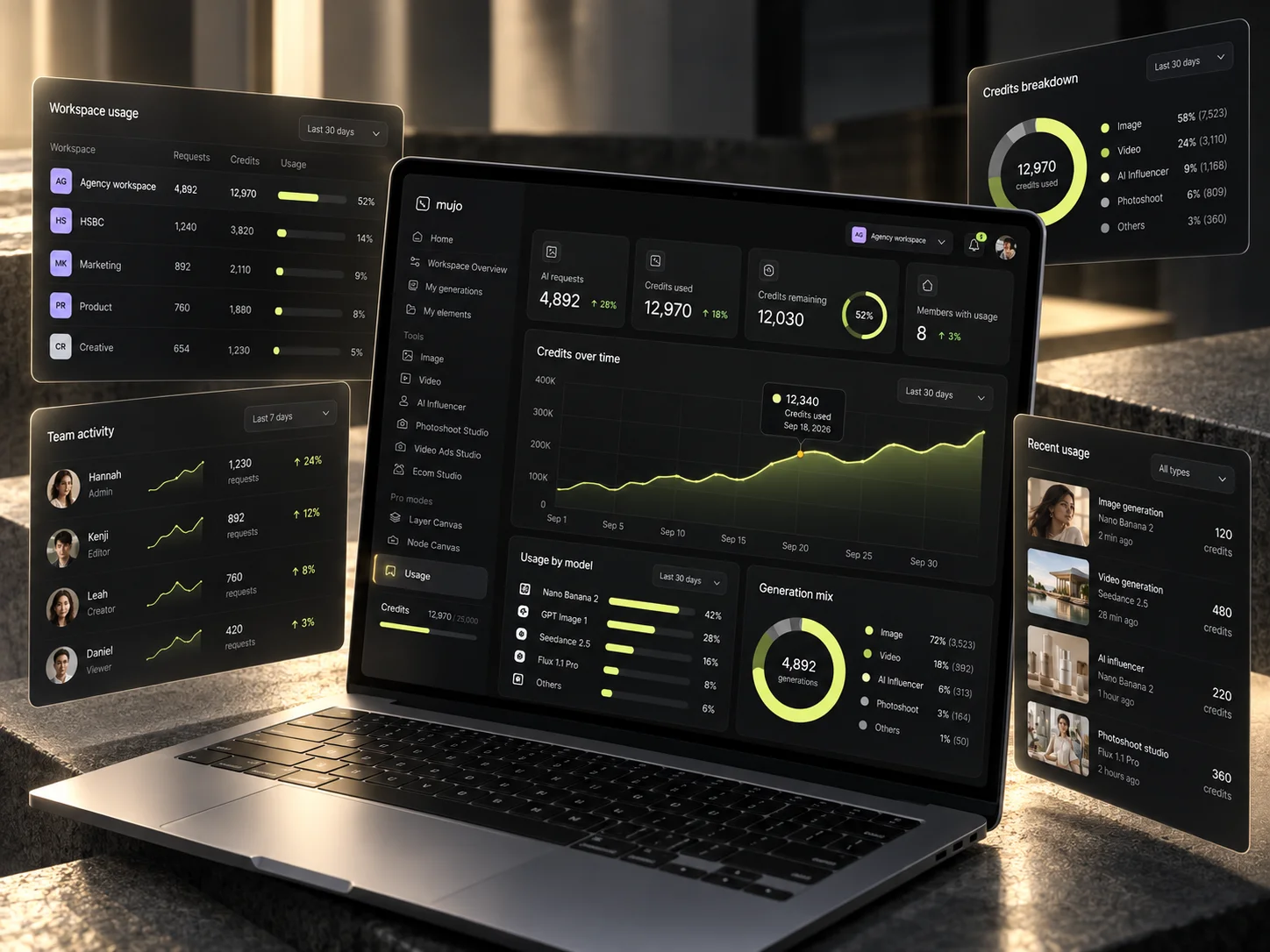
Usage, generations and activity stay visible instead of disappearing into individual accounts.
Written as instruction a model can follow, not uploaded as a PDF and hoped over.
Saved as a workflow in the workspace, not in someone's chat history.
Without everyone independently testing everything on company time.
One approved concept becomes multiple assets, formats and placements.
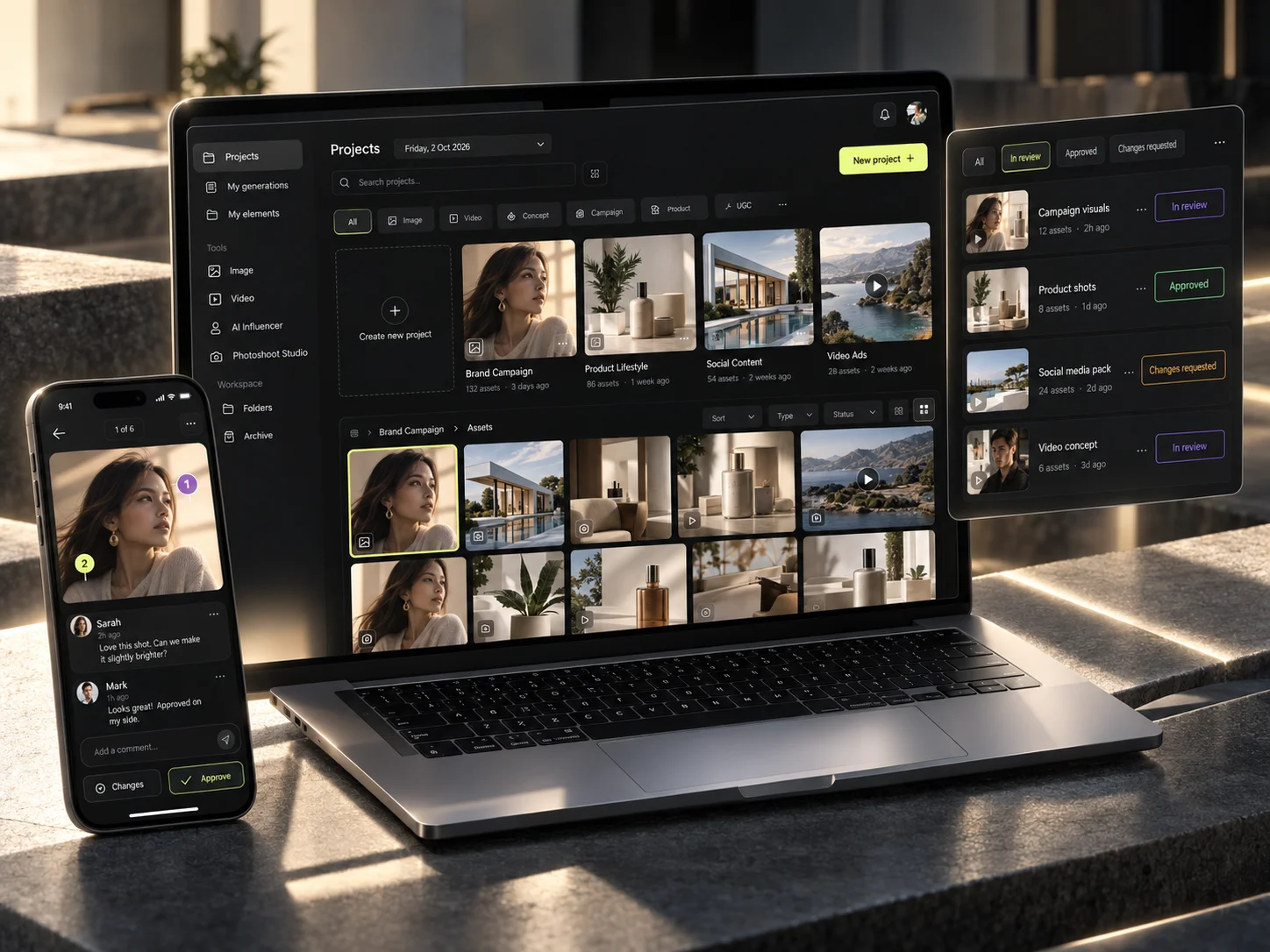
Who can generate, who can review, who can approve — set once and adjusted as you hire.
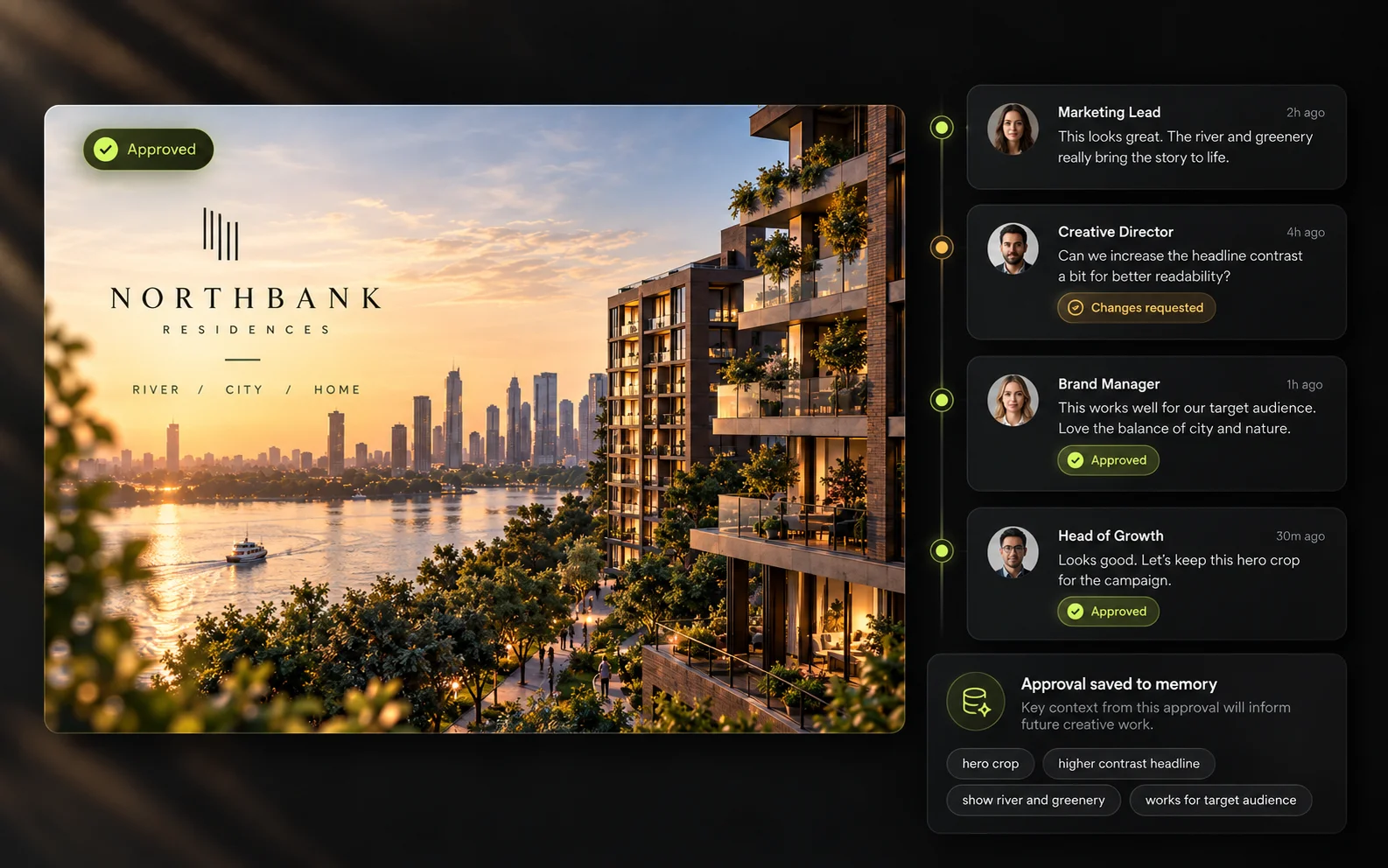
Approvals and production decisions become context for the next cycle.
You can see what is being made, by whom, with which models and at what cost.
When someone changes role, the working setup stays in the company.
Ten things get set up during the engagement. All of them are included in the base price.
We configure the entire system around the work your company actually needs to produce. When the setup is finished your workspace is already populated with your own projects, assets, references and controls — so the first real brief can run through it on day one.
Logo, fonts, colours, photography, talent, tone, product rules and approved references.
Camera, lighting, environments, styling, people, products, composition and the variables you keep changing.
The work your team needs most, built as a workflow you can run again.
The right image and video models configured behind each workflow.
Production context starts accumulating from day one rather than after the first campaign.
A repeatable review process instead of feedback scattered across tools.
Models, roles, usage and credits controlled as the team grows.
Everything reusable lives in one production environment.
The checks output has to pass before it goes out.
We teach the actual team that will use the system, not a named list of seats.
Eight workflows we build most often. The one you pick first is usually whichever one is currently eating your own evenings.
All production use cases on Mujo AIWe do not implement AI in general. We start with the one job your team repeats most often, get it working end to end, and build the second one around whatever that reveals.

Idea into creative direction, image and video, and every social format you post in.
Concept into variations, ratios and testing assets for paid media.
Product input into studio, lifestyle, ecommerce and campaign imagery.
A consistent founder identity across social imagery, video and recurring content.
Idea into hook, AI talent and vertical-video variants.
SKU into hero, lifestyle, listing and campaign adaptations.
Render or reference into polished imagery, formats and video.
Brief into concept, production, review and multi-format delivery.
Not a diagram in a slide. The workflow runs on your material before we hand it over.
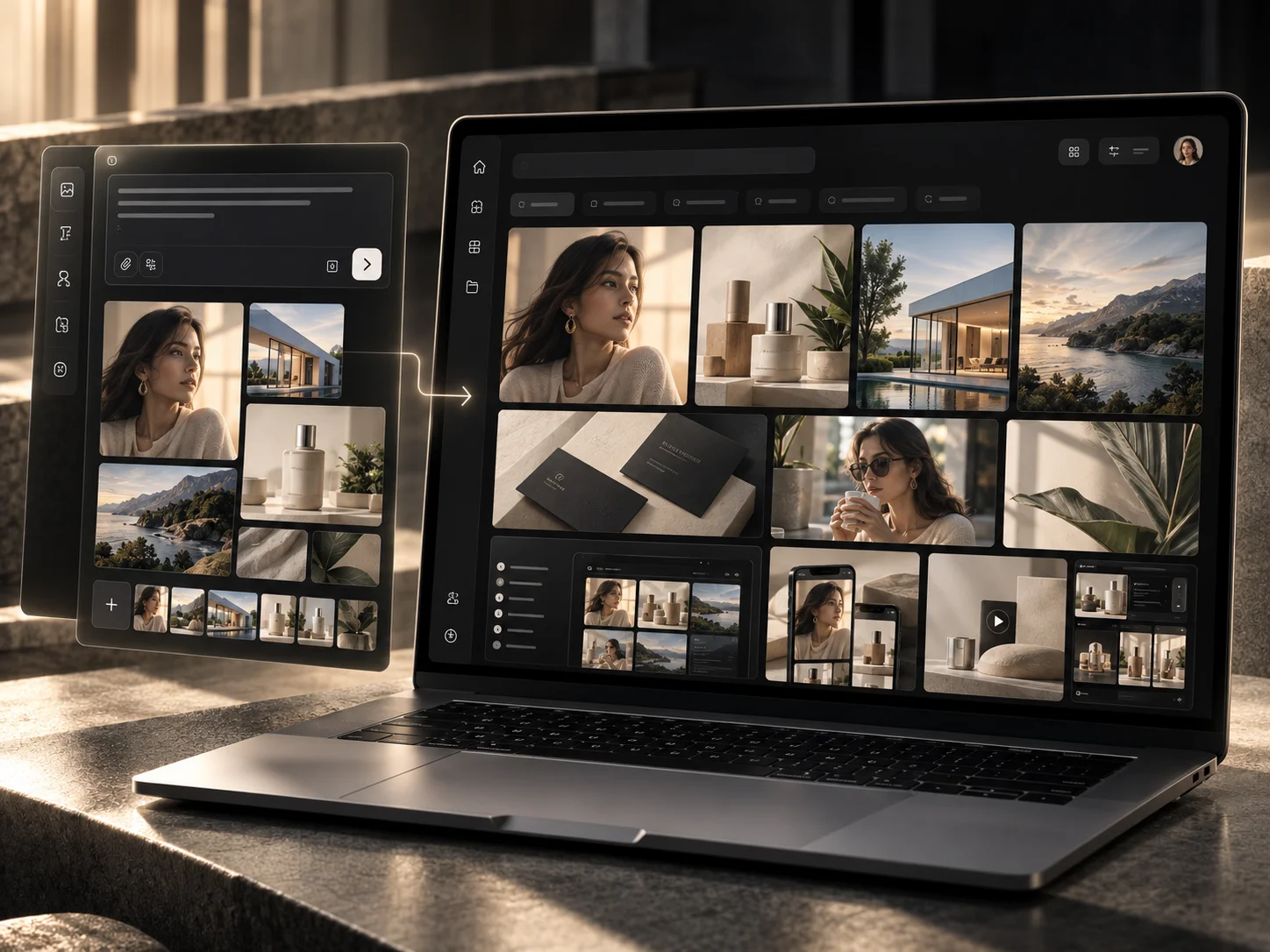
The workflow is built on the Node Canvas inside your own workspace, using your own references and controls. Your team can open it, run it, change one variable and run it again — which is the part that makes production repeatable rather than lucky.
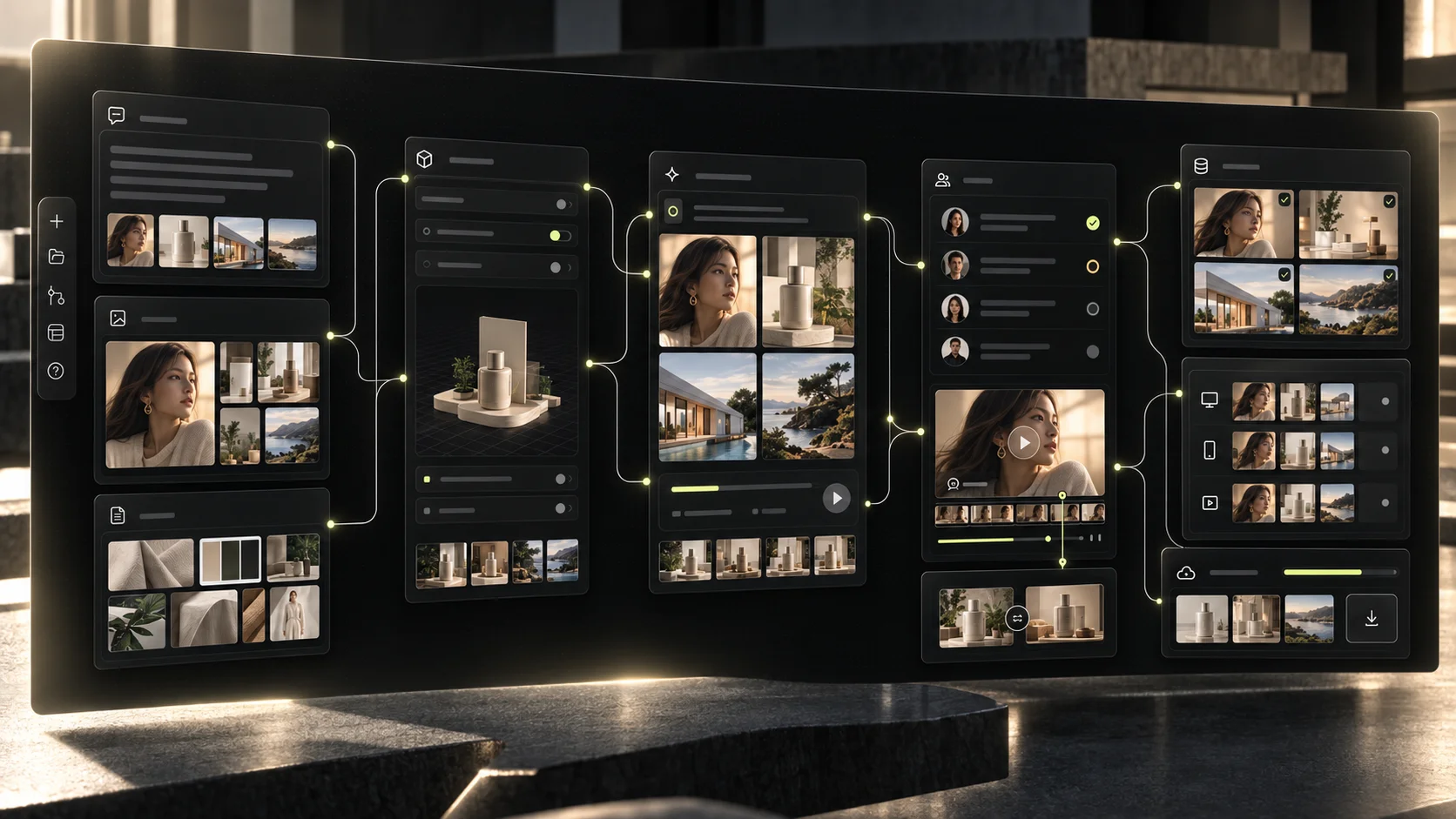
The first impressive generation is never the problem. Everything after it is.
Consistency is the thing that breaks first and costs most. A good single generation proves nothing; the test is whether the fortieth asset still looks like the first one, in a different format, made by a different person, three weeks later.
The three things founders usually compare this against — a hire, a consultant, a support plan — each solve a different quarter of the problem.
Hiring an AI specialist before you know which workflows matter means paying someone to experiment. We do the architecture and the implementation first, so new people later join a system that already works.
Consultants tell you what you should build. We configure it, test it, generate through it and fix what breaks — inside your workspace, on your material.
Support tells you where the button is. We build the production system with you and train the team that will run it.
If you want it, we keep optimising the setup as models and your business change. If you do not, the setup still stands on its own.
Before: a chat assistant, an image tool, a video tool, a drive folder, a chat workspace, a document of prompts that half the team has, a stack of experiments nobody catalogued — and the founder still checking every asset. After, it is the eight things below.
Structured as production context instead of a PDF nobody opens.
The routes your team repeats, saved where the team can run them.
Chosen per production problem rather than per personal preference.
Camera, lighting, styling and product rules as reusable settings.
Approvals, rejections and decisions retained on the project.
Review states and sign-off beside the work they refer to.
References and source material organised for reuse.
Production activity, usage and models visible in one place.
Setup ends when the workflow works — not when the presentation is finished.
We review your brand, your team, your current process and the creative work you actually need to produce.
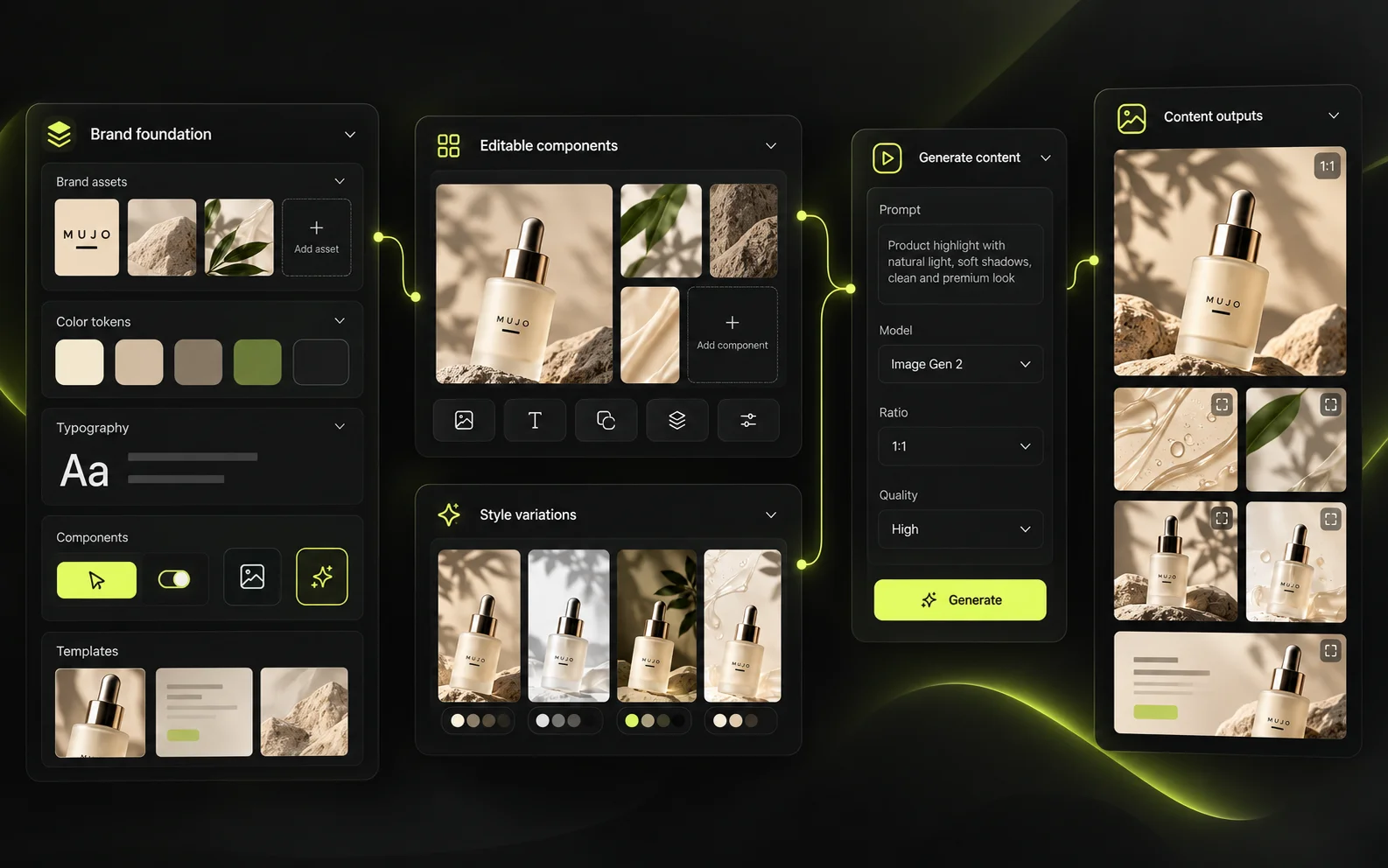
We structure your production context and configure the workspace, Creative Controls and workflows.
We run real production on your own material, find the failure cases and refine the setup.
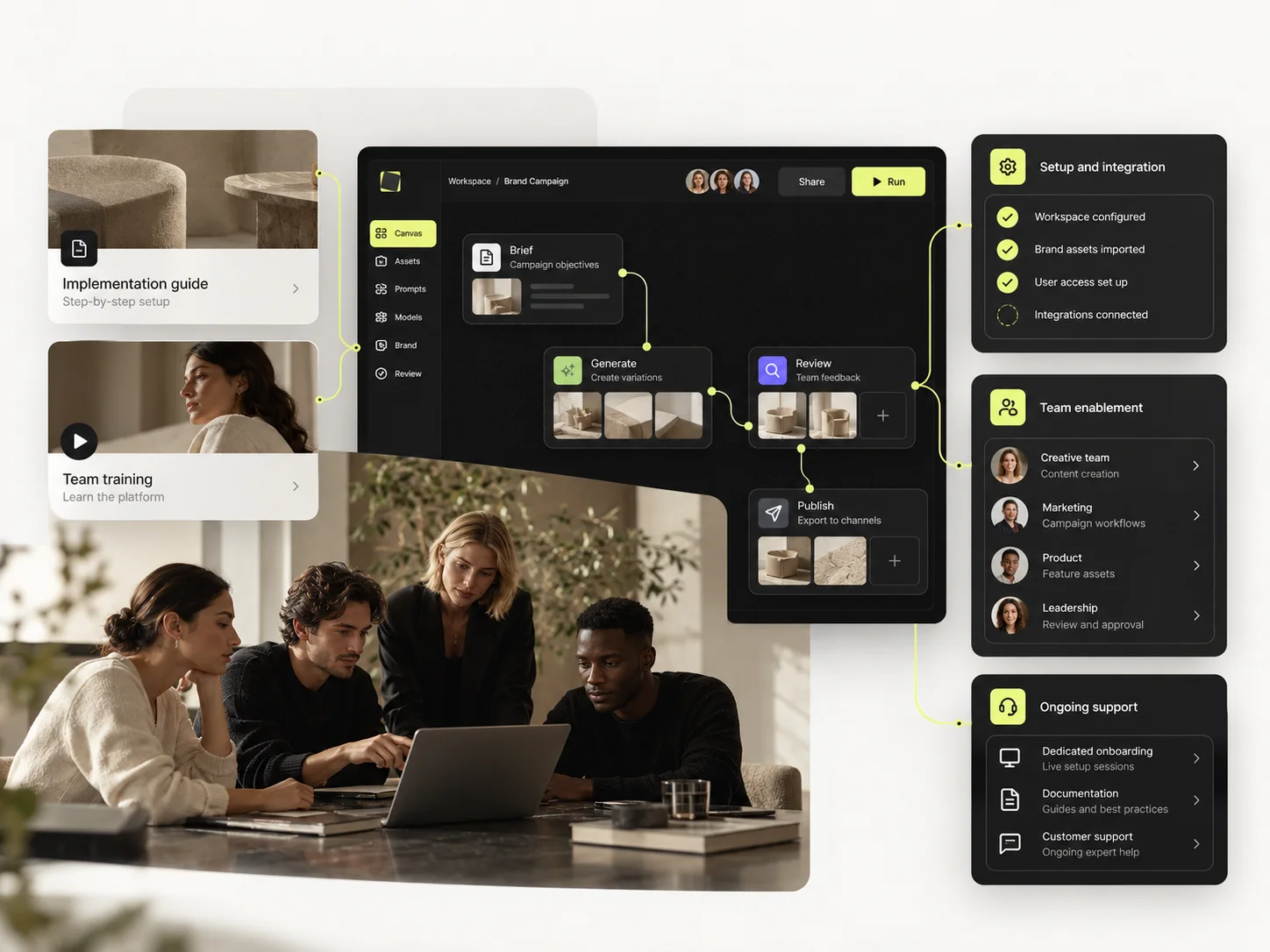
We train the team and hand over a working production system.
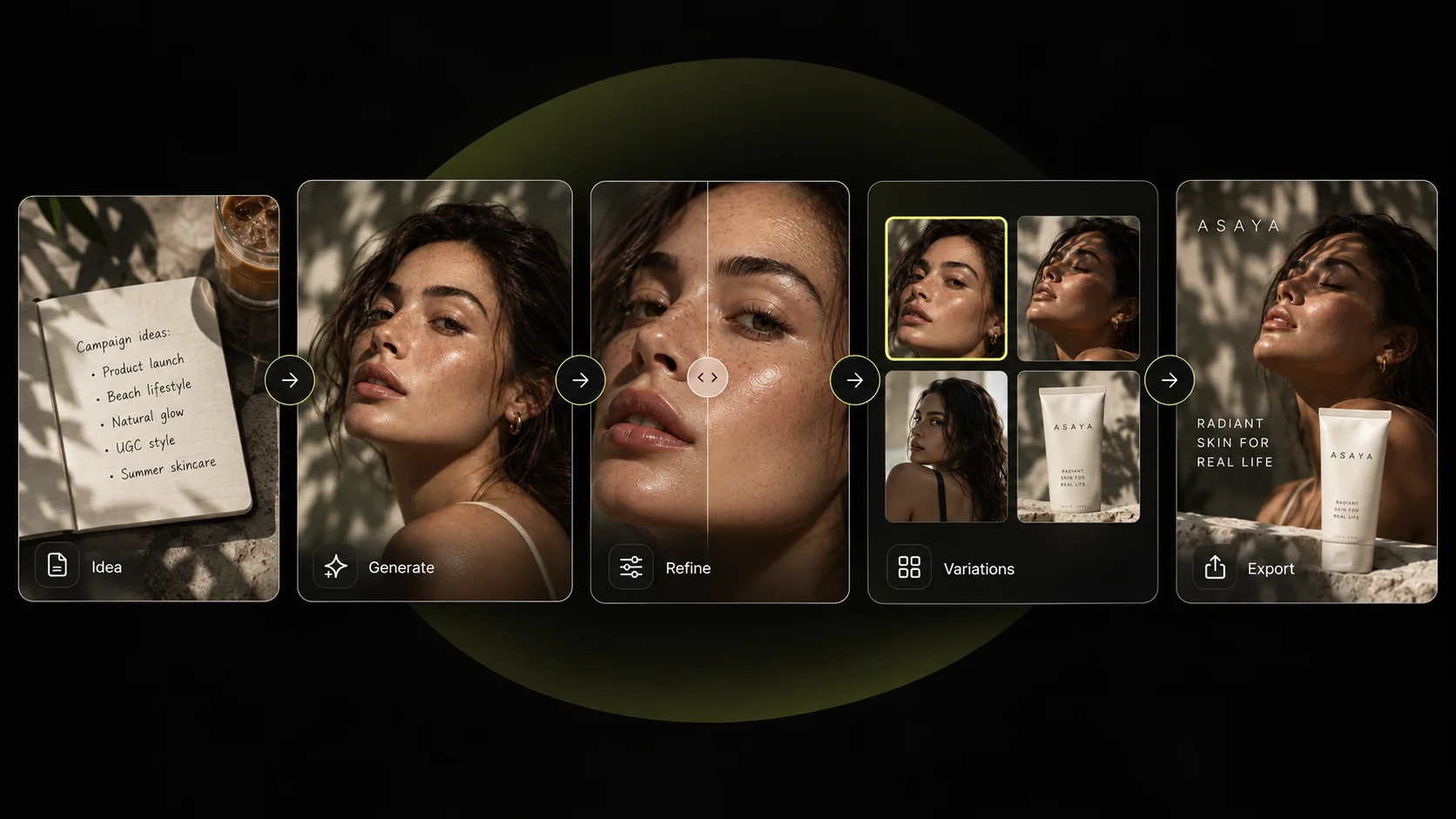
We recommend, configure, test and refine on the basis of what we have observed in production. We do not claim to know in advance which model will always win.
Mujo is built around production rather than around generation: workflows, controls, team production, reviews and scaling. The setup is designed by people who produce commercial work on the platform every week, across advertising, ecommerce, fashion, real estate, automotive, FMCG, tech and corporate creative.

Structured production data across hundreds of thousands of generations, growing every day.
Image and video production across leading models instead of betting your workflow on one vendor.
Workflows, controls, team production, reviews and scale — not a generation box with a prompt field.
We work across advertising, ecommerce, fashion, real estate, automotive, FMCG, tech and corporate creative.
Observed model behaviour, use-case patterns and production data inform how your setup is built.
This matters more at ten people than at a thousand, because at ten people the cost of guessing comes straight out of runway.
Usage, generations, models and activity stay visible inside your own environment, so the question "what are we actually spending this on" has an answer that is not a guess.
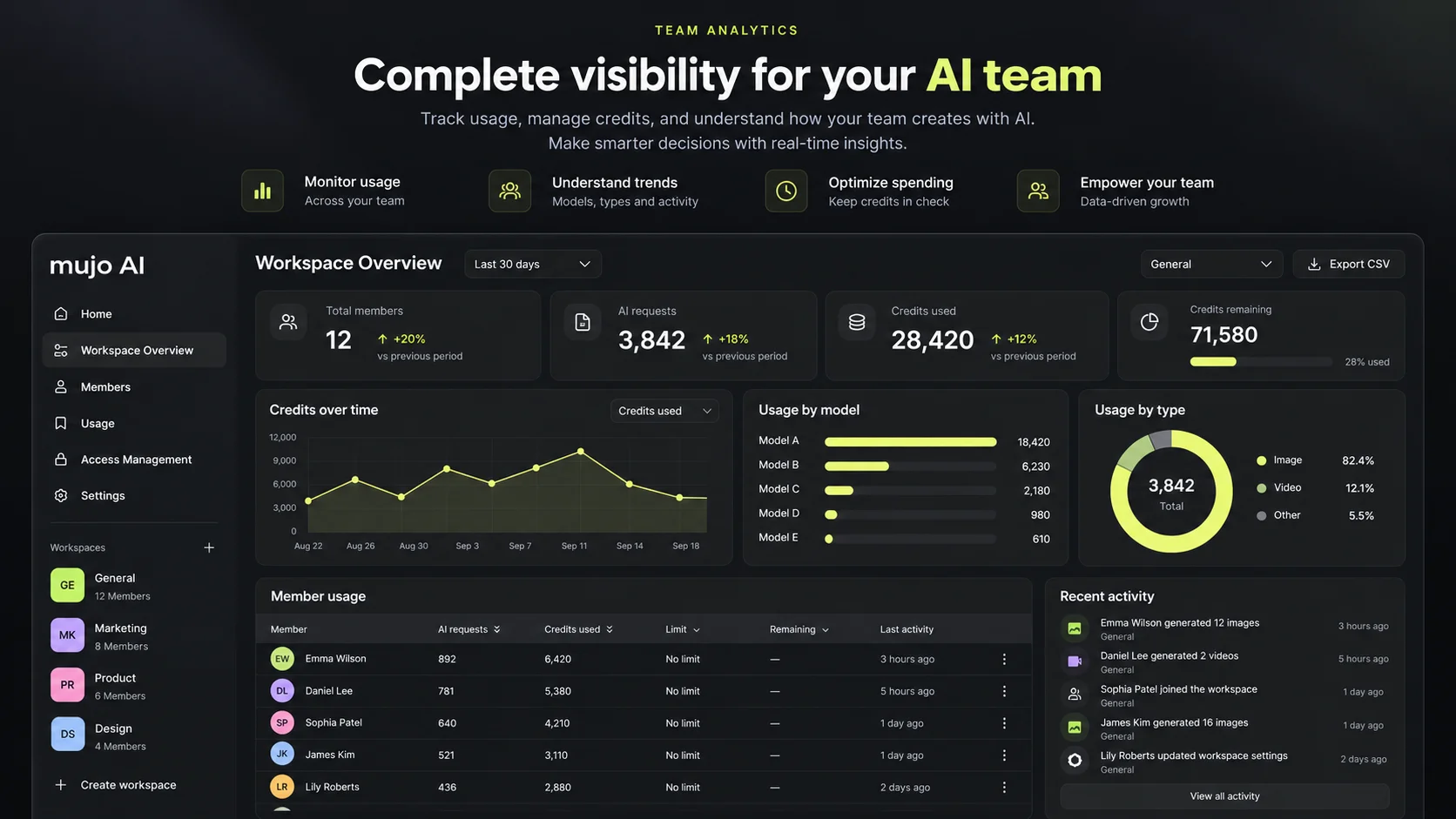
Everything below exists from day one, whether or not you need it yet. That is the point — you grow into the system instead of out of it.
Team workspace and governanceKeep brands, clients or product lines apart as you add them, without rebuilding anything.
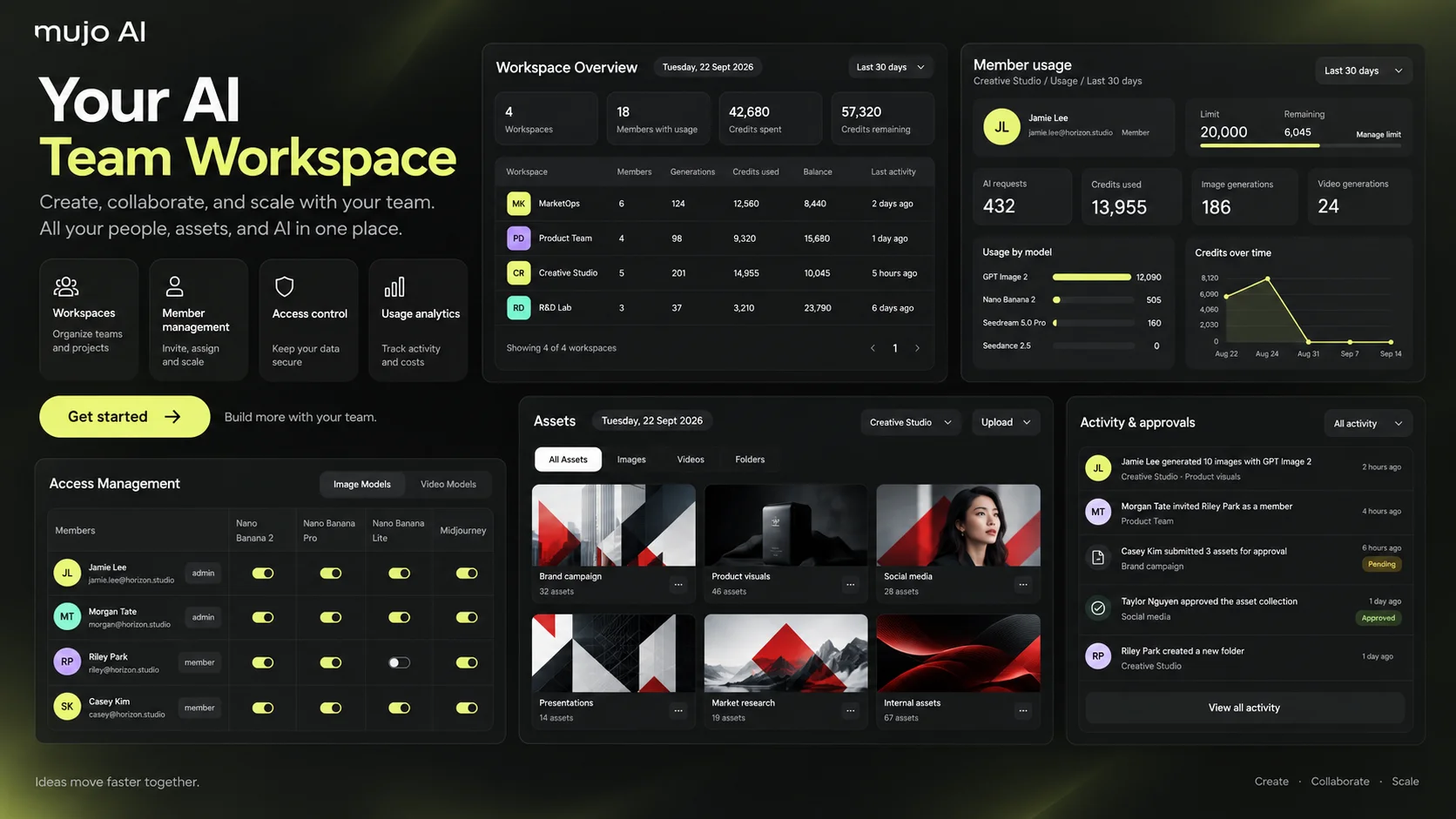
New people join an existing production system instead of inventing their own.
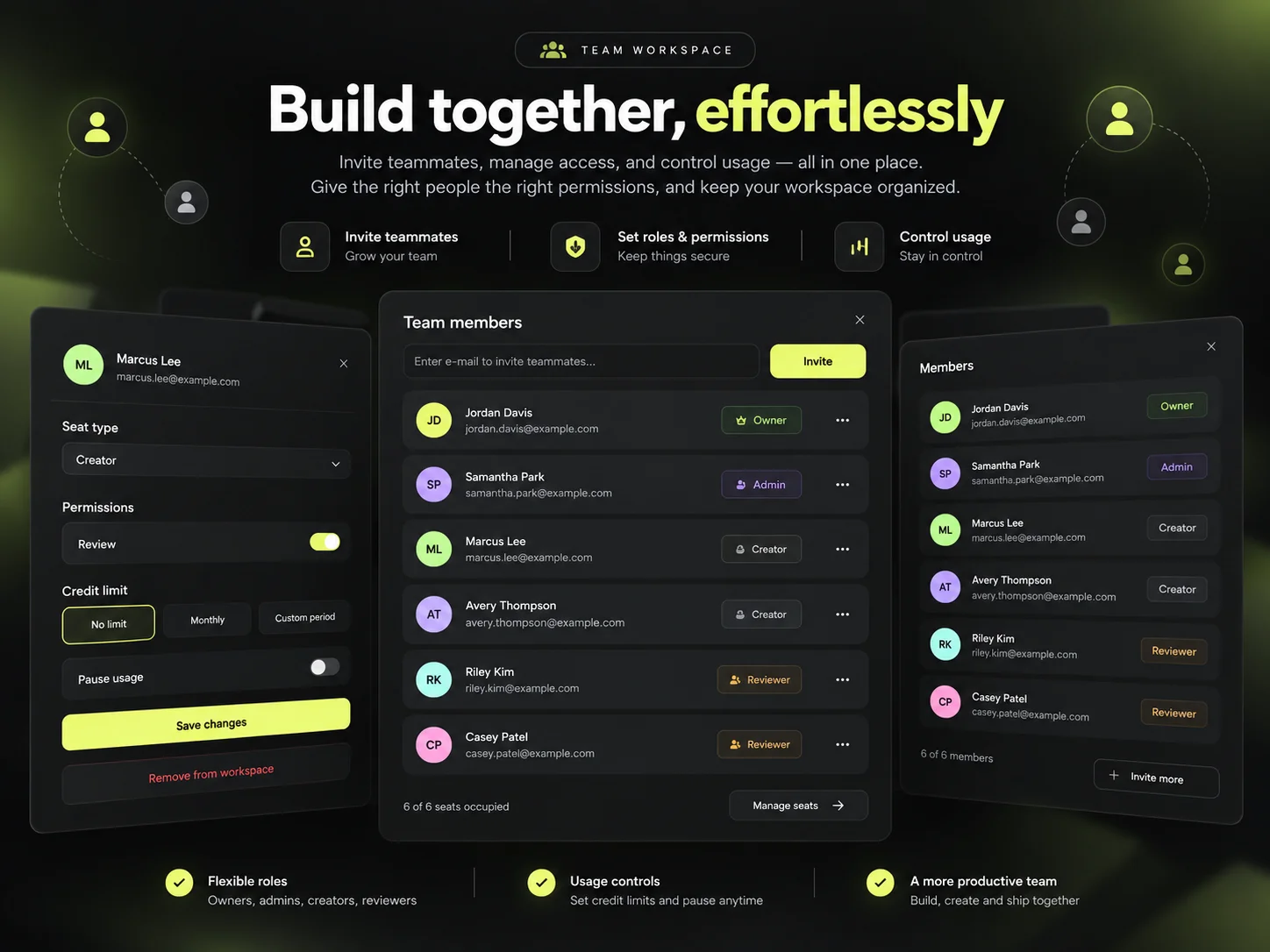
Decide who can use which models, with what limits, as the team grows.
The workflow built in week one is the one running a year later, extended rather than replaced.
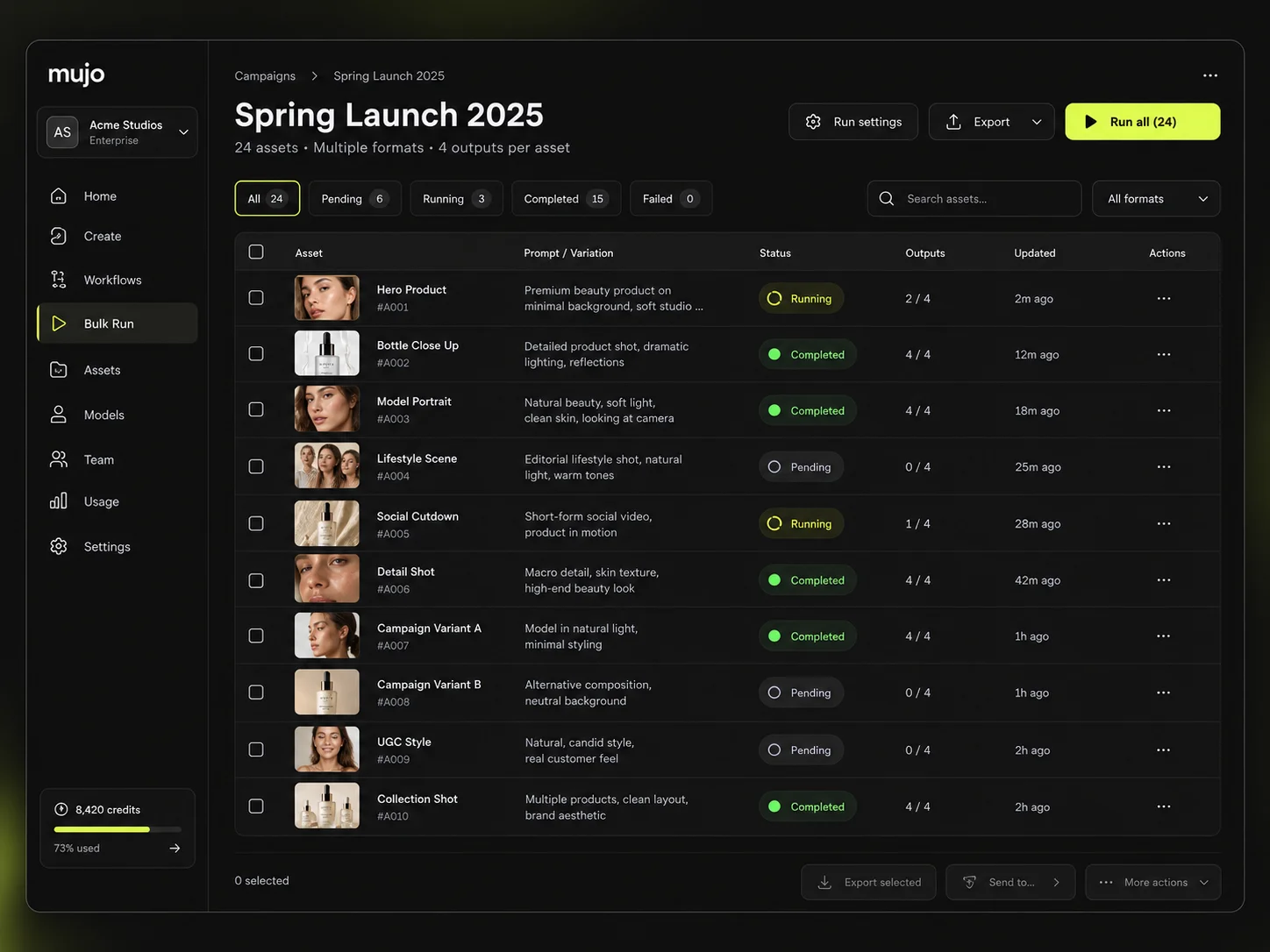
Everything below is included in the base setup. From $3,000.
Set up around your company, not around a template.
Projects and assets organised the way your team works.
Brand and production requirements written as model instruction.
The variables you keep changing, saved as controls.
The material that proved the correct result, kept for reuse.
Working, tested, and yours to run.
The right models configured behind each workflow.
Context accumulating from the setup onwards.
Review states, sign-off and QA rules relevant to your output.
Roles, model access, credits and limits.
Pilot assets produced on your own material during setup.
Two sessions, unlimited participants from one team, and support after launch.
The setup can be a standalone engagement — your system does not become obsolete the day a new model launches, and you are not obliged to retain anyone to keep it running.
Mujo AI platform pricingOne or two production workflows, live in 7–10 business days. Full workspace setup, brand system, Creative Controls, model setup, Creative Memory, reviews and QA, real test production and two training sessions. Powered by Mujo AI enterprise infrastructure.
Dedicated manager, production support, model updates, workflow improvements, new controls, QA refinements and Creative Memory optimisation as new models become available. Optional.
For multiple brands, departments, markets and use cases, larger production volumes and ongoing implementation.
Nine situations rather than nine job titles — the stage you are at predicts the fit better than the title on your email signature.
Every asset passes through you, and that is now the bottleneck.
Everyone has their own tools, prompts and definition of on-brand.
Output has to go up before the team can.
Testing needs volume your current process cannot produce.
Each batch is a little further from the thing you approved.
Not as an experiment, as part of what you ship.
It worked once and nobody can reconstruct how.
Better to hire into a system than to hire someone to invent one.
The production knowledge should belong to the company.
If the question you have is not here, send it with your brief and we will answer it before quoting.
See work produced on Mujo AINo. Enterprise here describes how the production system is structured, not how many people you employ. The structure is cheaper to put in now than to retrofit later.
You can, and many teams do. The setup becomes worth it when you need repeatability, brand consistency, multiple formats, team collaboration and production knowledge that survives individual people.
No. The point of the setup is to give your existing team a usable production system.
No. Model selection and workflow design are part of the setup.
Yes. One workflow working properly is worth more than two that half work.
A brief is enough to start. If you have brand guidelines, campaigns, products, references or existing AI work, we will use them.
Yes. The setup is tested using real production material, and you see the test generations, the failures and the corrections.
You can continue independently or retain us for ongoing optimisation from $1,500 a month. Both are normal.
Build the AI production system your team can keep using as the company grows. Real person. No sales bot. No generic AI audit.