Keeping an AI-generated character consistent means building the person once as a saved character with fixed reference material, then reusing that identity as an input across every new image instead of describing them again in words. Consistency is a property of what you reuse, not of how carefully you write the prompt.
This is the point where most AI creative projects break. The first image is excellent. The second is a different person with the same haircut. By the sixth, the brand ambassador your client approved has quietly become four people.
This guide covers how to build a character that holds across a series using the Mujo AI Character & Avatar Generator: what to fix, what to let vary, why text prompts cannot do this job, and what to check before anything ships.
The short version
- Build the person once and save them. Do not re-describe them per image.
- Identity is the reference; wardrobe, pose and location are variables.
- A detailed text description is not a character — it is a genre.
- Review every frame: models drift on faces more than on anything else.
- Only use inputs you hold the rights to.
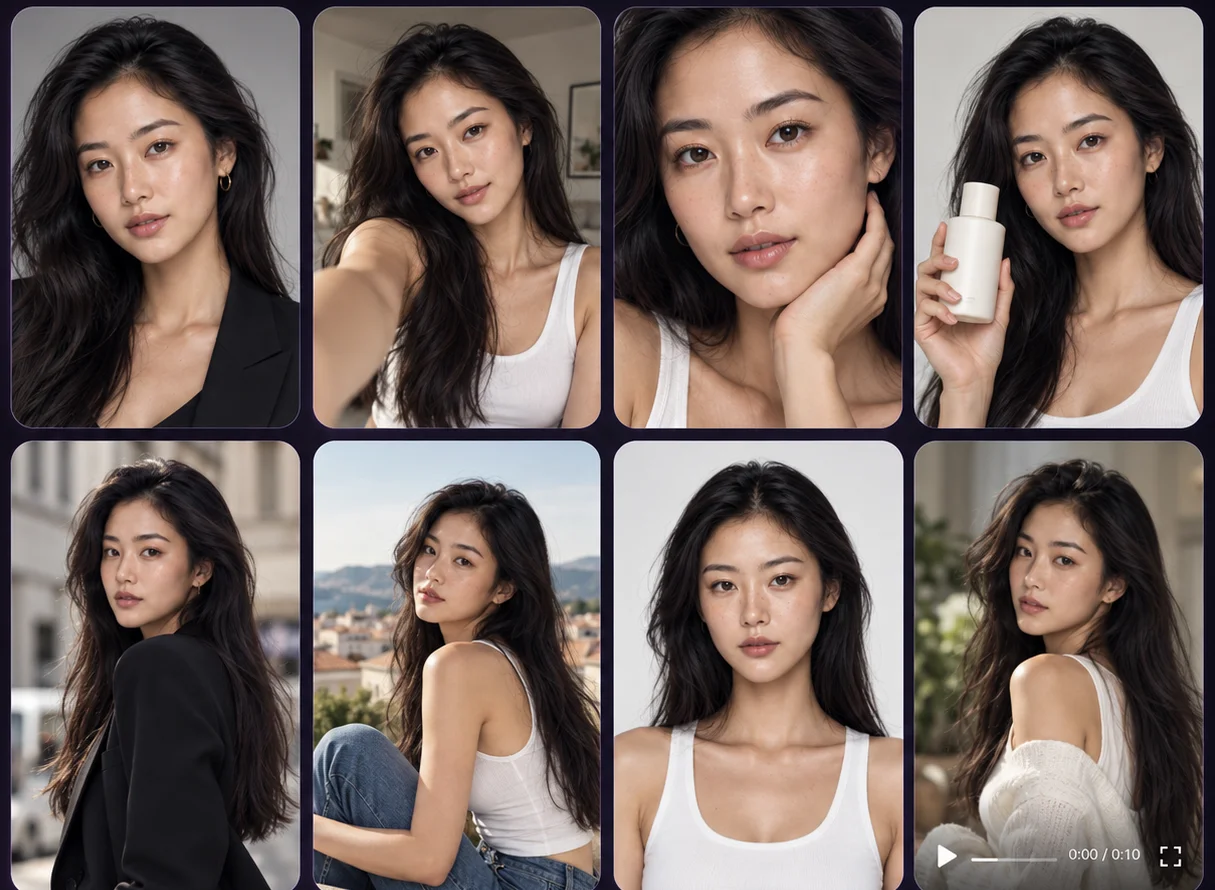
Why AI characters drift
A text prompt does not describe a person. It describes a category of person. "A woman in her thirties with dark curly hair and freckles" narrows the field to millions of faces, and the model picks a different one each time — correctly, because you never told it which.
Adding more adjectives does not fix this. It narrows the category slightly and makes the prompt harder to reuse. The problem is structural: identity cannot be transmitted through description at the precision a face requires.
What works is giving the model the person rather than a sentence about them — as saved reference material that goes into every generation as an input.
Step 1: Build the character once
Create the person deliberately, as an object you will reuse, not as a by-product of a good generation you happened to like.
You can start from three places:
- From scratch — built through appearance controls until the person is right.
- From a prompt — generated, then refined and saved as a fixed identity.
- From reference images — built around material you have the rights to use.
Spend longer here than feels necessary. Everything downstream inherits this, and fixing a character after thirty images exist is thirty images of rework.
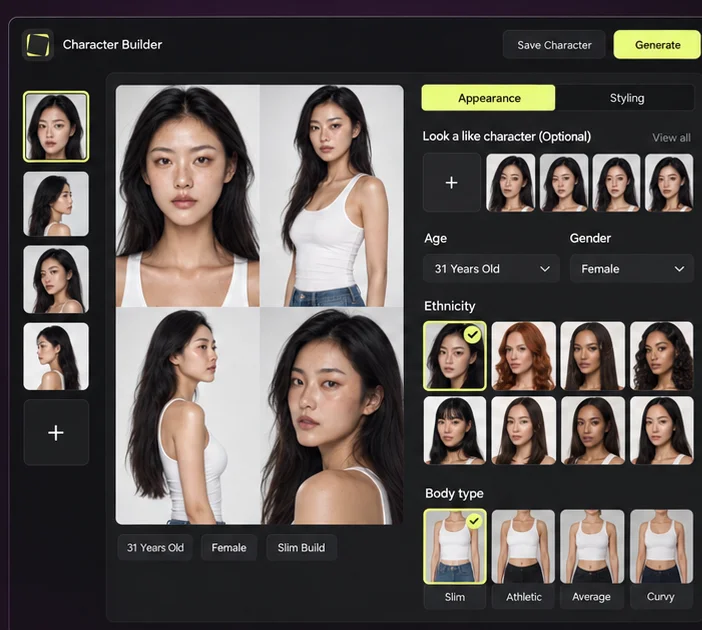
Step 2: Draw the line between identity and everything else
A character is not a photograph. It is the part of a photograph that must stay the same while the rest changes. Getting this line right is what makes a series possible.
The frequent mistake is putting something in the right column that belongs in the left. Dramatic hair changes, heavy makeup changes and extreme lighting all reduce how recognisable a person stays — not because the tool failed, but because you moved part of what identified them.
Step 3: Direct the scene with controls, not with the character
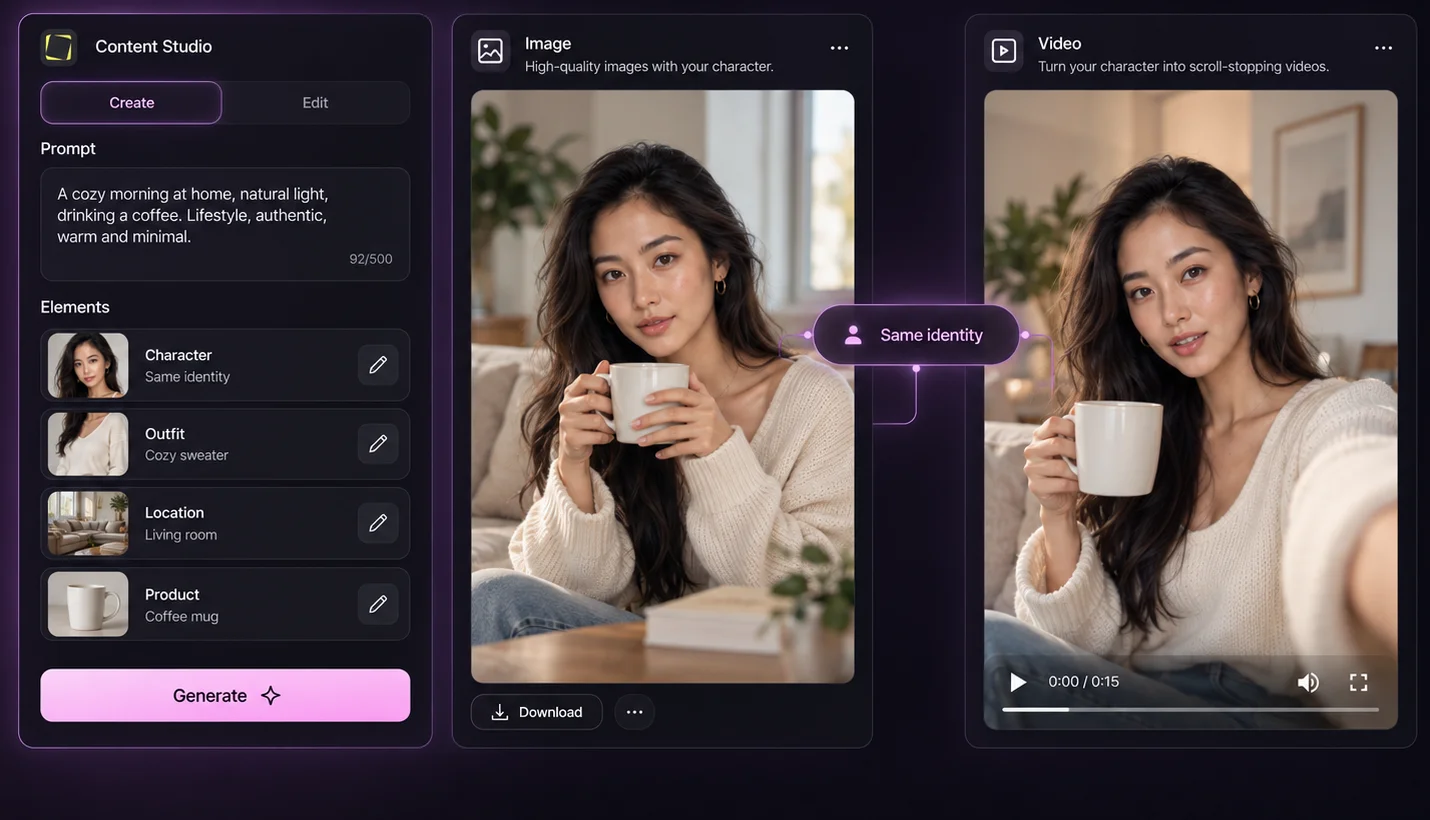
Once the person is fixed, everything else is direction. Camera angle, lighting, composition and setting are set through creative controls rather than written into the prompt each time.
This separation is what lets a series hold: the identity input does not change, so the variables that do change cannot accidentally shift the face along with them.
Step 4: Reuse the same character across formats
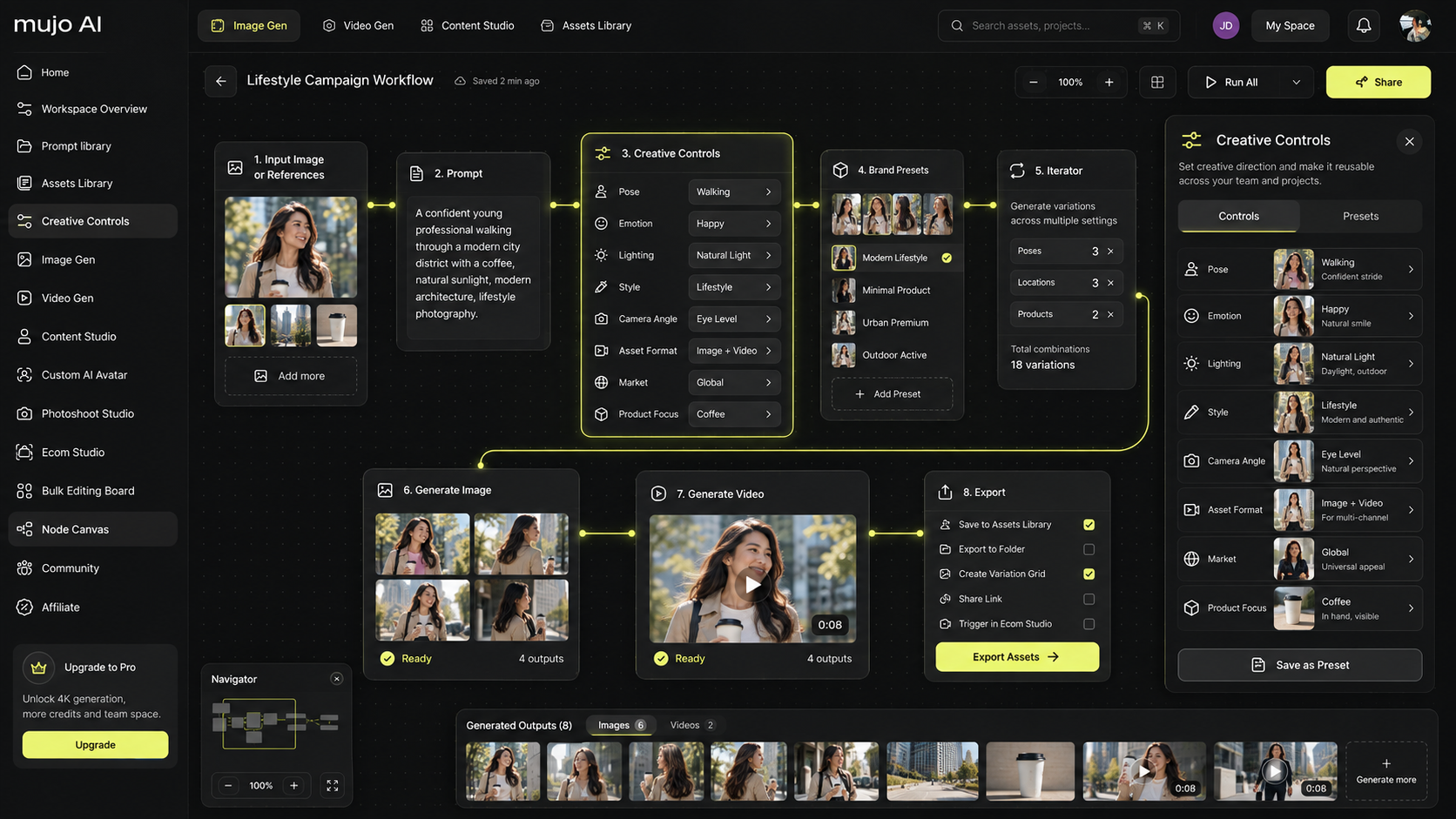
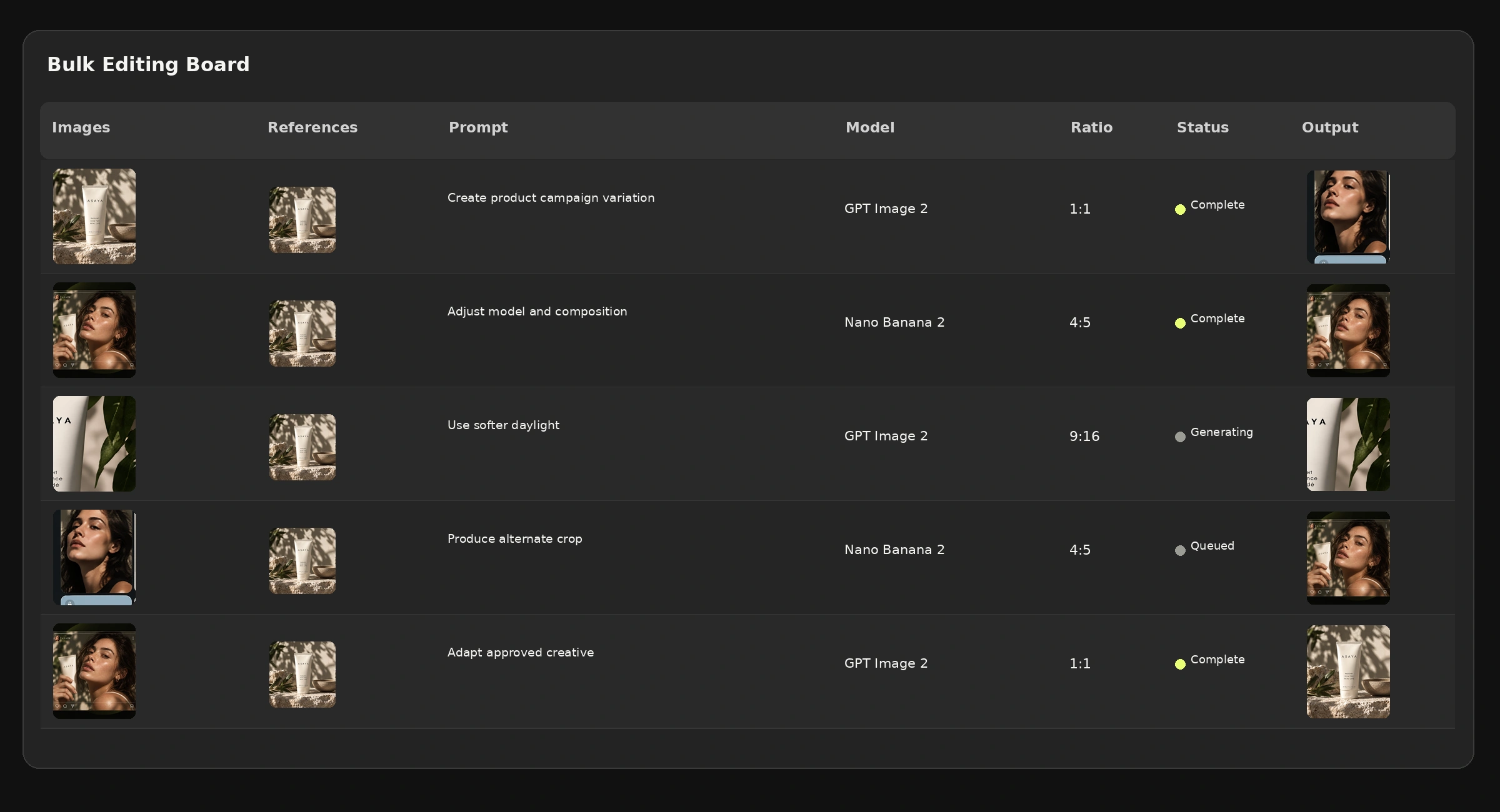
A character is only worth building if it survives leaving the image it was made in. The same saved identity should carry into a product shoot, a campaign, a video and a bulk production run — otherwise you have a nice picture, not an asset.
Step 5: Check every frame
This is not optional, and it is the step people quietly skip after the first few good results. Generative models drift on faces more than on anything else in an image, and the drift is often small enough to pass a quick glance and obvious once the set is side by side.
What to look at, in order of how often it goes wrong:
- The face at full size — not the thumbnail. Thumbnails hide everything.
- Eyes, teeth and hands — the three places artefacts cluster.
- Age drift — characters tend to get younger across a long series.
- Distinguishing details — freckles, a mole, a gap in the teeth: these disappear first.
- The set together — the real test is whether a stranger reads them as one person.
What usually goes wrong
Treating a good generation as a character
Someone generates a great portrait and tries to reproduce it by re-running the prompt. It never comes back. Fix: when an image is good enough to reuse, save the person as a character immediately.
Changing too much at once
New hair, new makeup, new lighting and a new angle in the same step — and the result is a stranger. Fix: change presentation one element at a time when you need the person to stay recognisable.
Reviewing at thumbnail size
A set looks consistent in a grid at 200px and falls apart at full resolution, which is where the audience will see it. Fix: review at the size it will be published.
No rights to the reference
A character built from someone else's photograph is a legal problem wearing a creative disguise. Fix: use only material you have the rights to, and treat this as a hard rule rather than a caveat.
Where consistent characters matter most
Brand ambassadors and campaigns
A recognisable face across a whole campaign, reusable next season. See campaign creatives.
UGC-style and creator-led ads
The presenter becomes a testable variable instead of a booking. See social video ads.
AI photoshoots
Cast once, shoot repeatedly — the whole point of AI photoshoots is that the cast does not have to be rebooked.
Storyboards and pre-production
A board is unusable if the person changes between frames. Character consistency is what makes AI storyboards readable as one film.
Frequently asked questions
How do I keep the same AI character across multiple images?
Build the person once as a saved character and use that identity as an input to every generation, rather than re-describing them in each prompt. Then review each result, because drift is still possible.
Why does my AI character look different every time?
Because a text description defines a category of person, not a specific one. The model picks a different face each run. A saved character with fixed reference material is what makes the identity repeatable.
Can I create an AI character from my own photos?
You can build from reference images, provided you hold the necessary rights and permissions for the material you use.
Can I change clothes and keep the same person?
Wardrobe, styling, pose and location are meant to vary. Dramatic changes to hair or makeup affect recognisability more than clothing does, so change those more carefully.
Can the same character appear in video?
A saved character can be used as a starting point for video workflows. Supported controls and available models differ between image and video, so check what the workflow you pick can do.
Is identity consistency guaranteed?
No. It is substantially improved by reusing a saved character and consistent references, and it still needs checking on every frame. Treat consistency as something to verify rather than assume.
Can I use the same character for several brands or clients?
Technically yes; commercially, think first. A face that appears in two competing campaigns undermines both. Keep a separate cast per account.
Build the person once
Everything difficult about AI characters comes from the same source: trying to recreate a person from words each time instead of reusing them as an object.
Build them once, fix identity, vary presentation, and check the set at full size. After that, the character stops being something you hope for and becomes something you have.
Create the character once. Use them everywhere.
Build a consistent AI character and reuse the same person across images, video, campaigns and bulk runs.