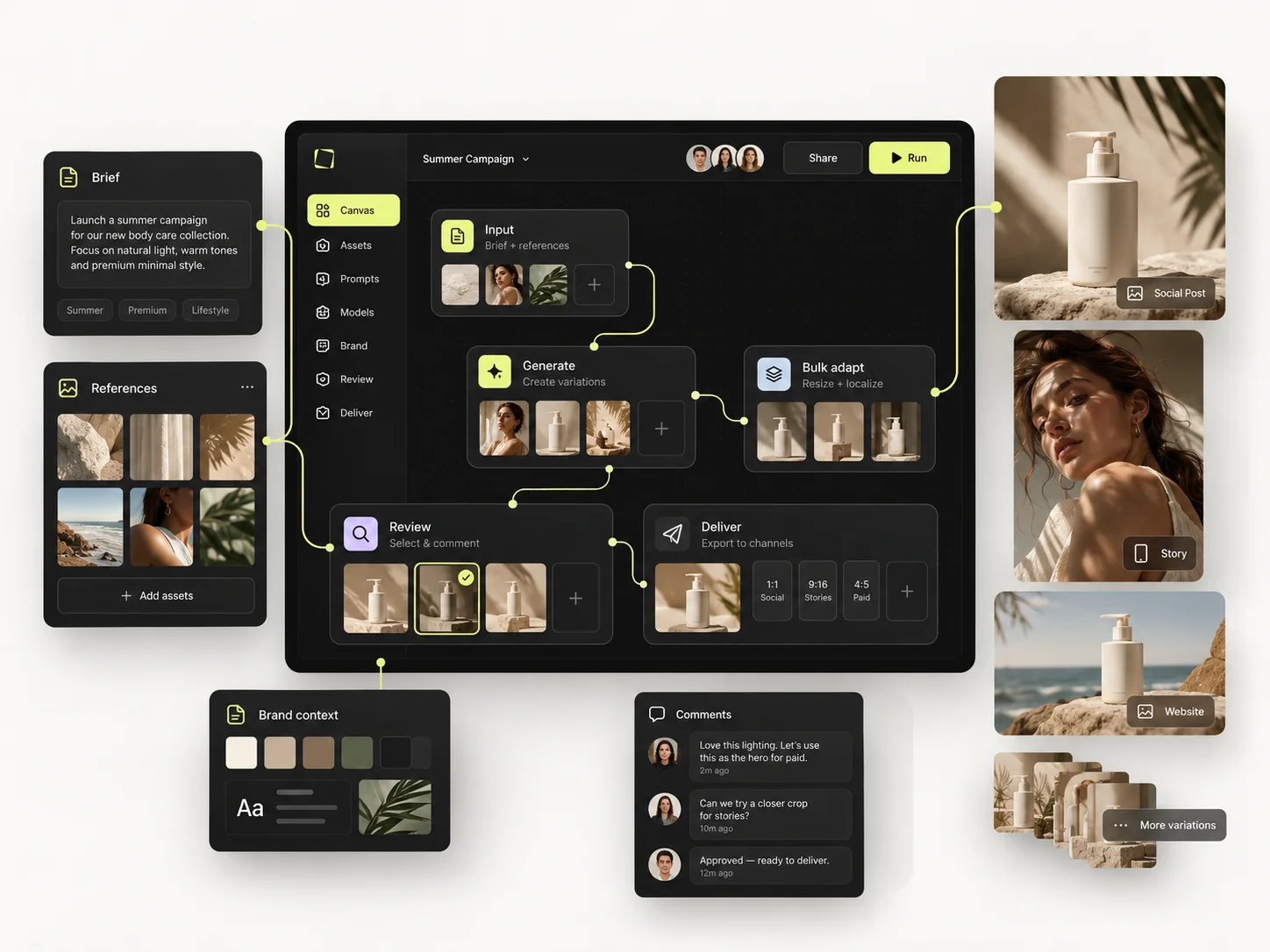
Working alone, your biggest cost is not generating the first image — it is finding the reference, prompt and settings that produced the one you liked. A solo workflow that holds up is short: define one deliverable, gather a few references, pick a model, test one direction, refine the strongest result, and save the setup you want back.
When you work alone you are the creative director, the producer, the editor and the person who is supposed to remember what happened last Tuesday. Nothing enforces a process, so there isn't one — and by the fourth brief you are reconstructing a good result from memory.
This guide covers the routine that fixes that: what to decide before you generate, how to keep a project findable, the loop that avoids wasted attempts, and the point at which a repeated process is worth moving into the Node Editor.
The short version
- Write the deliverable in one sentence before you open the generator.
- Separate source assets from the outputs you actually selected.
- Change one major variable per attempt, not four.
- Save the setup, not only the image.
- Add structure when you repeat a process — not before.

Start with an output, not a model
Before opening the generator, write one sentence describing what you need. Something like: four premium product images for a skincare launch — one clean studio shot, two lifestyle scenes, one campaign visual. That sentence decides your aspect ratio, your references, your model and, more usefully, what counts as done.
Three questions settle most of it. Where will this be used? What has to stay the same? What is allowed to change? For product imagery the packaging and shape are usually fixed while background, light and angle move. For a portrait series the character reference is fixed while pose and scene move.
Starting with which model should I try today is fine when model exploration is the assignment. It is an expensive way to discover what you needed if it is not.
Give each project a small, useful structure
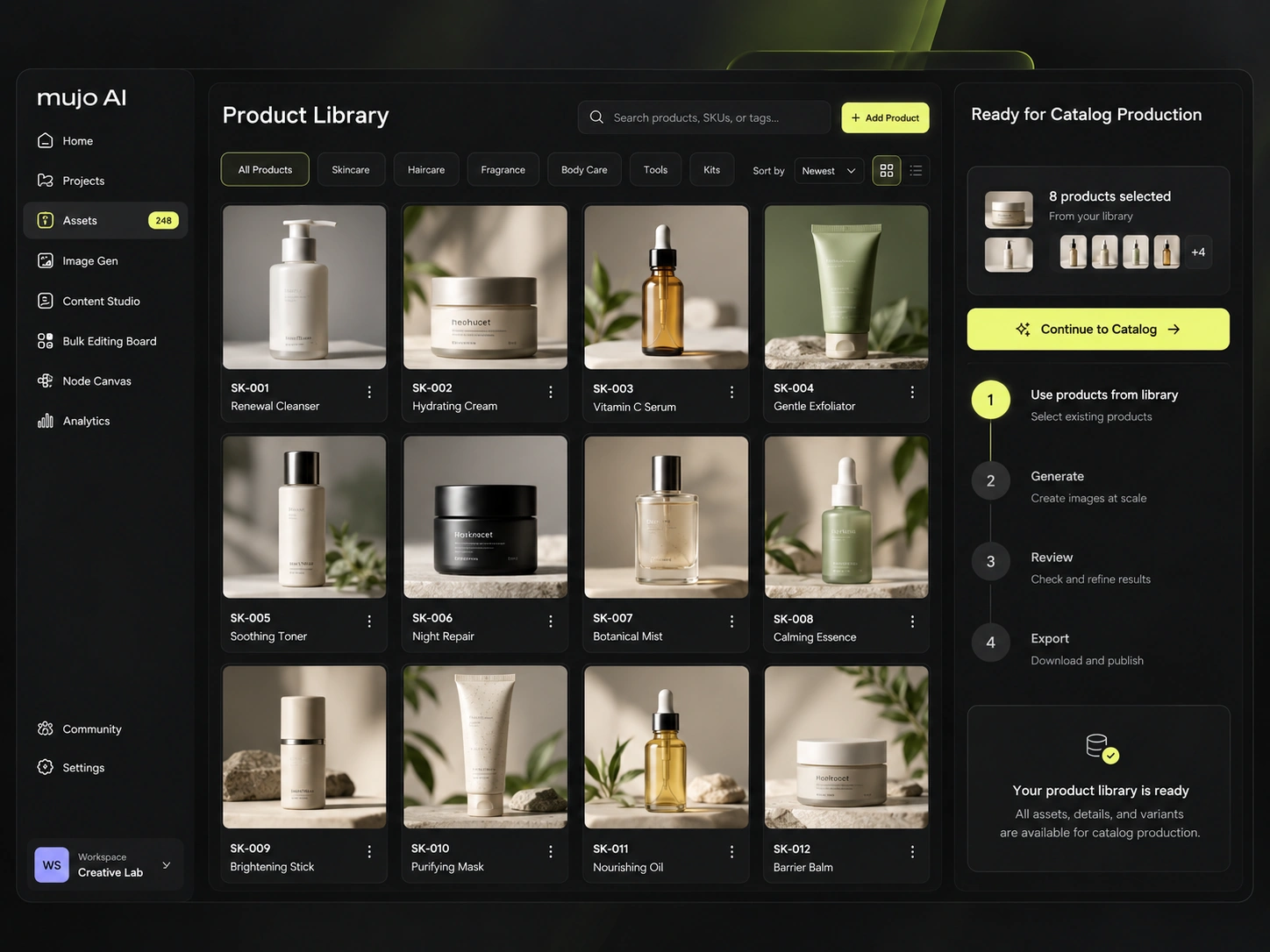
Keep the brief, the source inputs, the references, the selected results and the setup together. A naming convention as plain as Skincare / Autumn Launch / Studio Set is enough. The test is whether you can come back a week later and identify the source image, the chosen output and what you meant to change next — without replaying the session in your head.
One habit does most of the work: keep source assets apart from selected outputs. Not every generation deserves to be kept. Save the references and results that carry information you will want again, and let the rejected explorations go.
Run one focused creative loop
- Set the brief. Subject, intended use, and the details that must survive.
- Attach one relevant reference. One image that shows the requirement beats five that disagree with each other.
- Set the direction. Prompt wording plus the Creative Controls that apply — camera, framing, lighting, style.
- Generate a small test. Confirm the concept is right before producing alternatives of a concept that is wrong.
- Change one major variable. If the light is wrong, fix the light. Do not rewrite everything and then wonder what helped.
- Select and save. Keep the output and the settings that produced it.
The loop is deliberately small. A one-off task does not need a node graph. Structure earns its place when you notice you have done the same thing three times.
Turn repeated work into a reusable setup
Say you produce a product series every week. Keep the prompt structure, the reference set, the lighting direction and the output requirements as one thing. When the next product arrives you replace the product-specific input instead of rebuilding the approach.
When the task grows past one step — source image in, several scenes, then variations — build it in the Node Editor so the logic is visible and someone else could follow it. The point is to preserve decisions, not to automate judgment.
Project:      [product or campaign]
Output:       [number and type of assets]
Keep fixed:   [identity, packaging, palette, style]
Change:       [background, angle, lighting, crop]
References:   [source and purpose of each image]
Review for:   [three pass/fail criteria]
Next action:  [one specific refinement]
Review before you generate again
Check the asset at the size it will actually be used. A product image can look convincing as a thumbnail and fall apart on packaging detail at full resolution. A social visual can have the right mood and crop the subject badly in a vertical placement.
Then decide: refine this direction, or restart it. Generation volume is not a substitute for that decision, and it is the most common way solo creators spend an afternoon and end up with nothing.
Common mistakes
- Opening the generator before deciding what the output is for.
- Attaching several references that pull in different directions.
- Changing model, prompt and lighting at once, then being unable to tell what worked.
- Keeping every generation, which makes the good one harder to find than if you had kept none.
- Rebuilding the same setup from memory every week instead of saving it once.
Solo creator checklist
- □I can describe the required output in one sentence.
- □My source images and selected results are easy to find.
- □Each reference has a clear purpose.
- □I test one direction before expanding into variations.
- □I save successful prompts and settings rather than relying on memory.
- □I inspect critical details at full size before sharing.
Frequently asked questions
Do I need the Node Editor to use Mujo effectively?
No. A single generation with good references and clear controls is the right tool for simple work. The Node Editor earns its place when the same multi-step process needs to be repeated, changed or handed over.
Should I save every generation?
Keep what helps you reproduce, compare or explain a result. A selected output with its source and its setup is worth more than a folder of attempts nobody will open again.
What should I learn next?
If cost is the pressure, read the credit guide. If you keep recreating the same look, move on to reusable setups and your first workflow.
Related guides
- How to Use Fewer AI Credits Without Sacrificing Quality
- How to Save and Reuse Your Best AI Creative Setups
- How to Build Your First Reusable AI Workflow in Mujo
Make your next session easier to repeat.
Start with one brief, one reference and one saved setup — and see how much of it you still have next week.