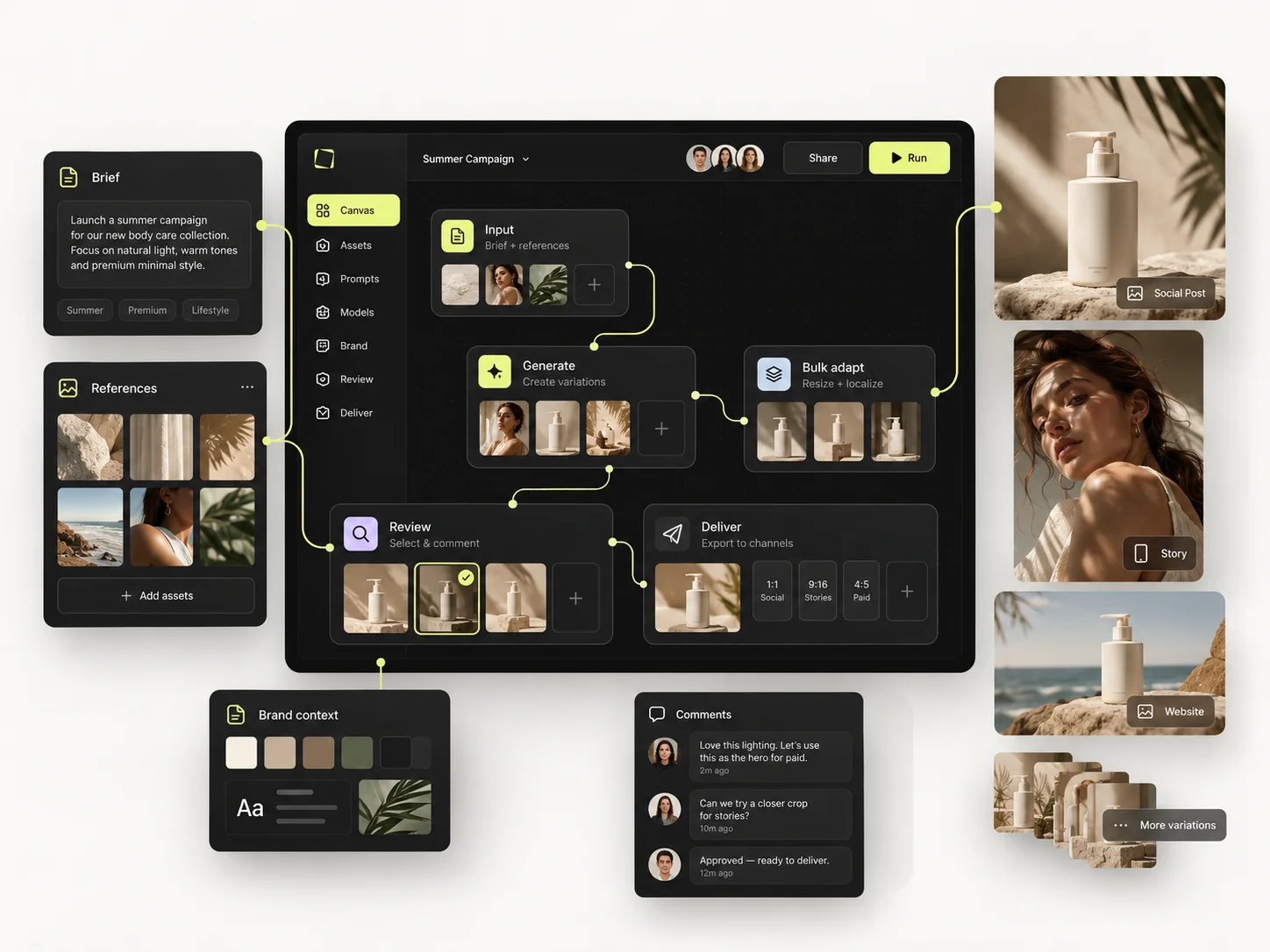
Governing AI across a team comes down to three registers: a model policy that says which model is used for which job, a credit budget that allocates spend before it happens, and a permission matrix that separates who can produce from who can change the setup. Write those three down and most of what people call "AI chaos" disappears.
This is the operational version of the problem. The strategic case for consolidating onto one workspace is covered separately; this article is about what you actually configure on the Monday after that decision.
Below: a model policy you can adapt, a credit budgeting method with worked arithmetic, a four-role permission matrix, and the review cadence that keeps all three from drifting — set up in the Mujo Team Workspace.
The short version
- Model choice belongs to the job, recorded in the setup — not to whoever is generating.
- Budget credits per project before the run, not per month after it.
- Four roles is enough: viewer, producer, editor, admin.
- The right to use an approved setup and the right to change it are different permissions.
- Review usage weekly. Credits vanish in batches, not in drips.
Register one: the model policy
Left ungoverned, model choice becomes habit — whichever model someone learned first, applied to everything. That is fine while exploring and expensive at production scale, because models differ in what they control well and in what they cost per generation.
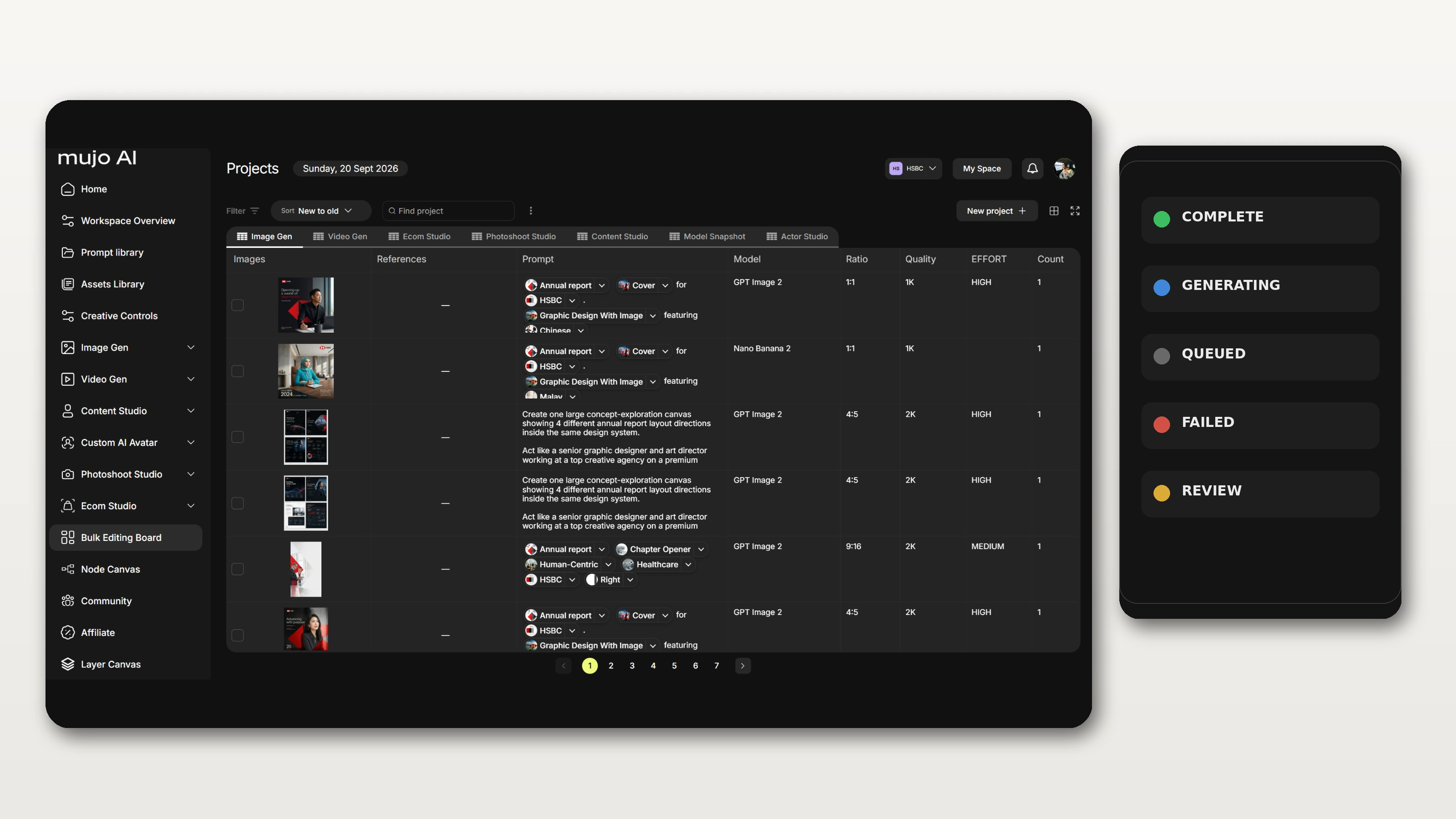
A model policy is one page. It maps job types to a decision, and it lives with the setup rather than in someone's memory.
The column that does the work is the last one. A policy nobody can see is a preference; a model recorded inside the saved setup is a policy, because it applies whether or not anyone remembers it.
Register two: the credit budget
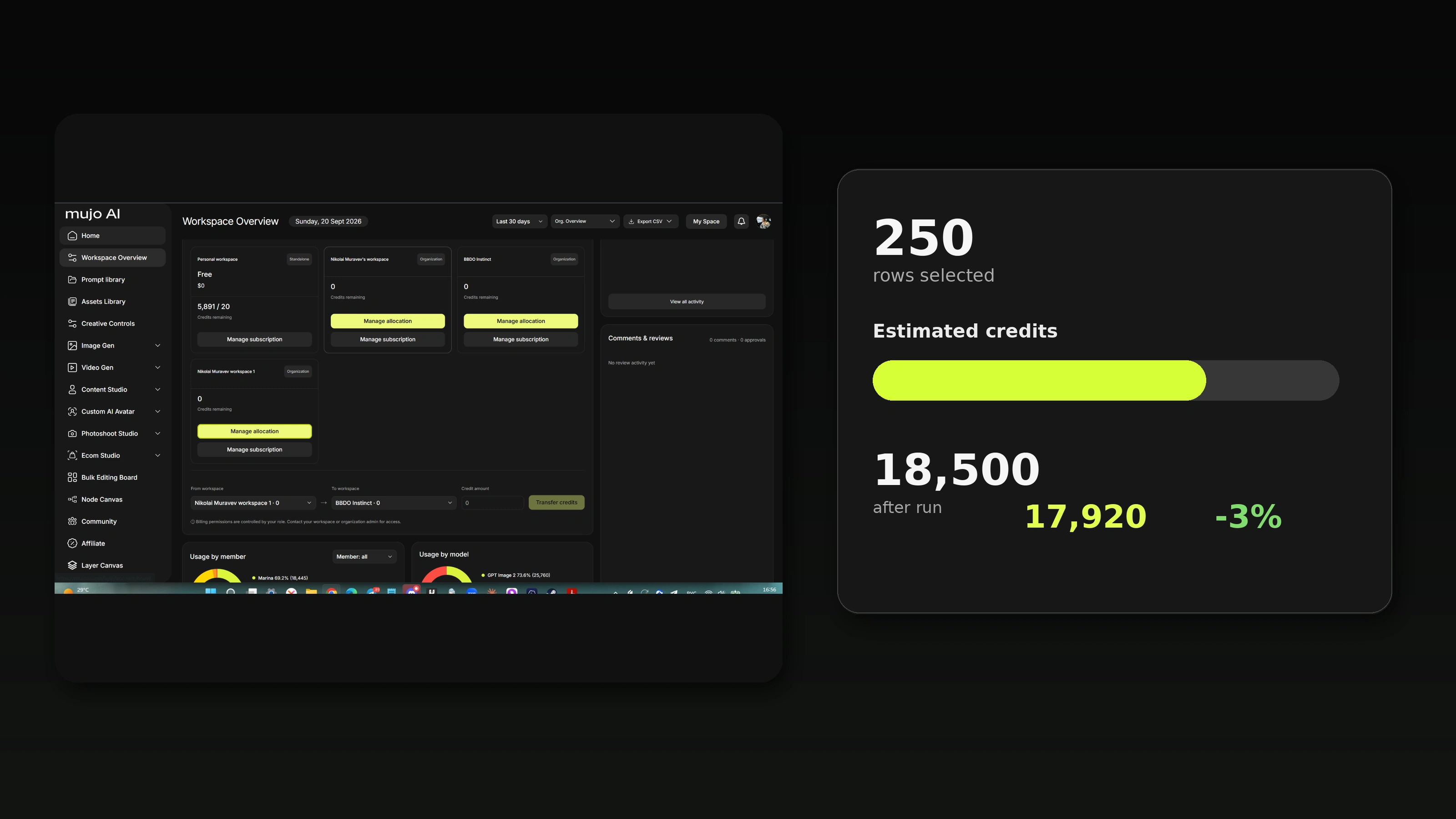
Credit consumption in a creative team is not a steady drip. It is flat for ten days and then one bulk run takes a third of the month. Monthly reporting tells you what happened; per-project budgeting lets you act before it does.
The arithmetic
Four numbers, in this order:
- Cost per generation at the model and quality the setup specifies.
- × planned outputs — the row count in your production table.
- + test batch — five to eight rows before the full run.
- + rejection allowance — the share you expect to redo.
The fourth line is the one that gets skipped, and it is the reason batch budgets get blown. On a first run with a new setup, plan for a meaningful proportion of rows needing a second pass. On a setup that has run before, that number should be much smaller — and if it is not, the problem is the setup, not the budget.
Three ratios worth tracking
- Exploration versus production. High exploration early in a campaign is healthy. High exploration in week four means the brief never got settled.
- Rejection rate. The share of output that never ships. This is the number that improves fastest once setups are shared rather than personal.
- Credits per delivered asset. The only figure that compares one project to another honestly.
Mujo uses a credit-based system across supported models and tools; see pricing for plans and allowances, and confirm what usage reporting is available on your release.
Register three: the permission matrix
Most permission problems come from bundling two rights that should be separate: the right to produce using an approved setup, and the right to change it. Bundle them and you get one of two failure modes — either everyone can alter the brand setup, or only two people can produce anything.
Four roles handle almost every team. More than four is usually a sign the workspace structure is wrong rather than the roles.
Note the third row. Most teams should have far more producers than editors — that is the point. Production capacity rises without the brand setup becoming editable by everyone who is in a hurry at 6pm.
External collaborators — freelancers, client-side reviewers — map cleanly onto viewer or producer, scoped to one workspace. Check what external-access features your plan supports before promising a client anything.
The cadence that keeps all three current
- Weekly: glance at usage. Anything unexpected is a conversation now, not a surprise later.
- Per project: budget before the run; compare after.
- Monthly: review the rejection rate. Rising rejection means a setup has drifted.
- Quarterly: revisit the model policy. New models arrive; the policy should be allowed to change deliberately rather than by habit.
What usually goes wrong
Model roulette
Each person picks a different model for the same job and output stops matching across a campaign. Fix: record the model in the setup, not in a preference.
Everyone is an admin
Usually because it was faster at setup. Six weeks later the approved look has been edited three times by well-meaning people. Fix: narrow editor rights, wide producer rights.
Budget discovered at invoice
A large run launches on a Friday and nobody looks again until billing. Fix: test batch first, weekly glance, and an approval step above a defined batch size.
Policy in a document nobody opens
The model policy exists — in a slide deck from March. Fix: put the decision in the saved setup, where it applies itself.
Frequently asked questions
How do you control which AI models a team uses?
By recording the model inside the saved setup or workflow for production work, so runs use the intended model regardless of individual preference. Exploration can stay open.
How do you budget AI credits for a project?
Cost per generation, multiplied by planned outputs, plus a test batch, plus a rejection allowance. The rejection allowance is the line that gets skipped and the reason budgets get blown.
What roles does a creative team actually need?
Four is usually enough: viewer, producer, editor, admin. The critical split is between producing with an approved setup and being able to change it.
Can we see credit usage per project or per client?
Usage visibility is part of the workspace. Confirm the exact reporting available on your current plan and release before building billing around it.
How do we give a freelancer access to one client only?
Scope them to a single workspace with a production-level role. Check which external access options your plan supports.
How often should we review AI usage?
Weekly for spend, per project for budgets, monthly for rejection rate, quarterly for the model policy. Credits disappear in batches, so monthly-only review is always too late.
What stops someone running an expensive batch by accident?
A test batch requirement, an approval step above a defined size, and visibility of the plan before the run. Process, not permissions, prevents most of this.
Three registers, one page each
AI governance in a creative team sounds heavy and is not. A model policy, a budgeting method and a permission matrix fit on three pages, and they remove most of the friction people attribute to the technology.
The one principle underneath all three: put the decision where it applies itself — in the setup, the workflow, the role — rather than in a document that depends on someone remembering it.
Models, credits and access in one place.
Shared setups, roles, review and usage visibility for teams producing with AI.