Why Ecommerce Brands Need an AI Listing Generator in 2026: Key Benefits and Use Cases
In 2026, your product page isn’t just “a place where people can buy.” It’s the first thing shoppers see – and the first thing a growing layer of AI looks at: marketplace search, smart assistants, AI summaries, recommendation bots, and shopping agents.
Most brands are still stuck in an old mindset:
“We just need nicer photos.”
“Let’s clean up the backgrounds.”
That used to help. Today, it’s the bare minimum.
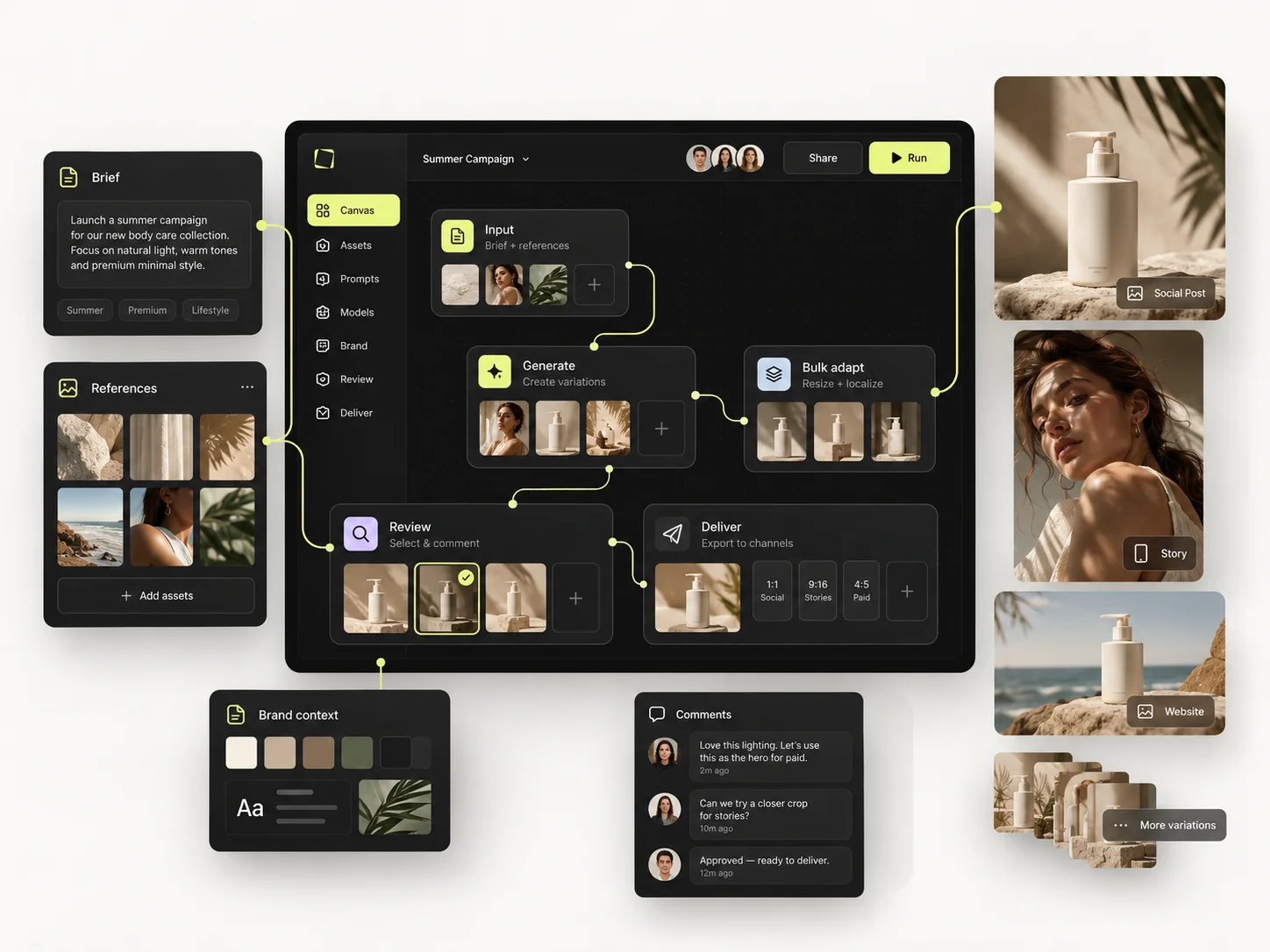
Mujo AI isn’t one more background remover or generic design app. It’s a listing engine – a system that takes one product photo and a bit of context and turns it into a complete listing: gallery plus copy, ready for Amazon, Shopify, Etsy, TikTok Shop and more.

What Mujo AI Actually Does
Here’s the simple version.
You give Mujo:
- one or a few product photos
- basic information about the product and your audience
Mujo gives you:
- a strategy-first gallery plan for your product page – which slides you need, in what order, and what each one should explain
-
a complete set of on-brand slides based on that plan, for example (depending on your product, category and marketplace):
- benefit and feature highlight slides
- “why us” or comparison slides
- lifestyle and in-use scenes
- “what’s in the box”, size and spec visuals
- how-to / instructions or use-case slides when they’re needed
-
matching copy:
- title
- bullets
- short and long description
- all kept inside marketplace limits

Everything is generated in layers, not flattened JPGs, so you can edit and reuse layouts instead of starting over each time.
Inside Mujo, you also get:
- background remover
- image upscaler
- product scenes (new backgrounds and contexts without a new photoshoot)
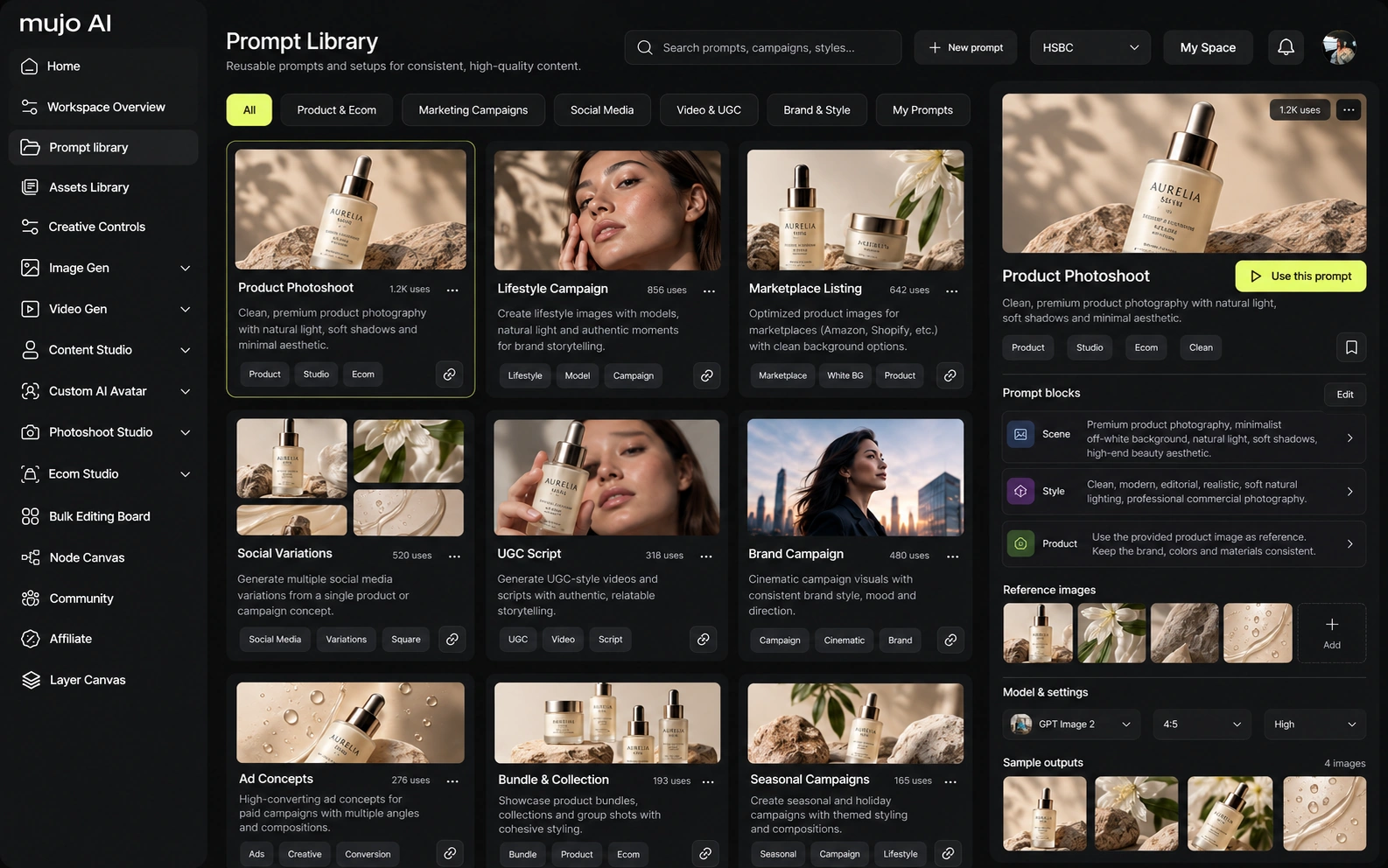
- Mujo Design Editor – a drag-and-drop editor made for product galleries
- Mujo Copy Editor – a structured editor for titles, bullets and descriptions
- Bulk Editing Board – a spreadsheet-like board to update and reuse listings across many SKUs
If traditional photo editing is one small step in image production,
Mujo is the engine that builds the whole product page.
Why “Just Clean Backgrounds” Aren’t Enough in 2026
Cleaning up a background is still useful, especially for the main image. But in 2026 it’s hygiene, not a competitive edge.
1. Shoppers buy a story, not just pixels
When someone lands on your product page, they decide in a few seconds:
- what the product is
- who it’s for
- why it’s different from the other similar options
- whether they trust the brand
One clean photo on white doesn’t do all of that.
A good gallery behaves like a mini funnel:
Hero → Benefits → Proof / Comparison → Lifestyle → Variants / Details
Mujo builds exactly this kind of sequence and fills it with visuals and copy that fit together.
2. AI search looks at context, not just one image
Search and discovery now include:
- AI assistants that summarize product pages
- visual and voice search
- “what’s a good option for X?” style queries instead of keyword tricks
These systems try to understand:
- what is shown in your images (objects, context, scenes)
- what your titles and bullets actually say
- whether the page answers real shopper questions
A random mix of images gives a weak signal. A structured gallery that clearly explains who the product is for, what it does and why it’s different sends a much stronger signal.
Mujo is built for that second scenario.
3. Marketplace rules are stricter for both images and copy
It’s no longer just about “white background and high resolution.” You also need to care about:
- claims you put directly on images
- text size and contrast on mobile
- realistic size and what’s actually in the box
- category-specific expectations (beauty vs home vs electronics, etc.)
Basic cleanup makes a photo look neat. Mujo goes further and designs the entire listing so it’s clear for humans and friendly to marketplace guidelines.
What Mujo Gives You Beyond Basic Photo Editing

1. A full gallery funnel, not just “better photos”
Mujo doesn’t stop at “make the main image nicer.”
It builds a set of slides that:
- grabs attention
- explains key benefits in plain language
- positions you against alternatives or cheap lookalikes
- shows the product in real life
- answers questions about size, contents and usage
- supports variants, bundles and limited editions
You’re not guessing “what should go on slide three?” The Engine plans the story first, then creates visuals and copy to match.
2. Visuals and copy are designed together
A common setup today looks like this:
- a designer creates images in Figma or Canva
- a writer or AI chat produces copy in a doc
- someone tries to force the text into the layouts
- everything breaks on mobile and needs another round of fixes
With Mujo, the process is different:
- the structure of the listing comes first
- each slide gets visuals and copy designed to live together
- text is generated with length and layout in mind
- Copy Editor lets you adjust wording without ruining the design
You avoid the classic “beautiful slide, but the headline doesn’t fit” problem.
3. One strong listing can power dozens of SKUs
Most brands have one or two hero listings that perform really well. The hard part is applying that success to:
- new flavours or scents
- new sizes
- bundles and kits
- seasonal editions
With Mujo:
- You build one strong listing.
- You save it as a template.
- You use Bulk Editing Board to apply it across a whole product line.
Mujo rewrites copy for each SKU, regenerates scenes for new variants, and keeps layout, fonts, style and tone consistent.
Work that used to take weeks across design and copy teams turns into a workflow you can run in hours.
4. One workspace instead of a tool soup
The typical 2026 “stack” for product content often looks like this:
- one app for background removal
- one app for upscaling
- one model for AI-generated scenes
- one tool for copy
- spreadsheets or bulk upload templates somewhere else
You spend more time moving assets around than actually improving listings.
Mujo pulls this together:
- background removal, upscaling and scene generation all live in the same editor and are orchestrated by the listing agent, so they run automatically when they’re needed
- you can still jump in and fine-tune visuals in the Mujo Design Editor, but you don’t have to manually apply each tool yourself
- visuals and copy stay in one project, so changes to messaging and layout stay in sync
- bulk updates and template reuse happen inside the same flow, instead of across separate apps and files
Less copy-paste. Fewer “which version is final?” moments. More time to test ideas.
5. Non-designers can ship good-looking galleries
Mujo Design Editor is easier to use than heavy-duty design tools, but it’s built specifically for e-commerce:
- ready-made layouts for common slide types
- smart groups for headings, subheadings, icons and badges
- layer-based editing that doesn’t fall apart when you move one element
That means:
- brand managers, founders and VAs can handle a lot of day-to-day edits
- designers can focus on high-impact creative work instead of redrawing the same slide 20 times
What the Product Journey Looks Like Inside Mujo
Step 1: Upload your product
You add your main product photo (or a small set). Even simple supplier shots can be enough as a starting point.
Step 2: Tell Mujo who you sell to
Mujo walks you through a short, guided quiz: category, audience, key benefits, style preferences. You can also use presets if you prefer.
Step 3: The Engine plans your listing
Mujo Engine turns your inputs into a full gallery plan – what each slide should show and say, in which order, and which objections to address.
Step 4: Gallery and copy are generated together
Mujo generates:
- a complete set of slides based on your gallery plan – benefit and feature highlight slides, “why us” or comparison frames, lifestyle and in-use scenes, detail and spec visuals, “what’s in the box”, how-to / instruction slides and any other formats your product actually needs
- matching title, bullets and descriptions for your target platforms
Everything is aligned and feels like a single story instead of separate pieces.
Step 5: Edit, reuse and scale
In Design Editor you move blocks, swap scenes and adjust colours. In Copy Editor you tighten headlines, tweak claims and localise. In Bulk Editing Board you reuse your best layouts and messaging across many SKUs.
Export when you’re ready, or keep iterating inside Mujo.
A Few Real-World Scenarios
Scenario 1: Skincare brand with constant launches
You release new serums, bundles or gift sets every month.
Before Mujo, every launch meant:
- briefs and calls with an agency
- photoshoots
- design rounds in Figma
- copy rounds in docs
With Mujo:
- you create one strong base gallery for the line
- each new SKU goes through Mujo and gets a ready-to-edit listing
- your team tweaks details, saves templates and scales the style across the line
Scenario 2: Amazon brand with dozens of SKUs in home & kitchen
You handle multiple colours, sets and bundles. Amazon tightens rules and experiments with AI-driven shopping experiences.
With Mujo:
- you define a clear gallery structure for the whole category
- the Engine applies that logic across all related products
- bulk tools let you refresh the entire catalog when packaging, claims or best practices change
Scenario 3: E-commerce agency running multiple brands
Every product page used to be a mini-project: brief, shoot, design, copy, approvals.
With Mujo:
- you build reusable gallery frameworks by category
- your team runs client products through Mujo Listing Generator for a first version
- designers and writers focus only where custom work is really needed
You get a repeatable way to offer “AI-ready listings” as a service without burning out your team.
“Why Not Just Use Midjourney, ChatGPT and Canva Together?”

You can absolutely chain tools together:
- an image generator for scenes
- a language model for bullets and descriptions
- a design tool for layouts
The catch is that:
- image generators don’t know platform rules or text limits
- AI copy doesn’t know where it will live on the page
- layout tools don’t know you need a specific funnel of 7–9 slides for a marketplace gallery
- nothing ties it all into one workflow you can scale
You end up being the “engine” yourself: writing prompts, pasting content, resizing, checking guidelines, fixing layout issues, and tracking versions.
Mujo’s job is to be that engine instead of you:
- plan the gallery and copy as a single experience
- respect marketplace limits and best practices
- keep everything editable and reusable
- let you go from one listing to dozens without reinventing your process
You stay in control. You just don’t have to be the glue between five different tools.
Common Questions About Mujo AI
Do I still need separate photo editing tools if I use Mujo?
You still need at least one decent base shot per product. But in many cases Mujo replaces separate background removal, upscaling and a lot of manual design work.
Is Mujo only for Amazon?
No. Mujo works for Amazon, Shopify, Etsy, TikTok Shop, Walmart and other marketplaces. You pick your platforms and Mujo adapts formats and copy.
Can I use my existing product photos?
Yes. You can start from your current images. Mujo can clean them up, build scenes around them and design the gallery on top.
What if I only have a few SKUs?
You still get a lot of value. Instead of treating every product page like a big project, you can ship better PDPs faster and spend more time on product and marketing.
Can my team and freelancers work together in Mujo?
Yes. Designers, marketers, VAs and account managers can work from the same projects, templates and boards instead of juggling files across different tools.
The Bottom Line: “Nice Images” Alone Don’t Win in 2026
Shoppers see images and a few lines of text. AI systems see structure, context, relevance and compliance.
If you want to:
- stand out in crowded search results
- play well with AI-driven recommendations
- keep your catalog consistent as you grow
…you need more than a clean background.
You need a listing engine that can turn one product photo into a complete, on-brand, marketplace-ready story – again and again.
That’s exactly what Mujo AI is built to do.