ControlBar
Guide pose, lighting, camera feel, and reusable structure inside your image workflow
Control AI Image Generation with
A structured control layer designed for creators who want more repeatable results
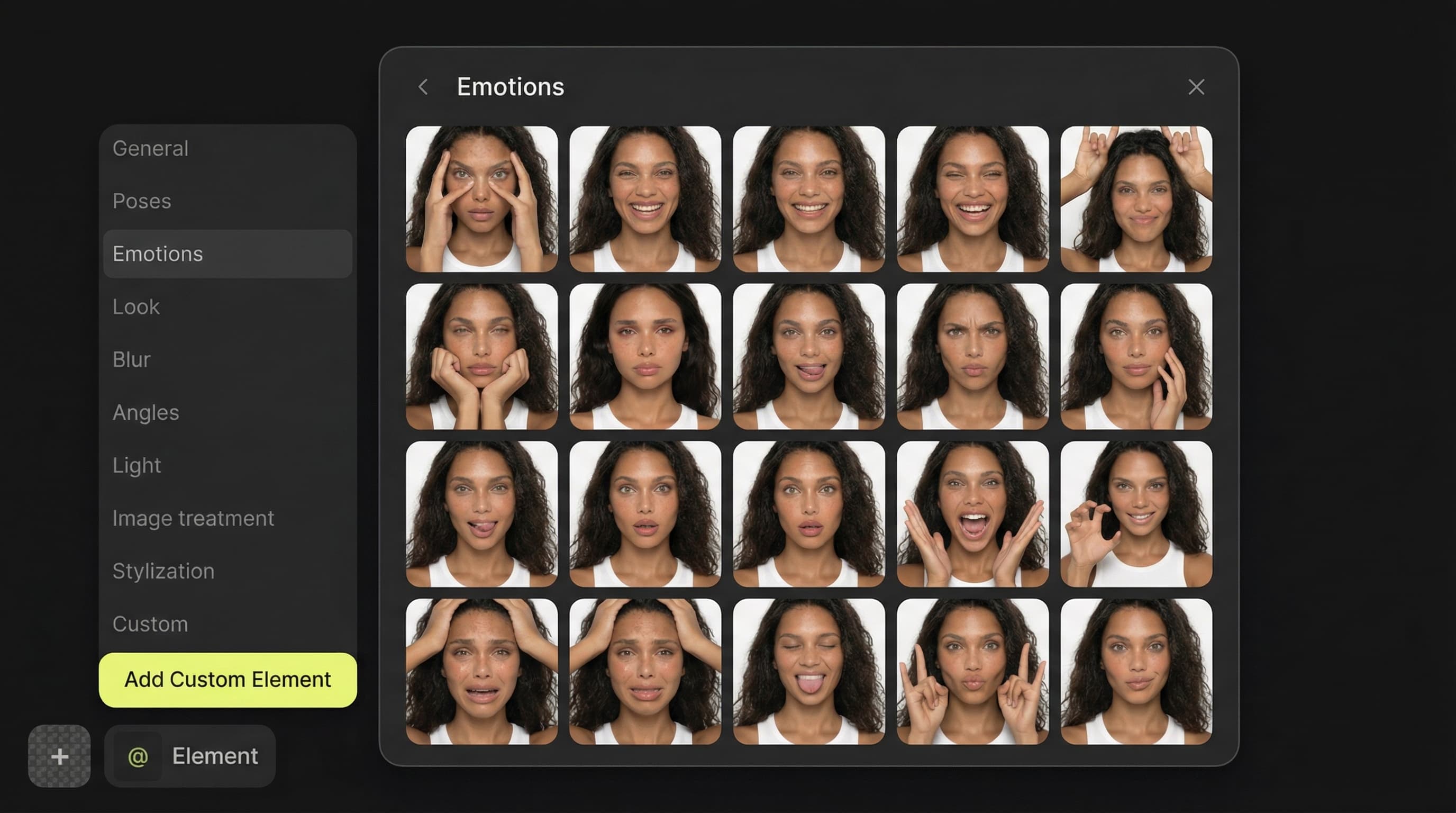
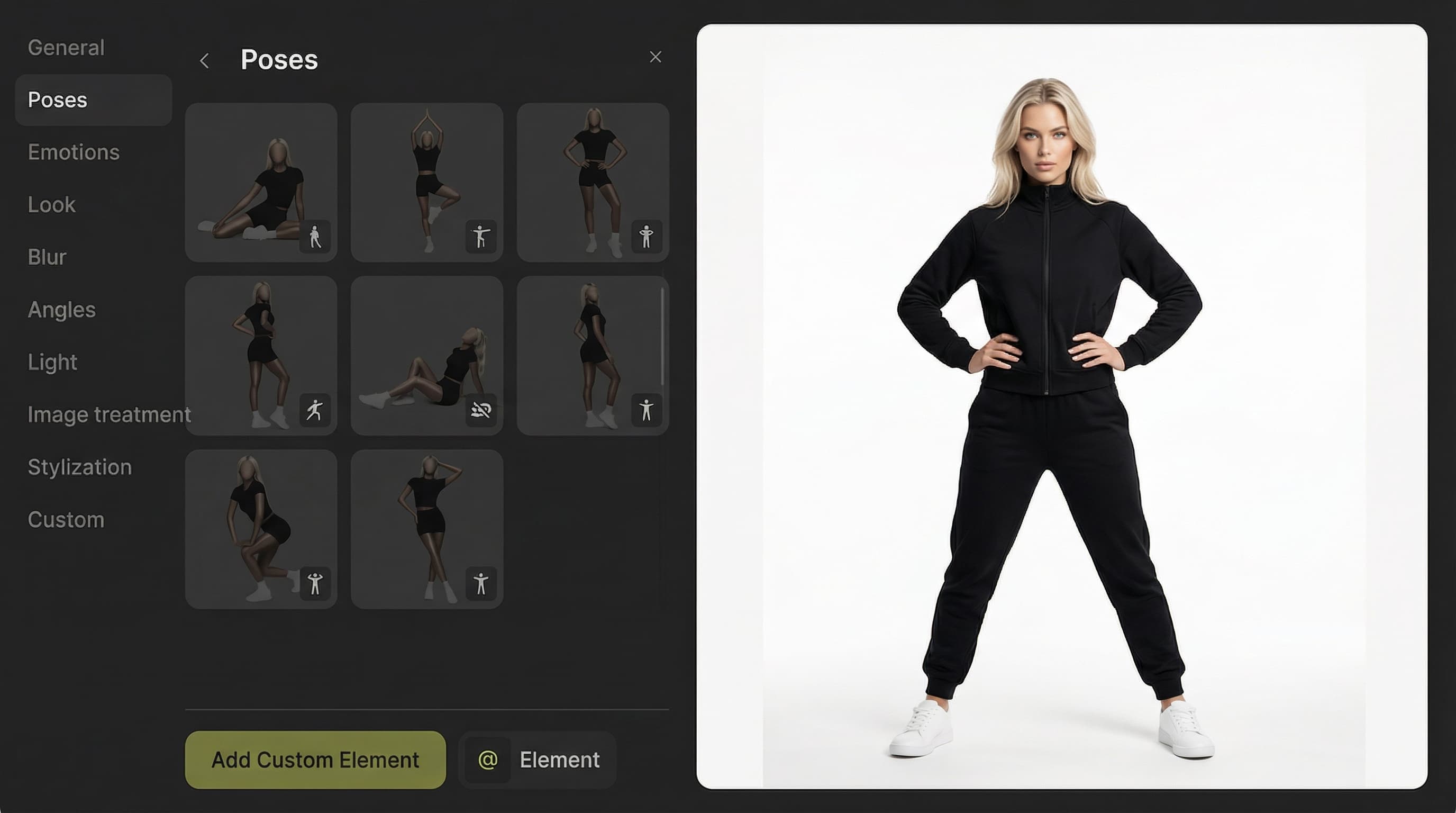
ControlBar is Mujo’s differentiator for creators who want more than freeform prompting. It helps you shape pose, lighting, camera feel, and reusable prompt structure so your workflow becomes easier to repeat, easier to refine, and less dependent on rewriting the same logic every time.
Start Free with 50 Credits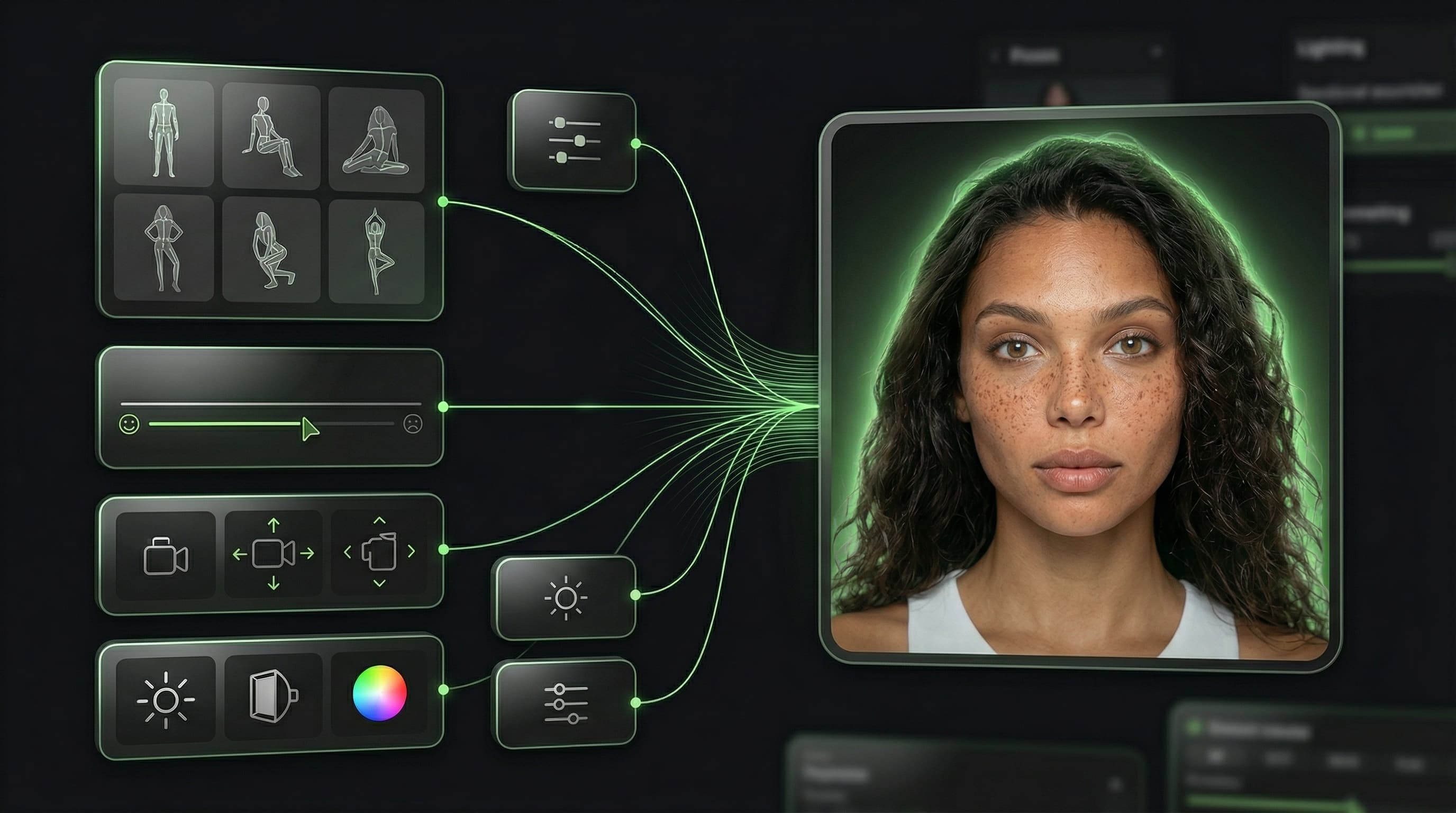
What is ControlBar?
Guide pose, lighting, camera feel, and reusable structure inside your image workflow
ControlBar is a guided layer inside Mujo that makes AI image generation more manageable. It helps creators turn their preferences into reusable controls, which is especially valuable when you want more consistent results from popular models and do not want to rebuild long prompt structures every time.
Related ProductWhat changes when you add control?
Built around workflow continuity and repeatable output
Explore Next Related PageEach page in this category should stay on one primary intent and avoid mixing creator, seller, and portrait intent on the same money page.
With ControlBar
Guide pose, lighting, and camera feel more directly
Reuse working controls across future generations
Reduce prompt repetition
Build more consistent visual systems
Without structured control
Rely more heavily on raw prompting
Rebuild the same prompt logic repeatedly
Have less consistency between similar generations
Spend more time chasing the same result
Pose control
Guide positioning and body logic with more structure.
Lighting presets
Push the image toward stronger and more repeatable light direction.
Camera presets
Influence perspective, lens feel, and shot logic.
Reference controls
Keep a more stable workflow when using visual direction or reference-led generation.
Why ControlBar matters
Workflow need | With ControlBar | Without ControlBar |
|---|---|---|
Reuse successful setup | Yes | Manual |
Consistency across generations | Higher | Lower |
Prompt rebuilding | Less | More |
Structured control | Built in | Limited |
Page takeaways
Keep this page focused on one core workflow.
Support it with internal links to adjacent products, guides, and use cases.
Use distinct examples and screenshots so it does not look like a thin duplicate.
A structured comparison helps both users and search engines understand how this page differs from adjacent product pages.
How creators use ControlBar
A simple repeatable workflow
Choose a visual goal
Decide what kind of image and consistency you want.
Apply control logic
Use pose, lighting, camera, or reference-based controls.
Generate and review
Test outputs with stronger structure from the start.
Save what works
Keep successful controls for future generations.