AI Packs
Save, organize, and reuse successful creative systems instead of rebuilding them
Turn Working Setups into
A reusable system for creators who want repeatability, speed, and better organization
AI Packs help Mujo users save what already works. Instead of rebuilding prompt logic, control combinations, and creative direction from scratch, you can organize them into packs and reuse them across future image workflows.
Start Free with 50 Credits

What are AI Packs?
Save, organize, and reuse successful creative systems instead of rebuilding them
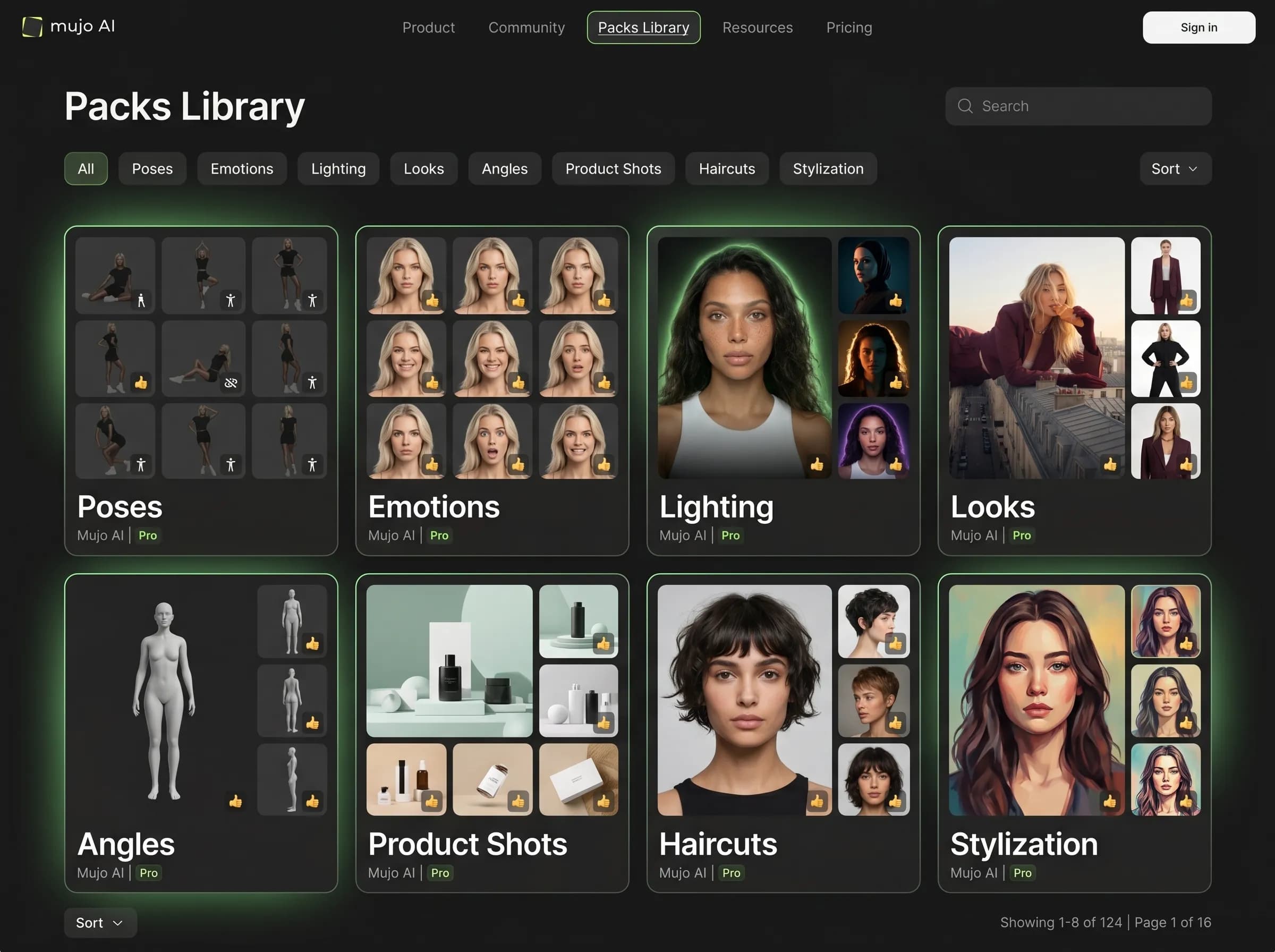
AI Packs are reusable creative systems inside Mujo. A pack can group visual direction, useful control logic, and recurring workflow patterns so creators can move faster, stay more consistent, and build production memory over time.
Related ProductWhy packs matter in production
Built around workflow continuity and repeatable output
Explore Next Related PageEach page in this category should stay on one primary intent and avoid mixing creator, seller, and portrait intent on the same money page.
Pack-based workflow
Reuse successful creative patterns
Organize working setups by task or style
Make workflows easier to repeat across projects
Build shared structure around what performs well
One-off workflow
Rebuild the same setup repeatedly
Lose working combinations over time
Depend on memory instead of a system
Make scale slower and more fragile
Lighting packs
Save lighting logic that you want to reuse.
Product photography packs
Organize workflows for product images and commerce assets.
Creator workflow packs
Keep reusable setups for repeated creative production.
Education packs
Package workflows that are easier to teach and reuse.
Pack value at a glance
Need | With packs | Without packs |
|---|---|---|
Reuse speed | Higher | Lower |
Workflow memory | Better | Weaker |
Organization | Structured | Scattered |
Repeatability | Higher | Lower |
Page takeaways
Keep this page focused on one core workflow.
Support it with internal links to adjacent products, guides, and use cases.
Use distinct examples and screenshots so it does not look like a thin duplicate.
A structured comparison helps both users and search engines understand how this page differs from adjacent product pages.
How to use AI Packs
A simple repeatable workflow
Identify a working setup
Find a combination that already gives you strong results.
Package the workflow
Turn the logic into a reusable pack structure.
Apply it again later
Reuse the same pack on similar creative tasks.
Refine the system
Keep improving the pack as your workflow evolves.