AI Image Generator
Generate with Nano Banana 2, Nano Banana Pro, Midjourney, and Seedream 5.0 Lite in one workspace
Create AI Images in
A multi-model AI image generator for creators who want faster workflows, cleaner organization, and more control
Mujo AI brings Nano Banana 2, Nano Banana Pro, Midjourney, and Seedream 5.0 Lite into one image generation workflow. Instead of jumping between separate tools, you can create, compare, refine, and save everything in one place. Keep prompts, outputs, and reusable controls together, test ideas faster, and start with 50 free credits.
Start Free with 50 Credits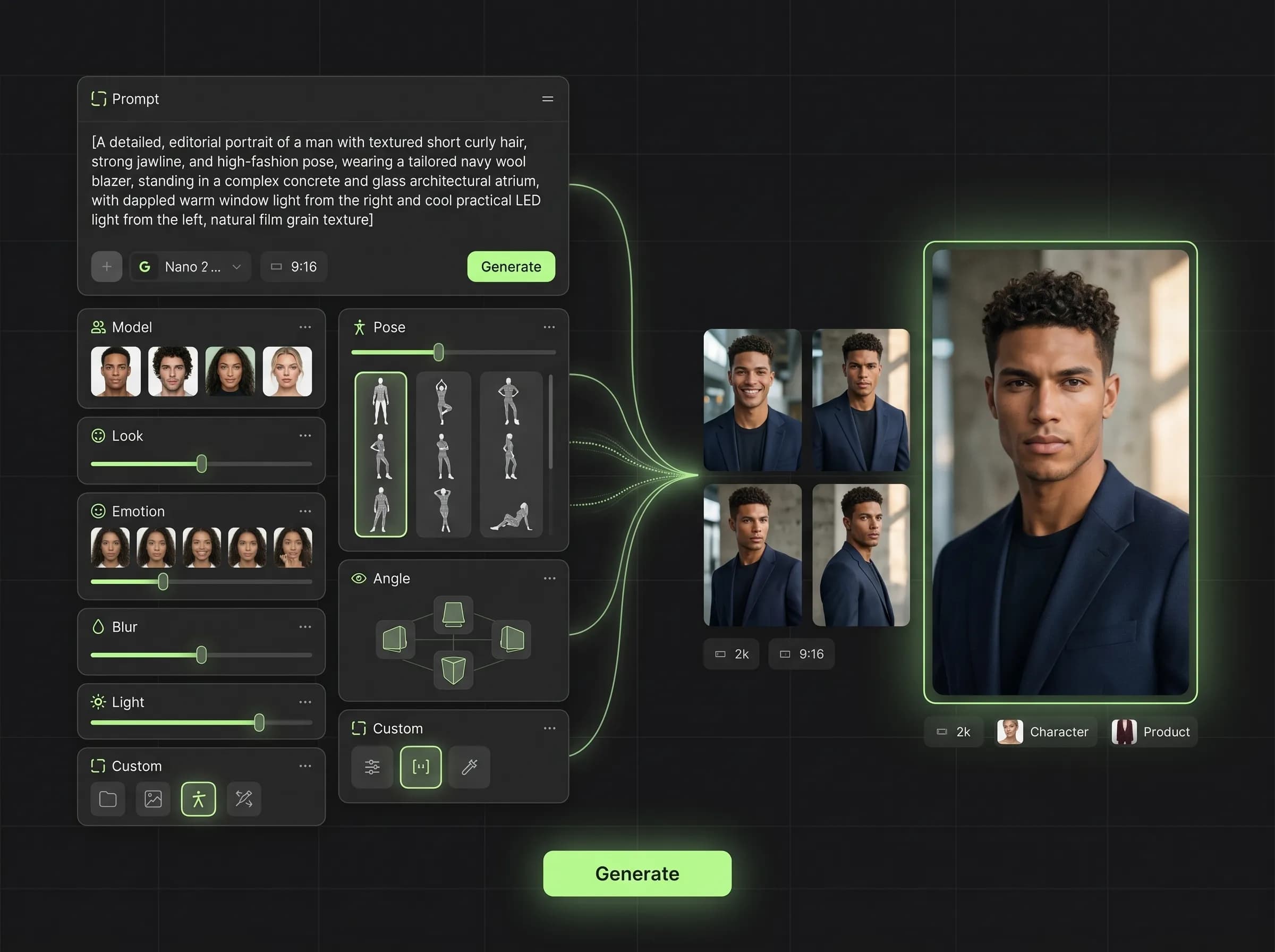
What is Mujo AI Image Generator?
Generate with Nano Banana 2, Nano Banana Pro, Midjourney, and Seedream 5.0 Lite in one workspace
Mujo AI Image Generator is built for creators who want a practical workflow, not just another prompt box. You can generate images with multiple leading models, keep all outputs in one workspace, reuse successful prompts, and move from first draft to better variations without breaking your creative flow. This makes Mujo useful both for experimentation and repeatable production work.
Related ProductWhy use a multi-model AI image generator?
Built around workflow continuity and repeatable output
Explore Next Related PageEach page in this category should stay on one primary intent and avoid mixing creator, seller, and portrait intent on the same money page.
With Mujo AI
Generate with Nano Banana 2, Nano Banana Pro, Midjourney, and Seedream 5.0 Lite in one interface
Keep prompts, outputs, and reusable controls in one workspace
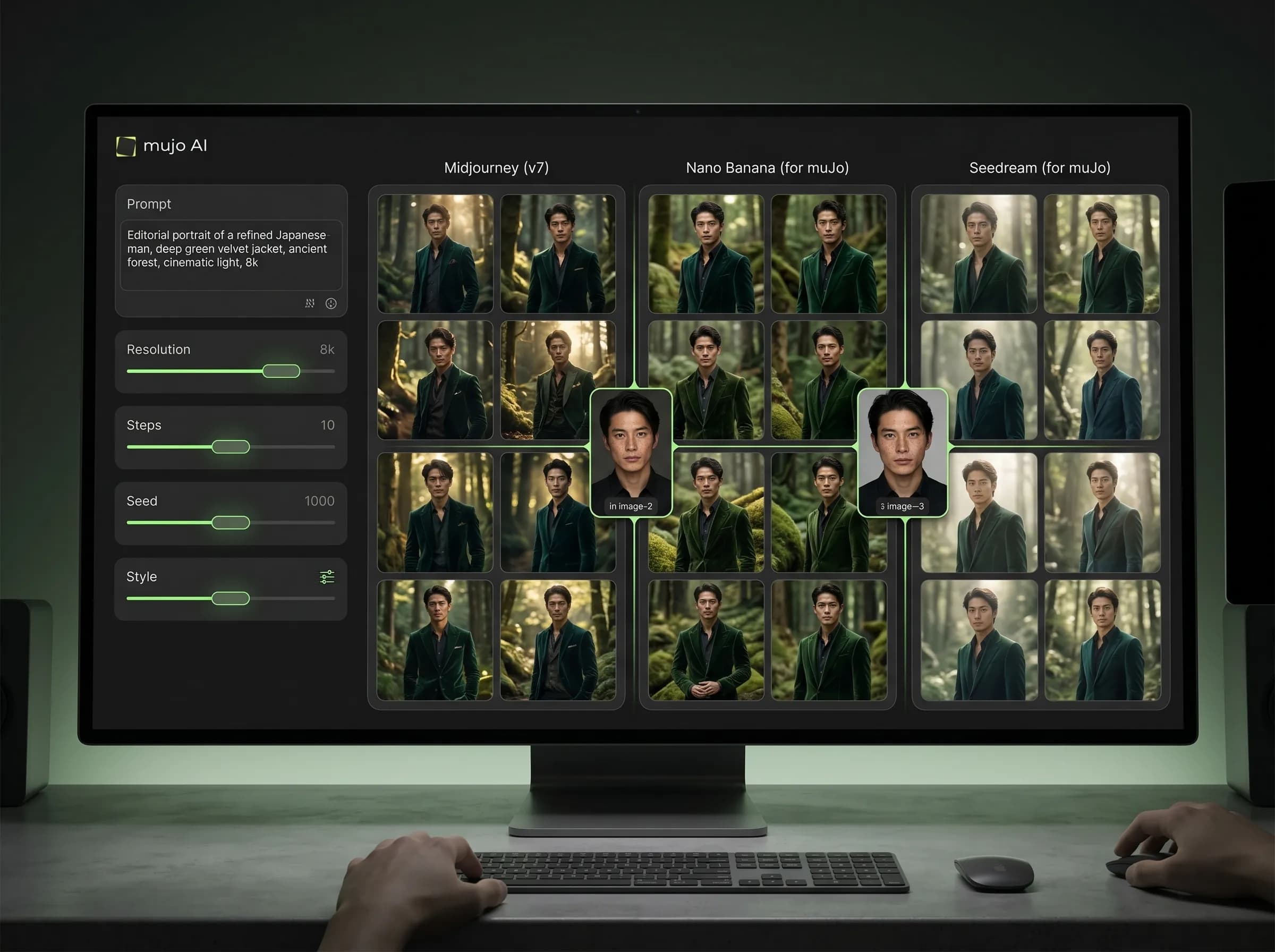
Compare how the same idea behaves across multiple image models
Save working creative setups for faster future generations
Share finished outputs by link without leaving the workflow
With disconnected tools
Switch between separate tools for each model
Lose continuity between prompts, outputs, and edits
Repeat the same setup manually
Make comparison slower and less organized
Create more friction every time you want to iterate
Nano Banana 2
Generate inside Mujo while keeping prompts, saved controls, and outputs inside the same workspace.
Nano Banana Pro
Run higher-end image workflows while staying inside a more reusable and organized creator system.
Midjourney
Create Midjourney-based outputs without treating it as a completely separate creative process.
Seedream 5.0 Lite
Test Seedream 5.0 Lite in the same interface and compare results against other supported models.
What Mujo adds to AI image generation
Capability | Mujo AI Image Generator | Single-Tool Workflow |
|---|---|---|
Multiple image models in one place | Yes | Usually no |
Prompt reuse across your workflow | Yes | Limited |
Saved controls and reusable setups | Yes | Often manual |
Centralized output organization | Yes | Fragmented |
Fast comparison of visual directions | Yes | Slower |
Page takeaways
Keep this page focused on one core workflow.
Support it with internal links to adjacent products, guides, and use cases.
Use distinct examples and screenshots so it does not look like a thin duplicate.
A structured comparison helps both users and search engines understand how this page differs from adjacent product pages.
How the AI image workflow works
A simple repeatable workflow
Choose a model
Start with Nano Banana 2, Nano Banana Pro, Midjourney, or Seedream 5.0 Lite depending on the result you want.
Add your prompt and direction
Describe the image, subject, scene, or concept you want to create inside one shared workspace.
Refine with ControlBar
Use saved controls and structured guidance to improve pose, lighting, style, and visual consistency.
Save, compare, and reuse
Keep successful outputs, reuse working patterns, and build a faster generation workflow over time.