How to Build a Reusable AI Pack System
Create reusable prompt systems, creative presets, and structured AI image workflows
How to Build a
Turn successful prompts, references, presets, and controls into repeatable AI image workflows
A reusable AI Pack system helps creators generate consistent images without rebuilding prompts from scratch every time. Instead of treating each AI generation as a one-off experiment, a pack system organizes prompt logic, visual references, lighting direction, camera framing, pose structure, style rules, and output goals into a reusable workflow. In Mujo AI, packs are designed to help creators, brands, ecommerce teams, and agencies scale visual production. You can build AI photoshoot packs, product photography packs, social media creative packs, advertising packs, fashion editorial packs, and campaign systems that produce repeatable results across multiple generations. The goal is simple: capture what works once, structure it clearly, and reuse it across new subjects, products, styles, and projects.
Start Building Packs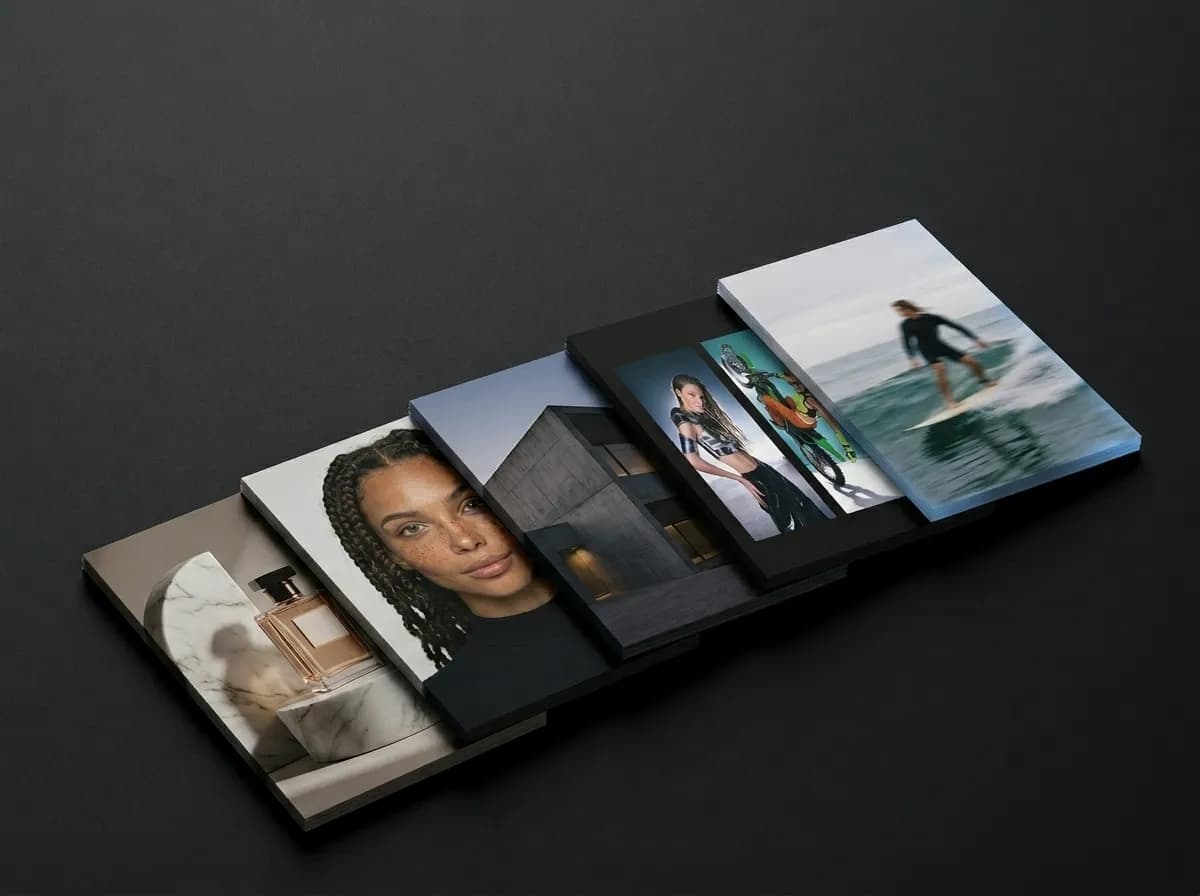
What is a reusable AI Pack system?
A structured way to save and reuse image generation logic
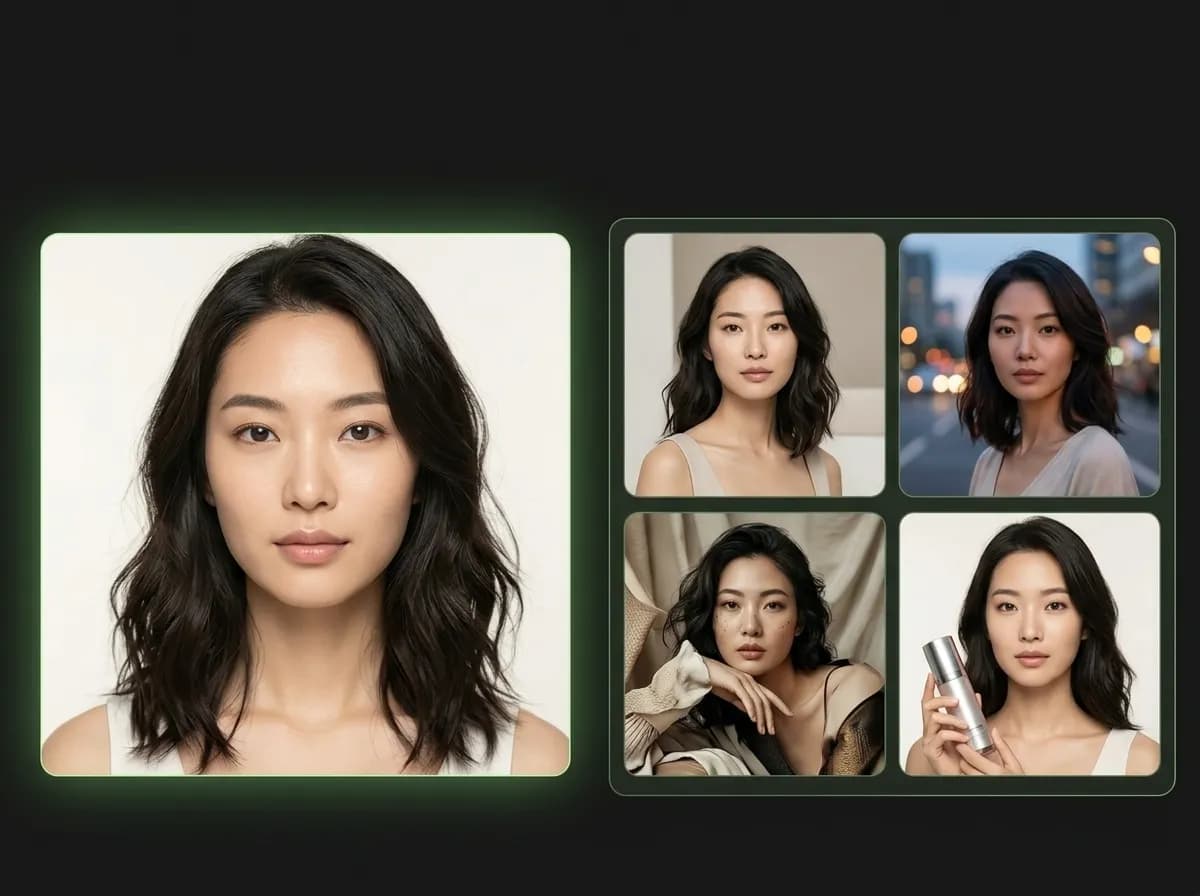
A reusable AI Pack system is a structured collection of prompts, presets, references, and workflow rules that can be reused across AI image generation projects. Instead of saving only a single prompt, a pack system saves the full creative setup behind a repeatable visual result. A strong AI Pack can include prompt templates, subject rules, style direction, lighting logic, camera framing, pose guidance, reference image strategy, negative constraints, output format, and use-case notes. This matters because strong AI images rarely come from one sentence. They usually come from a combination of visual direction, model behavior, composition choices, and iteration history. A pack system turns that knowledge into something reusable, organized, and scalable. For example, if you create a fashion editorial look that works well, you can save its lighting, camera direction, pose logic, styling language, and prompt structure as a pack. Later, you can reuse that same system for a new model, product, brand, or campaign without starting over.
Explore AI Prompt PacksWhat to include in an AI Pack
The core building blocks of a reusable image generation system
A strong AI Pack is not just a saved prompt. It should contain the repeatable parts of the creative workflow that make the output reliable. The more clearly each part is structured, the easier it becomes to reuse the pack across future projects.
Explore ControlBarPrompt template
The core reusable text structure that defines the subject, style, composition, mood, and final use case.
Visual goal
A clear description of what the pack is designed to produce, such as product photos, portraits, ads, or editorials.
Reference strategy
Guidance for what type of reference images to use and what parts of the reference should be preserved.
ControlBar settings
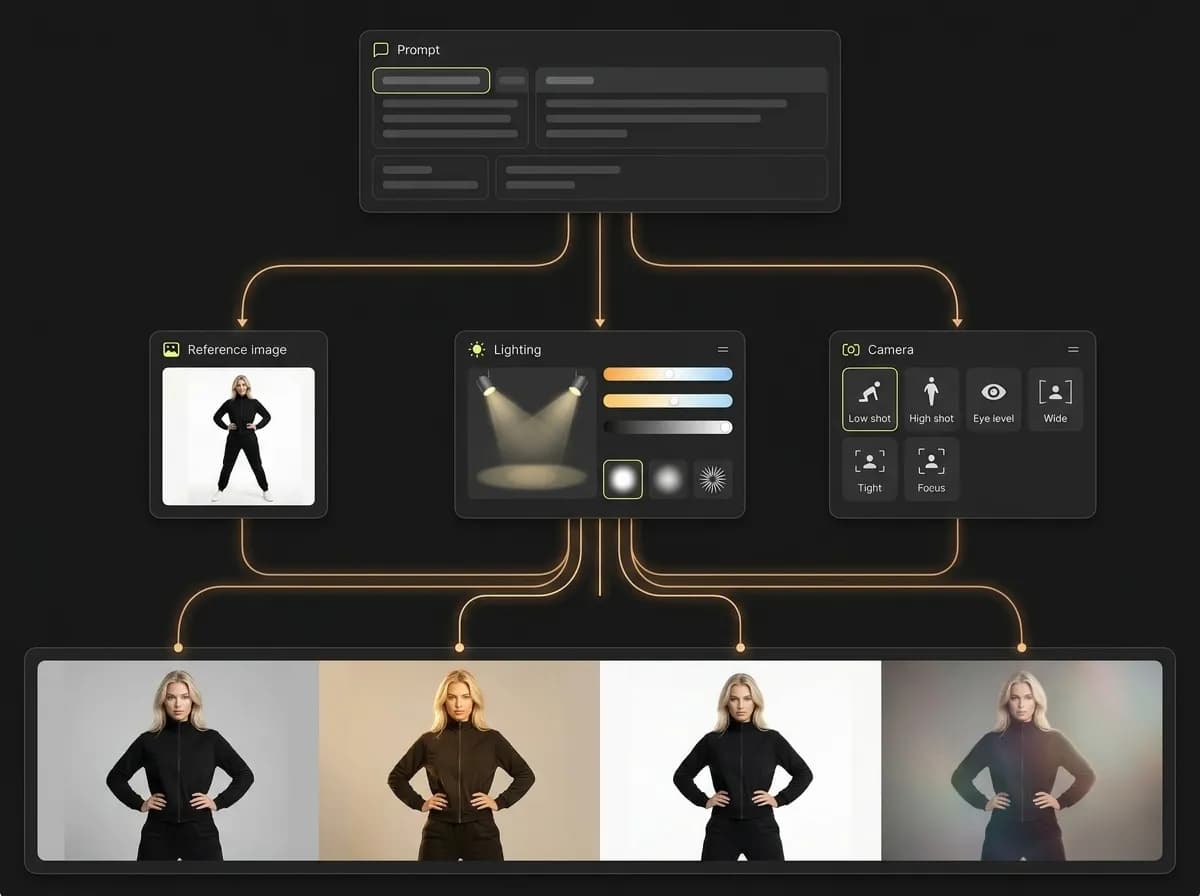
Structured controls for pose, lighting, camera framing, and consistency that support the pack output.
Style rules
Reusable language for color palette, texture, atmosphere, realism level, and aesthetic direction.
Output notes
Instructions for aspect ratio, crop, platform use, image type, and how to evaluate whether the result works.
How to build a reusable AI Pack system
A practical workflow for turning successful generations into repeatable presets
Start with one clear output goal
Define what the pack should create: product photos, AI headshots, fashion editorials, social posts, brand ads, or cinematic images.
Create a strong base prompt
Write a reusable prompt structure that separates subject, style, lighting, composition, environment, and output purpose.
Add references and control settings
Combine the prompt with reference images, lighting presets, camera presets, pose controls, or other structured inputs.
Generate variations and identify what works
Test the pack across several outputs and keep the settings that produce the most consistent and useful results.
Document rules and reusable variables
Write down what should change, what should stay fixed, and what visual signals define a good result.
Save and reuse the pack
Turn the tested workflow into a reusable pack that can support new subjects, products, campaigns, and creative directions.
Types of AI Packs you can build
Reusable systems for different creative and commercial workflows
The best pack systems are built around a specific job, not a vague style. Each pack should have a clear output type, a repeatable workflow, and a reason to exist.
Explore Social CreativesProduct photography packs
Generate hero images, lifestyle scenes, feature visuals, and ecommerce-ready product shots from one product input.
Social media creative packs
Create consistent posts, thumbnails, campaign visuals, and branded social assets across platforms.
Brand ad packs
Build reusable advertising creative systems for campaign testing, launches, and performance marketing.
AI photoshoot packs
Generate portrait series, fashion editorials, headshots, profile images, or influencer-style content.
Portfolio packs
Create repeatable project systems for visual portfolios, creative direction, and professional presentation.
Cinematic concept packs
Generate film-inspired scenes, visual storyboards, dramatic portraits, and atmosphere-driven concepts.
Reusable AI Packs vs one-off prompts
Why pack systems produce more consistent results than isolated prompting
One-off prompts are useful for experimentation, but they are not enough for repeatable production. A reusable AI Pack system captures prompt logic, references, controls, and output rules so the workflow can be repeated and improved over time.
Explore AI Image GeneratorWith a reusable AI Pack system
Save full workflows, not just individual prompts
Reuse visual logic across new subjects, products, and campaigns
Keep lighting, camera, pose, and style more consistent
Build visual systems that can scale across teams
Improve packs over time based on what works
Create more predictable outputs with less trial and error
With one-off prompts
Rebuild generation logic manually each time
Lose track of what settings created the best result
Get more visual drift between outputs
Spend more time testing the same ideas repeatedly
Make collaboration harder because workflows are not documented
Scale slower across products, posts, ads, and campaigns
Reusable AI Pack system workflow
Workflow stage | With a reusable AI Pack system | With isolated prompts |
|---|---|---|
Prompt creation | Reusable template with editable variables | New prompt written from scratch |
Visual consistency | Style, lighting, and composition stay more stable | Output changes more unpredictably |
References | Reference strategy is documented and repeatable | References are chosen ad hoc |
Controls | Pose, camera, and lighting settings can be saved | Controls are reselected manually each time |
Iteration | Packs improve over time with testing | Good results are harder to reproduce |
Scaling | Workflow can be reused across campaigns and teams | Scaling requires more manual prompting |
When a pack system is worth building
You need multiple images in the same style, not just one output.
You want to reuse the same visual direction across different subjects or products.
You are building content for ecommerce, ads, social media, portfolios, or campaigns where consistency matters.
A pack system improves the full AI image generation process: planning, prompting, testing, saving, reusing, and scaling. This makes it especially useful for creators and teams who need more than one good image.
Best practices for building AI Packs
How to make your pack reusable instead of over-specific
A good pack is specific enough to produce consistent results, but flexible enough to work across different inputs. The goal is not to freeze every detail. The goal is to preserve the repeatable structure that makes the output strong.
Learn Reference ImagesBuild packs around these
A clear use case, such as product photos, brand ads, headshots, or fashion editorials
Reusable prompt variables for subject, product, scene, style, and format
Lighting and camera rules that stay consistent across outputs
Reference image guidelines for identity, style, or composition
Quality criteria for deciding whether an output belongs in the pack
Notes about what should change and what should stay fixed
Avoid these mistakes
Making one pack cover too many unrelated styles
Saving only the final prompt without documenting controls
Changing references, lighting, camera, and subject all at once
Using vague pack names that do not explain the output
Overfitting a pack to one image so it cannot be reused
Publishing thin packs without examples, structure, or clear utility