Best AI Tools for Designers: The 2026 Creative Toolkit
The design landscape has shifted. What used to be a few experimental plugins has turned into a full creative layer that now sits inside the real workflow of designers, creative directors, ecommerce teams, and brand owners. In 2026, the question is no longer whether to use AI tools, but which ones actually deserve a place in your toolkit.
This guide curates the most useful AI tools across the modern design workflow, from concept development and branding to ecommerce image production, layout generation, and image enhancement. The goal is not to overwhelm you with hundreds of options. It is to help you understand which tools solve real problems, which ones are ready for professional work, and how they fit into a workflow that still depends on human taste, strategy, and creative judgment.
How These Tools Were Selected
With new AI tools launching constantly, the only way to make a useful list is to filter for practical value.
The tools in this guide were chosen based on three criteria:
- Proven utility: they solve real problems designers actually face
- Production-ready quality: outputs are strong enough for professional use, not just experiments
- Workflow integration: they fit into creative processes instead of disrupting them
The result is a curated toolkit, not a firehose of random links.
The Creative Landscape in 2026
Before looking at specific tools, it helps to understand how AI has changed the design workflow itself.
The old way:
Designer conceives → Designer executes → Designer revises → Designer delivers
The new way:
Designer conceives → AI assists execution → Designer refines → AI handles variations → Designer delivers at scale
AI has not removed the need for design thinking. It has amplified it. The designer’s role has shifted from manual executor to strategic director. You are no longer limited by how fast you can move pixels. You are limited by the quality of your ideas, your direction, and your ability to choose what deserves human attention.
Part 1: AI Tools for Concept and Ideation
Every project starts with a concept. These tools help generate, visualize, and refine ideas before you commit to final execution.
1. Midjourney
What it does: generates high-resolution images from text prompts.
Best for: concept development, mood boards, visual exploration, and reference imagery.
Why it matters: Midjourney has become one of the strongest tools for rapid visualization. You can describe a scene, lighting style, palette, or mood and get multiple creative directions within seconds.
2. DALL·E 3 via ChatGPT
What it does: OpenAI’s image generation model integrated into conversational workflow.
Best for: iterative ideation where you want to refine by conversation, not by rewriting prompts from scratch.
Why it matters: DALL·E 3 is especially useful when nuance matters. You can say “move the product left,” “add more negative space,” or “make it brighter and calmer,” and refine the concept naturally.
3. Adobe Firefly
What it does: Adobe’s generative AI family inside Creative Cloud tools.
Best for: designers already working inside Photoshop, Illustrator, and Adobe workflows.
Why it matters: Firefly is less about novelty and more about practical integration. Generative Fill and Generative Expand have become especially useful for quick comps, background extensions, and production fixes.
4. Vizcom
What it does: turns sketches into realistic product and industrial design renders.
Best for: industrial designers, product designers, and teams that need to visualize physical objects quickly.
Why it matters: Vizcom understands form, material, and lighting in ways generic image generators often do not. It is especially valuable when design needs to move from rough idea to believable object fast.
Part 2: AI Tools for Branding and Identity
Brand systems need consistency across every touchpoint. These tools help establish and maintain that consistency faster.
5. Looka
What it does: AI-powered logo design and brand identity creation.
Best for: startups, small businesses, and designers creating fast concept directions.
Why it matters: Looka helps generate logo options and extend them into basic brand systems with palettes, fonts, and social-ready assets.
6. Khroma
What it does: AI color palette generation that learns your preferences.
Best for: designers looking for fresh color directions that still feel intentional.
Why it matters: Khroma becomes more useful over time because it adapts to what you like. It is especially strong for palette exploration, gradient ideas, and quick brand mood direction.
7. Fontjoy
What it does: AI-powered font pairing recommendations.
Best for: designers who want faster typography exploration.
Why it matters: Good typography is often about pairing rather than individual typefaces. Fontjoy gives a quick way to generate combinations of headers, subheaders, and body fonts that already feel cohesive.
Part 3: AI Tools for Ecommerce and Product Design
This category deserves special attention because ecommerce design has its own constraints: hundreds or thousands of SKUs, strict marketplace rules, variant consistency, and the need for visuals that do more than look attractive. They must convert.
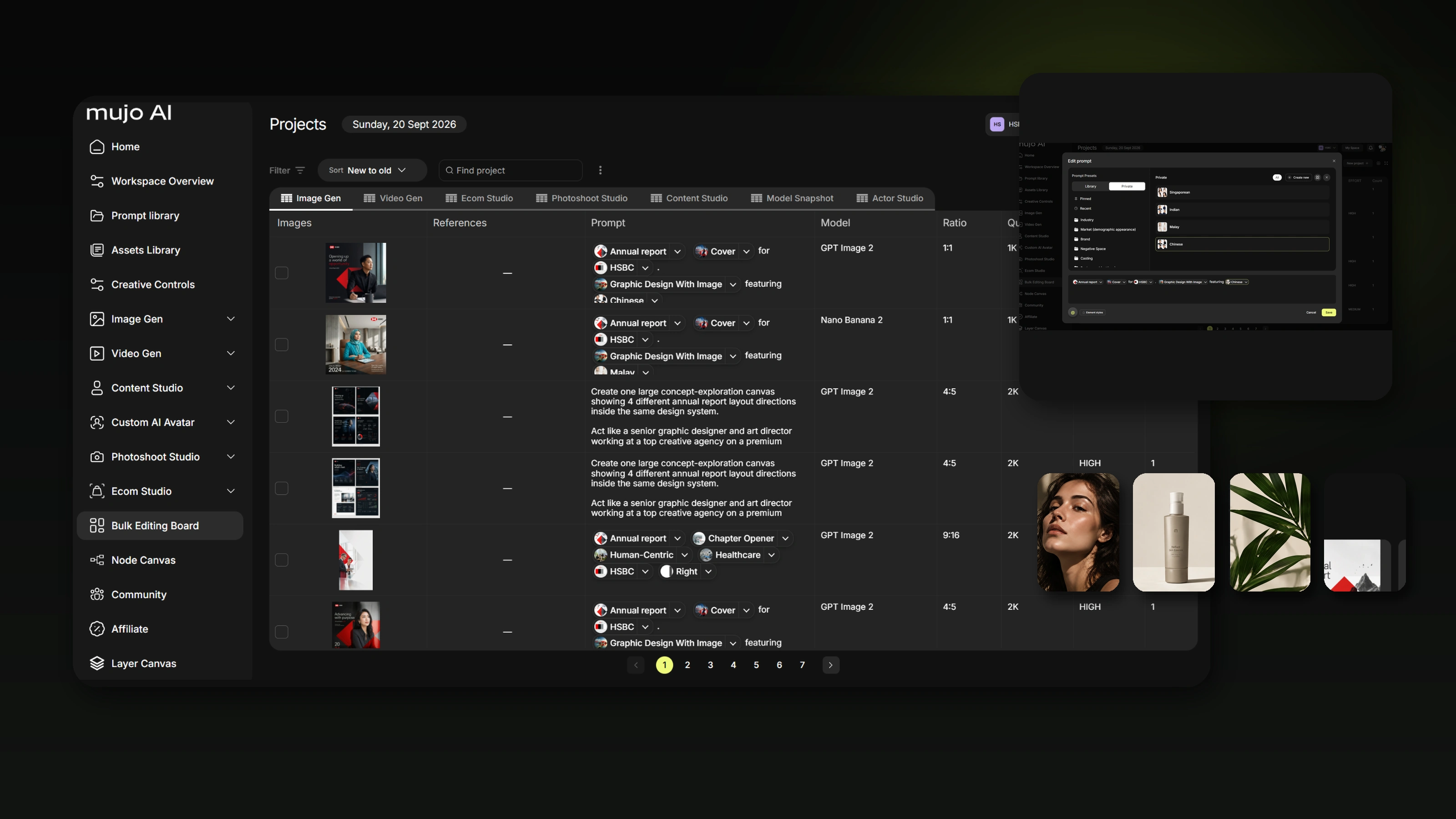
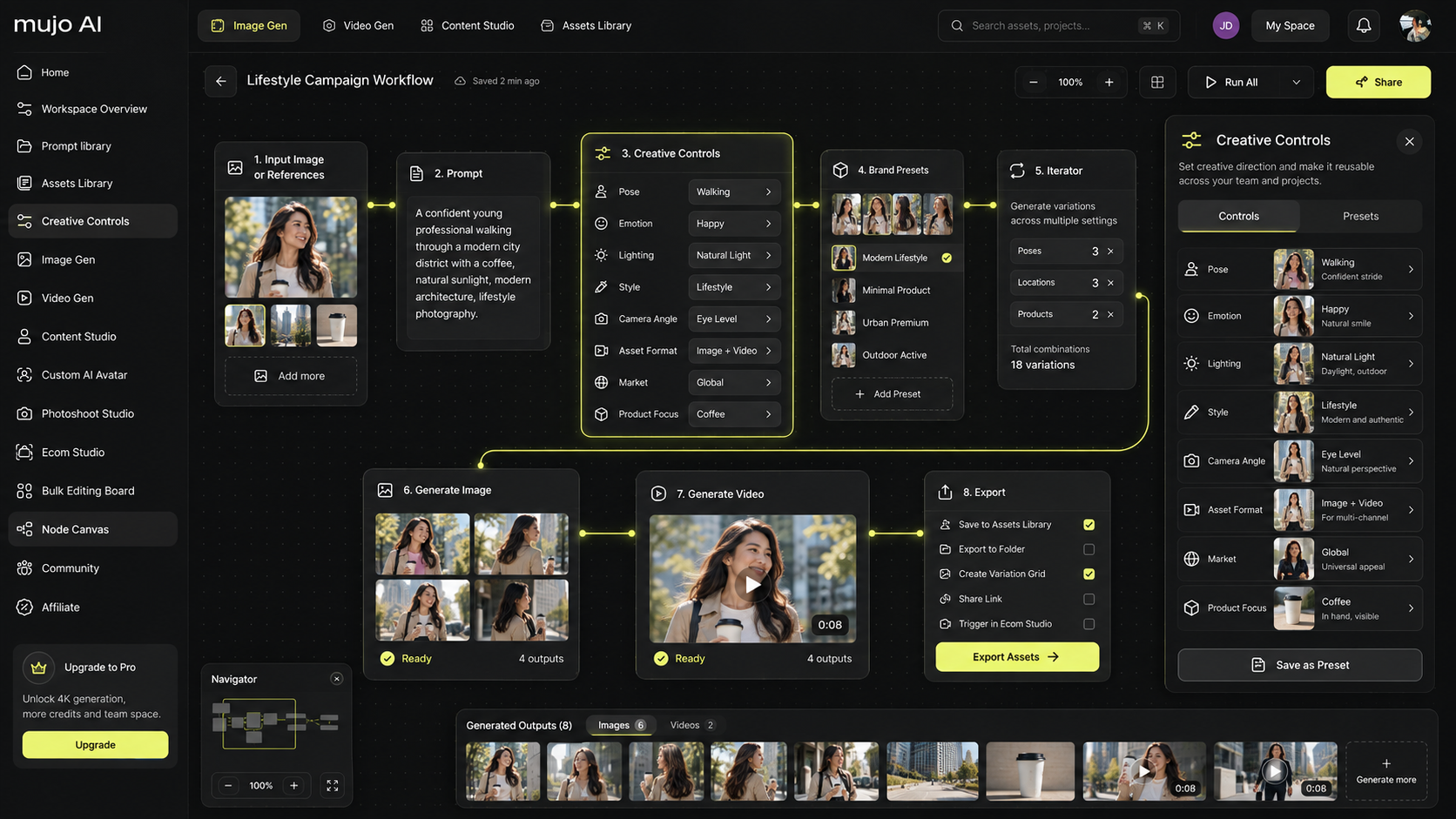
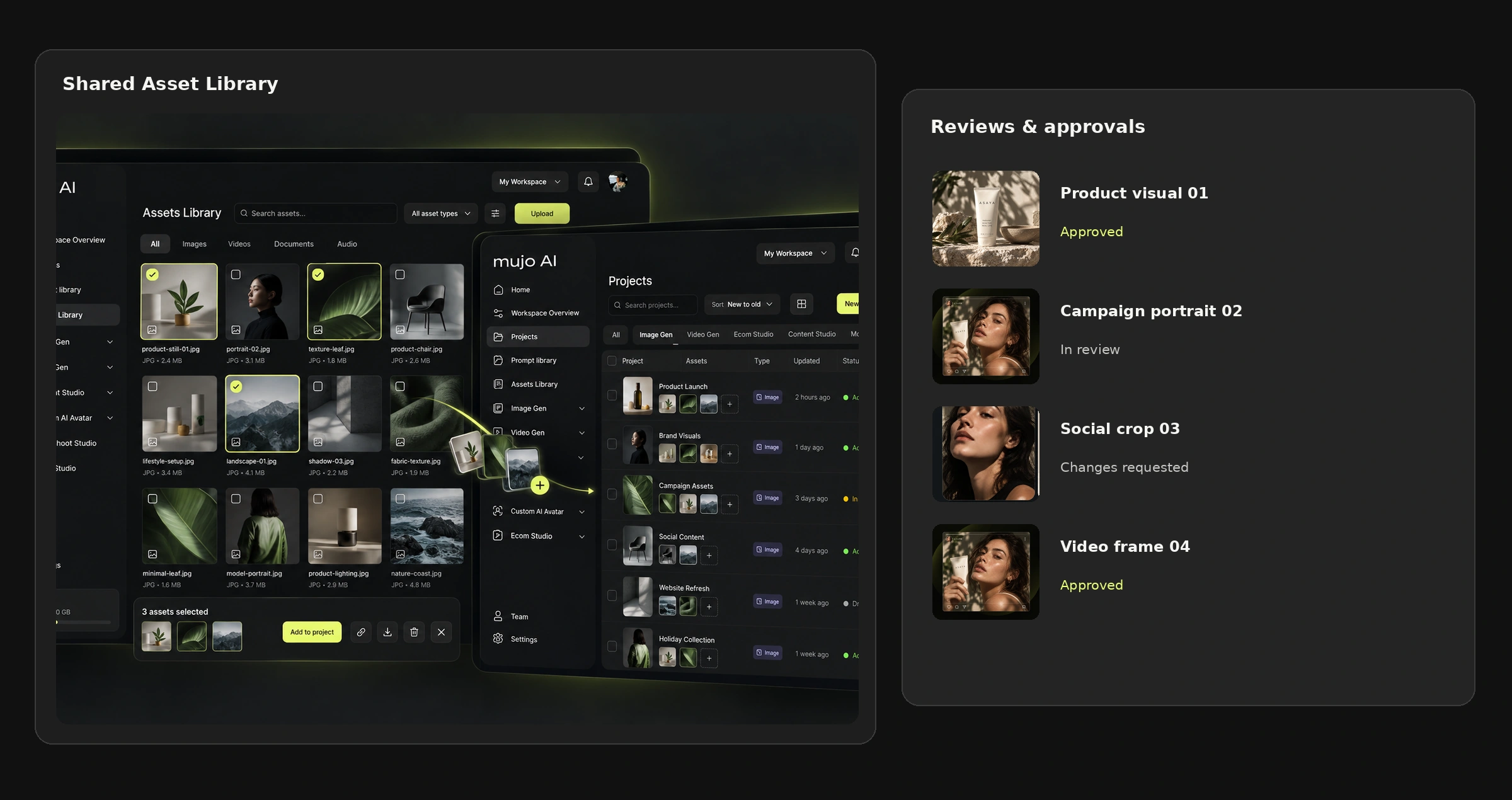
8. Mujo AI
What it does: an AI system built specifically for ecommerce content creation, from product images to listing copy.
Best for: ecommerce brands, marketplace sellers, agencies managing product catalogs, and designers building listing visuals for platforms like Amazon, Shopify, and Walmart.
Why it stands out: Mujo is not a generic image generator. It was built specifically for the product listing problem: how to turn one product image into a full set of marketplace-ready visuals and supporting copy.
Mujo AI Listing Tool
This tool generates listing content from a product image: titles, bullet points, and descriptions shaped around buyer intent and platform structure.
What makes it different from generic writing tools is that it understands ecommerce specifics, including platform limits, keyword placement, product hierarchy, and conversion-focused order.
Mujo AI Design Editor
The Design Editor is where listing visuals come together. It is built for ecommerce workflows rather than general-purpose design work.
Core capabilities include:
- smart layouts for common gallery slides such as Benefits, Comparison, Before/After, and Lifestyle
- premade templates by category, including supplements, beauty, electronics, and home goods
- ecommerce asset libraries with icons and badges like BPA-free, Set of 3, and Leak-proof
- AI tools for background removal, upscaling, scene generation, and text suggestions
- design system controls for fonts, colors, and badge styles across entire product lines
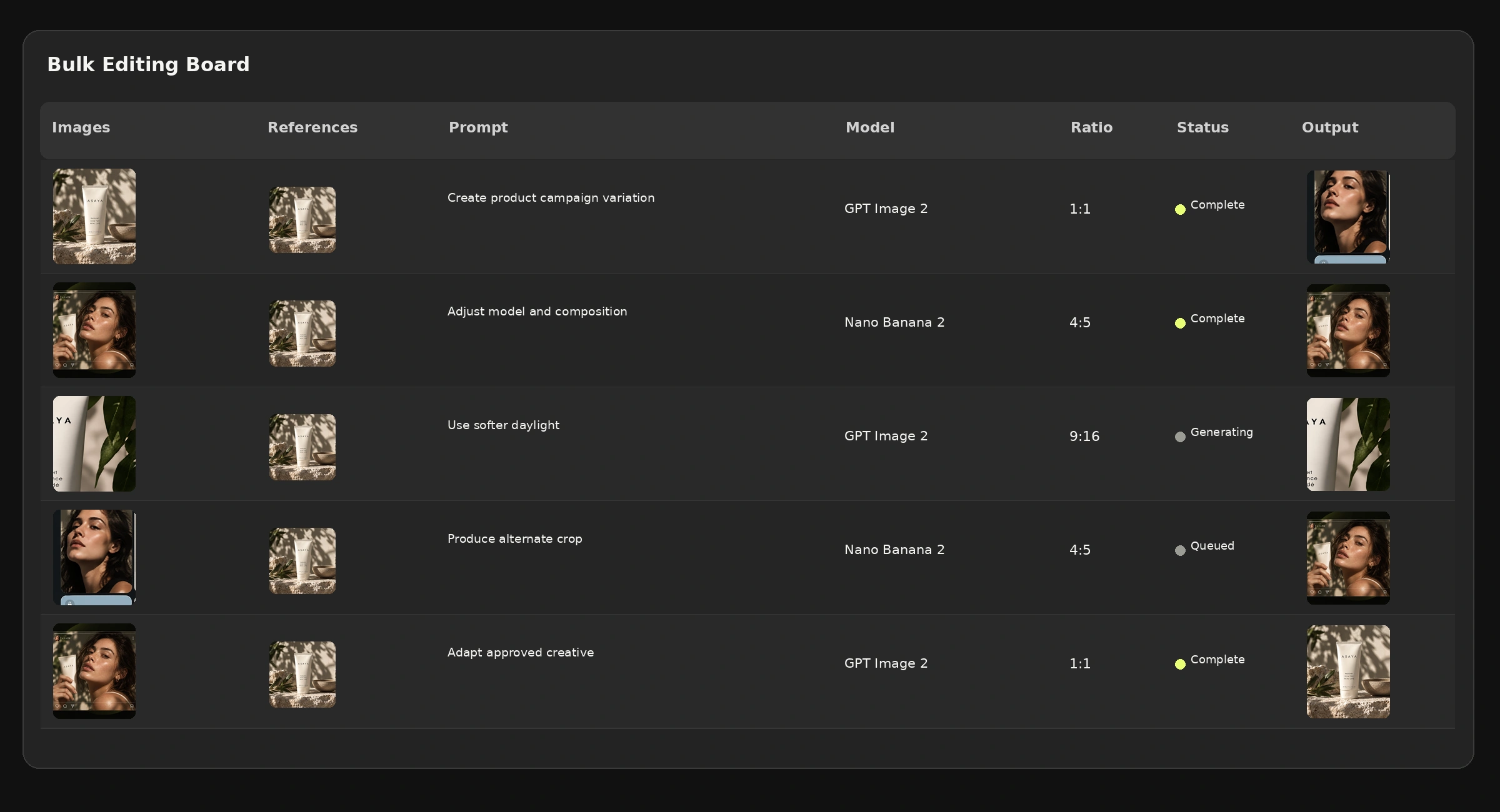
- bulk editing so one structure can be applied to many SKUs
The real value of Mujo is that it treats ecommerce content as a system. Instead of building random images one at a time, it helps produce structured galleries that match how people actually buy.
9. Threekit
What it does: 3D product configuration and visualization.
Best for: brands that need interactive product customization or augmented reality experiences.
Why it matters: Threekit is powerful when customers need to view colors, materials, or configurations live before buying.
10. Voxel
What it does: creates 3D models from standard photography or video.
Best for: brands that want 3D assets without the full cost of traditional 3D modeling.
Why it matters: Voxel speeds up digital twin creation and makes 3D more accessible for ecommerce teams that need richer product experiences.
Part 4: AI Tools for Layout and Production
Once concepts are approved, production begins. These tools speed up execution.
11. Galileo AI
What it does: generates UI layouts from text descriptions.
Best for: UI and UX designers who need fast starting points.
Why it matters: Galileo helps turn plain-language product or app ideas into usable layout directions quickly.
12. Uizard
What it does: converts sketches into digital designs.
Best for: rapid prototyping and early-stage interface work.
Why it matters: It is especially useful when moving from rough concept or whiteboard sketches into editable digital screens.
13. Remove.bg / Adobe Background Removal
What they do: isolate subjects from backgrounds almost instantly.
Best for: anyone regularly cutting products, people, or objects from photos.
Why they matter: Background removal has become basic infrastructure. It saves time in almost every image workflow.
Part 5: AI Tools for Image Enhancement and Editing
Sometimes the job is not to generate something new, but to improve what already exists.
14. Topaz Photo AI
What it does: combines sharpening, noise reduction, upscaling, and face recovery.
Best for: photographers and designers working with imperfect or low-resolution images.
Why it matters: Topaz is one of the strongest tools for taking a file that feels almost unusable and making it presentable again.
15. ClipDrop
What it does: a suite of image tools including background removal, relighting, upscaling, and cleanup.
Best for: quick fixes inside fast-moving design workflows.
Why it matters: ClipDrop is useful because it combines several common corrections into one workflow instead of forcing constant tool switching.
16. LetsEnhance.io
What it does: AI-based image upscaling and enhancement.
Best for: preparing visuals for larger displays or higher-resolution use when source files are limited.
Why it matters: It helps increase size while holding more detail than standard scaling tools.
How to Choose the Right AI Tools for Your Workflow
With so many options, the smartest approach is to build around your actual needs rather than collect tools for the sake of novelty.
| Factor | Question to ask |
|---|---|
| Your primary work | What do you create most often: product images, layouts, logos, interfaces, brand systems? |
| Integration needs | Do you need tools that fit your existing software, such as Adobe or Figma? |
| Scale requirements | Are you producing one-off creative work or assets across many SKUs and formats? |
| Budget | What monthly cost can your workflow realistically support? |
| Learning curve | How much time can you invest in learning new systems? |
| Output quality | Does the tool produce concept-only work or something ready for clients and platforms? |
For most designers, a strong toolkit looks like this:
- one primary tool for the core work
- two or three specialist tools for specific jobs
- a small set of utility tools for fast fixes
The Future of AI in Design
Several trends are already shaping where design workflows go next.
1. Specialization over generalization
Generic AI tools will keep improving, but specialized systems built for real domains will outperform them inside those niches. Tools built specifically for ecommerce, branding, or industrial design already show this pattern clearly.
2. Deeper workflow integration
The strongest tools will increasingly disappear into the tools designers already use, becoming capabilities instead of separate destinations.
3. Consistency at scale
One of AI’s biggest strengths is the ability to maintain consistency across dozens, hundreds, or thousands of outputs with far less drift than manual production.
4. Personalization
AI makes it easier to generate region-specific, platform-specific, or audience-specific variations without starting from zero each time.
5. Higher quality expectations
As AI becomes standard, basic output will no longer be a differentiator. Strategy, taste, and workflow design will matter more.
How to Build an AI-Powered Workflow
If you want to integrate AI tools into your design work without making the process chaotic, use a simple structure.
- Audit your current workflow. Find the most repetitive, slow, or painful tasks.
- Start with one tool. Solve one real problem before adding more software.
- Learn prompt craft. For generative tools, output quality depends heavily on input quality.
- Create systems. Save prompts, templates, and repeatable methods once they work.
- Keep human oversight. AI can accelerate production, but judgment still belongs to the designer.
- Stay current. The landscape changes fast, so reassess your toolkit regularly.
The Augmented Designer
AI will not replace designers. Designers who use AI well will replace designers who do not.
The most successful creatives are not the ones who reject AI or use it uncritically. They are the ones who integrate it strategically, using it to accelerate execution, create more variations, maintain consistency, and free up time for higher-level thinking.
That is the real shift: the designer becomes more strategic, more selective, and more focused on direction instead of repetitive production.