AI design editor for e‑commerce product images
Build high-converting Amazon & marketplace listing images and galleries without designers
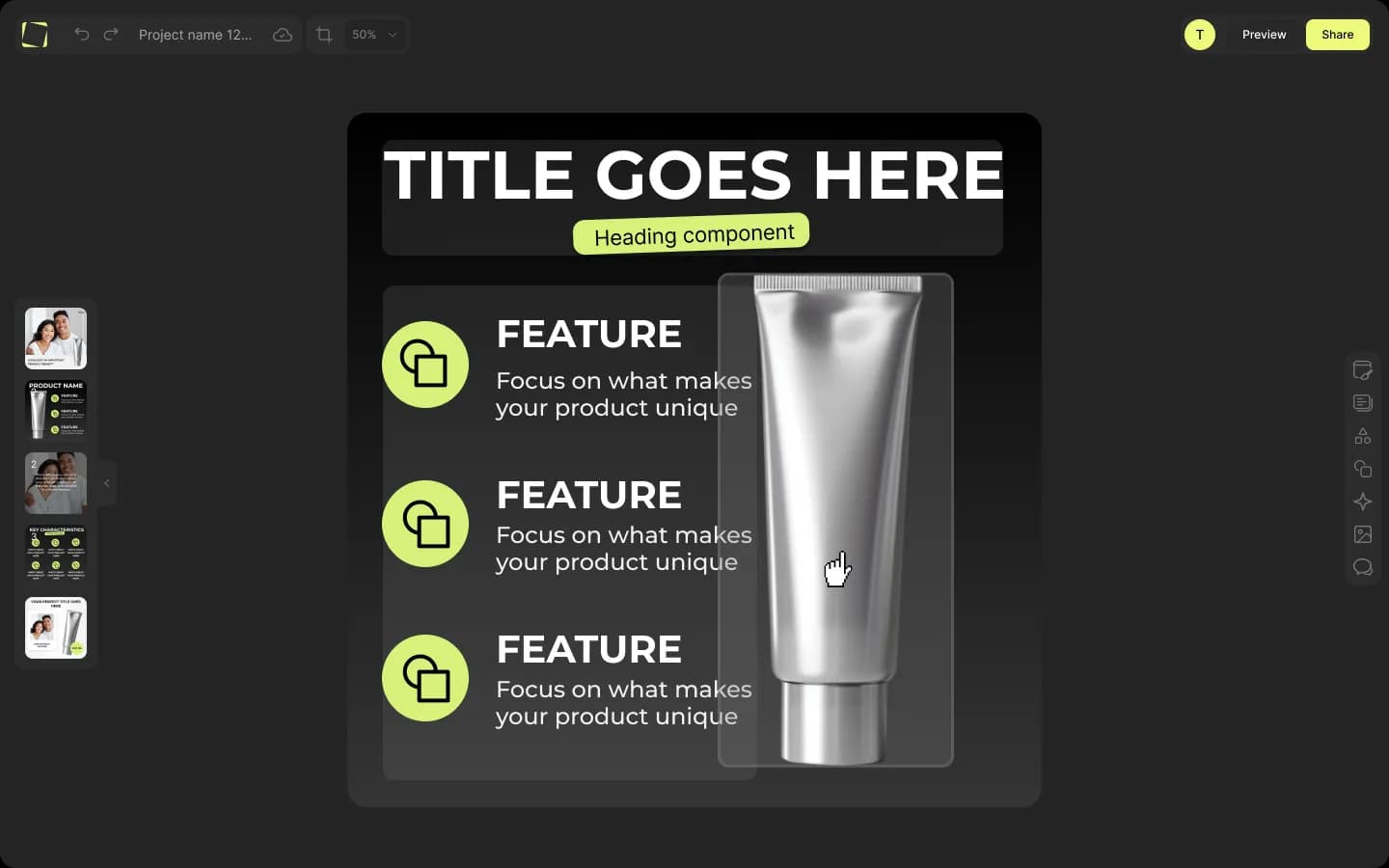
Mujo Design Editor is an AI product image editor and drag-and-drop tool built specifically for ecommerce product galleries. Designed for sellers, virtual assistants, and agencies, it lets you edit AI-generated or uploaded images in layers, using marketplace-specific templates to create gallery slides optimized for platforms like Amazon, Shopify, Lazada, and more. With full control over layout, branding, and compliance, you can launch new listings faster and scale your workflow — no design background required.
Try Mujo Design Editor — Free to StartBuilt for product listing images, not generic social posts or designs
Fully editable layered outputs — no flat JPGs
E‑commerce template packs for standard gallery slides
Works with Mujo AI galleries and your own product images
Why generic design tools fail for marketplace product images
Most design platforms like Canva, Figma, and Photoshop weren’t made for e‑commerce sellers — they were built for marketing teams, not marketplaces. They might look flexible at first, but quickly break down when you try to create full PDP gallery sets, launch new SKUs at scale, or maintain consistent visuals across hundreds of listings.
No templates for key gallery slides like “Benefits”, “Comparison”, or “Lifestyle”
Missing critical e‑commerce components — badges, feature icons, and structured layouts
Painful to repeat designs across multiple SKUs — no reusable frameworks or themes
No built-in support for marketplace compliance or listing specs
Output is flat JPGs — edits mean starting from scratch or involving a designer
What is Mujo Design Editor?
Intro (transition line): That’s exactly why we built Mujo — the first AI-powered editor made specifically for marketplace-ready product galleries. Definition: Mujo Design Editor is an AI-powered, drag-and-drop design tool that helps e‑commerce teams create, edit, and scale product listing images — fast. Unlike generic AI photo editors, Mujo is purpose-built for PDP galleries with reusable layouts, smart components, and marketplace-specific templates.
What makes it different:
Outputs complete, layered slide sets — not just one-off graphics
Built for structured, gallery-based storytelling — not freeform creativity
Includes e‑commerce-specific assets, layouts, and automation for bulk editing
Optimized for Amazon, Shopify, Lazada, Walmart, and more
At a glance:
Best for: marketplace sellers, agencies, virtual assistants, brand teams
Use cases: product launches, rebrands, seasonal updates, platform migration
Works with: Mujo-generated galleries and your own uploaded product images
How does Mujo Design Editor work?
5-Step Process:
Generate a gallery with Mujo AI
Upload your product photo, follow agent recommendation, and receive a complete image set in seconds.
Open in the Design Editor
All slides open as layered, drag-and-drop layouts using smart components.
Tweak layouts and content
Use smart layouts, asset libraries, and AI tools (like background remover and image upscaler) to customize visuals.
Save as a template
Turn any customized gallery into a reusable design template or theme.
Apply at scale
Use bulk tools to apply your design across dozens or hundreds of SKUs instantly.
In short: Mujo generates the gallery, and the Design Editor lets you polish and scale it across your entire product catalog — in minutes.
How AI is changing product image rankings on Amazon and marketplaces
Data shows: Amazon’s AI shift is redefining visual standards
Amazon's AI systems — COSMO and RUFUS — are changing how product pages are ranked and discovered. Key findings:
COSMO favors context-rich galleries: show use case, audience, and benefits — not just static product shots
RUFUS ranks structured visual storytelling higher: lifestyle, sequential slides, feature callouts
Marketplace tests show 8–12% higher engagement and improved placement for galleries with contextual slides
Amazon guidance recommends full image sets over standalone product photos for better conversions
Conclusion tie-in: Mujo’s gallery engine and Design Editor are built to match these new marketplace standards by default.
Key features of Mujo’s AI product image editor for ecommerce
1
Smart layouts & smart groups
Create consistent visuals with prebuilt layouts and adaptive components.
• Auto-aligned content blocks with drag-and-drop grouping
• Templates for common slide types: Benefits, Comparison, Before/After
• No design skills needed — just rearrange and go
2
Premade templates for standard gallery images
Start with category-specific, pre-designed slide sets.
• Templates for supplements, home, beauty, electronics, and more
• Styled themes ready to match your brand look
• No blank canvas — just plug in your product
3
Ecommerce-ready asset libraries
Built-in icons, badges, and props designed for listing visuals.
• "BPA-free", "Set of 3", “Leak-proof” badges
• Product-specific icons and lifestyle props
• No need to search outside or upload assets
4
Built-in AI tools for faster editing
AI helpers designed for real e‑commerce workflows.
• Background remover and upscaler
• Scene/background generator
• Text-to-image elements
• AI text suggestions for headlines and bullets
5
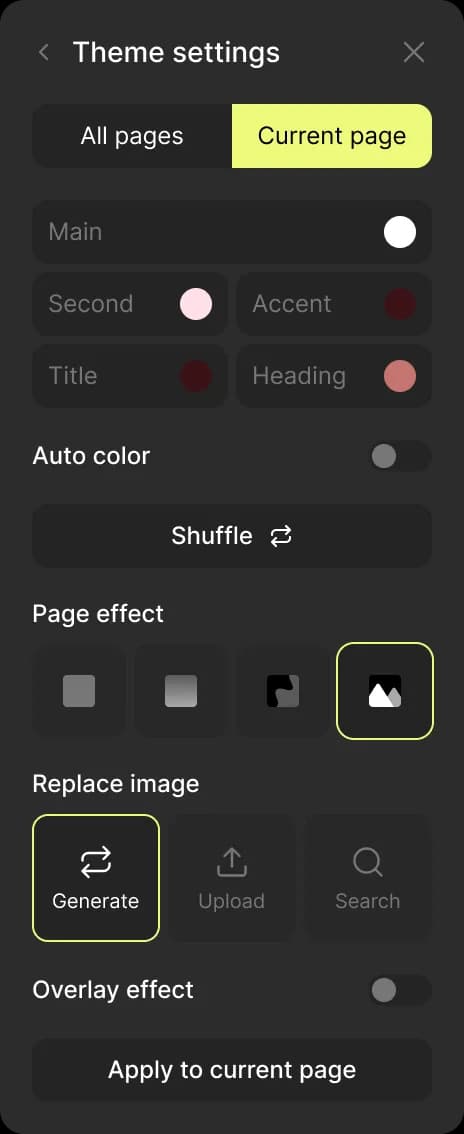
Design system: themes, fonts, and colors
Keep every visual on-brand with reusable themes.
• Set and apply consistent fonts, colors, and badges
• Recolor entire galleries in one click
• Save and reuse brand themes across projects
6
Reuse your best designs across products
Turn top-performing designs into repeatable assets.
• Save any gallery set as a template
• Use bulk table to apply it to hundreds of SKUs
• Scenes and copy update automatically, but structure stays the same
Benefits for sellers and teams
Faster launches
→ Go from image to ready-to-upload gallery in under 10 minutes
Scalable workflows
→ Reuse templates across 50–500 SKUs using bulk automation
Consistent branding
→ Every product matches your brand style and color theme
Lower costs
→ Cut agency or freelancer costs entirely
Fewer returns & support tickets
→ Clearer visuals mean fewer product misunderstandings
Who is Mujo Design Editor for?
Amazon & marketplace sellers
Quickly launch new SKUs, refresh outdated listings, and ensure marketplace compliance.
Ecommerce agencies & studios
Standardize visual output across multiple clients and product lines, at scale.
Brand & marketing teams
Control your brand visuals without relying on designers or complex tools.
Virtual assistants (VAs)
Deliver agency-level visual quality using drag-and-drop simplicity.
Built by e‑commerce sellers for e‑commerce sellers
Mujo is built by a team with 10+ years of e‑commerce design and listing optimization. With 300+ brands and 20,000+ product galleries behind it, we built the tool we wished existed.
Highlights:
20,000+ product galleries optimized
18% average lift in PDP conversions (internal testing)
Designed and tested across 300+ SKUs in multiple marketplaces
Micro-testimonials:
We rebuilt 90 listings in 3 weeks — with no designer.
Conversion rates jumped 22% after switching to Mujo-designed galleries.