How to Design Hero Product Images and Above-the-Fold Sections
The hero section is the most expensive real estate in ecommerce. It is the first screen a shopper sees, and it decides whether they scroll, click, or bounce. On Amazon, your hero image and first few gallery slots do this job. On DTC product pages, your above-the-fold section does it: product image, headline, price, variants, trust, and the primary CTA.
If your product is good but the first screen is unclear, you will lose to competitors with weaker products but stronger hero design. This guide gives you a practical system for designing hero product images and above-the-fold sections that win attention, build instant trust, and move shoppers toward purchase.
You will get layouts that work, copy rules, visual hierarchy, mobile-first tips, and A/B test ideas. You will also see how Mujo helps you generate structured hero-ready galleries and consistent above-the-fold visuals across many products.
Why Hero Design Matters More Than Most SEO Changes
Hero section design directly affects the metrics that ranking algorithms and storefronts reward:
- higher click-through rate from search and category pages
- longer time on page
- higher add-to-cart rate
- lower bounce rate
- fewer back-to-search exits
In practical terms, a strong first screen answers five buyer questions instantly:
- What is it
- Is it for me
- Why is it better
- Can I trust it
- What do I do next
When you can answer those in one screen, you win.
Hero Product Image vs Above-the-Fold: What’s the Difference
On Amazon and other marketplaces, the hero is primarily the main image plus the first gallery frames. Your above-the-fold experience is the search result plus the first product-page view.
On DTC ecommerce, the hero is a combined system:
- primary product image or mini-gallery
- headline and subheadline
- price and offer
- variant selection
- trust signals
- primary CTA
- quick proof such as reviews, badges, or shipping clarity
The difference is control. On DTC you can design the entire first screen. On marketplaces you design the images that drive the first impression.
The Hero Framework: Clarity, Value, Trust, Action
A hero that converts is not simply beautiful. It is structured.
Use this four-part framework:
- Clarity: what the product is and what category it belongs to
- Value: the main benefit in plain language
- Trust: proof that reduces risk
- Action: the next step is obvious and easy
Your job is to prioritize. Most first screens fail because they try to say everything at once.
Hero Product Image Design for Amazon: What to Do in the First 3–5 Images
On Amazon, your first images are your hero section. Shoppers decide quickly, and many of them view only a few frames.
A simple goal for the first five images:
- identify the product instantly
- prove the key benefit
- show scale or in-use context
- show what’s included
- add proof and specifics that reduce doubt
Image 1: Product identification
This image must be brutally clear. One product. One main angle. No confusion.
Image 2: Primary benefit visual
This is where you explain why it is better. Do it visually, not with paragraphs.
Image 3: Scale and context
Most returns and hesitation come from misunderstanding size or real-world use.
Image 4: What’s included
If buyers do not know what they get, they do not buy.
Image 5: Proof and specifics
Materials, durability cues, compatibility, certifications, or simple how-it-works steps.
Above-the-Fold Design for DTC Product Pages
On your own store, the first screen is the conversion engine. It should feel like a simple decision, not a puzzle.
A high-performing above-the-fold section usually includes:
- a primary product image plus thumbnails
- a headline that names the product and the outcome
- a subheadline that adds one differentiator
- price and offer clarity, including what’s included, guarantee, or shipping
- a visible CTA
- a small trust strip with ratings, review count, or badges
- a variant selector that is easy to use on mobile
Hero Copy: What to Write on the First Screen
Hero copy should not be clever. It should be obvious.
Headline formula that works
Product plus outcome. Keep it plain.
Examples of structure:
- A compact [product] that [main outcome]
- [Outcome] with a [product], without [main pain]
- The [product] for [audience] who want [result]
Subheadline job
Add one differentiator:
- speed
- safety
- comfort
- compatibility
- quality cue
- who it is for
If you add more than one, you overload the first screen.
CTA clarity
Make the CTA specific when possible:
- Choose your size
- Select your color
- Build my kit
- See bundles
Specific CTAs reduce hesitation compared to a generic Buy now, especially for variant-heavy products.
Visual Hierarchy: How to Make the Hero Readable on Mobile
Mobile is not a smaller desktop. It is a different behavior. Shoppers scroll fast and tap with intent.
Mobile hero best practices:
- keep the product large and readable
- use short headline lines
- avoid tiny badges and microtext
- keep one primary CTA visible without scrolling
- put trust signals near the CTA, not hidden below
- keep variant selectors simple and thumb-friendly
- make thumbnails large enough to tap
If your hero is designed for desktop beauty, it often fails on mobile conversion.
Common Hero Section Mistakes That Kill Conversion
These are the silent conversion killers:
- the product is not instantly identifiable in the hero image
- the first screen tries to sell six benefits at once
- there is no scale context anywhere early
- variant selection is confusing or hidden
- shipping, returns, or guarantee are unclear
- the CTA sits below the fold on mobile
- reviews exist but are not visible near the CTA
- design is inconsistent across images and feels untrustworthy
- the hero image and the headline do not match, creating a promise mismatch
A/B Test Ideas for Hero Images and Above-the-Fold
You do not need endless tests. You need a few high-leverage ones.
High-impact hero tests:
- main image angle: front vs 3/4 vs in-hand
- first benefit frame: one key claim vs three micro claims
- gallery order: scale in slot 2 vs slot 3
- CTA label: generic vs specific
- trust placement: ratings near title vs near CTA
- offer framing: free shipping vs fast delivery vs guarantee
- variant UI: dropdown vs swatches vs cards
- price presentation: with bundle savings vs simple base price
Test one variable at a time and keep the rest stable.
Table: Hero Goals → What to Show → What to Measure
| Goal | What to show on the first screen | What to measure |
|---|---|---|
| Clarity | Identifiable product, simple headline | Bounce rate, time to scroll |
| Value | One primary benefit visual or line | Add-to-cart rate |
| Trust | Ratings, reviews count, guarantee, quality cues | Conversion rate, support tickets |
| Action | Clear CTA + easy variants | CTA clicks, variant selection rate |
| Mobile readability | Large product image + clean hierarchy | Mobile conversion rate |
How Mujo Helps You Build Hero-Ready Galleries and First Screens
Hero design becomes hard when you have dozens of products. Consistency breaks, gallery order becomes random, and variants start looking like different brands. That is where Mujo is designed to help.
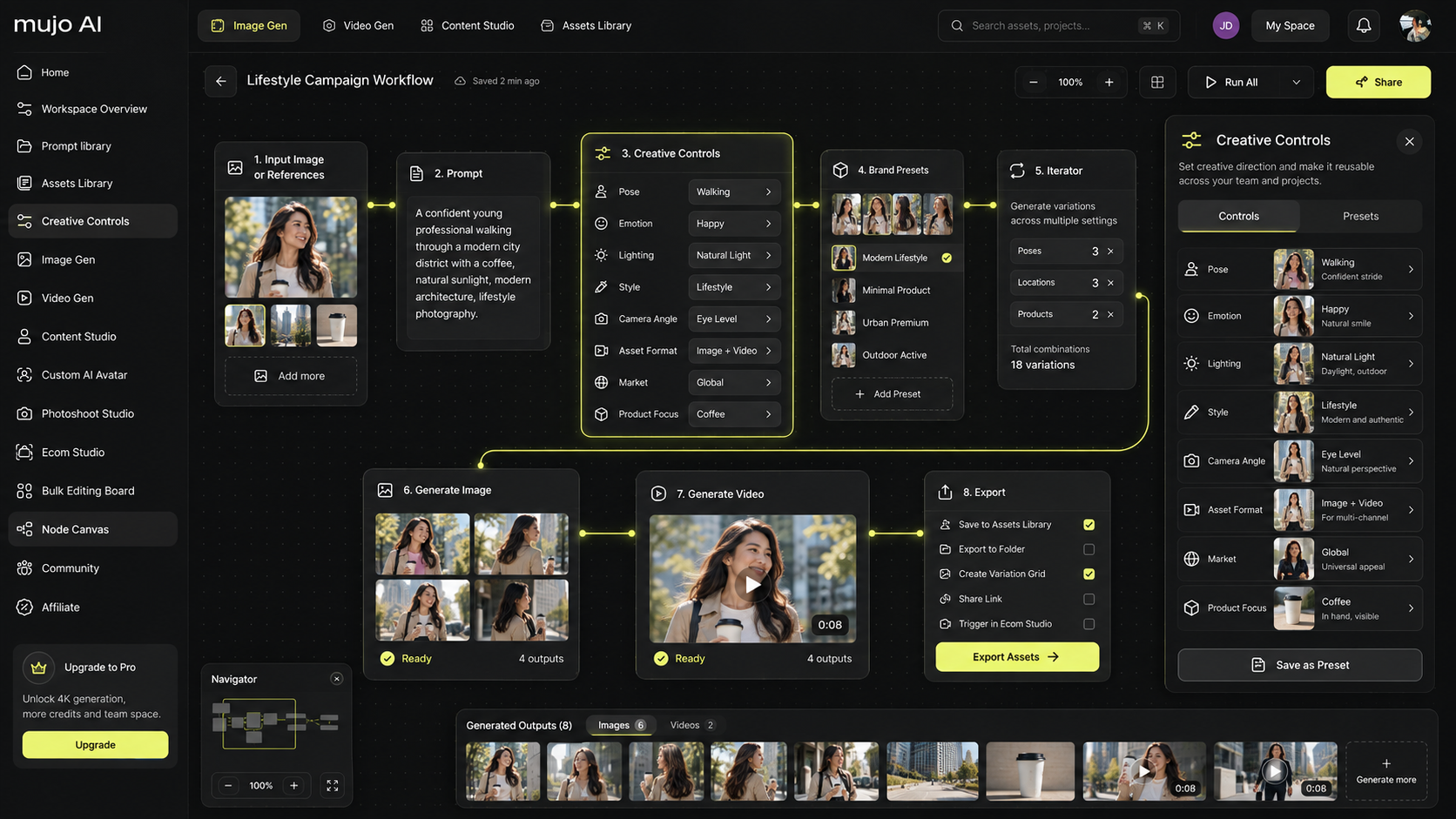
Mujo helps you create hero-ready assets as a system:
- generate a structured gallery where the first five images are designed to win the decision
- keep visual consistency across images and variants with style locking
- create benefit frames, comparison visuals, what’s included layouts, and trust cues that read on mobile
- export in a gallery order that supports the conversion funnel, not just aesthetics
- scale content production from one base product photo without manual design work
A practical workflow:
- Upload one strong product photo
- Generate a hero-first gallery sequence: identify → benefit → scale → included → proof
- Export a cohesive set for Amazon and for your DTC hero section
- Run simple A/B tests on the first 1–3 images and the above-the-fold CTA copy
A Quick Self-Check for Your Next Hero
If you want a fast improvement without redesigning everything, ask these questions:
- Can a stranger identify the product in one second?
- Is the main benefit clear without reading paragraphs?
- Is there proof visible above the fold?
- Is the CTA obvious and reachable on mobile?
- Does the gallery order remove doubt in the first five images?
If the answer is yes, your hero is doing its job. If not, do not add more content. Simplify, reorder, and strengthen the first screen.
When you are ready to scale hero quality across many products, Mujo helps you generate structured galleries and above-the-fold visuals that stay consistent, readable, and designed to convert.