.png)
Amazon keyword search is not about collecting the biggest list possible. It is about finding the exact search terms buyers use when they are ready to purchase, then placing those keywords into your listing in a way that improves relevance and conversion.
If your keywords are off, you can have a great product and still get invisible traffic, low clicks, and weak sales.
This expert guide walks you through Amazon keyword research step by step: how to find search terms, how to think about search volume, how to group keywords by intent, and how to choose the best keywords for titles, bullets, backend search terms, and A+ content. You will also get a mini checklist and a practical overview of the main tool types: keyword finder tools, search volume tools, and listing analyzers.
.png)
What Amazon Keyword Search Really Means
On Google, people search for information. On Amazon, people search to buy. That changes how you evaluate keywords.
A good Amazon keyword:
- clearly describes a product type or a buyer’s problem
- matches what your product actually is
- can realistically convert if you rank for it
- fits your category and your price point
A bad Amazon keyword:
- is broad and vague with high traffic but low intent
- is only loosely related to your product
- attracts shoppers who want a different product type
- looks good in a tool but does not match real buying language

The 3 Types of Amazon Keywords You Need
Most sellers think in one bucket: keywords. You will get better results if you split them into three types.
Type 1. Primary product term
This is the keyword that describes what the item is. It usually belongs in the title.
Type 2. Secondary attribute terms
Material, size language, pack count, compatibility, and special features. These belong in bullets and sometimes in the tail of the title.
Type 3. Use-case and outcome terms
Phrases such as for travel, for sensitive skin, for small dogs, or for back pain. These are powerful for bullets and A+ content because they often drive conversion.
.png)
Step 1. Build a Seed List in 20 Minutes
Start with a fast seed list. You are collecting raw material.
Do this in order:
Write your product in plain language
If you cannot describe it in one short phrase, your listing will struggle.
Add the obvious modifiers
Material, who it is for, what it does, pack size language, and compatibility.
Pull Amazon autocomplete suggestions
Type your product term into Amazon and collect the suggestions. These are real shopper searches.
Extract language from top listings
Open 5–10 top listings for your core term and collect repeated phrases. Do not copy titles. Collect patterns: attributes, compatibility language, and use cases.
Extract objections from reviews and Q&A
Look for words that repeat: too small, not compatible, smells, leaks, hard to use. These become your use-case and clarity keywords.
Your output at this stage should be messy on purpose. The next steps turn it into a clean keyword map.
Step 2. Check Search Volume Without Getting Fooled
Search volume is helpful, but it is not the only filter. On Amazon, conversion intent matters just as much.
A smart way to use search volume:
- use it to rank priorities inside one product type
- use it to spot head-vs-long-tail balance
- use it to avoid spending time on zero-demand phrases
A dangerous way to use search volume:
- chasing the biggest-volume term even if it does not match your exact product
- ignoring long-tail terms that convert better
- picking keywords only because competitors rank for them without checking fit
What you want is a portfolio:
- 1–2 higher-volume head terms that match perfectly
- 10–30 long-tail terms with strong buying intent
- synonyms and alternate phrasing to capture more searches
Step 3. Group Keywords by Intent, Not by Spelling
Amazon keyword analysis gets easier when you cluster by intent.
The three intent groups that matter most:
Group A. Product type intent
What-is-it searches. These define your main relevance.
Group B. Feature intent
What-does-it-have searches. These help you win comparison.
Group C. Use-case intent
What-problem-does-it-solve searches. These help you convert.
Example:
- Product type: wireless earbuds
- Feature: noise cancelling, long battery, water resistant
- Use-case: for workouts, for commuting, for calls
When you group like this, writing becomes easier:
- the title uses product type + one key feature
- bullets cover the rest of the features and use cases
- A+ content expands use cases and builds trust
Step 4. Choose Your Win Keywords
Now you pick which keywords matter most.
Use this simple scoring logic:
- Fit: does this keyword describe exactly what you sell?
- Intent: would a shopper using this keyword realistically buy your item?
- Competition: can you compete on page one or at least move up meaningfully?
- Coverage: does it add new meaning or is it a duplicate of what you already have?
If a keyword fails fit, skip it even if volume is high. High-volume irrelevant traffic is expensive and lowers conversion.
Where to Place Keywords in an Amazon Listing
Amazon keyword search is pointless if you do not place keywords properly. Here is a practical placement map.
| Placement | Best keyword types | What to avoid |
|---|---|---|
| Title | Primary product term + top differentiator | Stuffing multiple synonyms |
| Bullet points | Features + use cases + compatibility | Vague hype words |
| Description | Story + reassurance + long-tail use cases | Repeating bullets |
| Backend search terms | Synonyms and alternates | Duplicating title and bullets |
| A+ content | Use cases + benefit language | Tiny text on images and keyword blocks |
Important mindset: put the strongest, clearest keyword where shoppers see it first. Put coverage keywords where Amazon can still read them, but shoppers do not feel spam.
Amazon Keyword Search Terms: What They Are and How to Use Them
Many sellers confuse search terms with keywords. On Amazon, search terms usually mean the backend field where you add extra phrases that help indexing.
Use backend search terms for:
- synonyms you did not use in visible copy
- alternate wording
- common misspellings only if relevant and safe
- regional phrasing differences if you sell internationally
Avoid:
- repeating the exact words already in your title and bullets
- adding brand names you do not own
- adding irrelevant high-volume phrases
Think of backend terms as a coverage layer, not a dumping ground.
Tools for Amazon Keyword Search and Analysis
You do not need ten tools. You need a small stack that answers three questions:
- what buyers search
- how big the demand is
- which keywords competitors convert on
Below is a clear overview of the tool types and what they are best for.
| Tool type | What it helps you do | Best use |
|---|---|---|
| Keyword finder | Discover keyword ideas and variants | Build your seed list fast |
| Search volume tool | Estimate demand and prioritize | Decide head-vs-long-tail focus |
| Listing analyzer | See competitor keyword patterns | Spot missed attributes and use cases |
| PPC search term reports | See real converting phrases | Refine keywords after launch |
| Rank tracker | Monitor movement over time | Measure optimization impact |
How to choose a tool quickly:
- if you are pre-launch, prioritize keyword discovery and competitor patterns
- if you are live with PPC, prioritize search term reports and conversion insights
- if you manage many SKUs, prioritize workflow and bulk-analysis features
Mini Checklist: Amazon Keyword Search in One Pass
Research
- collect autocomplete suggestions for your main term
- collect repeated phrases from top listings
- collect buyer language from reviews and Q&A
- build a seed list of at least 50–150 phrases
Analysis
- remove irrelevant phrases that do not match your product type
- cluster by intent: product type, features, use cases
- check volume to prioritize, not to chase blindly
- pick 1 primary keyword and 10–30 secondary phrases
Implementation
- place the primary keyword early in the title
- distribute features and use cases across bullets
- add coverage phrases into backend search terms without duplication
- use A+ content to expand use cases and benefits naturally
Measurement
- track organic keyword coverage and clicks
- track conversion rate and unit session percentage
- adjust based on PPC search-term winners
Common Amazon Keyword Research Mistakes
Mistake 1: choosing volume over fit
This brings unqualified clicks and kills conversion.
Mistake 2: duplicating the same keyword everywhere
It does not add coverage. It adds spam.
Mistake 3: ignoring use-case keywords
Use cases are where conversion often happens, especially in crowded niches.
Mistake 4: building a keyword list and never updating it
Your best keywords often appear after launch, inside PPC search-term data and real customer language.
Mistake 5: forgetting that images also carry keywords indirectly
If the product is unclear visually, you will lose CTR and conversion even with perfect keyword coverage.
How Mujo AI Helps You Turn Keyword Insights into Visuals That Convert
Amazon keyword search tells you what buyers care about. But buyers do not purchase keywords. They purchase clarity and confidence.
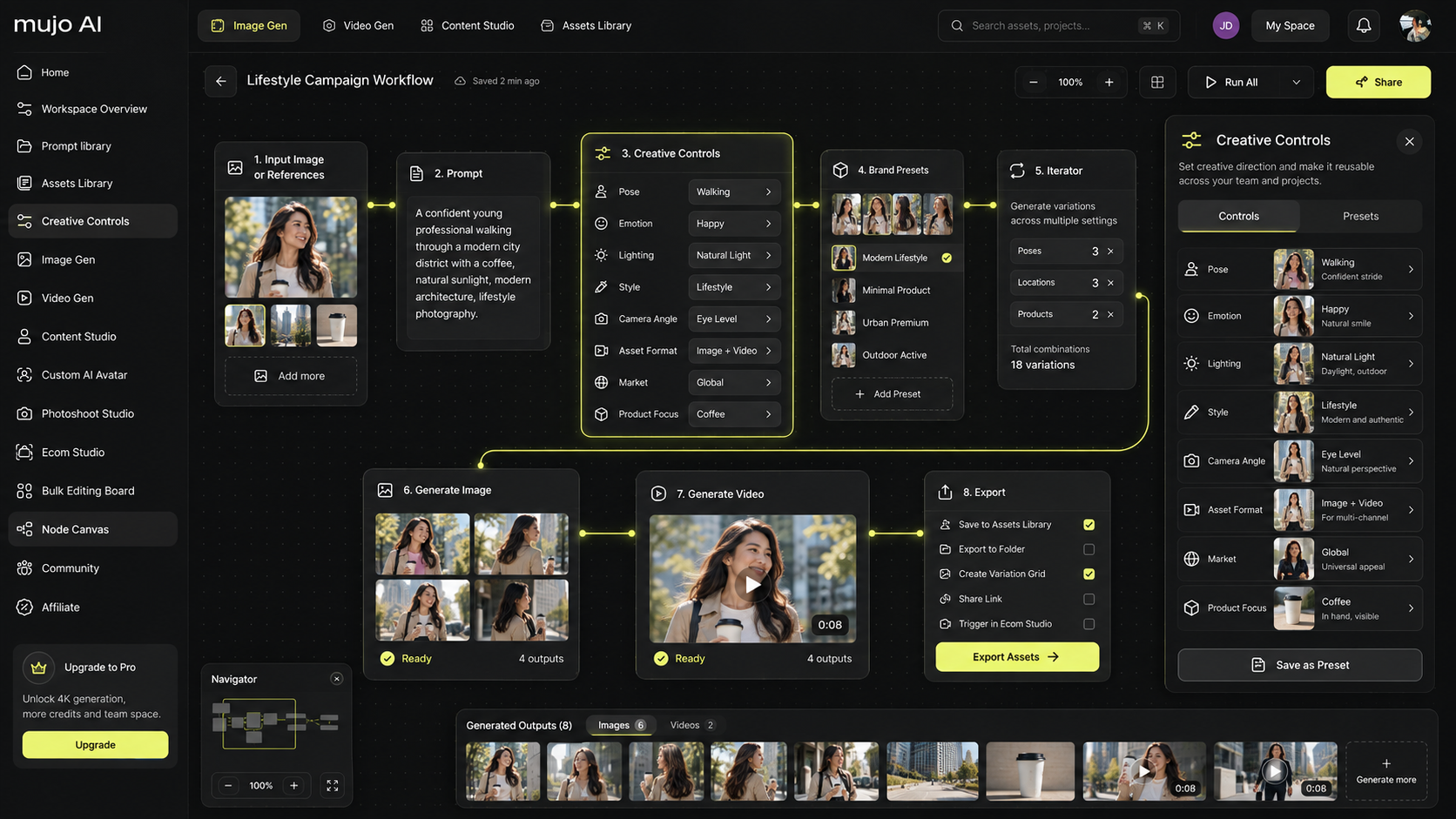
Mujo AI helps you translate your keyword findings into the exact image frames that improve CTR and conversion:
- if keywords show that what’s included matters, generate an included frame
- if keywords show that before-and-after or results matter, generate a results frame
- if keywords show that material matters, generate detail close-ups and texture proof
- if keywords show that for travel matters, generate an in-use scene that matches the use case
A practical workflow:
- Run keyword analysis and cluster by intent
- Choose the top 3 buyer questions hidden in your keywords
- Build a gallery plan with 7–9 images that answer those questions
- Use Mujo AI to generate consistent, ecommerce-ready frames
- Export a structured gallery and A+ modules aligned with buyer intent
Mini FAQ
How many keywords should I target for one listing?
Usually one clear primary keyword plus 10–30 secondary phrases is enough when they cover features, use cases, and synonyms.
Do I need search volume for every keyword?
No. Use volume to prioritize, but do not reject buyer language only because volume looks smaller. Many long-tail terms convert extremely well.
Where do long-tail keywords work best?
Bullets, description, and A+ content. They often describe use cases and outcomes.
What is the fastest way to improve keyword coverage?
Add missing attribute and use-case language into bullets and backend search terms, then align your gallery frames to those buyer questions so conversion improves.